.svg)

New ideas
Looking for inspiration, design tricks, how to make a great cover, promoting your yearbook and engaging your community?
Most recent
Speaking yearbook
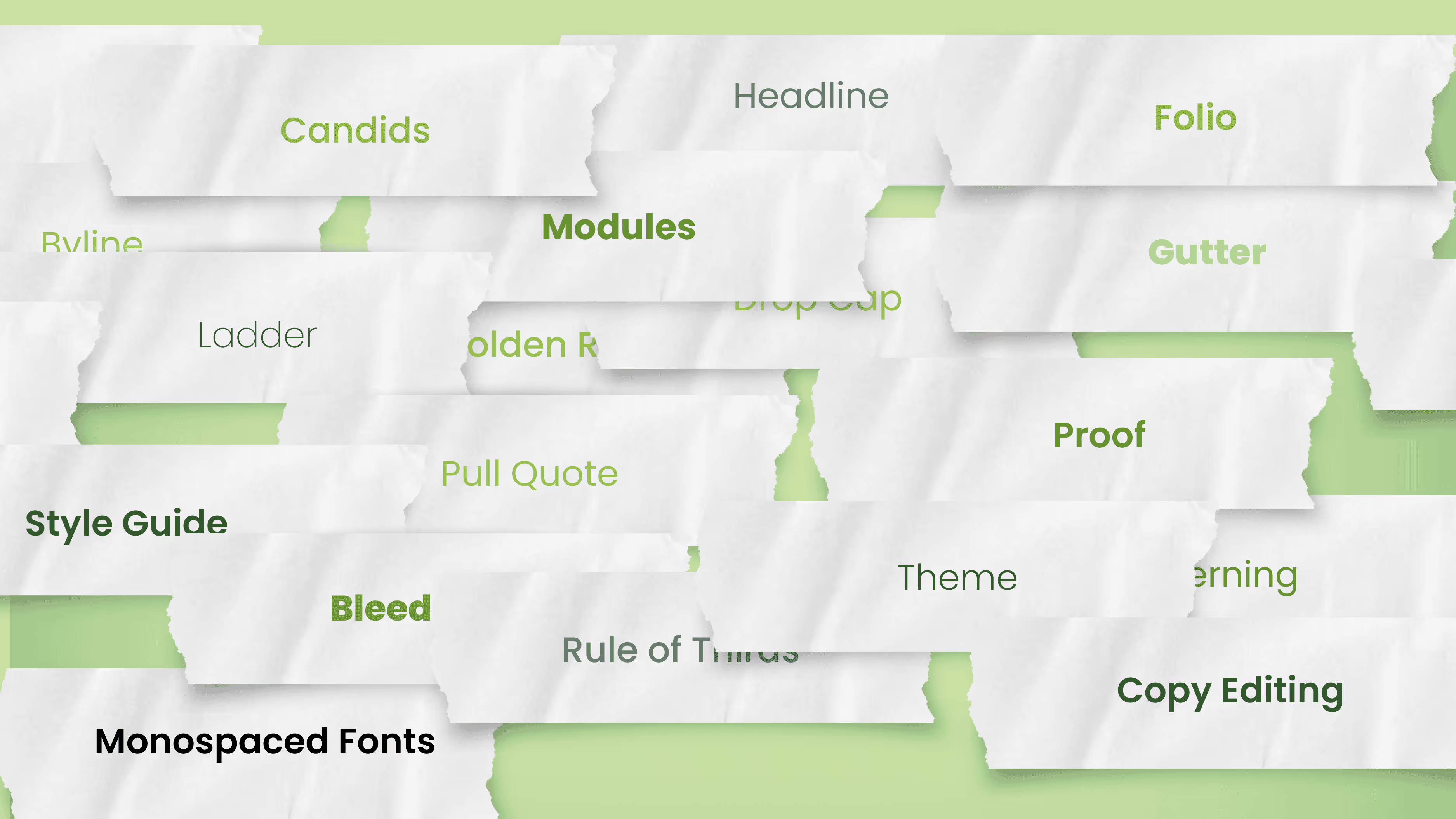
When anyone first steps into the world of yearbooks, it can feel like learning a new language. Terms like "gutter," "bleed," "spread," and "copy" have specific meanings that may be different from everyday language. Understanding this unique vocabulary is part of the journey. We hope that after your read this you can speak yearbook fluently.
What are the basics for yearbook creation?
To borrow from classical education, the grammar stage is the first step in learning any subject. It focuses on mastering foundational knowledge and vocabulary so we can eventually progress to more complex tasks. During this stage, the focus is on memorizing terms and concepts, recognizing patterns, and building an understanding of a subject’s basic structure.
In the context of yearbook creation, this foundational knowledge helps you communicate effectively with students, your publisher, and fellow volunteers.

Step 1: learn the key terms and concepts
Just as you would start learning a new language by building vocabulary, learning yearbook terminology is your first step. Here are some essential terms to get you started:
- Bleed: extra space around your page that is intentionally printed, then trimmed by the printer. The standard bleed size is 1/8 inch, and is usually used to allow for movement the paper during printing.
- Copy: the content of an article or news element. (Basically, it’s the words used to tell a story.)
- Ladder: a chart that represents the pages in a yearbook. It can be helpful when planning section placement and page content.
- Gutter: the space between two facing pages (an important place to keep clear because, when a yearbook is bound, the space between the pages shrinks). It’s best to apply a 1/2 inch margin to both sides of the gutter, or 1 inch in total.
- Spread: two pages that face each other in a yearbook.
If you’re craving more or want to quiz your yearbook class or club, check out Teaching Yearbook: 24 Yearbook Terms. We even built you a Google Form to test their knowledge!

Step 2: recognize the patterns
Certain patterns and conventions are used repeatedly. Understanding these patterns can be helpful when organizing content or working with the team on visual elements. Here are a few patterns to look out for:
- Sections: Yearbooks are typically divided into People, Student Life, Organizations, Sports, Academics, and Reference. This pattern helps create a natural structure that tells the school’s story.
- Design Hierarchy: Pages are often designed with a visual hierarchy, placing the most important elements—like headlines and main photos—at the top or center. Everything should be built from there.
- Themes: Each yearbook has an overarching theme that shapes its design, colors, and tone. Applying theme elements across spreads will help you stay consistent and focused on the story you’re telling.
Step 3: practice and apply
The final part of the grammar stage is applying your knowledge. Start by using these terms and patterns as you work with other volunteers and students. For instance, if you’re helping with a layout, use terms like “spread” and “gutter” when discussing the design. Practicing the vocabulary helps reinforce your understanding and builds confidence. Our favorite review activity is below.
Mastering the basics to move forward
By building a solid foundation in yearbook terminology and structure, you’ll increase your comfort level with the language of yearbook creation, allowing you to collaborate and contribute meaningfully to the project. The next step is to level up to more advanced stages of yearbook production, perhaps by trying modular design or a chronological yearbook.

Cell phone ban: how are we getting photos?
With nearly half of US states banning cell phones in the classroom, many advisers reached out for creative solutions for collecting yearbook photos. Student cell phones can have cameras that capture photos as well as or better than traditional cameras, and have become a cost-reducing factor for yearbook teams. As more schools create and tighten policies governing cell phone usage on campus, we need practical solutions for yearbook class.
The yearbook’s mission remains unchanged.
Take heart, yearbook creators, when parent volunteers weren’t permitted on campus, we pivoted. This is no different. [FWIW, I’m imagining being on a horse, like William Wallace, as I type this.]
The quick response
The easy solution is to grab some point-and-shoot cameras for yearbook students to have on hand or a few iPad Pros, if your school permits it. Focus the first few class or club meetings on the basics of composition.
Another solution is photo training with a DSLR or mirrorless camera. Explore aperture (depth of field) and keep track of what ISO and white balance work for specific locations on campus, like the dreaded gym pics, which always look straight out of the 1970s with the yellowed floors and fluorescent lights.
If you don’t have budget constraints, check out our recommendations for yearbook gear.
Capital expenses aren’t for every yearbook team. Additionally, neither of these solutions addresses how to get you and your team everywhere—you can’t. Adding avenues for school staff, parents, and students to contribute photos will grow your reach.
Create a submission pipeline
Photo drop campaigns should be part of every post-event communication from your yearbook team. Did fourth grade take a field trip to the zoo? Reach out later that day to the parents and teachers who went for their snaps.
Keep in mind, the easier it is to share, the more results you will receive. Also, limiting yourself to one or two avenues will simplify your back-end organization.
Yes, this approach might require more planning and follow-up than in past years. Remember, the systems you build now will benefit your yearbook program long after the initial challenges are resolved.
Photos from teachers and staff
While we cringe at asking our classroom champions to do one more thing, the thought of not celebrating their outstanding work is far worse. Work with your campus administration to add Google folders to the school’s shared Drive.
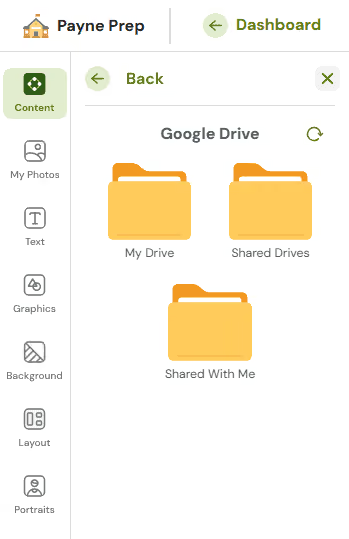
There should be a folder for each teacher and school-wide folders for holidays, recess, specific school events, lunchtime fun, assemblies, etc.
Photos from parents
Many of the advisers in Treering’s Official Facebook Group say they have room parents responsible for in-class photos. Additionally, parents are often present at outside events such as concerts, field trips, and games. Partner with them for photos of
- Off-campus event and athletics photos
- Candids from carpool, pick up/drop off
- First day
- Any dress-up or spirit day
- Summer and winter vacations
- Homework and student art
In addition to a shared folder to which parents can drop images, share an email address.
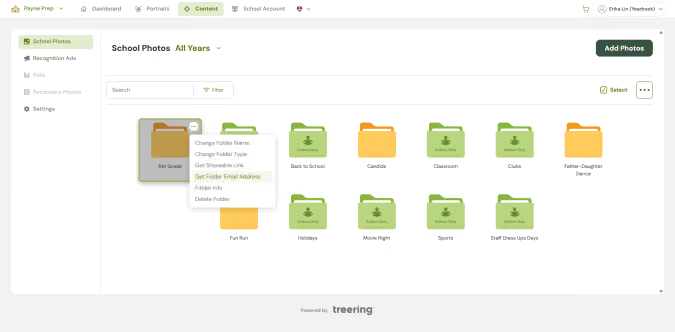
You can even send targeted asks after events: Hey Fatima, It was great to see you at the Science Fair. Would you please send me 2-3 photos of Jackson and his friends so I can include them in the yearbook? Thank you!
Full disclosure, any time I see parents taking photos of their children, I ask them to email those photos to me on the spot.
Shameless.
Photos from students
If your yearbook program has a class or club component, creating photo assignments is one way to secure photos from students. The last thing you want to do is just tell a student, “Go take photographs of science.”
Many schools employ a beat system, assigning students to specific grades, clubs, and sports. This is a way to monitor coverage while teaching communication and project management. Students connect weekly with their contacts (coaches, teachers), find out what is happening, and take photographs of events.
The beat system also serves as accountability: if Erika’s beats have empty content folders in week three, the editorial team needs to redirect her efforts.
If you need help providing photo support, explore
The key to success lies in early, frequent, and clear communication with your entire school community. When staff, parents, and students understand the goal and their role in achieving it, collaboration becomes smoother and more sustainable.
Explain why the cell phone ban affects yearbook coverage, what kinds of support you need, and how you’ll collect photos. Then, keep the conversation going:
- Remind teachers of upcoming photo ops
- Update parents with specific photo requests
- Train students to use alternative tools and plan ahead.
The more proactive you are, the fewer last-minute gaps you'll face.

Easy +1: a guide to leveling up your yearbook
A colleague who studied violin using the Suzuki Method shared that he was able to succeed because he didn’t go from 0-60 in a few lessons. He mastered a concept, then added another. This anecdote inspired me to make “Easy +1” my MO. I use it as a guide for teaching my students to read, increasing the palate of my toddler, and improving each yearbook of which I am part. We don’t have to do it all.
You don’t have to do it all.
With the right support and the resources we picked for you below, choose one thing (yes, one!) as a focus for this year. Get in the details. Fail. Learn from your mistakes, and to paraphrase Michael Scott, create “even harder.”
3 photography helps
Improving yearbook photography is going to have an immediate impact. Why? The assumption is that the yearbook is a book of photos. While I truly wish people went as crazy as I did about the wordplay in ledes and headlines and understood the thematic verbal-visual connection, knowing parents, teachers, and students are sharing storytelling photos is part marketing genius, part one-less-thing-this-adviser-has-to-do.
1. Set up a sports photo submission process
Tap into whatever system your school uses to share files using Treering’s crowdsourcing tools. In addition to shared folders, Treering also has Dropbox, Facebook, Instagram, and Google Drive integrations. Remember to include groups such as the marching band, poms, cheer team, boosters, and the spirit squad which are also at sporting events.
2. Teach photography
(Spoiler alert: if you’re not a photographer, you can learn alongside your yearbook team.) We created these five mini-lessons to level up your photography.

3. Create a shot list (or use ours!)
Classroom photos highlight the bulk of a student’s in-school day. And I promise you, they aren’t lined up against the classroom centers with fake smiles. Do yourself and the staff on campus a favor: show and tell. Show examples of action pics in the classroom. Tell them what you need. Professional photographers use shot lists to ensure they take all the essential photos and their clients receive what they need.
How to include more students in the yearbook
Yearbook coverage is a personal soapbox. Our job is to create a yearbook that accurately reflects our student body from price point to the people pictured. Here are five ways to improve yours.
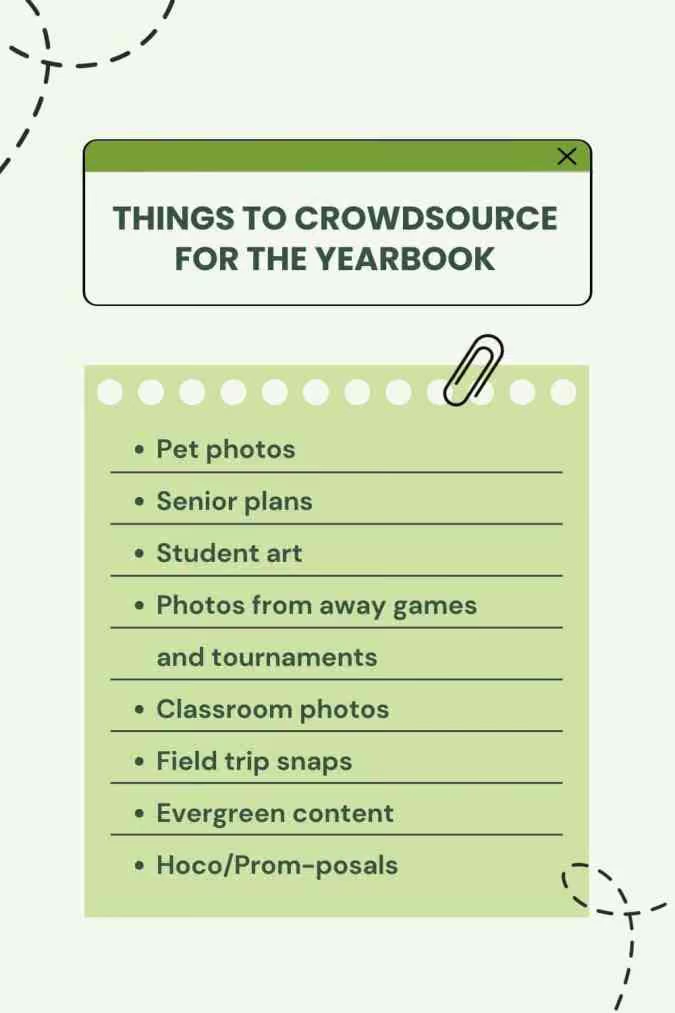
1. Crowdsource content for a more equitable yearbook
If you want your book to look like your school, your school needs to help you build your book.
2. Develop evergreen content
Using these 40 open-ended interview questions, you can get students talking. Start with a question of the day and have your yearbook team members connect with five other students. The next day, there is a fresh question for five different students. And so on.
3. Change how you cover holidays
Many of us parents grew up with the adage: politics and religion never make for polite conversation. By focusing your interviews on the individuals—versus the religious or cultural practice—you will see their POVs.
4. Create topical collage pages
There’s a difference between a printed pile of pics and a well-designed layout.
5. Shrink your portraits and add content to portrait pages
Personality profiles, responses from the evergreen content (see #2 above), and infographics can increase the impact of your class pages. Feature those students who aren’t starring in the spring musical or beating school records.
Level up your layouts
You can upgrade your yearbook’s design by applying hierarchy in your layout design.

1. Design hierarchy basics
Identifying dominant, secondary, and tertiary elements will help you see why some pages “work” and others do not.
2. Mild, medium, or spicy design?
Yearbook Hero Lauren Casteen developed a scaffolded approach to teaching yearbook graphic design to her students and created these adviser resources.
3. The truth about yearbook fonts
Your font choice will affect and effect your buyers. Choose wisely.

4. Mastered the above? Try modular design
Design hierarchy is essential when going modular: each mod has its own dominant and secondary elements that fit into the structure of the spread. When done well, modular design improves consistency, collaboration efforts, and coverage.
We took the first step in gathering lessons, examples, and tips from other editors. It’s your turn to take the next one.

Camera pros and cons
A digital single-lens reflex (DSLR) camera is what our minds associate with photographers. It’s the tool of the trade. But is it the best thing for our yearbook teams? Cell phone cameras have their own pros and cons–we’ll explore both sides so you can choose what’s best for your team.

Benefits of a DSLR
When using a DSLR, you generally* get high-quality images due to full control of the exposure triangle. These features offer greater versatility to adjust for lighting conditions, like gyms and choir concerts. (I say generally because a con of DSLR cameras is the blind faith amateur photographers put in them. The camera alone does not make the shot.)
A DSLR also has interchangeable lenses for various scenarios:
- The nifty fifty for classroom shots
- A telephoto lens for concerts, assemblies, or sports events to capture shots without needing to be up close
- The all-purpose 18-135mm
Using a DSLR camera may help yearbook creators feel more professional—after all, you are selling the yearbook. It may unleash a new passion in students and volunteers as they master different settings.
A major con is the additional expense associated with the gear. Lenses and camera bodies do not intermingle, so if you have Nikon, Sony, and Canon in your equipment cabinet, you’ll need to take additional precautions to keep them separate.
Additionally, they can be bulky, and if you’re carrying multiple lenses, it can feel like lugging a small suitcase. Plus, not all models have Bluetooth, so transferring photos requires connecting to a computer, which can be time-consuming. Some students may feel intimidated by large cameras, so it’s worth considering if this is the best option for close-up situations.
Using a cell phone for yearbook photos
Alternatively, using your phone or tablet camera has benefits. Compact and always at hand and ideal for capturing moments on the go, cell phones are usually in the back pocket of yearbook creators. (And unless your kid is on the yearbook team, you didn’t pay for it. Score!) They are convenient and much less intrusive than their DSLR counterparts—plus when photographing camera-shy students.
The main con is that phones don’t offer as much control over camera settings. While cell phones are continuing to improve portrait and low-light modes, they may still look over-edited or may lack quality. Digital zoom is also destructive (it easts pixels) and can reduce resolution.
Tips for using cell phones
When using a cell phone to take yearbook photos,
- Shoot in well-lit conditions (natural light is always best).
- Avoid digital zoom–like my yearbook adviser always said, “Zoom with your feet.” move closer instead.
- Tap the screen to focus and adjust brightness manually by using the slider.
Can I use a tablet to take pictures?
Some schools are switching to tablets for yearbook photography because of school policies on cell phone usage. Like cell phones, they are familiar devices, especially for younger yearbook creators.
While tablets can be used for yearbook photography, they typically lack the camera quality and features found in smartphones. Using a tripod (image stabilization) and photographing in HDR (High Dynamic Range) setting will improve the crispness of photos if you don’t have a “pro” model in your budget.
Quick tips to improve your yearbook photos
Bottom line: whatever tool you use, you can take better photos by improving your composition skills. Practice by taking lots of photos at events. You’ll soon apply those framing and lighting techniques instinctively as you learn where to stand (and move) to get the best shot.
Teachers and club leaders should make a weekly habit of practicing composition techniques to improve students’ skills. We created a BINGO card to help. Play a class-wide game of coverall, have sections compete against one another (e.g., student life vs. athletics), or make it an individual activity.
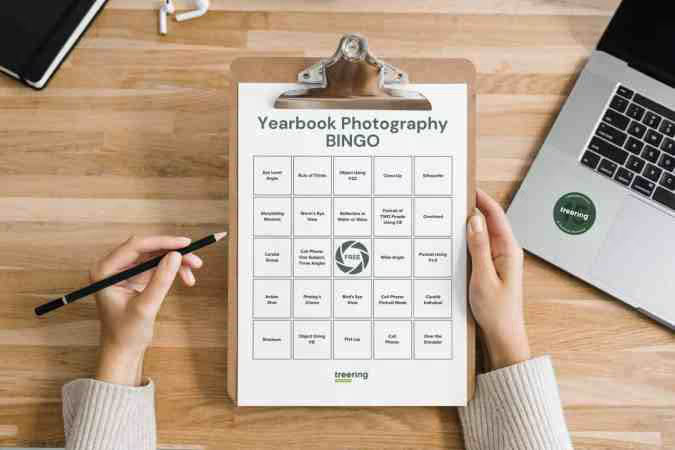
This blog is adapted from Sandra Violette’s Photography session from TRL 24 POV: I’m on the Yearbook Team. Violette, a professional photographer and PTO mom, serves on the Onboarding and Engagement Team at Treering Yearbooks.

Simplify picture day with these 5 tips
Picture day either makes you call out ill or grab disposable combs and a spray bottle for flyaway patrol. With portraits making up 40-60% of a yearbook, anything Treering can do to make it easier on you is a win-win-win. It’s the bulk of most elementary school yearbooks. It’s where there’s the most potential for error. It’s where you’ll prevail this year.
1. Find a yearbook photographer
When interviewing a yearbook photographer, be sure to learn about the photographer's
- Experience: How long have you been in business?
- Security measure: How do you vet employees? What does your background check process entail?
- Training: What does your photographer training look like?
- Dependability: Every school photography company is experiencing staffing issues. Ask if they are prepared.
- Turnaround time: What is the time from picture day to delivery? How do I get my yearbook export?
- Longevity: How long are the photos available?
Consider all factors—quality of work, professionalism, cost, and feedback from local references—in your search.
2. Prep for picture day
As you create a ladder and assign spreads to portrait pages, your photographer prepares by organizing students in their database to produce PSPA-formatted portraits for the yearbook. (PSPA is the fancy abbreviation for the industry-standard way portrait photographers and yearbook software communicate.)
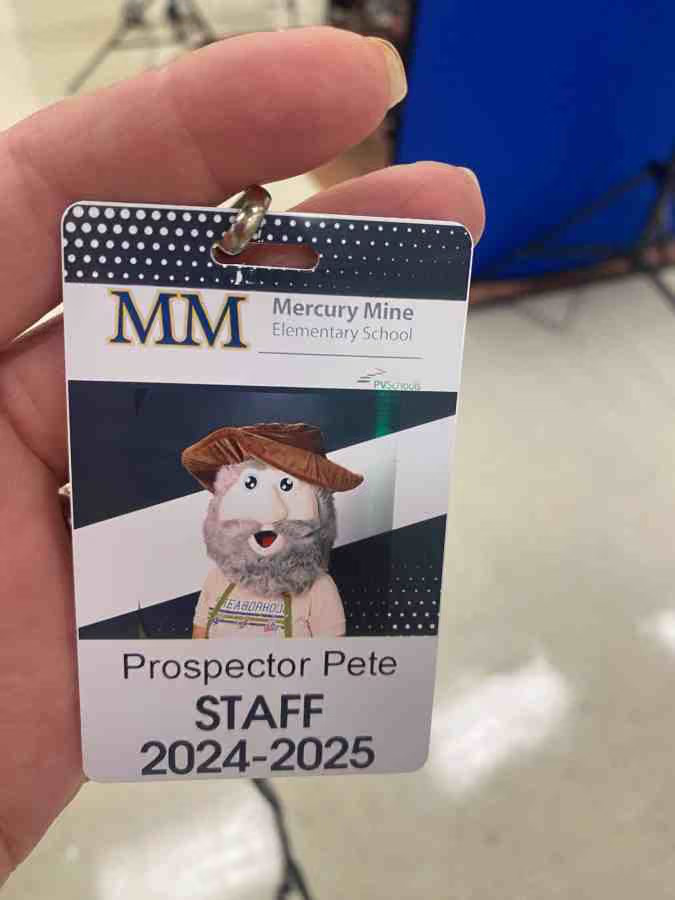
School photographers need accurate information well before they arrive at your school. If you don’t receive a template, ask what specific details they require and their preferred format.
This is so important. For the yearbook, traditionally all photographers would need name, grade, and teacher. Photographers use school data provided to the photographer to create all school services including a PSPA file, such as IDs. The more info the better! This means your picture day photographer may give you a template with room for house names or team names, room numbers, and staff salutations.
3. Go from picture day to yearbook pages
Make sure you know your photographer’s expected turnaround time before scheduling your school picture day. Most need 3 to 4 weeks. Given that time frame, if you schedule picture day in mid-September and hold a retake day in November, you’ll have all the portraits for the yearbook before winter break.
This syncs nicely with winter webinars by Treering’s Yearbook Club to help you flow your portraits. And with Treering’s three-week turnaround, you’ll have time to add any students who join in the second semester.
4. Create your schedule… and share it early
Picture day should be on the school calendar from the beginning so parents and teachers can plan. Work with admin to share the schedule with staff and parents at least a week in advance.
The best scheduling advice we can give is paraphrased from “Toy Story 2.”
At the high school level, getting students and faculty through the queue may feel like you’re on the logistics staff for Major League Baseball or in an air traffic control tower. Breathe deep. You’ve got this.
When creating the picture day schedule, allow the appropriate time for each class. The guidelines below should help.
- Pre-K and Kindergarten: Plan for upwards of one minute per student. (About 25 minutes for a 20-30 student class.)
- Grades 1-5: Plan for 45-55 seconds per student. (About 20 minutes per 20-30 student class.)
- Middle and High School: Plan for 45 seconds per student. (About 18 minutes per 20-30 student class.)
Your photography company should send one photographer for every 250 students.
5. Recruit picture day volunteers
If your school allows it, parents can help prep students for the camera. Remember flyaway mom in the opening paragraph? Chances are, you have a parent on campus who can assist in getting kids ready for their portraits and reduce the time each student spends with the photographer. This also helps reduce the picture day stress on teachers. (By the way, a few boxes of doughnuts by the mailboxes in the office will go a long way.)
Picture day volunteers can also help relieve tensions. PTA mom Abby dresses up each year to help students smile.

Some photo companies offer free or reduced picture packages as a thank you. Remember to negotiate that ahead of time.
When these elements come together, picture day can transform from a hectic event into a smooth operation. You’ll receive great photos and provide a stress-free process.

Signs you’re a yearbook coordinator
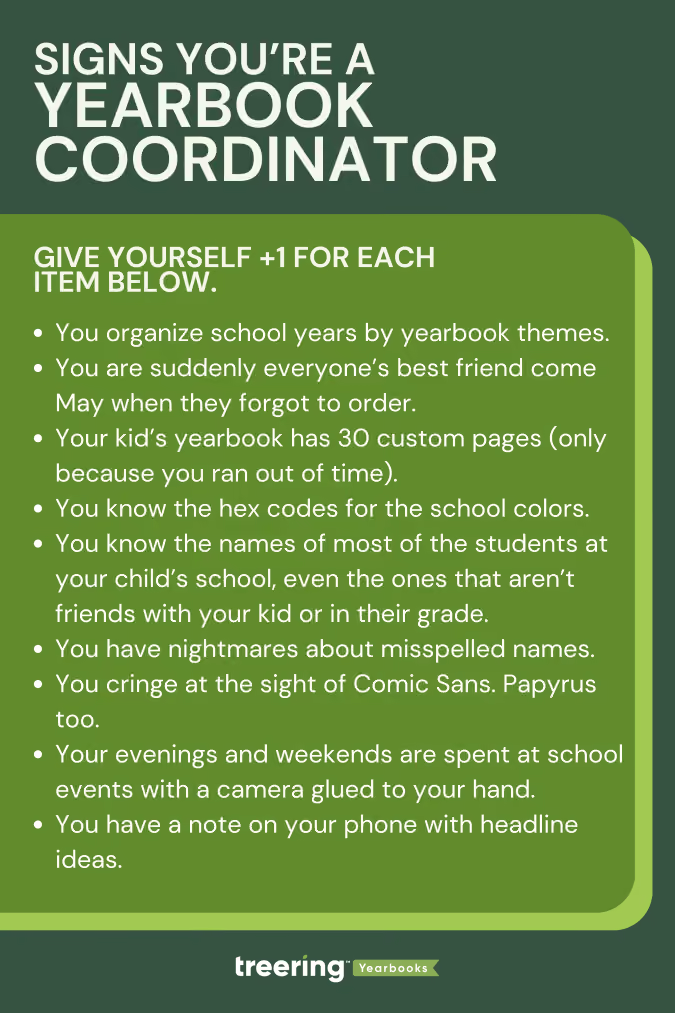
Fun fact: most Treering employees are the yearbook coordinators for their children’s schools. Our staff compiled this list to distinguish “just” a mom with a camera (TIA for all the pics you share) from an all-knowing yearbook aficionado. These first four are the yearbook coordinator starter pack for this club.
- You organize past school years by yearbook themes.
- You’ve perfected the art of bribing motivating people with pizza and Red Vines to meet deadlines.
- You are suddenly everyone’s best friend come May when they forgot to order.
- Your kid’s yearbook has 30 custom pages (only because you ran out of time).
You’re in the know
If you’re an old-school journalist, you have the scoop on all that’s happening on campus: events, field trips, games (even the rescheduled ones), and parent-teacher conferences. And chances are, you’re in the midst of the action. Couple that with your yearbooking (yes, it’s a verb) know-how, and you’re an indomitable force.
- You know the hex codes for the school colors.
- You know the difference between a point and a pica.
- You’ve memorized every student’s best angle.
- You know the names of most of the students at your child’s school, even the ones that aren’t friends with your kid or in their grade.
- You’ve attended more school dances than any student ever will.
- You know the principal’s catchphrases by heart.
- You’ve debated the perfect theme more times than you can count.
- You refresh the yearbook tracking number every five minutes.
You stress over these yearbook woes
Spoiler alert: if this is your first year as the yearbook coordinator, there will be some stress. After you laugh your way through this list (rimshots not included), check out a more serious one our team did: 10 Ways to Relieve Adviser Burnout.
- You have nightmares about misspelled names.
- You cringe at the sight of Comic Sans. Papyrus too.
- You can spot a typo from a mile away.
- You wake up in the middle of the night to question whether you added that kid who wasn't there on picture day.
Boundaries you don’t (yet) have
We are all works in progress. (Read: no judgment here.)
- You have over 3000 photos sorted into folders by school event.
- You consider caffeine a major food group.
- Your evenings and weekends are spent at school events with a camera glued to your hand.
- You have a note on your phone with headline ideas.
- You have contacted friends on social, neighbors, your bunco group, gym friends, and random parents at the grocery store to add photos and order their books.
- Your idea of a vacation is a day without a deadline. Conversely, you’ll pay for airplane wifi to finish that last spread.
- You consider the yearbook room your second home.
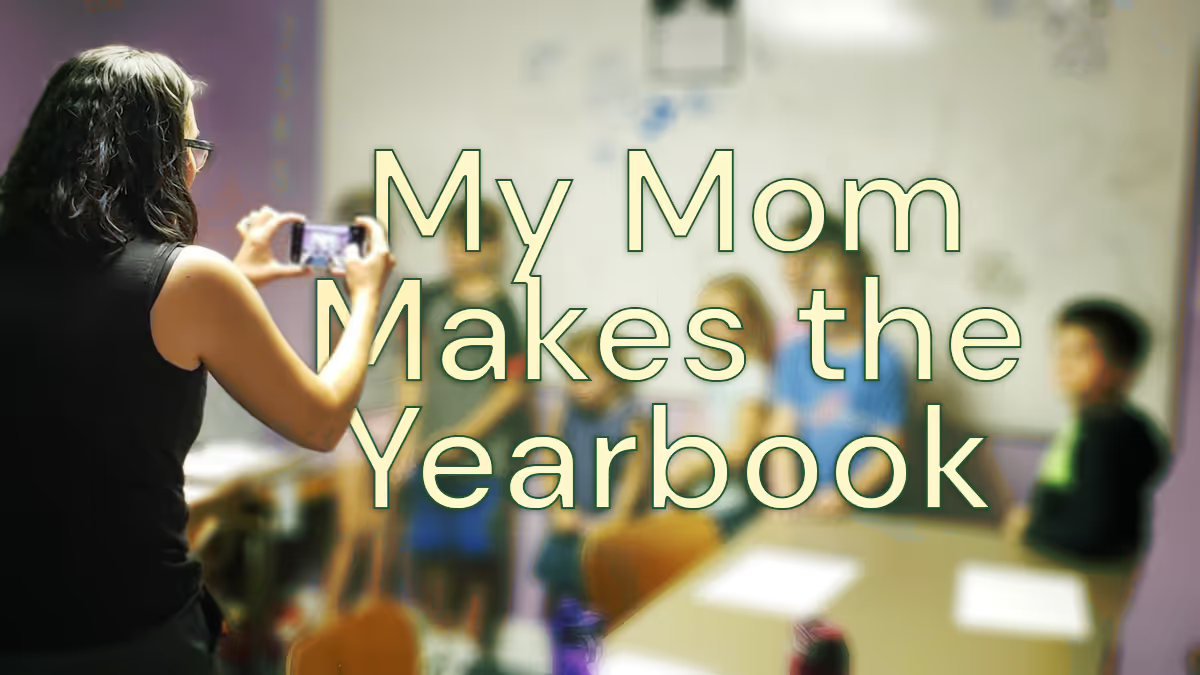
My mom makes the yearbook
Taking over this yearbook blog is a big deal for me: I don't remember a time without a yearbook. Now that I’m about to finish middle school and have eight yearbooks to look through, my appreciation for them leveled up. Yearbook moms (and dads) deserve our appreciation. If you are thinking about joining their ranks, know it impacts your kids and their friends.

My yearbook history
The oldest yearbook memory I have was when I tried to get as many signatures as possible in my book. My friends and I once had a competition to get the most. We’d ask everyone at lunch and during after-school care to sign ours. Because my mom ran the yearbook, I had an advantage with the older kids. They all knew her, and she’d talk about me in class.

Now, the signing part is more or less to show my kids one day that I did have friends. My school does its signing party in the summer. I look forward to it because I get to see all my friends again.
Before I started fourth grade, my family moved across the country. When I changed schools, yearbooks became even more important. They helped me remember my old friends. Since yearbooks capture memories of the school year, I use them to brag to my friends about doing things like scoring a touchdown or winning the science fair.
How my mom makes the yearbook
At my old school, my mom taught the yearbook class. The yearbook students were recognizable on campus. Now, my mom takes photos at school and recruits other moms. She then uploads them and puts them on pages. When it comes to design, she uses the pages to organize how events happen at school. Sometimes I get out all my books and look through them so I can remember.
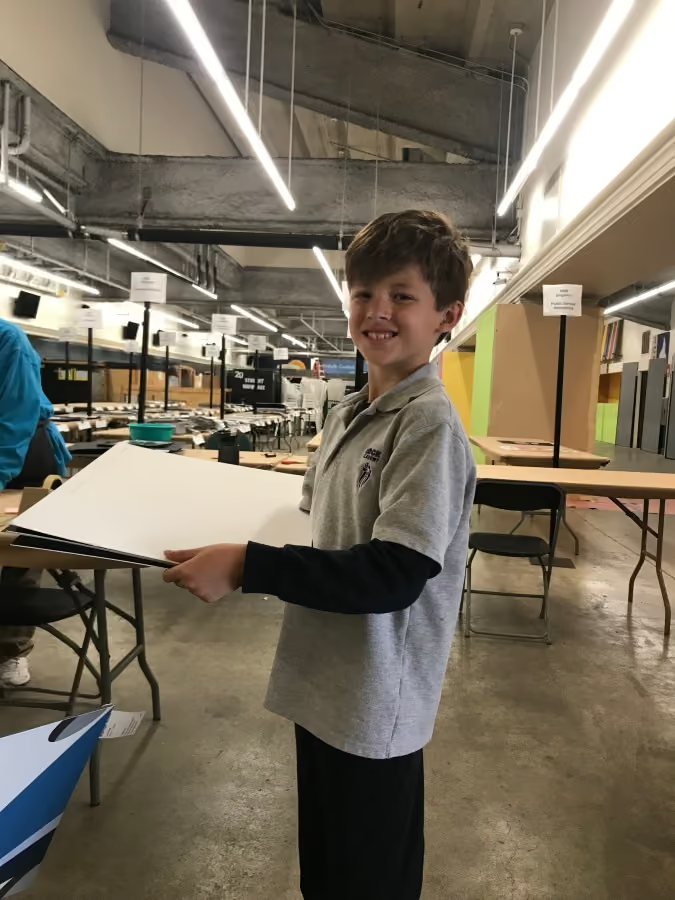
Every year, she chooses a theme, and she doesn’t tell me what it is. At our school, it’s a surprise for the end of the year. No matter how much I beg, she won’t tell me. If the book was bland or the designs were scattered, it wouldn’t make much sense. I’m glad she puts time into making something that looks like the school year. Each one is different: 3D, like a journal, or even patriotic.
Having a yearbook mom
Now that my mom is making the yearbook as a volunteer instead of a teacher, she does all the work from home. Even though she constantly takes pictures of my friends and me in class or hanging out at recess, it feels good to know we will all be in the book. She knows us, and we can all relax (OK, I’m not always relaxed because she can sometimes be embarrassing).
Know it’s a good idea to be a yearbook mom (or dad). You’ll help more kids get in the book. You also get to help make something special that your kids and their friends will look at over and over.
Guest blogger Erikson (age 13) spends his time outside school cooking with his culinary team, serving as the 4-H teen leadership council vice president, and volunteering with Giant Cow Ministries. His Treering custom pages feature family vacations and 4-H achievements.

Rookie yearbooking: tips for the first-year adviser
Making a yearbook is unlike any other subject or volunteer committee. Yearbook coordinators/advisers/sponsors/heroes manage people and processes. They record history and achievements. They are marketers, photographers, designers, and party planners. And we're here to help. Consider this the first-year yearbook adviser guide to organization to help you however you scored the gig: if you showed up last to the PTA meeting or you are excited to use your background in journalism.
If you need to fast-track your yearbook journey, check out our four-part series Yearbook in 60 Days.
Understand your contract (*non-contract if you’re in the Treering community)
Expectation vs. reality is a powerful meme thing. We crafted this list of questions to help advisers choose a yearbook company. If one was chosen for you, use the list to clarify the relationship between your school and your publisher. To quote my mom, “They work for you.”
Treering doesn’t do contracts or order minimums. You tell us when your one deadline is.
Determine your page count
The best planning nugget this adviser received is to start with the end in mind. A yearbook ladder does just that. A ladder is a chart that represents the pages in a yearbook. Use it to allocate sections and page content.
Start with the last few years’ yearbooks, the latest school calendar, and your team.
- Brainstorm the non-negotiable events, sections (people, arts, sports), and yearbook traditions
- If relevant, brainstorm additional features, specials, and theme-related content
- Decide if you will organize the book chronologically, topically, or a blend of both
- Assign spreads to your team
We love doing this digitally because it can be fluid. Need inspo? Here are four sample ladders from other schools (use the tabs at the bottom to navigate between elementary, k-8, etc.).
Pro tip: If your page count is looking overwhelming because of time or budget, combine some topics. If it’s underwhelming, return to number two: what additional meaningful content will you add to your yearbook?
Gather content
Your ladder is worthless unless you can fill those pages. Harsh (and true). Here are three of our favorite resources to go from blank page to showstopping spread.
Pump your project
Many schools wait until the last minute to sell books. Starting sales when school begins builds momentum. These early sales fuel you as a first-year adviser. It also alleviates some of the last-minute pressure on parents already balancing the end-of-the-year activities.
From page count to promotion, these tips will help you stay organized as a first-year adviser. Happy yearbooking!

Vacation vibes: take a yearbook breather with beach reads and podcasts
As any yearbook adviser will likely concur, one of the most beautiful sights on the internet is the celebratory confetti that fills your screen when you hit “print ready.” Now that summer break is underway and your yearbook has gone to print, it’s time to indulge in well-deserved relaxation. Whether you're opting for a tropical vacation or a cozy staycation, the Treering team has curated a selection of delightful beach reads and captivating podcasts to enhance your leisure time.

Beach reads to dive into
If you're an avid reader with a never-ending list of books to conquer, now is the perfect time to get caught up in a good read. Here are a few to add to your shortlist:
- One Italian Summer by Rebecca Searle (recommended by Chrissy K., Customer Success Manager): A 30-year-old married woman from Los Angeles, finding herself adrift after her mother’s death, travels to Italy on a long-awaited vacation they had planned to take together. (Kirkus Reviews)
- Trust by Hernan Diaz (recommended by Bobby H., Head of Growth): A riveting novel set in a bygone America that explores family, wealth, and ambition through linked narratives rendered in different literary styles, a complex examination of love and power in a country where capitalism is king. (The Pulitzer Prizes)
- Then She Was Gone by Lisa Jewell (recommended by Ayesha M., Sales Development Representative): Ten years after her teenage daughter disappears, a woman crosses paths with a charming single father whose young child feels eerily familiar... (Greenwich Library)
- The Joy Luck Club by Amy Tan (recommended by George K., Head of Product): In 1949, four Chinese women, recent immigrants to San Francisco, begin meeting to eat dim sum, play mahjong, and talk. United in shared unspeakable loss and hope, they call themselves the Joy Luck Club. Rather than sink into tragedy, they gather to raise their spirits and money. (Amazon)
Poolside podcasts
If you prefer to relax with headphones by the pool, here are some podcast recommendations that are sure to pique your interest:
- Gee Thanks. Just Bought It! hosted by Caroline Moss (recommended by Megan P., Marketing Manager): Ever bought something you loved SO much that you couldn't stop telling everyone about it? Los Angeles-based writer and host Caroline Moss invites interesting, smart, and savvy guests to evangelize their favorite buys in the hopes of helping you become a smarter and more informed shopper.
- The Way I Heard It, hosted by Mike Rowe (recommended by Erin M., Sales Development Representative): From pop culture to politics, history to Hollywood, each mystery is a true-ish tale about someone you know, filled with facts that you don’t. Delivered with Mike’s signature blend of charm, wit, and ingenuity, these stories are part of a larger mosaic—full of surprising revelations, sharp observations, and intimate, behind-the-scenes moments drawn from Mike’s life and career.
- On Purpose, hosted by Jay Shetty (recommended by Shannon H., Sales Development Representative): Jay Shetty’s purpose is to make wisdom go viral. His podcast brings fascinating conversations with some of the most insightful people in the world straight to viewers worldwide.
- Hey Dude... the 90s Called, hosted by Nickelodeon child stars David Lascher and Christine Taylor from the cult classic show Hey Dude (recommended by Erika Lin P., Marketing Manager): You won’t be Clueless about your favorite shows when the crew from West Beverly and Bayside High, among others, share gossip, coming of age takes, on set challenges, and fan encounters.
Embrace the vacation vibes
Whether you prefer turning the pages of a good book or immersing yourself in a fascinating podcast, we hope these suggestions enhance your well-deserved break from yearbook responsibilities. (If you can’t help yourself, check out this Summer Yearbooking blog.)
Happy Summer!

4 ways to simplify yearbook creation
At a recent PTO event, we handed out eye masks that said, "No more yearbook headaches." Yes, it was the hottest piece of swag there, and more than that, it was a promise: Treering exists to simplify the yearbook process by leveraging technology.

1. Use templates
Templates are drag-and-drop designs for yearbooks. Generally, they have frames for photos and may contain text boxes and other design elements. Yearbook staff, often parents and students with varying degrees of design experience, can quickly learn to use templates. Not only does this speed up the yearbook creation process, it also keeps the books looking unified.
Theme packages contain coordinating fonts, art, and page layouts. You can easily build a book using page templates for sports, events, and classroom activities.
Select a theme for a whole book look. Templates can often be matched to school themes, colors, and mascots with a few clicks, ensuring the yearbook reflects the school’s identity without extensive custom design work.
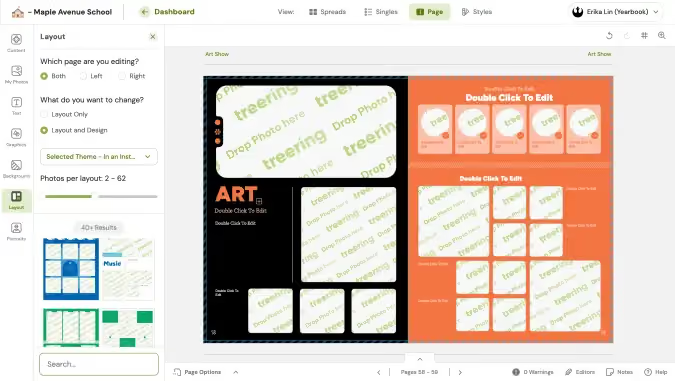
Eliminate decisions on bleed, spacing, and typography with professional designs built into your yearbook software. With these design elements already decided, the yearbook team can focus on gathering content.
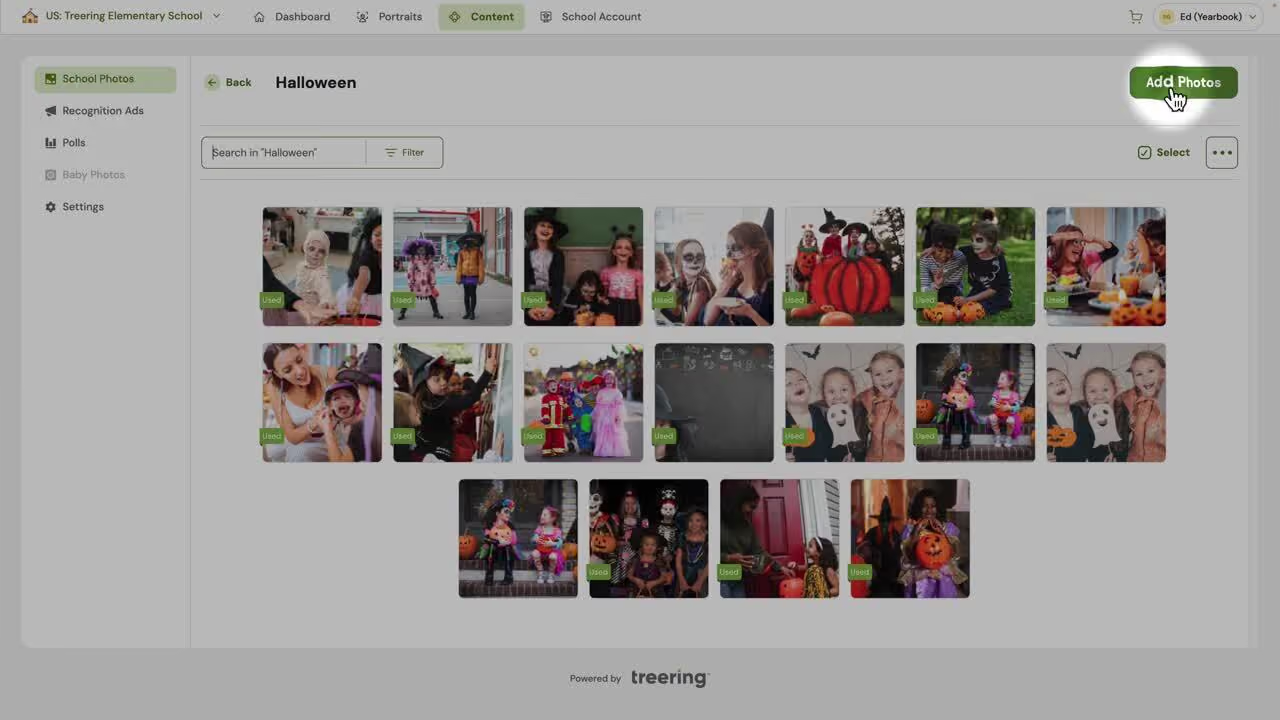
2. Shared photo folders
Crowdsourcing allows individuals to submit photos from events, activities, and everyday school life. It’s the POV for which we all clamor on social media. When students and staff contribute their photos, they also feel a sense of ownership and pride in the yearbook, making them more likely to purchase the yearbook.
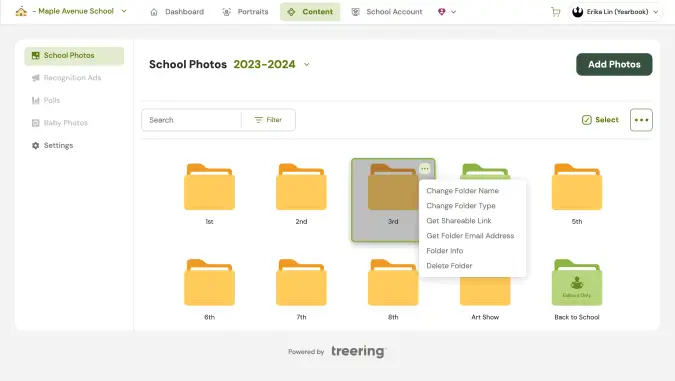
By opening up submissions to the greater school community, you also create a broader representation in the yearbook. Allow continuous contributions throughout the year to keep the yearbook team updated with recent events and activities. For best results, do a timely, specific ask to fill your shared folders. If the field trip is Friday in September, get the word out before October.

3. Choose digital
Digital printing helps streamline yearbook production. With a fast turnaround, it grants more time for design. Additionally, print-on-demand offers the flexibility to accommodate last-minute orders. (We busy parents thank you!)
Print-on-demand also simplifies things by eliminating inventory management. No extra books means no summer flash sales or hitting up the alumni association years later. This method is cost-efficient for smaller schools as well. No minimums mean no set-up charges.

The best part: digital printing makes it easier to create one-of-a-kind yearbooks with custom pages.
4. Offer personalization
With Treering Yearbooks, parents can add two pages full of their memories—like vacations, milestones, or hobbies—to their child’s copy of the yearbook. When students look through their yearbooks, they will find their memories and their photos alongside traditional yearbook pages. Each copy is unique.
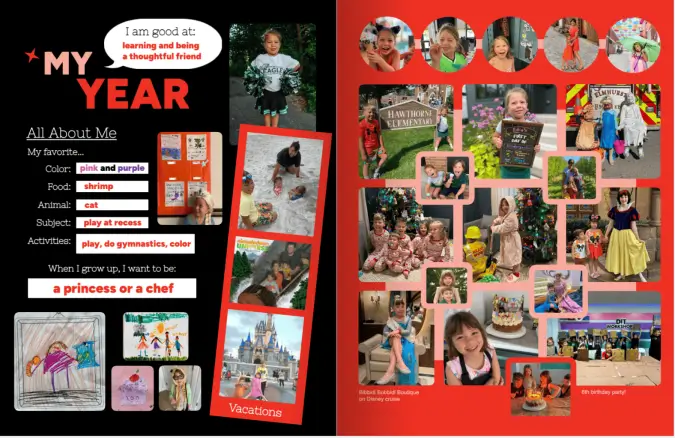
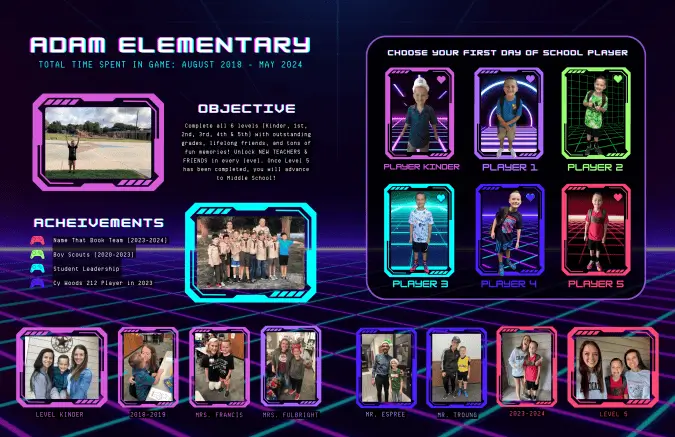



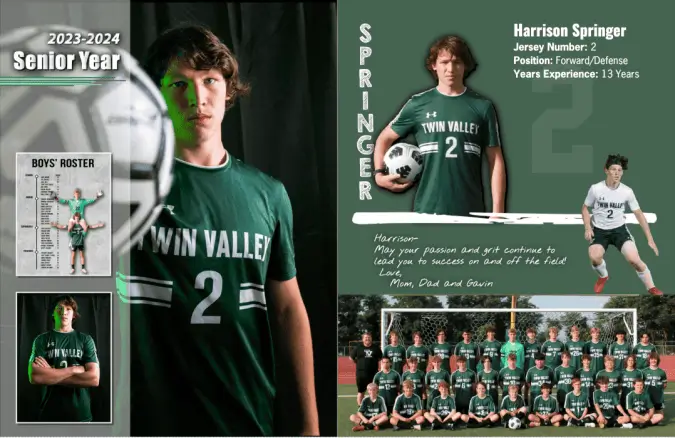
Parents can add those personal touches using integrated online design options for recognition ads and custom pages. (That’s one less thing for the yearbook adviser to do!)
Like crowdsourcing, customization creates coverage. It celebrates each child’s involvement in school and out.
Templates, crowdsourcing, digital printing, and personalization relieve many of the challenges associated with traditional yearbook production. These innovations reduce costs and save time. The result: a high-quality, personalized, and inclusive yearbook that accurately captures your school’s experience.

6 threats to productivity for yearbook teams
Certain activities and behaviors drain time and diminish returns. If the goal is to do your best book yet, and you struggle through the process, check out the advice below from current advisers on being more productive. Select one or two areas to tackle immediately and watch your yearbook program become more organized and your team more aligned.
1. Lack of clear deadlines
Without clear deadlines, yearbook tasks can drag on indefinitely. This lack of structure can lead to procrastination and missed milestones, ultimately delaying the entire yearbook project.
It’s essential to make a plan for success based on/around your school's calendar. Find out when significant events will happen and assign someone to them to ensure you'll get great coverage (photos and interviews).
Party
OK, party may be a misnomer.
Celebrate milestones to keep students motivated. Whether completing the first draft of a section or reaching a major deadline, acknowledging these achievements can boost morale and keep the momentum going.
Full disclosure: I used to think when I wrote on the board something like, “All fall sports due 10/18,” students would break that down and create their own copy, interview, and game photo mini-deadlines. I didn’t realize I had to teach project management as well.
By determining productivity milestones such as mini-deadlines for setting up photo folders, getting layouts on pages, and finalizing spreads, students knew the necessary steps. We celebrated every 15 books sold, 10 spreads completed, and when there was a yearbook presence at all-school activities.
2. Inefficient meetings
Meetings without a clear agenda or purpose can consume a lot of time without yielding productive outcomes. Long, unstructured meetings can drain energy and focus. Short, pointless ones detract from a purposeful project.
“Acknowledge and accept conversations that should be held ‘offline,’” Yearbook Artist Tevis D. said. She also advocates for shorter, more efficient work sessions with a time at the beginning to identify areas of focus.
Stand up meetings
Before the thought of another meeting makes you scroll away, consider why some meetings are time sucks: ill planning, no agenda, better off as emails… Now consider an alternative.
Stand-up meetings are brief, daily meetings where team members share their progress and challenges. Their effectiveness comes from actually standing. No one is overly comfortable, so dismissing and getting to work is easy.
Here’s how to make them worth your time: set a timer for 15 minutes and have everyone answer the three key questions:
- What did I accomplish [since the last meeting]?
- What will I do today?
- Are there any obstacles in my way?

Tips for teachers leading Sstudents
Teachers can use stand-up meetings with students for accountability and track progress. It helps students develop a routine and stay focused on their tasks because they will each take a turn verbally stating their goals and accomplishments.
Application by parent volunteers
For parent volunteers, stand-up meetings can be conducted at the start or end of each work session. This keeps everyone aligned and aware of challenges that need addressing.
“It is always a good idea to follow up on these tasks in an email or handout after the meeting,” veteran yearbook adviser and Treering Yearbook Evangelist Ed G. said.
3. Over-editing
Constantly revising and over-editing pages can eat up valuable time. While some revision is necessary, excessive tweaking can lead to delays. Establish clear guidelines for when a page is considered "final" to avoid endless editing cycles. Unless your yearbook tradition includes a fall delivery or ship-to-home, you want to make your final deadline.
“If students get the yearbook later than expected, they won't care how perfect it is,” Ed G. said. “They will remember getting it late and not being able to get all of their classmates' signatures.”

He advocates for sharing a disclaimer so students and families know it is a volunteer-driven effort. (You can make it your own by editing it here.)
4. Disorganized assets
Managing photos, articles, and other yearbook content without a proper organization system can lead to wasted time searching for files. A well-organized photo management system is crucial.
“Upload photos as soon as possible after an event and use tagging and folders to keep organized,” Kate H. said. (She leads two volunteer yearbook teams for her son’s elementary school and daughter’s dance company.) “Bonus points if you can add your photos to the spread at the same time too.”
5. Unclear roles and responsibilities
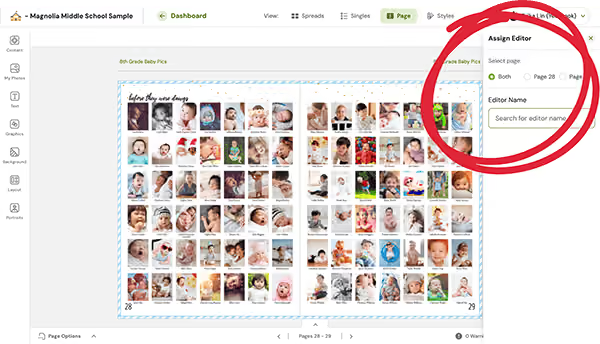
When team members are unsure of their roles and responsibilities, tasks can fall through the cracks or be duplicated. Clear role definitions help ensure accountability and productivity.
“I think every kid on the team was assigned to the same pages this year so it was unclear who was actually in charge of it,” middle school club leader Ali J. said.
Tips for leading students
While it’s important to allow students to take ownership of the project, they will still need guidance and support. You can do this by:
- Assigning yearbook spreads to one or two students max
- Having pre-assigned job descriptions/roles
- Being available to answer questions
- Providing actionable feedback
- Teaching them to use the Help Center
Application by parent volunteers
Clarity in roles helps prevent duplication of effort and ensures that all aspects of the yearbook are covered. Teams should have codified expectations for:
- Who will photograph each event
- When photos should be in their folder
- What activities will be open for submissions and how this will be communicated
Regular productivity check-ins (see stand up meetings, above) either in person or via video calls, keep everyone informed and engaged.
6. Unresolved conflicts
Interpersonal conflicts that are not addressed can create a toxic environment in the yearbook club, lowering morale and productivity. Addressing issues promptly is key to maintaining a productive team.
Early detection, while uncomfortable, can eliminate problems later on. Address it (kindly) as soon as it happens so your team can press forward.
When you do get that face-to-face moment, maintain your professionalism:
- Communicate with specifics: instead of “You’re always unreliable,” try “You volunteered to take Fun Run photos and did not have a backup in place when you were a no-show. What is your plan to get pictures?”
- Keep it focused: the conversation should center around yearbook responsibilities and not on personal issues. You’re not meeting to be a relationship counselor, life coach, or even a friend. You’re a project manager looking to complete a job.
- Be proactive: document what will happen next. If your yearbook volunteer wants to remain in the role, write out what it will look like with clear expectations and deadlines. Also include an “out” clause if your volunteer continues to be unreliable. Share a copy with school administration if your volunteer is a student or co-worker.
Teambuilding
Obvious statement: effective teamwork makes for a successful yearbook project. Here are our favorite ideas to improve rapport and trust up front.
Tips For Leading Students
Formal activities, such as an exercise, and informal ones, such as a bell ringer, help students open up. Debriefing can also increase empathy: ask students what they can do to make yearbook interviews less intimidating for students outside of the yearbook team.
Application by parent volunteers
Parents aren’t going to want to sit around constructing marshmallow and spaghetti towers. Instead, schedule some forced fun:
- Pickleball and a playdate at the park
- Share team members' baby on the parent group's social media channels and ask followers to guess who (while asking for baby pics for the yearbook)
- Coffee after drop-off
- Yearbook Team Night Out at ax throwing, a driving range, or a craft café
Careful refinement of your workflow and the elimination of yearbook productivity blockers will reduce stress and improve morale. By identifying and addressing these common barriers, you can significantly increase productivity and ensure the smooth and timely completion of your yearbook.

A pro photographer's playbook for perfect team shots
Our guest expert is David Burns, President of Color Portraits - a longtime Treering school photography partner servicing Illinois and Wisconsin. He's been framing perfect team shots since back when "post-game snacks" meant a chocolate bar with nougat and parents weren't yet reading ingredient labels.
After 20+ years and thousands of school photo sessions across the Midwest, I've seen it all—from squinting soccer teams in harsh sunlight to last-minute makeup photo scrambles for absent students. At Color Portraits, we've mastered the art and science of school photography, turning potential chaos into seamless operations that produce stunning results. These battle-tested strategies will transform your yearbook from good to unforgettable—without the headaches, delays, or disappointed parents.
Efficient scheduling strategies
For group photo days, we recommend scheduling one group every five minutes. This allows photographers to:
- Set up each group while the next one arrives
- Arrange students in height order for quick positioning
- Maintain a smooth flow throughout the day
For larger groups (school plays, entire grade levels), allow 10 minutes to prevent scheduling backups.
Middle school/junior high considerations
Middle schools typically schedule sports pictures three times yearly (fall, winter, spring). We recommend:
- Scheduling after school to accommodate parent-volunteer coaches and uniform changes
- Taking pictures during each sport's season for proper uniform distribution
- Capturing individual photos as athletes arrive in uniform, followed by group shots when coaches arrive
Composition tips for various group sizes
Create rectangular rather than square compositions to properly fill the frame. For optimal results:
- Utilize stairs, risers, or bleachers to ensure every face is visible
- Incorporate props for club photos to add character and personalization
- Consider photographing sports teams in their natural environment (soccer teams by goals, track teams on the track)
Lighting techniques: indoor vs. outdoor
Indoor photography:
- Provides consistent controlled lighting
- Allows for fixed flash distance and stable exposure settings
Outdoor photography:
- Cloudy days offer less light variation but muted skies
- Sunny days provide vibrant backgrounds but create shadows and squinting
- Position groups with the sun behind them and use flash to reduce shadows
- Avoid direct sunlight into the lens
Student identification strategies
Send digital images to coaches or club sponsors for proper student identification. Maintain basic row formations to facilitate easy identification.
Balancing posed and action photography
Our standard sports shoots focus on group and individual photos outside of game days. For action shots:
- Collect images from parents or yearbook staff taken during actual games
- Create collage pages featuring action shots from different grade levels
- Position these collages before or after formal group photos
Handling makeup sessions
When students miss the original photo day:
- Leave space in the original formation to add missing students via Photoshop
- This approach looks more natural than retaking group photos
- Retakes often create new absences, compounding the problem
File organization recommendations
Create an intuitive organization system:
- Establish separate folders for each team and club
- Request proper labeling (team grade level or club name) when parents submit photos
- Always back up all images to cloud storage or external devices
Accommodating photo restrictions
For students with privacy concerns:
- Ask parents if listing the child as "Not Pictured" is acceptable
- Omit names completely when parents request
- Prioritize parental decisions regarding their child's privacy
Timeline planning for yearbook deadlines
Plan your photography schedule strategically:
- Capture club photos early in the school year when groups form
- Take sports team photos during their respective seasons when uniforms are available
- Complete all team photography by February at the latest
- This timeline provides yearbook editors ample preparation time
This comprehensive approach ensures your school's sports and club photography will be efficient, professional, and ready for yearbook publication.