.svg)

Themes
Looking for inspiration, design tricks, how to make a great cover, promoting your yearbook and engaging your community?
Most recent
What is a yearbook theme package?
When I say yearbook, you say theme. Yearbook! Theme! While that's not the actual rallying cry of yerds everywhere, it's pretty close. Yearbook themes dominate our club meetings and search history. Graphics, layouts, and backgrounds comprise the visual aspects of a yearbook theme package. Idiom dictionaries and pun generators comprise the verbal.
The value of a theme package
If you're not ready to create your own style guide from scratch, a theme package will help save you time and simplify the design process by
- Taking the guesswork out of creating a color scheme
- Organizing graphics and text in collections
- Modeling quality design
- Unifying your book with a consistent look
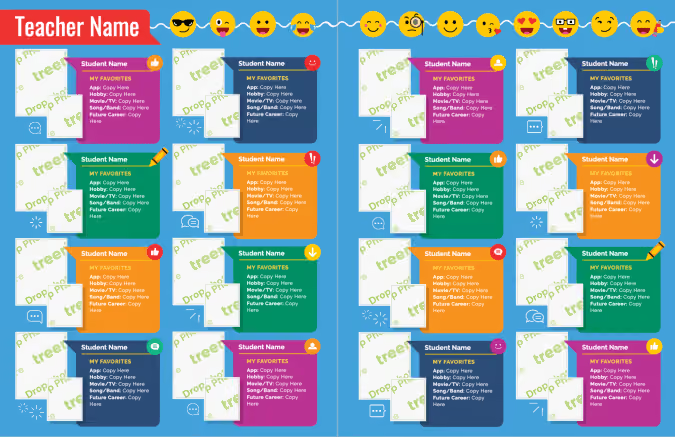
Fully editable layouts complete each yearbook theme package, like the portrait spread below. In addition, your chosen yearbook theme could also become the foundation for the yearbook marketing campaign. Create social posts or share PDF proofs in displays around campus.
Three ways to choose a yearbook theme package
The main purpose of a yearbook theme is to capture the uniqueness of the school year while setting the tone for the story the yearbook will tell.
Without a unifying theme, our yearbook contains only arbitrary events and students. Theme functions as the understated but essential ingredient to make this year’s story meaningful.
Theme 101: visual and verbal elements
When it comes to yearbook themes, many of us stop at the visual. When you have a great theme package, it's easy to do. Combining both visual and verbal theme elements take your design to the proverbial next level.

Visual
This is the easy part: making it pretty. When you have a codified collection of graphics plus a color palette, you can use your visual elements to do more than make your book pretty. Check out the example above: graphic elements are used to draw attention to the pull quotes. Stylized numbers (really an editable shape under a text box) match the photo to the caption.
Verbal
The vocabulary you use in your yearbook further communicates your yearbook theme. These verbal elements can be punny headlines or idiom derivates from your theme. While you don't want to overdo it (think the Coco Chanel rule), take time to add a lexicon to your theme brainstorm.
Here's what it looks like: the yearbook theme is Stay Gold. Students look up idioms for gold and compile lists of how they can be used. For example:
- Golden Age of the Bulldogs (opening)
- Heart of Gold (staff section)
- Gold Feet (soccer)
Whether you’re a Treering user or not, we hope your students' stories are told beautifully and authentically from cover to cover.

Organic design: yearbook themes with a natural vibe
Thanks to Pantone, earth tones are at the forefront of trending colors. Organic design is being toted as the “new minimalism”—even Martha’s in on the craze. We’ve broken down how to bring the outside in… your yearbook. Using Treering’s pre-designed themes gives you a curated collection of nature-inspired graphics for your elementary or middle school yearbook.
The power of nature in design
Beyond trend appeal, using natural elements in design can be a metaphor for our school communities. It’s why we see so many motivational posters featuring grandiose sights.
Additionally, nature is powerful. It positively affects our physical and mental health. It's timeless. Harnessing the power of nature in your yearbook theme requires creativity to evoke the natural world in print.
Ideas for visual yearbook design
Your whole yearbook doesn’t have to be a path through the woods with milestone markers along the way. (But if it is, would you send us a copy?) Of Treering’s 200+ cover-to-cover yearbook themes, these five have the call of the wild.
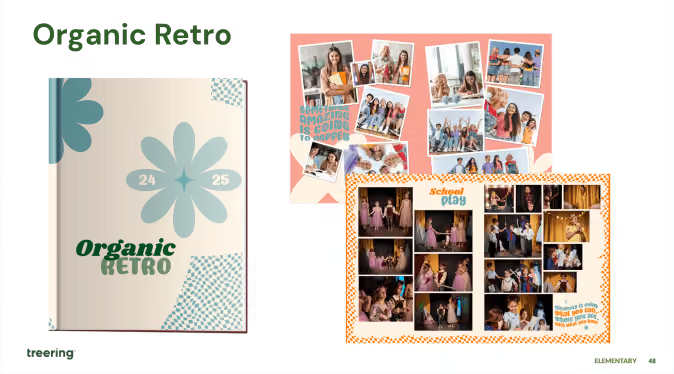
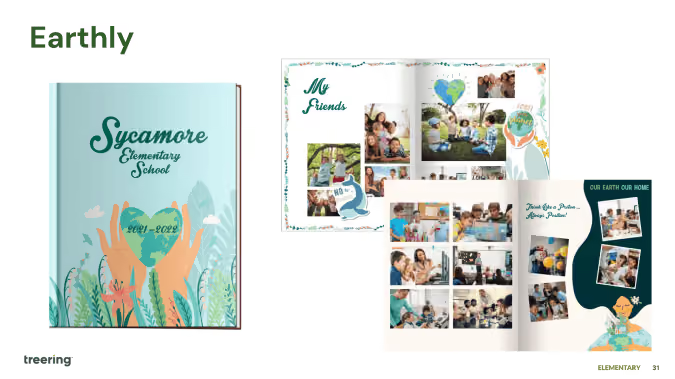
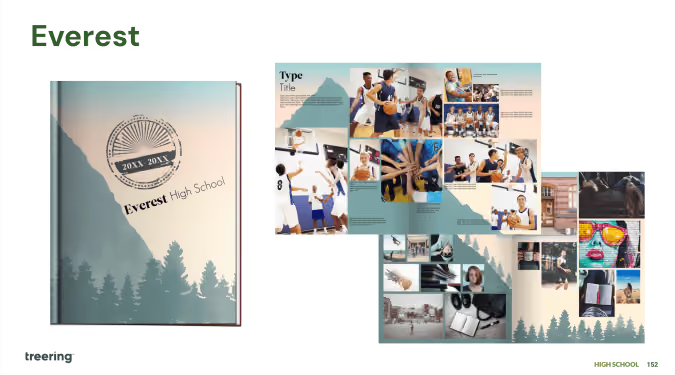
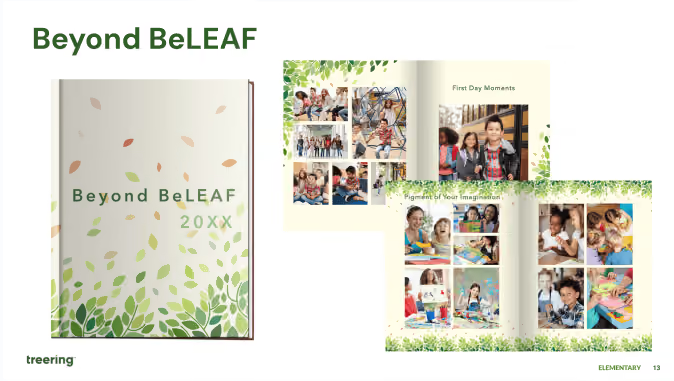
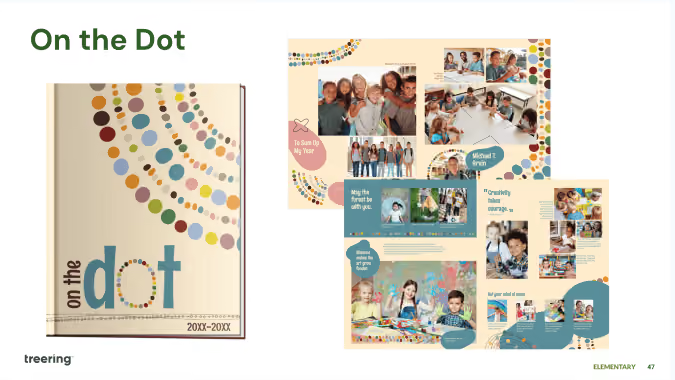
Here’s why they work and how you, if you’re a DIY-er, can create a yearbook design that feels as alive as the real thing:
- Use color to capture nature’s energy (they're called plum, grass green, and seafoam for a reason)
- Add dimension by layering objects
- Emphasize elements using organic shapes and natural patterns
- Create movement with flowy or circular patterns
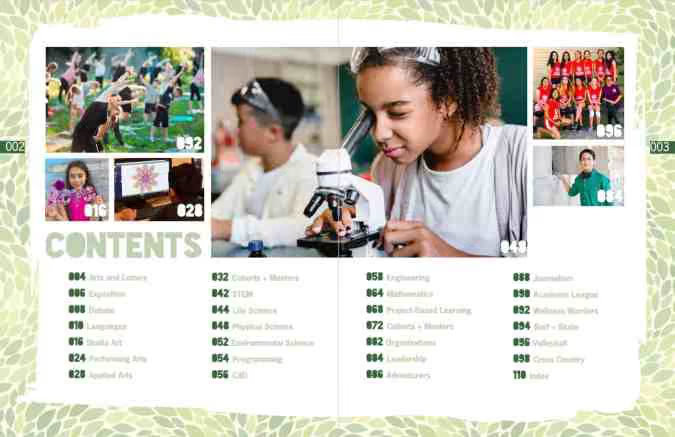
How to build a narrative around nature
Illustrate personal and academic growth with graphics such as the life cycle of plants or the changing seasons. Other visuals such as roots, rivers, or the stars show our interconnectedness.
Elementary nature theme ideas
- In Full Bloom
- Grounded in Greatness
- Pathways of Promise
- Rooted in Growth
- Sky’s the Limit
Middle school theme ideas with an organic vibe
- Branching Out
- Forest of Dreams
- Move Mountains
- Seasons of Change
- Trailblazers
We love seeing student interpretations of these verbal themes with cover art contests. You can also involve the school community by using students’ photos of nature on dividers and theme pages.

12 ways your yearbook class makes students career-ready
It's no secret to seasoned advisers that yearbook class is one of the most accurate career-preparation courses available to students. The yearbook-building process meets all of the national Career-Ready Practices. We’ll go through each below with practical application ideas for yearbook classes.
1. Act as a responsible and contributing citizen and employee.
How to do it: teach project management skills by having students pre-plan their weeks.
Weekly goal-setting and check-ins maintain a culture of accountability while building executive functioning skills. First, project your ladder and page assignments. Then, reverse engineer some major milestones. From there, students can set a goal, calendar important dates, and pre-plan how they will meet their deadlines. Do this corporately so each student can see his/her contribution.
2. Apply appropriate academic and technical skills.
How to do it: equip your students with tools and training for their age, ability, and your yearbook mission.
Keep in mind, a first-year yearbie/yerd/yearbook student should have a different skill set than a third-year one! Returning staffers are excellent resources to teach skills, especially those on your editorial board.
3. Attend to personal health and financial well-being.
How to do it: schedule in the fun!
Because you corporately planned the year, you already know when the pinch points are going to be. Plan a few fun days before and after to help students relieve stress, and show them the importance of balance.
Also, be transparent about finances. Your yearbook students should know how much it costs to produce their yearbook. Likewise, they should know financial goals (book and ad sales) and celebrate their achievement.
4. Communicate clearly, effectively, and with reason.
How to do it: begin the year with a plan.
All the work you do from a syllabus to the page ladder and assignment provides the overarching structure. Bi-weekly editorial meetings and all staff meetings should include check-ins, deadline assessment, and teaching moments to provide accountability and hone these skills:
- Model how to email teachers and coaches by providing templates or examples of wording.
- Practice interviewing.
- Show, rather than tell, how to enter a class to pull a student for a quote or photo opportunity.
- Set expectations and boundaries for yourself and your team.

5. Consider the environmental, social, and economic impacts of decisions.
How to do it: create worthwhile partnerships.
These are Treering’s core values. From sustainably sourced printing materials to partnering with charities, the environmental and socio-economic impact of a yearbook transforms lives. Additionally, ethical reporting and creating an inclusive yearbook are hallmarks of positive social impact.
6. Demonstrate creativity and innovation.
How to do it: make a yearbook.
(We’re just going to leave this one here.)
7. Employ valid and reliable research strategies.
How to do it: make before, during, and after your journalistic mantra.
What we see in many yearbooks are photographs of the actual events, and we miss ASB creating poster after poster for spirit week, Mr. Watts cleaning up until 2 AM, the baseball team volunteering to haul hay bales, etc.
Ask your team:
- What preparation goes into [the event]?
- Who is involved?
- What is the impact of [the event]?
- How can we capture this?
At the interview, ask:
- What don’t people know about [the event]?
- How do you prepare for [the event]?
- How much time do you invest?
- What happened after [the event]?
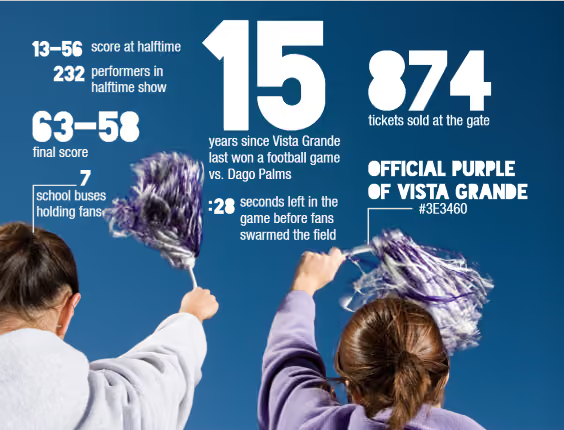
Also, coverage doesn’t have to follow the traditional photo/caption format. Create infographics and polls, show game statistics and team scoreboards, and use quotes from differing perspectives to tell the story of your year.
8. Model integrity, ethical leadership and effective management.
How to do it: the old adage It starts at the top applies here.
Module 2 of Treering’s free curriculum will help you unify your team and build trust.
9. Plan education and career path aligned to personal goals.
How to do it: toot your team’s proverbial horn.
Using the yearbook job descriptions in Treering’s curriculum guide, work with your team to create resumes, detailing their job experience in yearbook class. While many think, “I put pictures on paper,” they don’t see things like:
- Scheduled photographers for event coverage
- Experienced in copy editing, reporting, and layout design
- Promoted publication on social media, in print advertising, and at community events
- Worked within deadlines to maintain $20,000 budget
It’s our job, advisers, to show them their impact! Then show their parents. Then show your administration.
10. Use technology to enhance productivity.
How to do it: post and track your goals.
Your yearbook software plus a digital planning tool such as a Gantt Chart in Google Sheets or a Trello board will keep you on track.
11. Utilize critical thinking to make sense of problems and persevere in solving them.
How to do it: make a yearbook, part 2.
What do you do when a photographer does not show up for a game? How do you handle an event being canceled or rescheduled? What do you do when someone accidentally reformats a card prior to photos being uploaded? The yearbook creation process is all about pivoting. Build in contingencies by creating evergreen content or interactive pages that compliment your theme. (Here is a list to get you started!)
12. Work productively in teams while using cultural/global competence.
How to do it: facilitate a collaborative working environment.
In-class collaboration:
- Peer review (here are some editing tools)
- Students teach other students a skill
- Plan your distribution event
Out-of-class collaboration:
- Connect with your school photographer to receive portraits on time
- Schedule club and team photos with leaders
- Crowdsource event photos from classmates
- Interview students
- Schedule in-class photo ops of academic coverage
We also have an alignment matrix, outlining how the Treering curriculum meets both CTE standards for eight pathways and these Career Readiness Practices and makes your yearbook class the ultimate career preparation course.
Elementary theme ideas from pinterest
When it comes time to prep a recipe, outfit, dinner party, or even yearbook, Pinterest is the go-to place to receive inspiration. (We get it, this blog is a close second.) Yearbook theme ideas on Pinterest provide inspiration for elementary yearbook coordinators, middle school clubbers, and high school editors alike, but how many can you drop into your book right away? Spoiler: Treering has over 300.
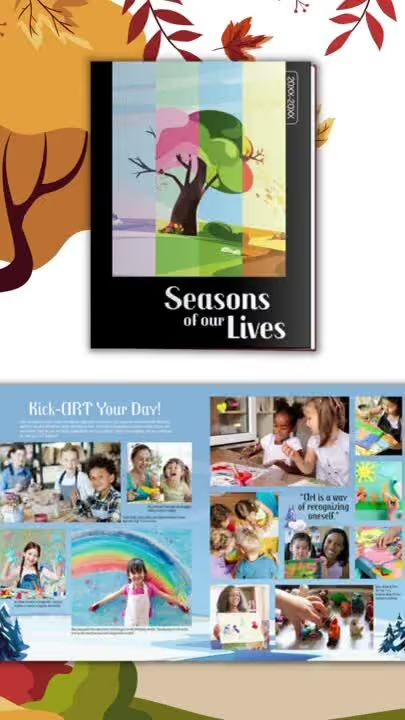
From idea pin to yearbook pages
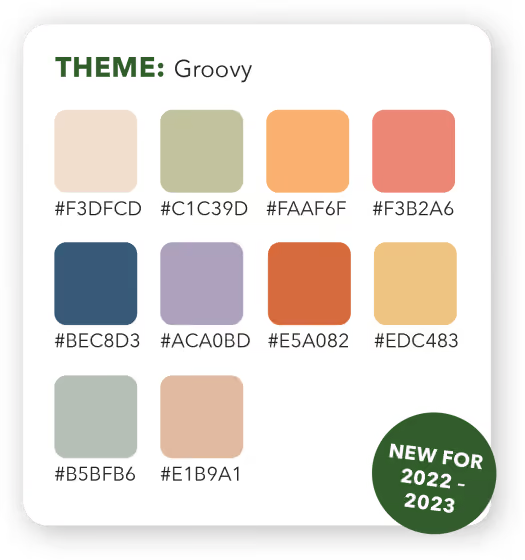
Groovy, one of our new elementary yearbook themes for 2022-2023 is one of our top saved posts on Pinterest. To apply this, or any other pin-worthy theme, log in to your Treering account and click "edit yearbook" on the dashboard. From there,
- Set your styles and theme
- Select a layout or create your own
- Import and add your own photos to pages
- Access shared photos from your school community
- Add your own text or use one of the overlays to pages
- Add theme graphics to pages
- Add or change the page background
- Autoflow your portrait pages
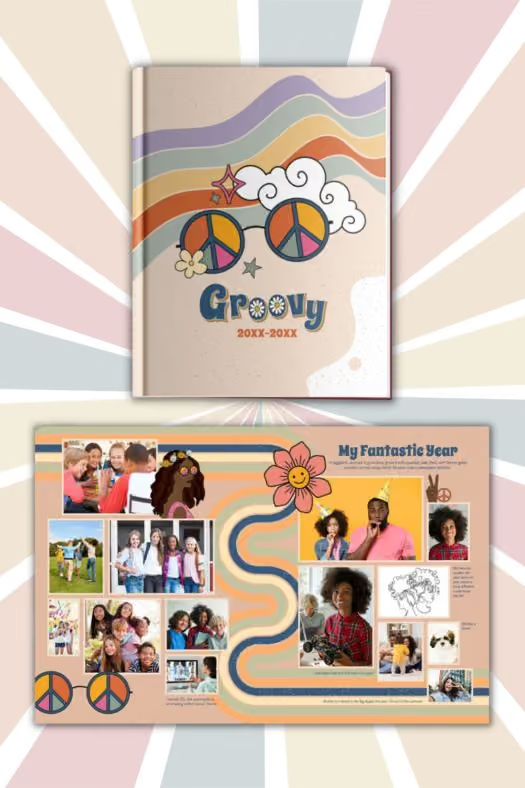
With 15 fully editable layouts for club, classroom, and event coverage, filling pages with memories is as simple as dragging and dropping. Coordinate portrait pages, specialty coverage, and recognition ads with 40 included backgrounds and 150 graphic elements.
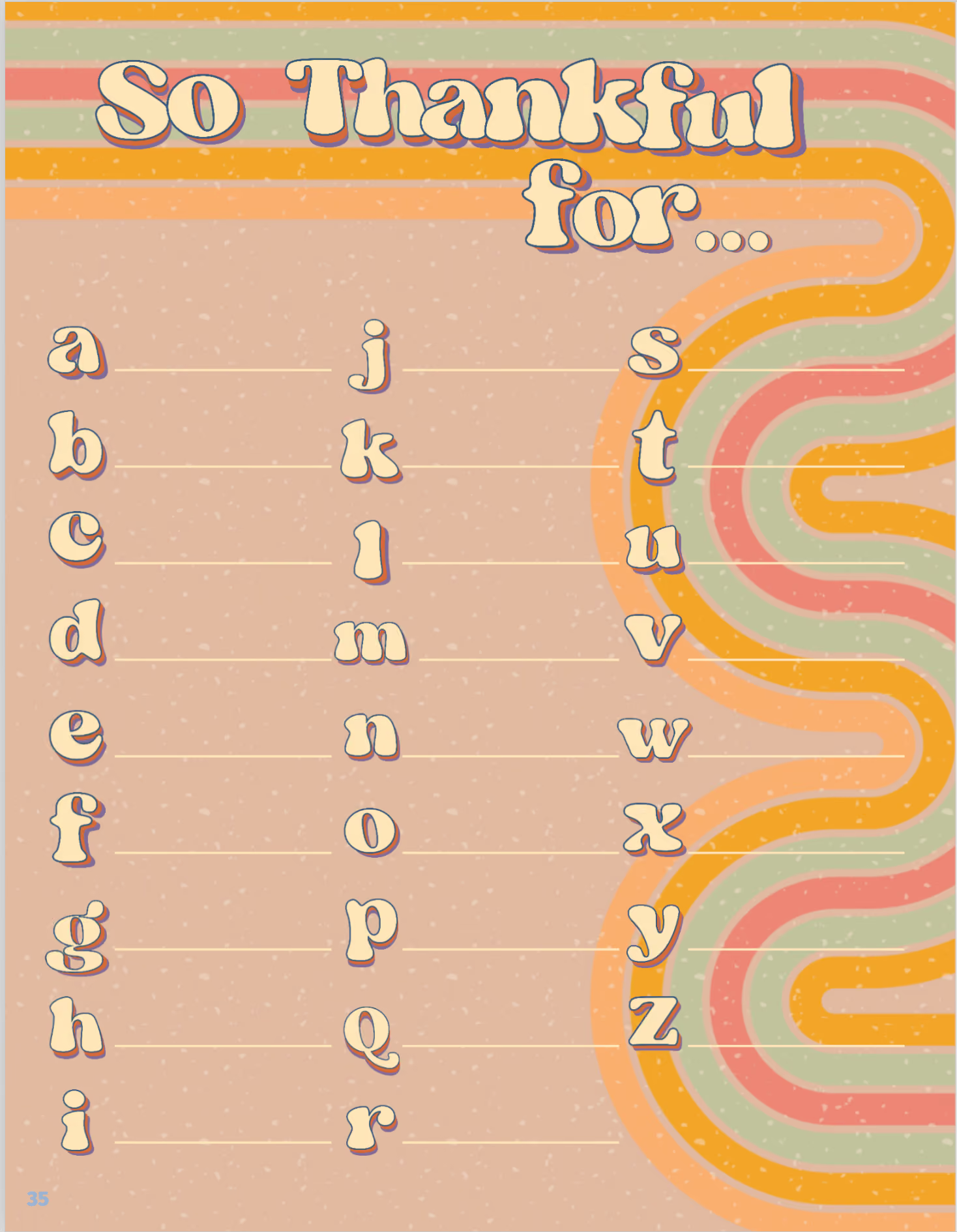
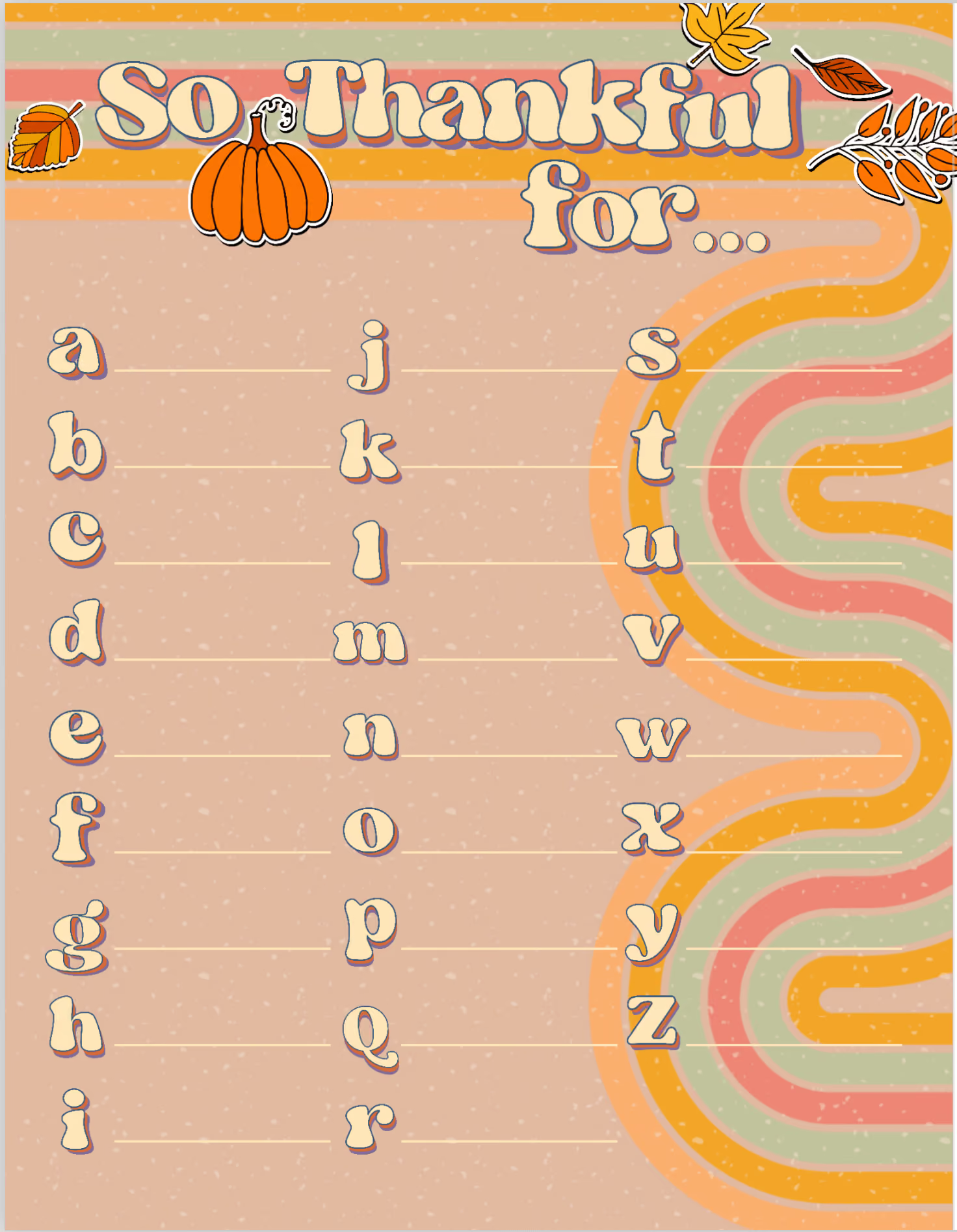
This upper page was created using Groovy's built-in theme graphics. Using the lowercase letters from the collection, this idea came to life with a few clicks of the align tool. We love interactive pages because they are one more way students can make their yearbooks their own. Also, these are especially fun over which to reminisce in the years to come. On the right side of the spread, there is room for a photo collage of classroom celebrations or even teachers' favorite dishes.
And if you're on the hunt for high school inspiration, tech seems to trend.
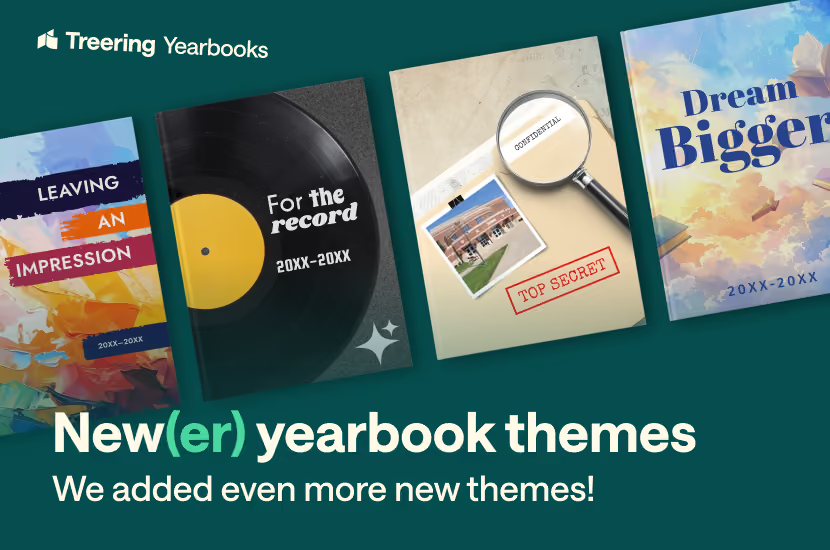
4 Storytelling yearbook themes
A yearbook theme isn’t just layout, graphics, fonts, and a color palette. It’s about storytelling. A developed theme goes beyond the visual, guides your coverage decisions, and sets the tone for the book.
Treering’s design team listened to many schools’ stories during their spring focus groups. The first wave of themes reflected the visual package most schools wanted. This second one expands to add the verbal.
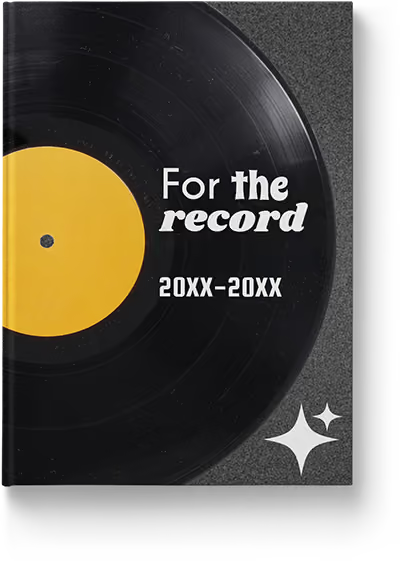
For the Record
Exploring decades from the 1950s to the 1990s, “For the Record” taps into nostalgia. With a two-page style guide of decade-specific graphics, colors, and fonts, yearbook teams can create their own “greatest hits” of the school year.
Adding storytelling elements such as student-created playlists or superlatives presented as album covers will make your memories feel like an anthology.
Additionally, the focus groups of middle and high school advisers asked for less busy backgrounds and more texture. Usually, people would balk at "just" two backgrounds. However, having these consistent threads is why each section works as part of the whole.
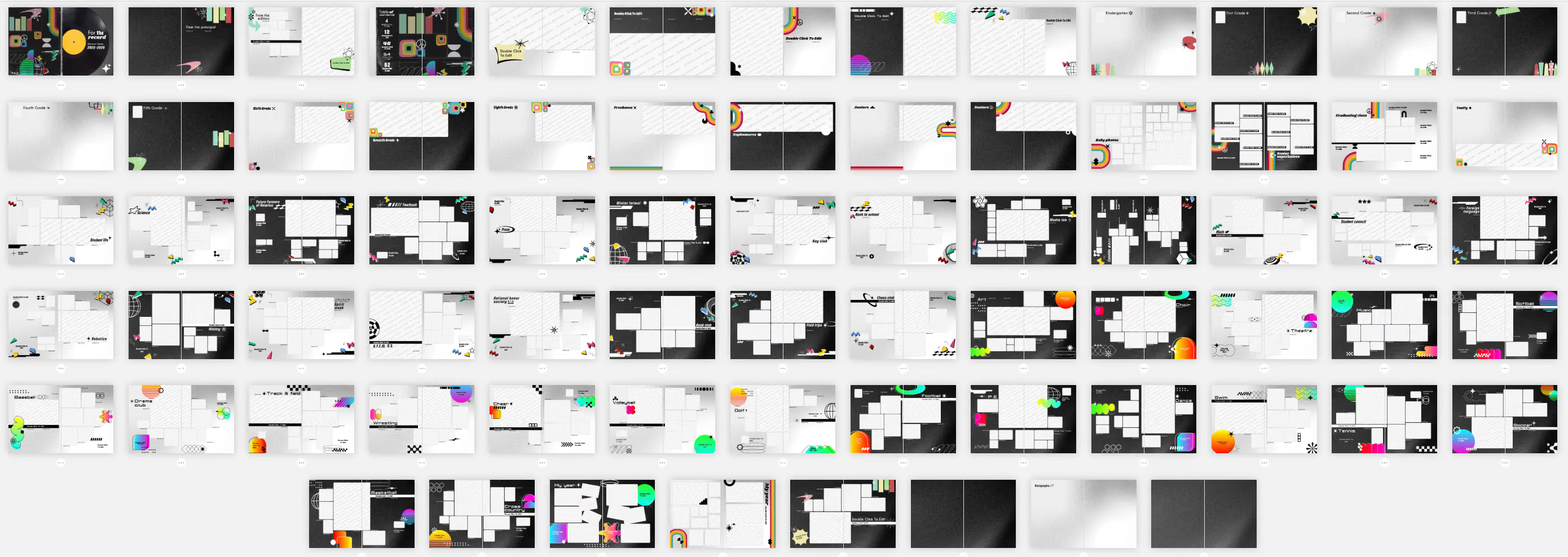
Focus group participants also wanted layouts that emphasized hierarchy and had room for captions and copy. The design team gave yearbook teams this plus flexible options within this theme. They can
- Differentiate sections of the book by decades
- Use one decade to create their own throwback look
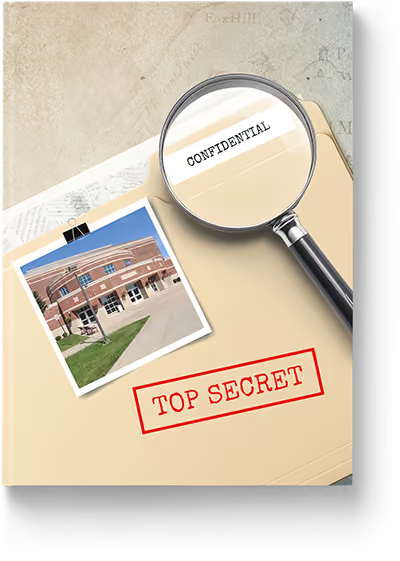
Top Secret
The declassified look at the school year is one of the most powerful storytelling mechanisms:
- Showcase hidden gems on campus
- Use photographic clues on divider pages to make small things part of something bigger
- Deconstruct campus happenings with “mission report” sidebars
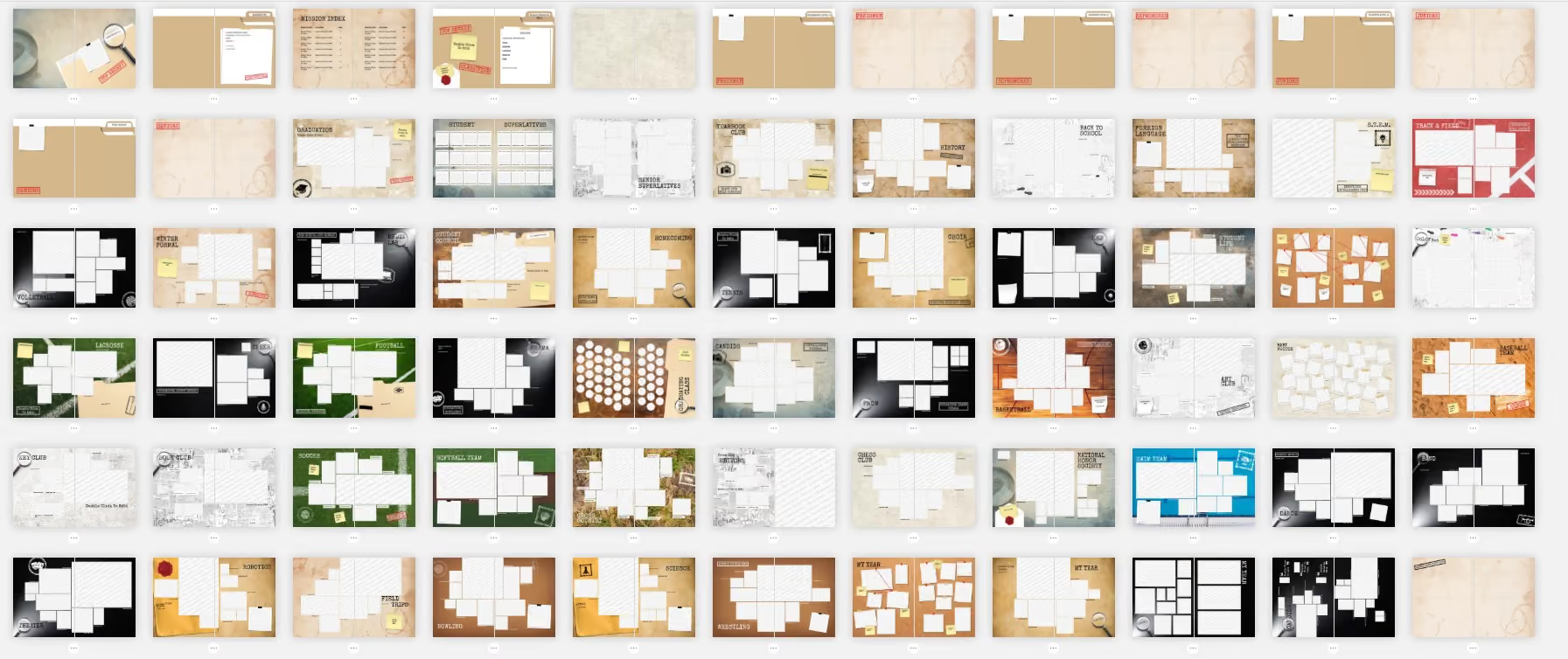
This theme builds on collage-style design elements—stamps, photo frames, textured backgrounds—but updates the look with a contemporary aesthetic. It draws from the mission vibe while keeping the layouts approachable and fun. And it works for any level of school:
- Elementary school: use playful stamps, oversized labels, and bright textures to highlight classroom memories and fun facts
- Middle school: lean into detective-style layouts such as “case file” spreads on clubs and activities
- High school: take a sleeker approach with dark backgrounds, sharp typography, and subtle textures that nod to spy dossiers without feeling gimmicky
Students will feel like they are all in on the secret together.
(Yes, this theme inspired our team: we applied some of the elements to National School Yearbook Week 2025’s programming.)
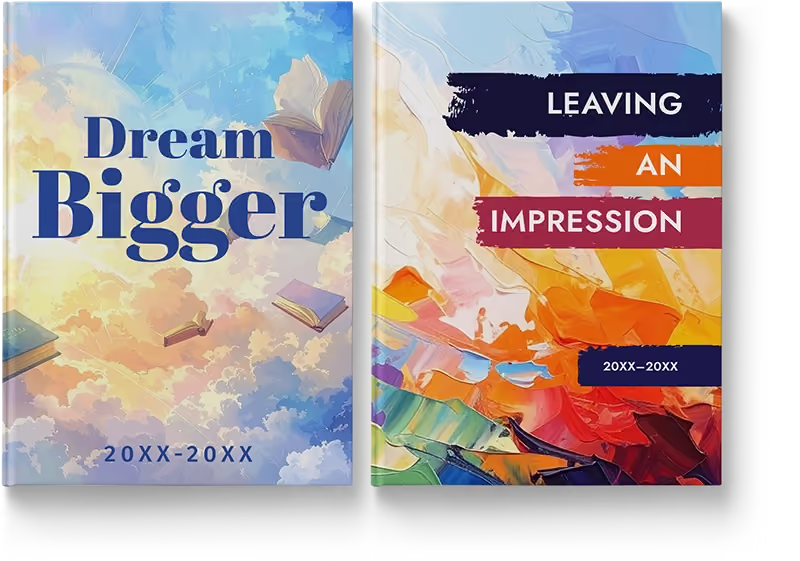
Dream Bigger and Leaving an Impression
Another focus group finding is the appeal of art styles as visual themes. The design team introduced “Gallery” in the first wave, followed by two artistic takes, “Dream Bigger” and “Leaving an Impression.”
The powers that be at Pantone called out neutrals and soft naturals for the Color of the Year 2025. The “Dream Bigger” theme leans into this popularity, offering soft washes of color and flowing shapes that stand in contrast to the textured, thicker brushstrokes of Impressionist paint used in “Leaving an Impression.”
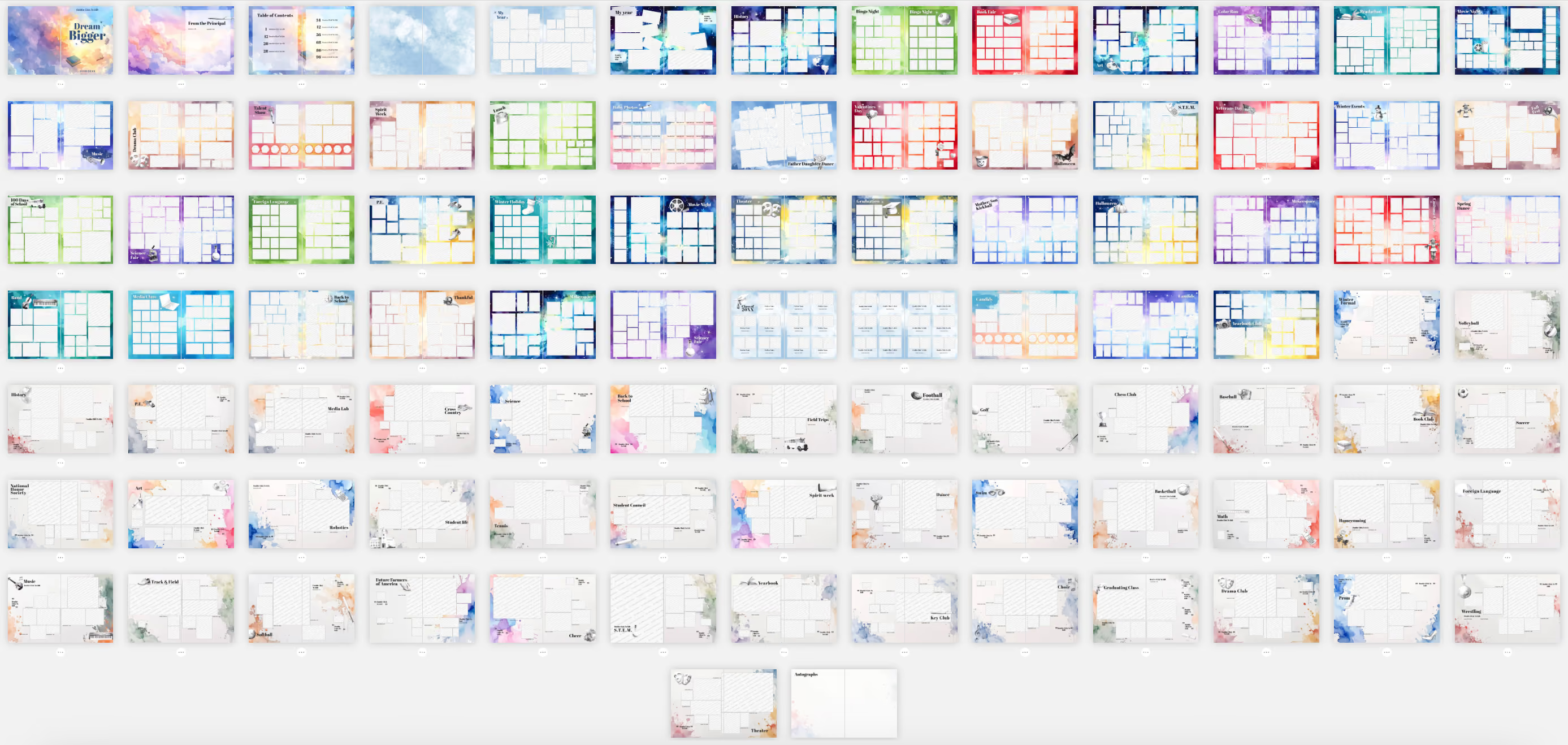
Whereas “Dream Bigger” is ethereal and reflective, “Leaving an Impression” is bold and dynamic. It’s a theme designed with flexibility in mind, especially for K-12 schools.
For younger grades, it offers high-collage layouts that make it easy to include as many students as possible while keeping the design polished. For upper grades, it supports modular design, which means layouts can be broken into smaller, contained units of coverage. With modular design, every spread can tell multiple stories at once, building a richer picture of school life.
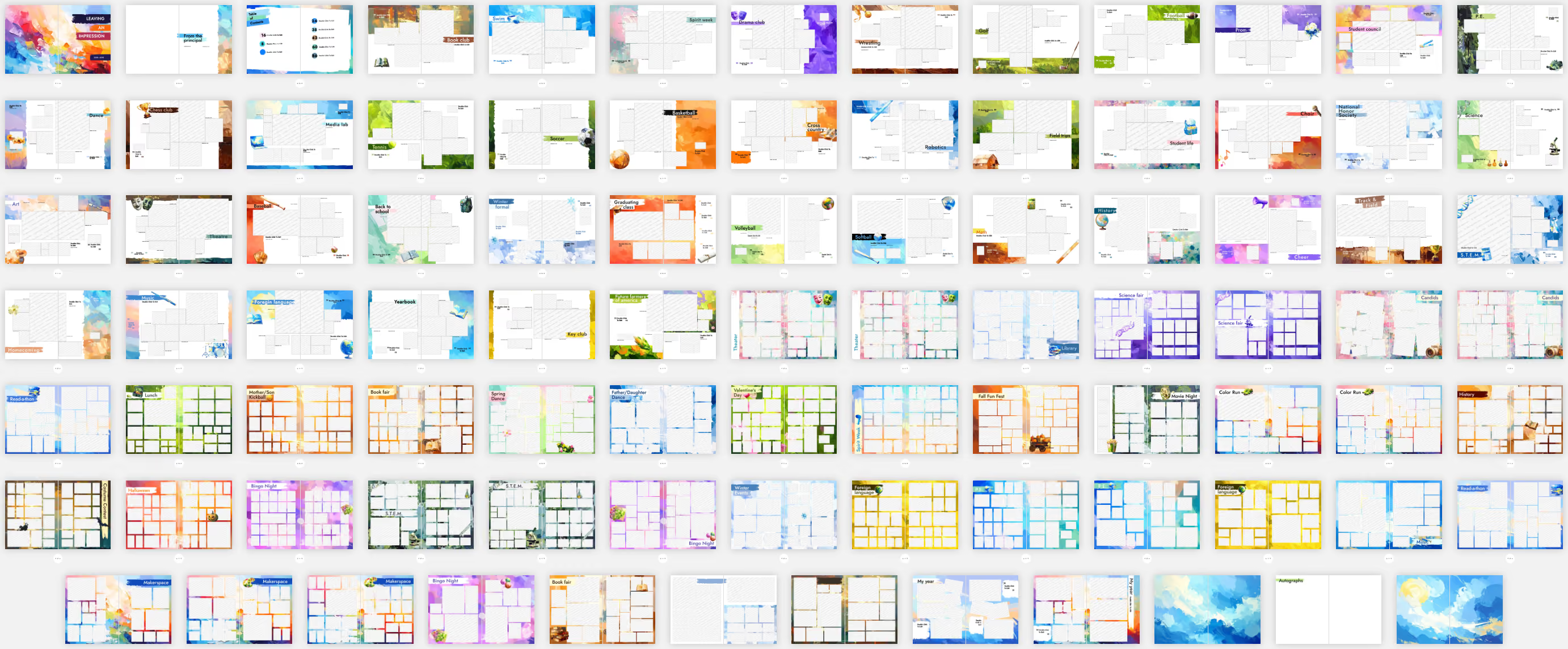
Both of these artistic themes make the perfect canvas for seeing how this year is part of a larger journey.
Student stories and voices matter. Your yearbook theme should provide a lens through which your readers can examine them. Treering can help with a collection of over 200 pre-designed themes.
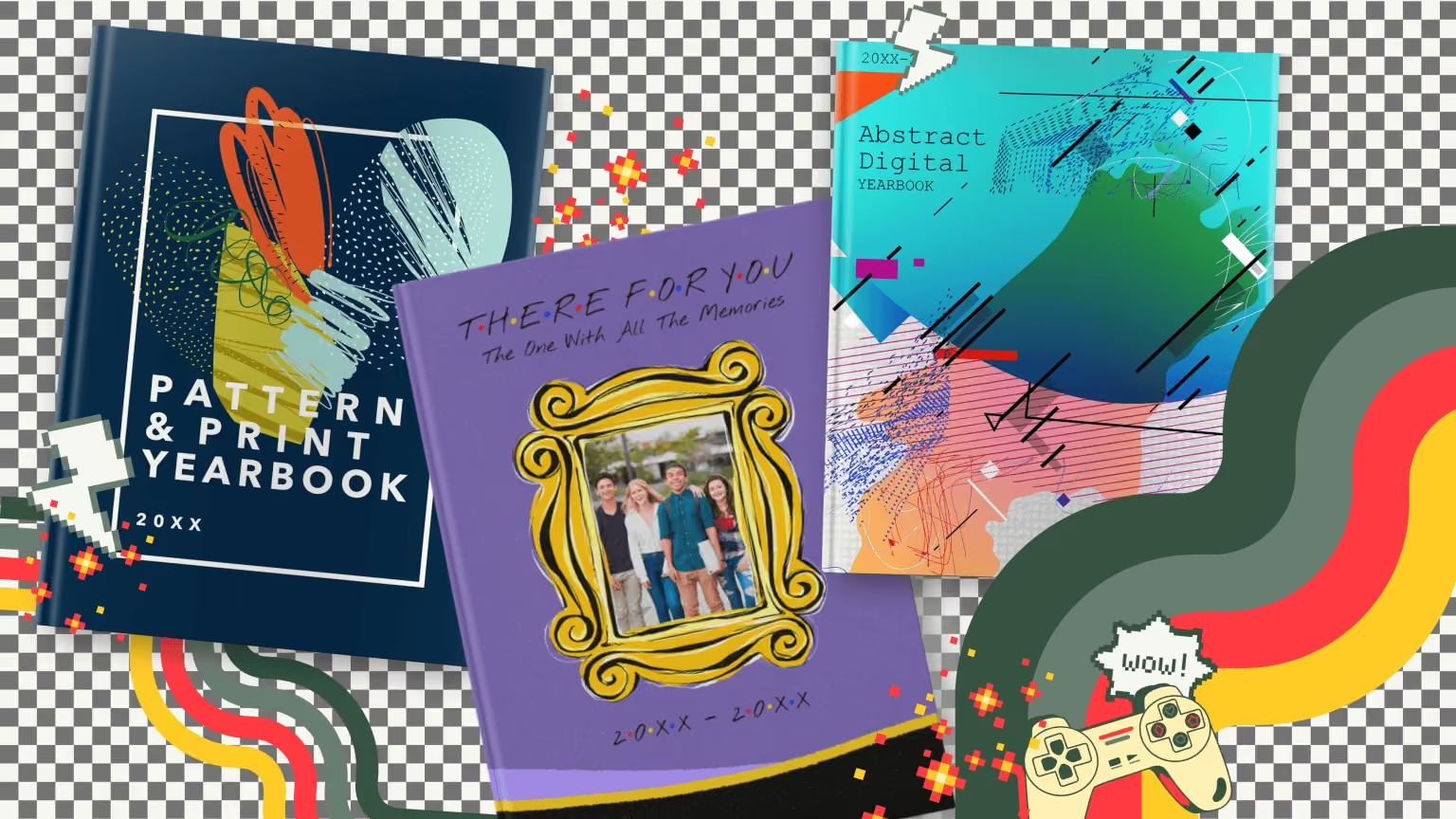
10 retro yearbook themes
Retro yearbook theme packages offer a nostalgic twist to your yearbook, bringing back the charm of past eras. They can transport you to different times and evoke a sense of nostalgia. Nostalgia in design is powerful. Fueled by shared experiences and moments with others, it reinforces feelings of connectedness and belonging. Embracing these themes can give your yearbook a bridge between past and present for your collective memories.
What Is retro graphic design?
Retro yearbook themes use elements that are typically associated with non-contemporary looks. From vintage illustrations to classic color palettes, we’ll break down each decade in design below. Consider this the Eras Tour of Treering.
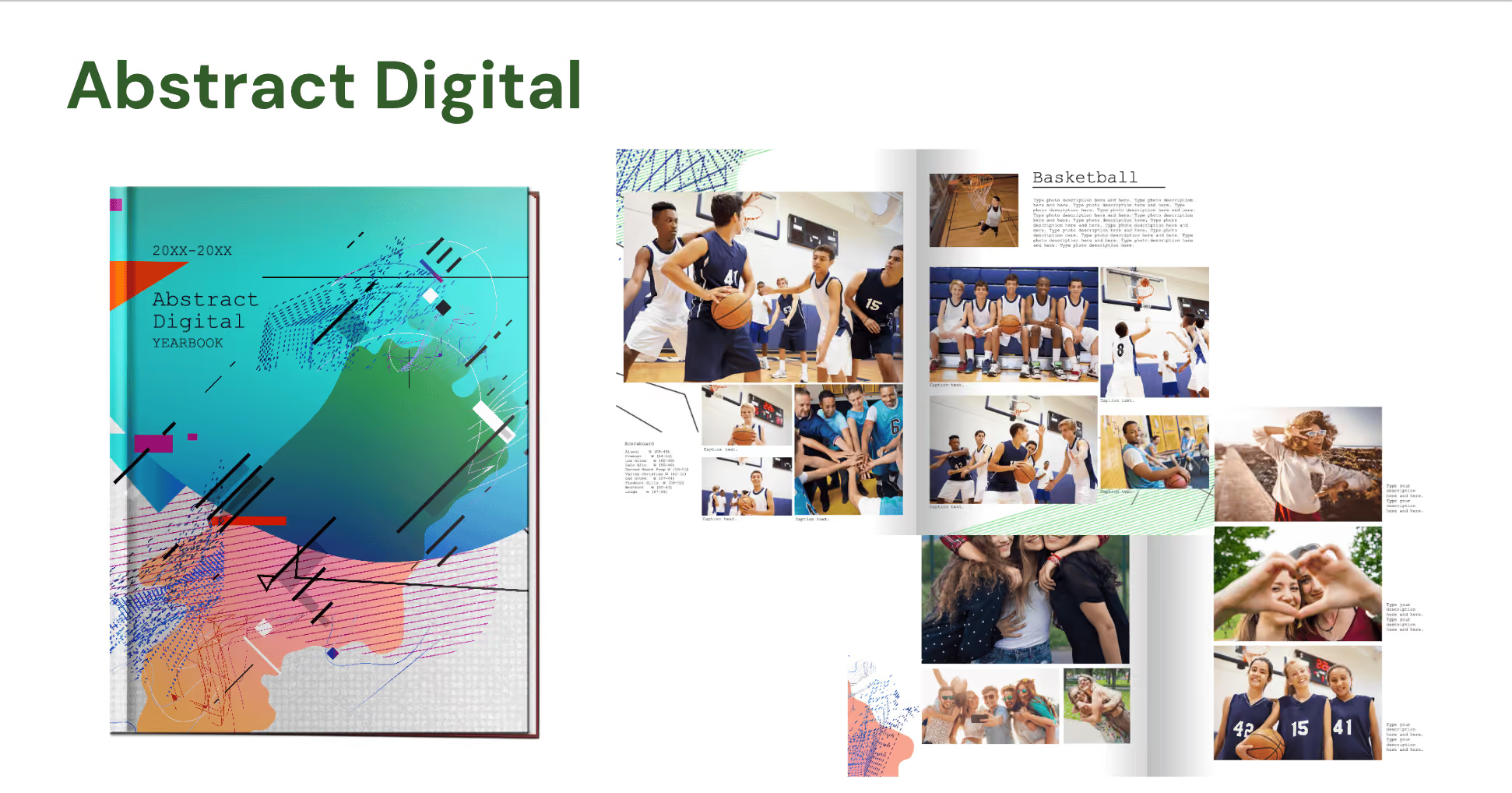
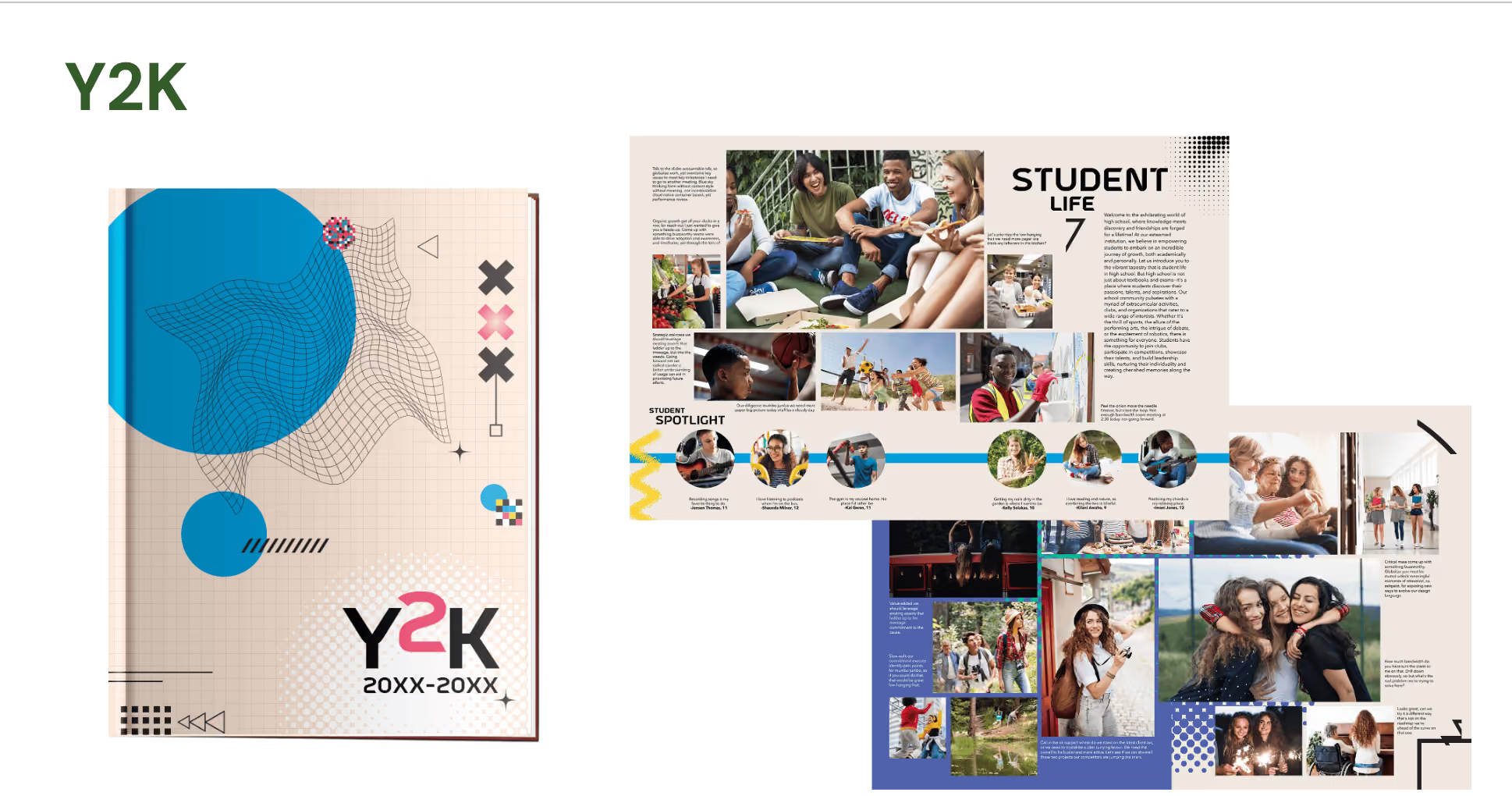
2000s and Y2K aesthetic
Since retro typically refers to events 20 years past, we begin with the advent of internet-influenced design. Remember when we stockpiled groceries and awaited the digital doomsday? A yearbook influenced by the turn of the millennium is characterized by a distinct blend of futuristic and traditional elements layered:
- High-energy color palettes, metallics, and iridescent shades
- Digital distortions and drop shadows
- Abstract and geometric shapes
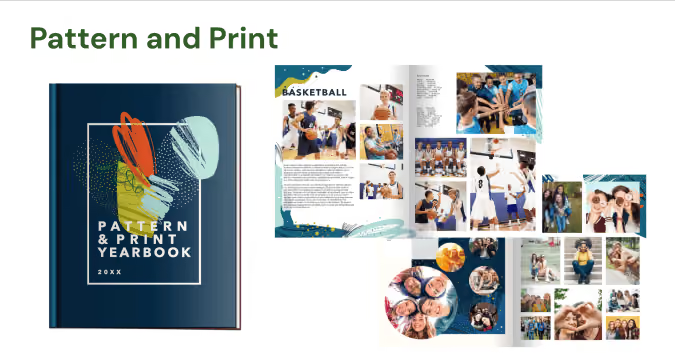
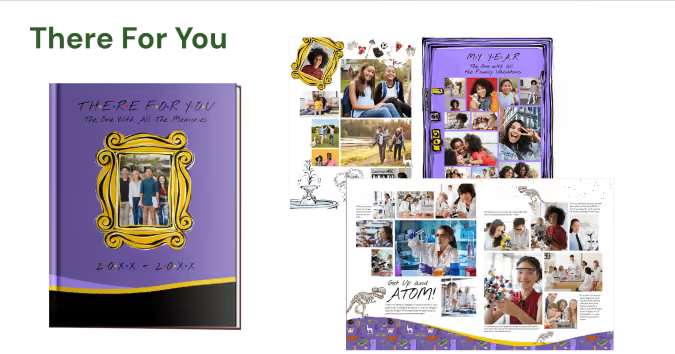
1990s design for your yearbook
With the rise of technology, artists began to explore digital mediums to create interactive and multimedia artworks. The themes of the nineties centered around identity. In pop culture, it was the era of Friends and TGIF, and design often incorporated references to these cultural phenomena. With desktop publishing becoming more available to consumers, emerging designers pushed the boundaries of traditional design rules to use asymmetrical arrangements and overlapping elements.
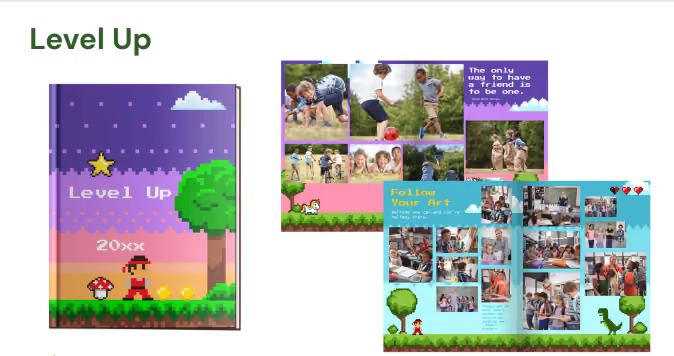
A throwback theme from the 1980s
Famously, the bold colors and gestural brushwork of Neo-Expressionism dominate eighties design. It’s also the period that saw the rise of digital technology, a pop culture explosion, and a distinct visual style that continues to be recognized and celebrated during spirit weeks across the nation.
It’s not a 1980s-inspired retro yearbook theme if it doesn’t include some of these:
- Neon colors
- Geometric shapes, preferably layered with a glow effect
- Airbrushing and gradients
- Maximalism and excess
- 8- or 16-bit art
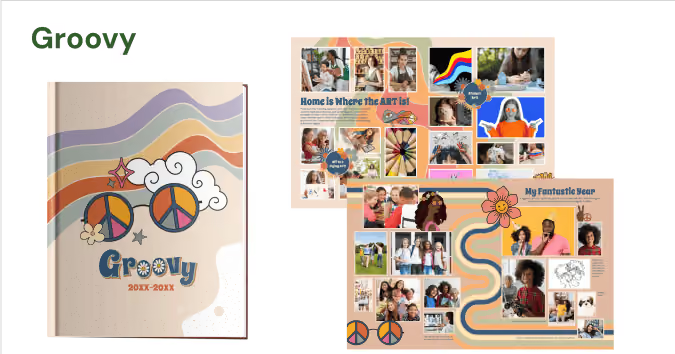
The 1970s' influence on design
Graphic artists of the 1970s made ideas and concepts the focus over traditional artistic mediums. Artists often challenged the notion of art as a physical object. The color palette of the time featured earthy and warm tones, including browns, oranges, yellows, and olive greens. These colors were reflective of the era's emphasis on nature and a more relaxed, organic aesthetic. While disco culture inspired illustrations with a sense of movement and rhythm, typography also showed some personality with exaggerated serifs, curves, and swashes.
Consider your distribution party for your retro-themed yearbook a piece of performance art.
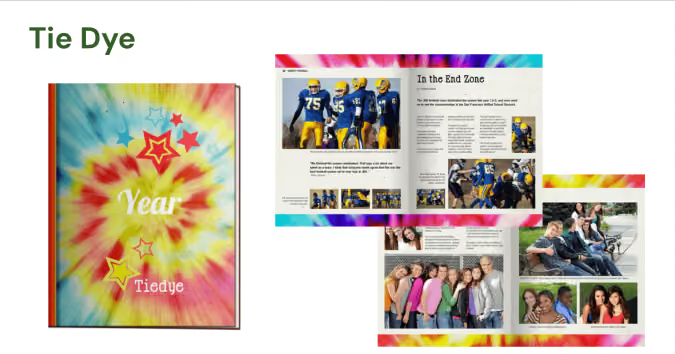
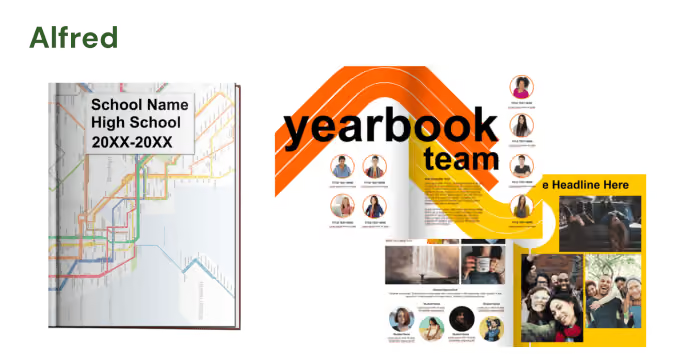
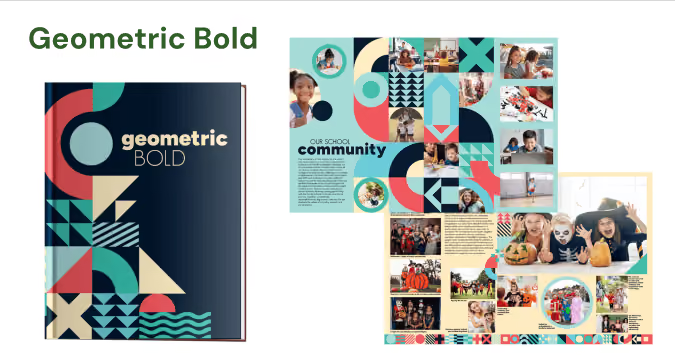
Taking it way back to the 1960s
This was the decade of contrasts. Pop art and its bright colors celebrated mass culture, consumerism, and everyday objects at the start of the 1960s. Remember the soup cans? Later, major socio-political shifts impacted design and this period became synonymous with breaking away from the norm.
A yearbook with a counter-culture theme might want to incorporate retro elements inspired by
- Mod influences from the Beatles and the subsequent British invasion
- Op art: those wavy lines and swirls you associate with 1969’s iconic music festival, Woodstock
- Eclectic or maximalist approaches to convey a contrast
Future implications
Consider this: your grandkids will produce a retro yearbook theme using key design trends from the 2020s: eco-conscious and minimalistic with sensory-friendly and accessible design.
Creating custom yearbook covers with student art
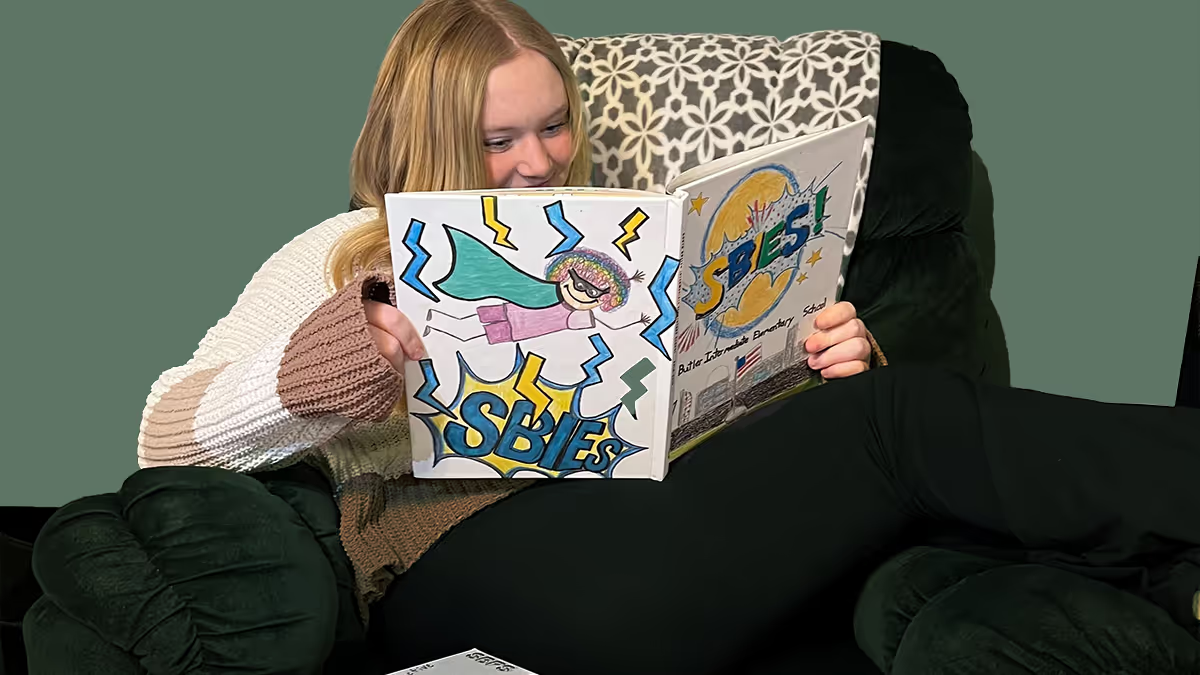
It’s fall, and we’re all going crazy about yearbook themes. After your team decides on the collective story to tell, consider how you will communicate it visually. If you haven’t yet, use student art on the yearbook cover to celebrate and showcase the diverse talents of the student body. It adds a unique, only-on-our-campus touch, which we love. After all, customization is our thing.
Custom cover advice from the pros
The Treering Design Team helps roughly 200 schools annually with their cover issues. The biggest piece of advice: make sure you have enough bleed. This keeps art from being cut off in the scanning process. We always say to get those printed proofs ordered early; this is one more reason.
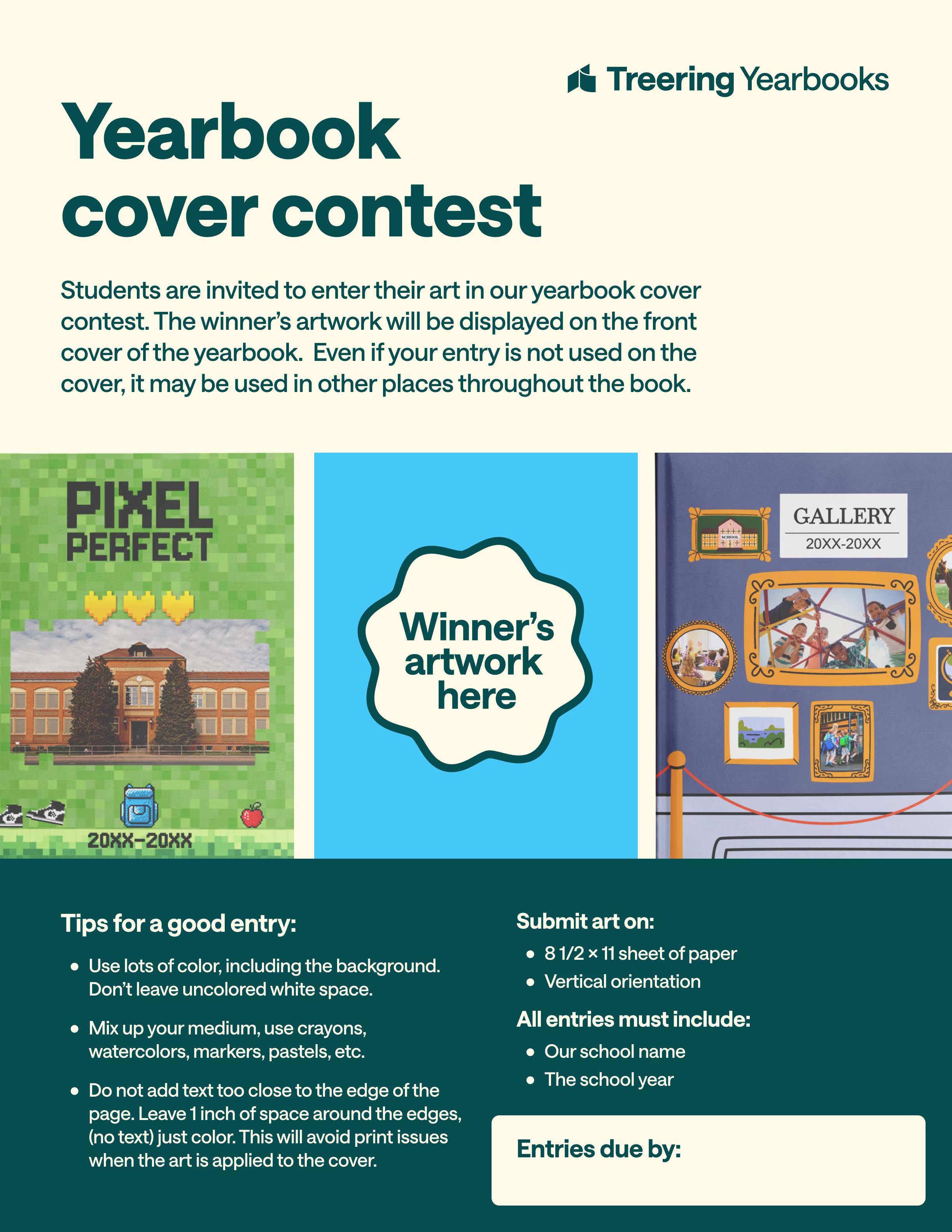
They also suggest advisers understand the technical requirements so your art prints sharply and vibrantly:
- Scan the page at 300 DPI or higher
- Save it as a JPG or PNG
- Upload the image to Treering as a photo
Ideas for gathering student art
Student art is that simple: it’s art from students. Whether you source it through an intra-campus partnership or create a school-wide drive, the goal is to achieve a personal, unique-to-us impact.
Cover collaborations
Class projects, such as collaborations with art teachers, get students outside the yearbook room involved. (And really, this is marketing gold: you’re building a relationship with a group who are now stakeholders in your final project.)
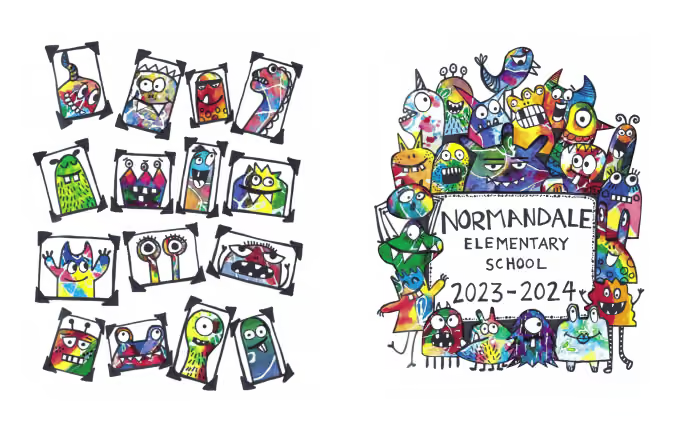
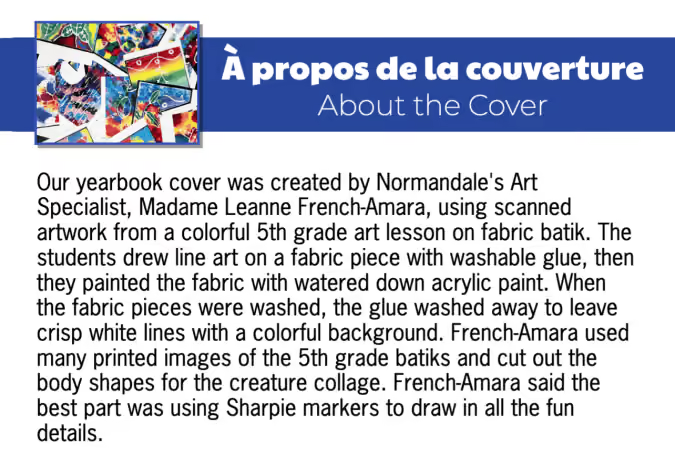
Yearbook volunteer Lauren D. shared how they went from classroom to yearbook cover with an art project at Normandale Elementary. The art teacher used batik patterns made by her students into creatures for their yearbook cover.
How to do a yearbook cover art contest
“I believe that students should be the driving force behind the yearbook's design,” said yearbook Adviser Julie R. She uses a cover contest to showcase student art. She asks students to use school colors and to “represent what learning and school look like to them.” Her yearbook team looks through the submissions and selects the one that most authentically captures the year.
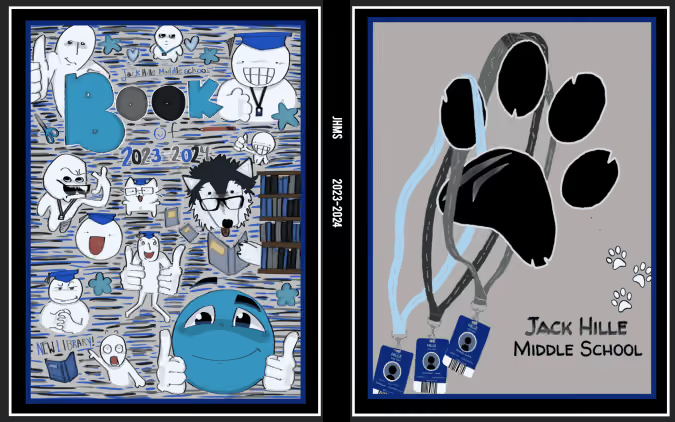
If you share Julie’s POV and want to do your own contest, you’ll want to communicate the following:
- Dates for the contest: submission window, evaluation period, and announcement of the winner(s)
- Art requirements: paper size and orientation, medium, required elements (e.g., school motto)
- Judging criteria
- If you have any grade or class restrictions (some schools hold the contest with the highest grade or limit it to students in the art program)
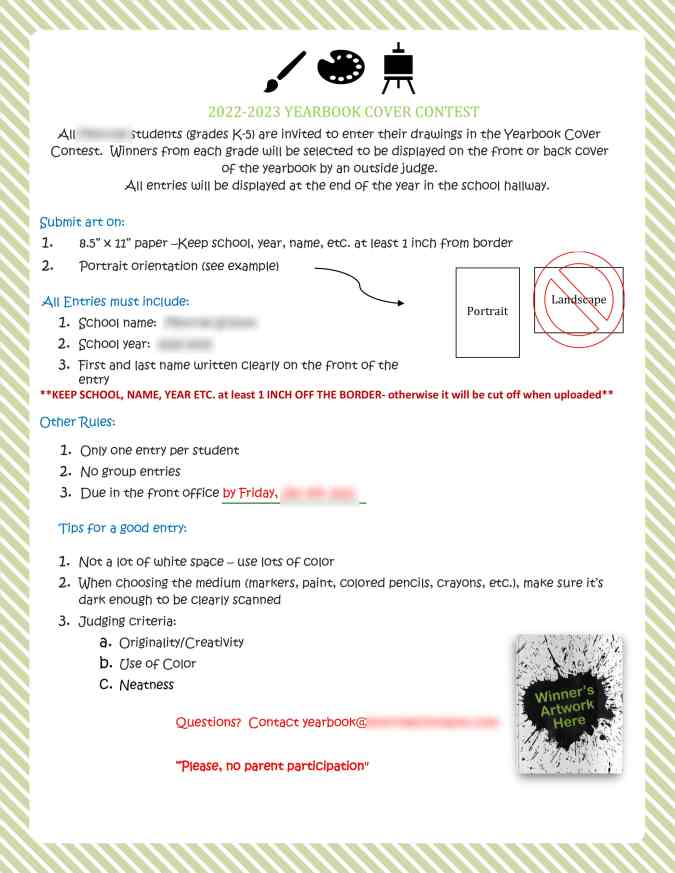
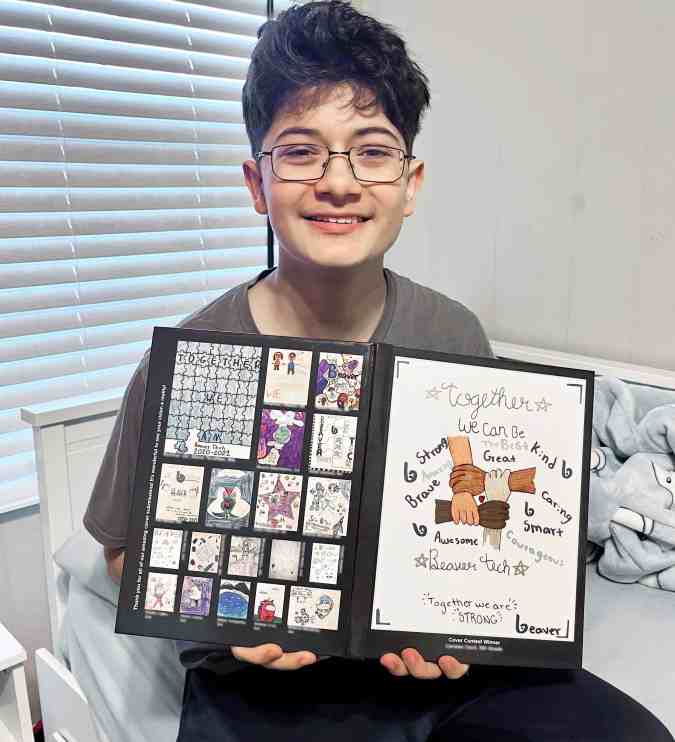
Explain the contest rules in advance to avoid unnecessary tears, hurt feelings, and frustration. Depending on the number of entries received, all can be included in the yearbook. Check out how these schools integrated their runners-up.
Student art on the front and back cover
This is the most popular approach: the winner on the front and runners-up on the back.
Student art throughout the book
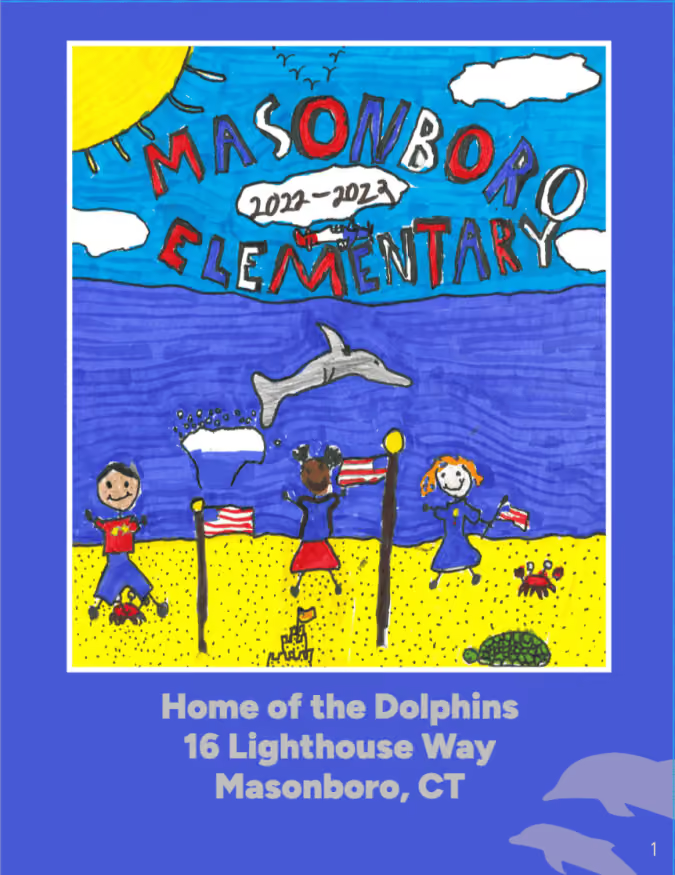
Think about it: if you asked students to represent your verbal theme through their submissions, why wouldn’t you use their interpretations throughout the book?
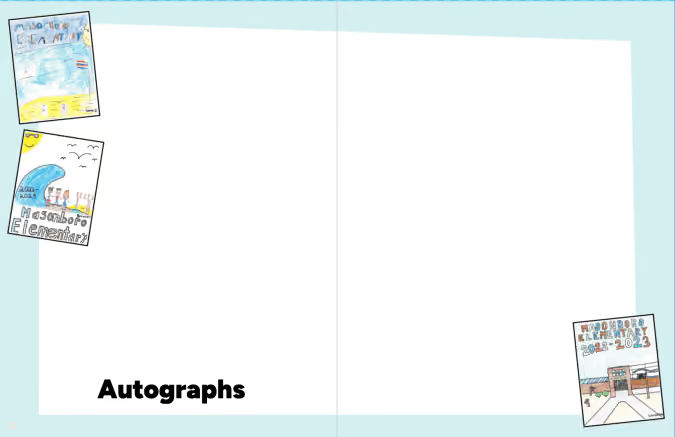
Tag us on social media (Facebook, Instagram, TikTok, X) to show us how you use student talent to foster pride in your school community.

Yearbook class: what to teach the first six weeks
You thought yearbook class was just putting pictures on pages. Then a roster arrived. Then the expectations to meet state and national standards for ELA, CTE, and 21st Century Learning. Cue migraine.
The yearbook heroes at Treering know the difficulties new advisers face (shameless plug: that’s why we’ve created a contract-free, flexible yearbook solution) and we’ve created six weeks-worth of material for your yearbook class.
If it’s your first year advising, select one or two areas on which to focus. As your program develops, deepen those areas and add a new growth target.
For example, year one, you may want to focus on theme development and photography. Year two, expand those areas and add storytelling captions. Year three, further develop your writers with feature stories. Repeat after me, “I won’t do it all! I won’t do it all!”
Week 1 goal: build a mission-centered yearbook staff
Teambuilding
Every day, do something to help your team grow in familiarity with one another. Start with something simple, such as Birthday Lineup followed by some cake. To reinforce all the new names, Hero-Shambo is a raucous way to inspire team spirit while putting names to the faces.
Spend some time understanding personalities as well. Free online tests can provide discussion start points. Debrief either by grouping students who scored similarly and have them discuss what resonated with them and potential misconceptions. Groups could even create a poster or mood board reflecting their strengths.
Theme development
As your year, and your book, should be focused on telling the story, theme development is top priority. Start with a SWOT analysis. Then list all the changes, new initiatives, and differences that make this school year stand out from the last five. Are you doing a building project? Did you add an international program? Is there new leadership? Did you merge with another school? Is this the first senior class that’s gone all the way through from kindergarten?
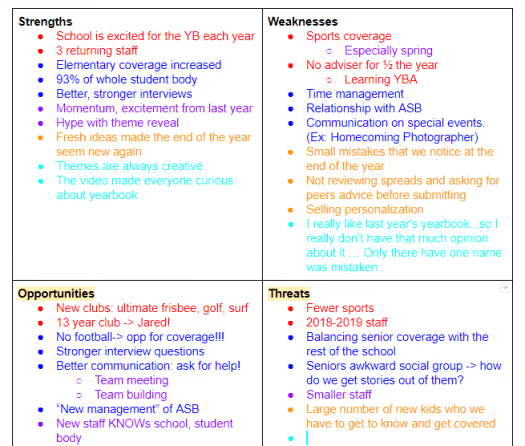
How can you convey this story this year?
Many times, our students come up with a catch phrase and want it to dictate the content. Your story—whether you have a visually strong, photographic book, or a journalistic yearbook full of features—should lead your look. Our Yearbook Theme Curriculum Module can help.
Photography
There are five beginning photo exercises in Treering's blog. Spend some time getting to know your team's cameras before jumping in. This may also be time to involve the editorial staff: assign an exercise for each to learn and facilitate.
Reporting
Start asking your yearbook students a question of the day. (If you have a large class, you may want to poll 3-5 students each period for time.) Before the next class, your yearbook students should ask that same question to three other students (no repeats). If you have 12 yearbook students, that’s 36 student quotes you can include in a sidebar each day, 180 each week! Use a Google form to input responses and track respondents. This not only increases coverage possibilities, but it warms up your student body to be pursued and peppered by your yearbook students!
Week 2 goal: set and slay yearbook goals
Photography and design
Begin the week with a photo scavenger hunt. Use the results to introduce your procedures for file naming conventions, uploading, and tagging. Model how to design a spread with their snaps.
Introduce yearbook vocabulary then grab some magazines to play a grown-up version of show and tell. Reward students who can find eyelines, ledes, and serif vs. san serifs fonts!
Further demonstrate the principles of design and get in your yearbook software to recreate some of the layouts you loved in the magazines. You should be in your design application 2/3 of the week so your staff gets comfortable.
Teambuilding
Since focus this week is on goal-setting, use communication games such as Blind Polygon or adapt Minefield for your classroom. In both scenarios, identify the goal and evaluate what worked and what didn’t when you are finished.
Revisit the personality profiles from week one—what effect did they have on students’ problem-solving and communication?
Theme development
It’s also time to revisit your SWOT and story-of-the-year brainstorm. Think of your senses: how does it feel, sound, smell, and look? (Don't worry, we're not going to encourage tasting your yearbook!)
Determine tangible ways to convey the story of your year. In the Design Module, we talk about color and fonts. Both are two key visuals to harness the essence of your theme.
For example, If your yearbook theme is Move Mountains, you are going to want to use colors and fonts that are bold, signifying strength.
Reporting
Continue your question of the week, and evaluate the process. Where are students struggling?
If fear is a hindrance, watch Jia Jiang: What I learned from 100 days of rejection. If it’s procrastination, watch Tim Urban: Inside the mind of a master procrastinator. In your debrief, develop concrete strategies such as a few scripted lines or a schedule.
Marketing
Make it a point to consistently market your book and your program. It's possible to plant proverbial seeds for next year's staff in September!
Week 3 goal: build your team’s toolbox
Teambuilding
Begin holding weekly staff meetings. In these meetings, discuss event and photo assignments for the week, when your next deadline is, and have every staff member give a 15-second update of their work. A simple, “Here’s what I’m doing, and here’s what I need to do” will keep it focused. You're building a culture of accountability.
Editors can also lead the meeting by using the first 15 minutes of class to develop a skill: photographing in classrooms with fluorescent lights, sharpening images in Photoshop, cropping images, etc.

Reporting
Evaluate the question of the day. Have students put last week's action plan into play? What percentage of the student body has been asked? Discuss with your staff where you will begin incorporating these quotes and what questions you can ask to tie-in with your yearbook theme.
Start a word graveyard: on a prominent bulletin board, list “dead” words and phrases. Have a reason why you’re dumping one: for example, many athletes will say their team is a “family” as will ASB, the dance company, the math department, etc. Teach interview skills to develop this: what drives your bond? Tell me a way a teammate was dependable. What traditions do you have that make you like a family? Get the story.
Design
Develop your style guide and decide which elements (e.g. bleed, color overlays) will enhance the story you are telling this year. Your editorial staff should begin building templates in your design software. By the end of the third week, your entire team should be comfortable doing basic tasks in your design platform.
Week 4 goal: progress!
Teambuilding
Using comics or stock photos, create Comic Creations. Then, with a partner, students should list three questions they could have asked to get the quote. Use your word graveyard and our Five Common Topics as needed to build stronger questions.
Teach the expanded caption using the Comic Creations quotes. You may want to first show NSPA’s Terrible Leads as a non-example before modeling your own yearbook gold.
Theme development and design
Evaluate your style guide and templates using NSPA’s design checklist; adjust as necessary. This is a good time to pause and remember our mantra: “I won’t do it all! I won’t do it all!”
Use an idiom dictionary to create spin-offs for your theme. Let’s return to our Move Mountains theme. For recurring modules, you could use:
Photography
By now, your students should be photographing class activities, school events, and sports practices and competitions regularly. Have your editorial team select some photos of the month to show on a projector. Discuss, as a group, what made the photographs standout in their composition and storytelling. Elicit advice from the photographer. Share top photos on social media with a call to action: “Want to see more? Buy a Yearbook!
A post shared by Treering (@treeringcorp)
Social media serves a double purpose: market your program and your yearbook!
Marketing
Create a social media calendar and assign posts to students. Each post should be approved, in writing, by an editor and another student before going live. You may want to utilize a group messaging system or a shared document to track approval and content.
Week 5 goal: momentum
Teambuilding
Before this week’s staff meeting, ask an editor and a staff member to each select a Yearbook Hero to celebrate. Share the love on social.
Introduce peer evaluation by partnering two students, equipping them with a rubric, and asking them to evaluate a strong example of design. Because it’s “easy” to critique something weak, this forces students to understand why a layout works.
Allow students to sign up for one-on-one sessions with you, and possibly your editor in chief, during class where they can have undivided coaching.
Theme
During your next editorial meeting, ask the team to brainstorm theme-related
Photography, design, and reporting
After your weekly staff meetings, you should have a good idea of the the page statuses for the yearbook. Your team will continuously be in a cycle of photographing-reporting-designing. Monitor progress by continuing to set and track goals. Break up the monotony by adding in relevant skill-building lessons and—dare I say it—nothing. Sometimes, a study hall so your students can catch up is a great way to show you value their time and commitment to all things yearbook.
Week 6 goal: establish routine
Rest assured you created consistency and accountability with a weekly team meeting. Because of this, students know their weekly assignments such as social media posts and photo shoots. All of your yearbook team is trained on your software, and with peer editing, a safe dialogue and pre-disclosed standards will refine areas of growth. Is it perfect? No. Will it ever be? No. And that’s OK!
Remember your role: advise. Here's a checklist to help.

QR Code is a registered trademark of DENSO WAVE INCORPORATED.
5 tips to help you find your yearbook theme
Whether you're scrambling at the end of the year, or trying to decide at the beginning of the year, coming up with a yearbook theme is tough. How do you come up with the title of a book that hasn’t been written? You can play it safe and gather everyone’s feedback to eventually land on a yearbook theme that everyone hates the least, or you can choose for the group, and face criticism--but no help--for your idea. Let’s be real, neither option sounds fun. I interviewed different yearbook editors to try and gather some advice to help you get started.
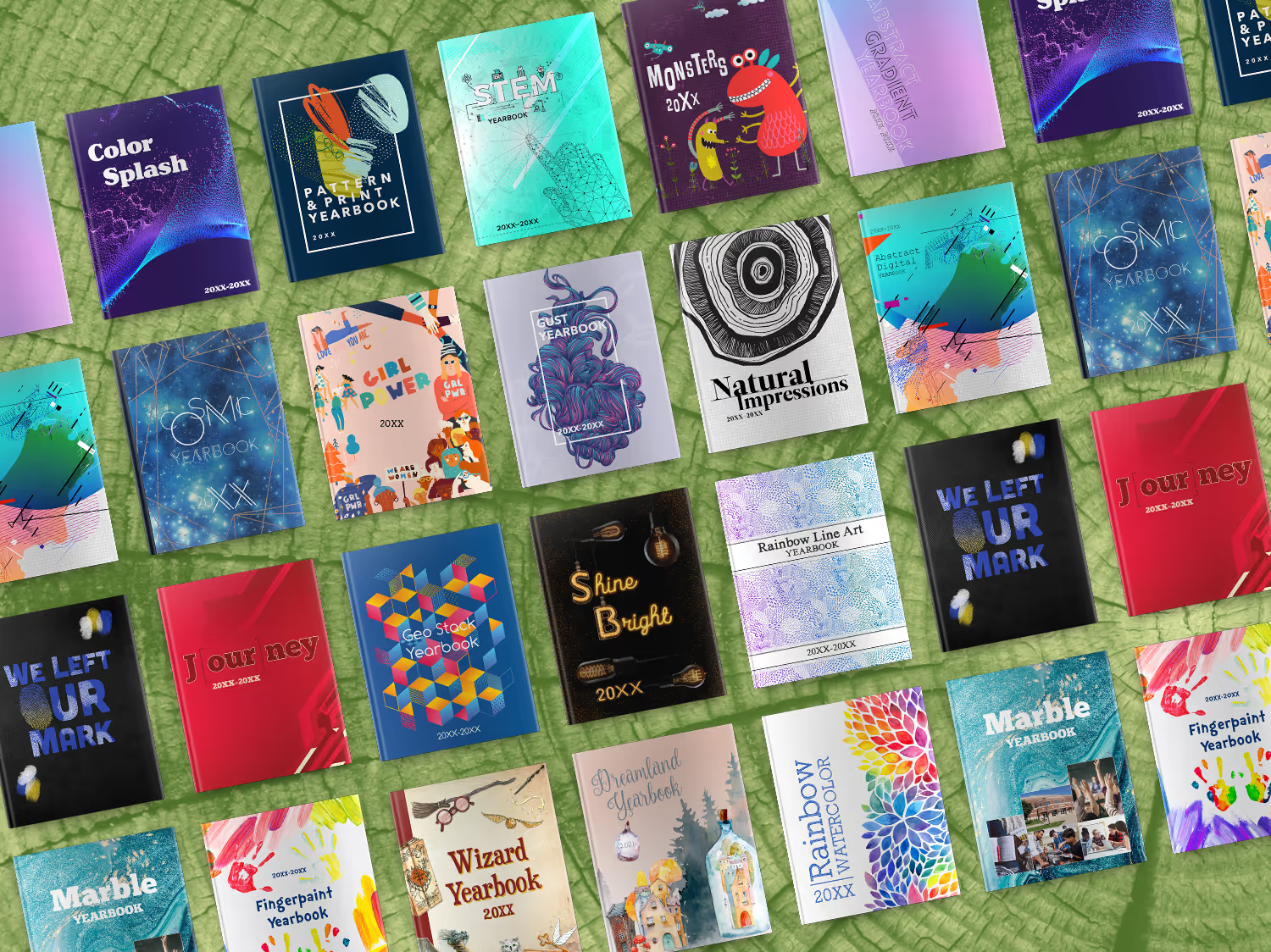
Here are 5 questions to ask yourself, followed by 5 thought-provoking theme ideas to inspire creativity.
5 questions:
Why should you run a yearbook cover contest?
Academic goals are of course the primary focus at school, but consider asking the students to layout SMART (specific, measurable, action, reasonable, time) goals at the beginning of the year. Come the end of the year they can go through a self evaluation that will lend itself nicely to the story of your yearbook. Goals could be long or short term. I remember having goals to read a certain number of books throughout the school year as well as trying to make it through a day without doodling on my hands/arms/legs.
What’s popular with your students this year?
From movies to music, snacks to snapchat, pop-culture can be a great way to get some inspiration for your theme. The benefit to using a theme centered on pop culture is it adds an extra layer of nostalgia beyond your photo and story memories. The down-side, well as a child of the ‘80’s I can honestly say the photo of me with 5 foot tall bangs and fanny pack was embarrassing enough, not sure I need to be reminded of the countless hours lost to New Kids and Nintendo.
How are your student’s different from others?
This might seem like a difficult question, but ask your students. They will typically know what makes their school “better” than the rival neighboring school. Growing up most of my classmates lived on a lake, because of this we were all about the water sports. We knew how to waterski off the dock, build pyramids, and wakeboard. We would have loved to see this represented in the theme of our yearbook, as it was unique to our school. You don’t need to limit yourself by the schools colors, the yearbook should tell the story of one moment in time and school colors are not unique to one year.
What issues are student’s passionate about?
Pop culture changes year-over-year and with that children become passionate about different issues facing the world today. Similar to Michael Jackson and Free Willy raising awareness on preserving and protecting the ocean and its inhabitants, today children are talking about climate change and fact checking. Lucky for them they will never understand the frustrations of the card catalog now that Alexa can answer just about all their questions. Consider what issues students are talking about in class and how they are learning to make a positive impact in our future.
Who are your student’s role models?
You might be surprised; kids today are #woke. Gone are the days where Micheal Jordan and Madonna served as the role models of youth. Kids today are looking up to people like Elon Musk and Ruth Bader Ginsberg. They are not just aware of what’s happening in the world, but they are choosing their role models wisely.
Now that you’ve asked yourself a few questions, I thought I’d share some brand new themes that might get you on the road to something truly unique for your yearbook. Below are 5 fresh themes for you to consider for your tribe.
5 theme ideas:
Fingerpaint
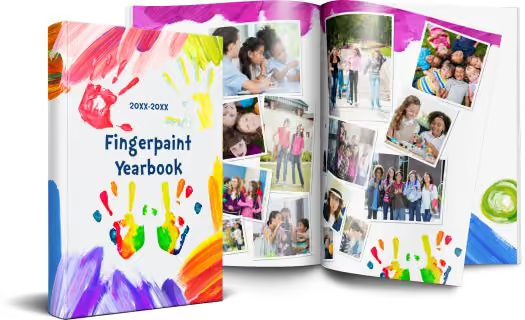
This theme captures the spirit of imagination, similar to Harold and his purple crayon, each student has the ability to draw whatever they might need, leaving their unique handprints behind as a reminder of what they have achieved.
STEM
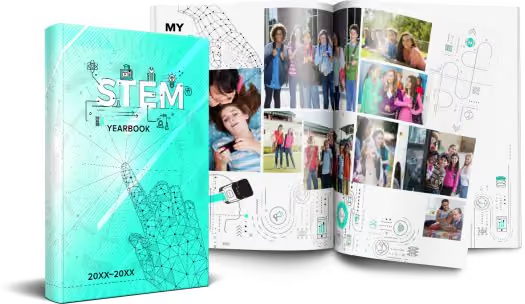
Early learning experiences in Science, Technology, Engineering and Mathematics (STEM) are critical in preparing elementary school students for STEM learning in middle and high school, as well as for future careers in STEM-related fields. This theme talks to more than just the tech culture our children live in, but how schools are more focused now than ever in bringing STEM to the forefront of learning.
J[our]ney
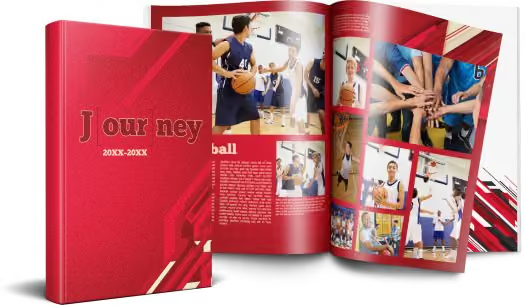
With multiple different color options, this is a classic, bold, choice for a yearbook tribe wanting to add some graphic texture to their book. It’s sentimental in begging the question, “What does the school care about for the year?” There are many ways to play with this theme. Consider some wordplay:
- Y[our] goals
- Enc[our]agement
- N[our]ishment
- Study h[our]
- Y[our] story
Color splash
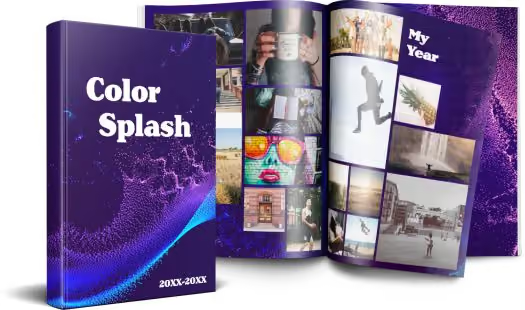
It’s subtle yet elegant in the movement of the dots first flowing together then breaking off to find their own individual path, but not before first making a splash. This yearbook theme would be best for books that are text heavy, given the words will pop on the purple background, and there isn’t a lot of distracting artwork.
Cosmic
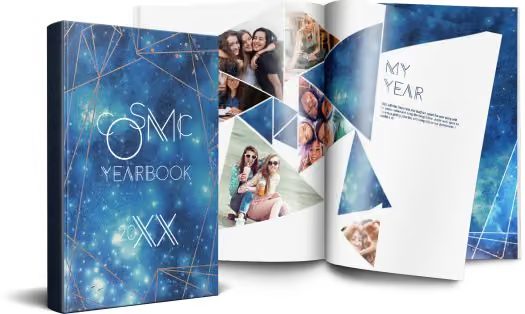
The applications of this theme reach to infinity and beyond. From the single star that shines bright to the entire constellation of stars, our students are pushing the boundaries of learning to their outer limits.Each yearbook tells the story of just one year, whether your theme is how power corrupts, as in J.R.R. Tolkien’s Lord of the Rings, or love and loss as in Nicholas Sparks’ The Notebook, (I genuinely hope those aren’t actually your themes) these ideas should help you get started. If you are looking for more inspiration, check out this handy theme generator, it might get you and your yearbook tribe a bit further on your journey.
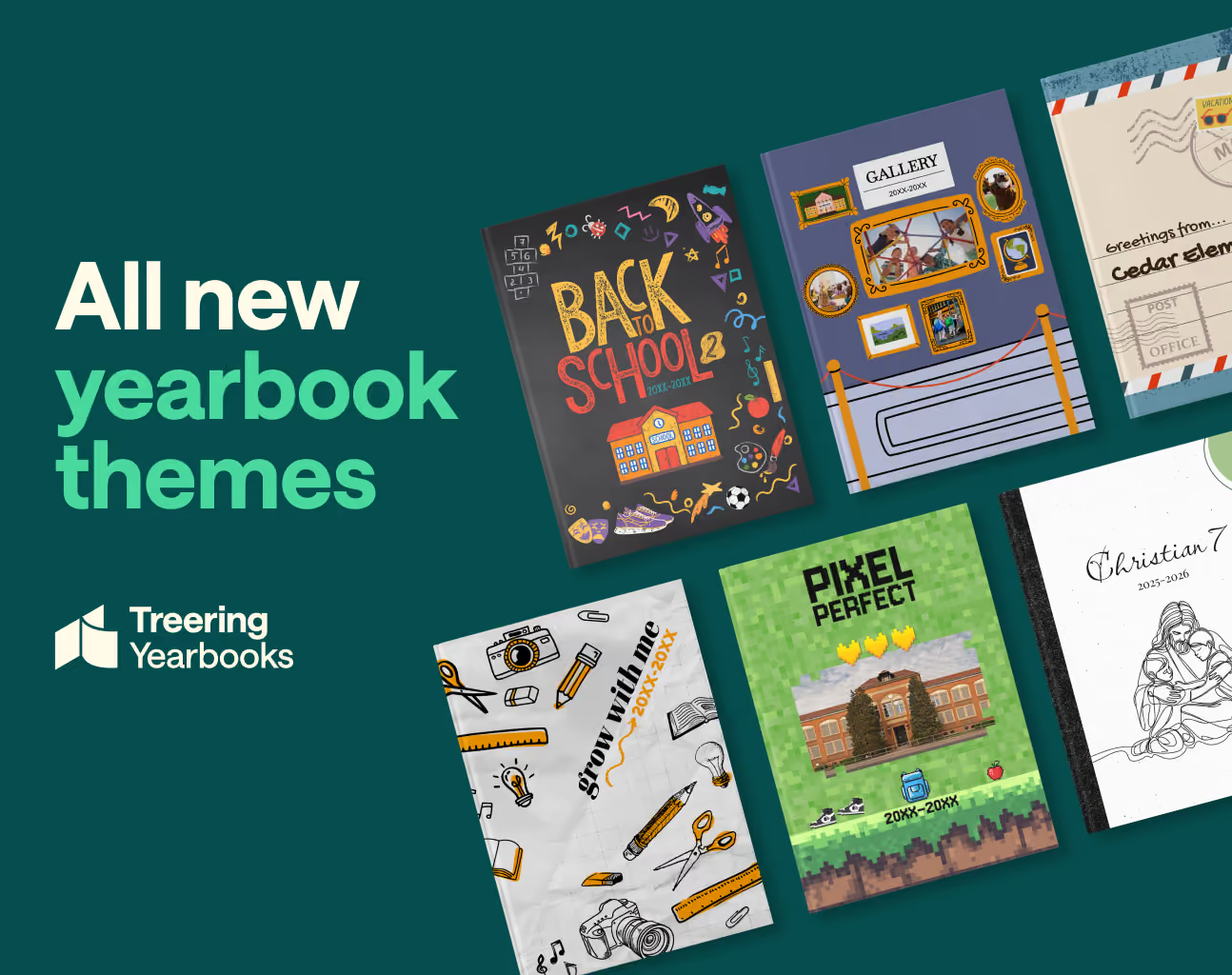
New 2025 yearbook themes inspired by you
In the spring, nearly 200 yearbook creators across three focus groups gave their feedback on design trends and current graphic offerings. The findings:
- Backgrounds need to be less graphic and more textured to not compete with the content
- Theme collections felt incomplete
- Elementary yearbook coordinators want a different background for each grade
- Some schools want spreads with up to 60 photos, others want bold showstopper templates to break up content
- Preferred graphic styles include line art, watercolor, and images inspired by nature
Treering’s response: yes
It was a yes of agreement, a yes of exclamatory delight. When evaluating each of the 2025-2026 yearbook themes, the design team went back to your list.
The first six new yearbook themes
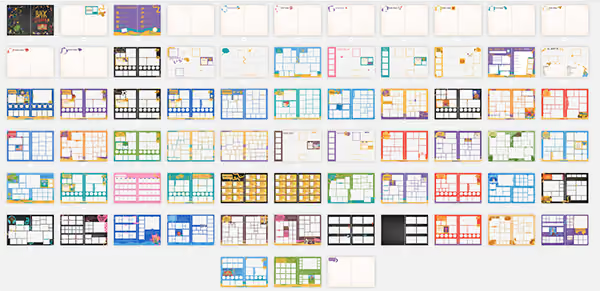
Each of the new yearbook themes contains what you need to easily create a beautiful, stylized, photo-centric yearbook: backgrounds, layouts, coordinating graphics, and a style guide. Layouts range from graphic-heavy show-stoppers to photo collages with up to 60 photos. The layouts are designed with a built-in 1/4" margin and a grid system. (This way you won’t have to hit the down arrow 100 times or “eyeball” it.)
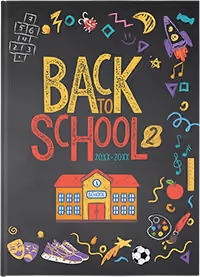
Back to School 2
Give your yearbook a sharp take on school spirit with just the right amount of whimsy. The hand-drawn chalk textures blend bright, bold hues with the nostalgic feel of a classic blackboard.
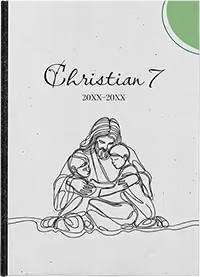
Christian7
Inspired by our third most popular theme, “Tied Together,” Christian7’s continuous line art contains graphics featuring faith-based and academic subjects.
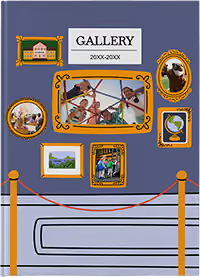
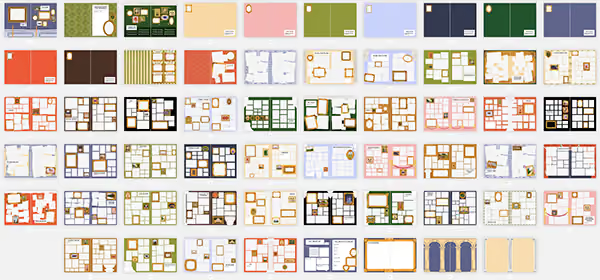
Gallery
This museum-inspired yearbook theme frames every moment as a masterpiece. It turns your year into a curated experience by showcasing every activity as worthy of display.
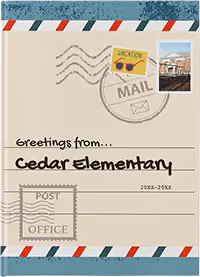
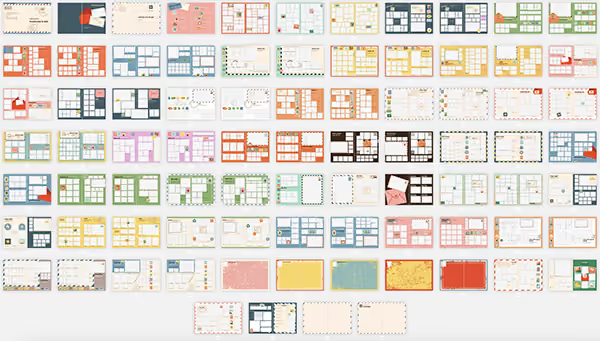
Greetings
We call the school year a journey, and with this yearbook theme, it truly is. The mid-century charm and travel-themed flair celebrate school life as a collection of picture-perfect stops.

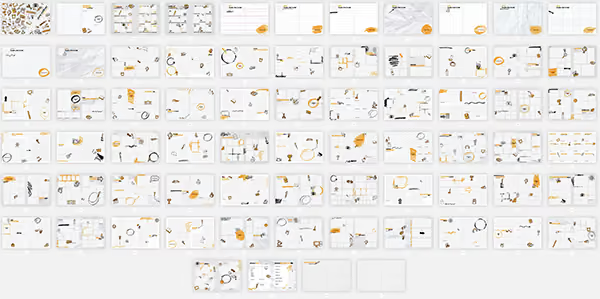
Grow with Me
Designed with K-8 and K-12 schools in mind, “Grow with Me” has double the core graphics to show a progression from kindergarten through the upper grades. It grows from playful to polished with your students: think loose lines and wide rule transitioning to tight, precise graphics and graph paper. Pops of color vary from a waxy crayon to a layered highlighter.
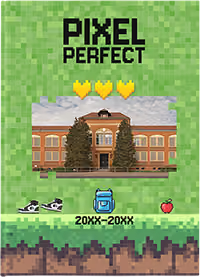
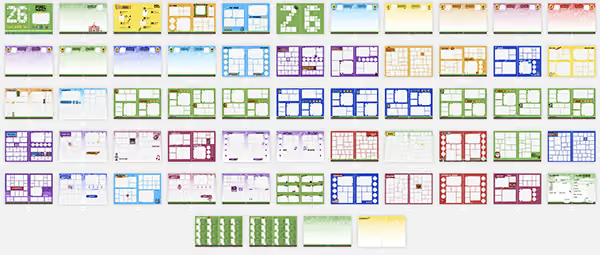
Pixel Perfect
Capture the energy of the school year with Pixel Perfect, a tech-inspired yearbook theme that is stacked with personality. It’s bold, playful, retro, and yet completely on trend.
View a slideshow of the 2025 yearbook themes.
The 100
While you love the theme development and the included graphics, you also asked for more “related” graphics to round out each theme. You wanted to illustrate the happenings on campus further. Again, the design team answered.
Introducing the 100, a curated collection of arts, academics, athletics, and event graphics from the top-searched images, illustrated with each theme’s personality.

Arts and academics: backpack, binder, books (stacked and open), bus, calculator, camera, chalkboard, chemistry flask, clipboards, clock, crayons, diploma, DNA strand, drum set, eraser, film reel, globe, glue stick, graduation cap, guitar, headphones, highlighter, laptop, lightbulb, lunchbox, magnifying glass, medal, microphone, microscope, monitor, music notes, notebook, paint palette, paintbrush, paperclip, pen, pencil, piano keys, red apple, ruler, school building, scissors, sharpener, speech bubble, stapler, test tube, theater masks, trophy, trumpet, and violin.
Athletics: badminton racket, badminton shuttlecock, baseball, baseball bat, baseball glove, basketball, bowling ball, bowling pins, boxing gloves, cheer megaphone, football, golf ball, golf club, hockey puck, hockey stick, ice skates, lacrosse stick, pom-poms, referee shirt, running shoes, sports jersey, soccer ball, softball, swim goggles, tennis ball, volleyball, water bottle, and whistle.
Events: bingo night, Christmas, color run, fall fun fest, father/daughter dance, field trip, graduation, Halloween, mother/son kickball, movie night, patriotic, read-a-thon, Red Ribbon Week, spring dance, spirit week, talent show, Thanksgiving, trunk or treat, Valentines, wax museum, and winter events.
Style guides for every new theme
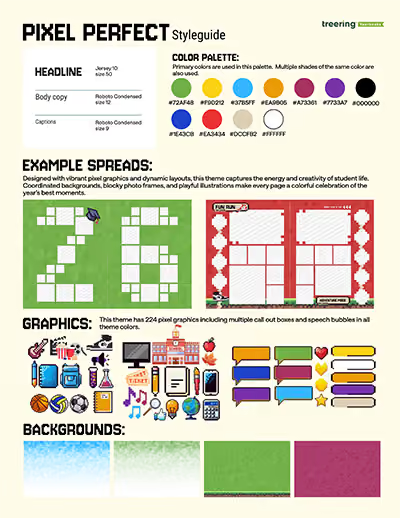
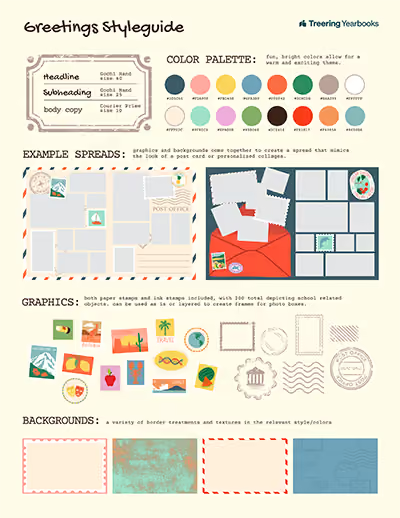
Perfect for emerging designers who use Treering themes as a launch pad to design their own layouts, these style guides contain
- Coordinating color palettes
- Headline, sub headline, and body copy font recommendations
- Ideas to make the graphics interact with photographs and text
Download the style guides for each theme here.
And if you noticed the bit about “part 1,” we hope you’re excited: there will be four more themes in September.
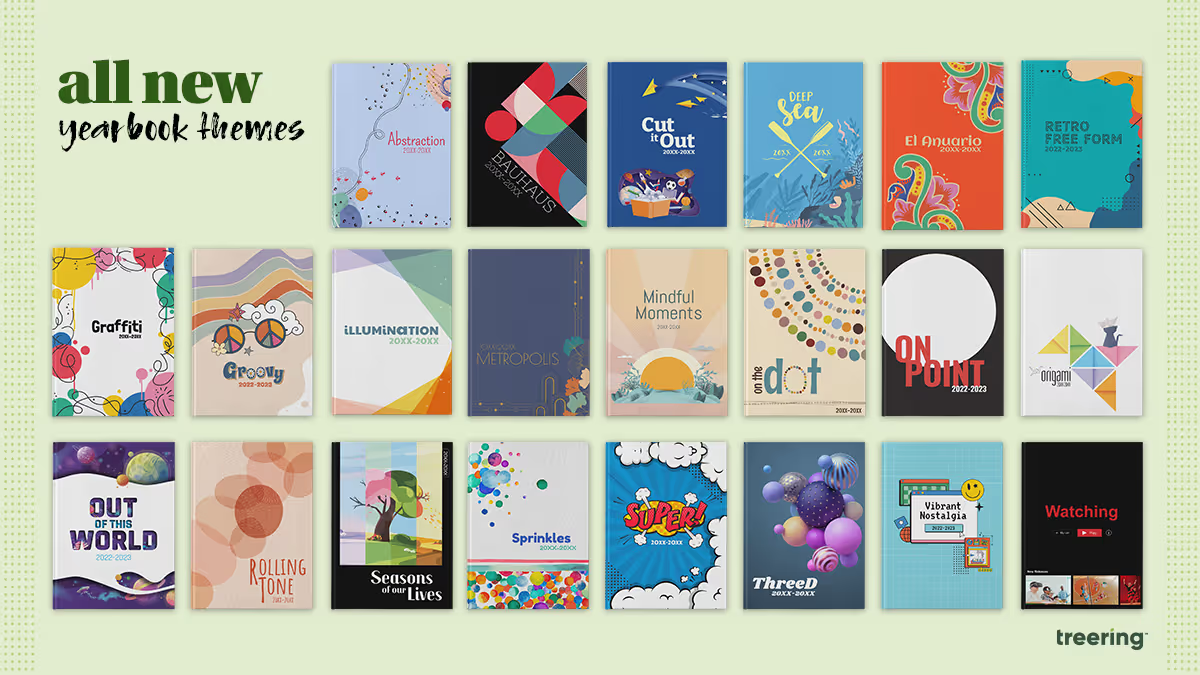
3 middle and high school yearbook theme ideas
When you have over 300 pre-designed theme ideas from which to choose, how do you pick the “right” one for your school yearbook? Good yearbook themes are the ones that make grab us at the cover and make us gush over its cool design. Great yearbook themes capture the here and now. One way to make your yearbook theme so 2023 is to apply graphic design trends from the year. Incorporating these trends as well as pop culture makes your yearbook relevant now and will make your grandkids deem it a ‘20s relic.
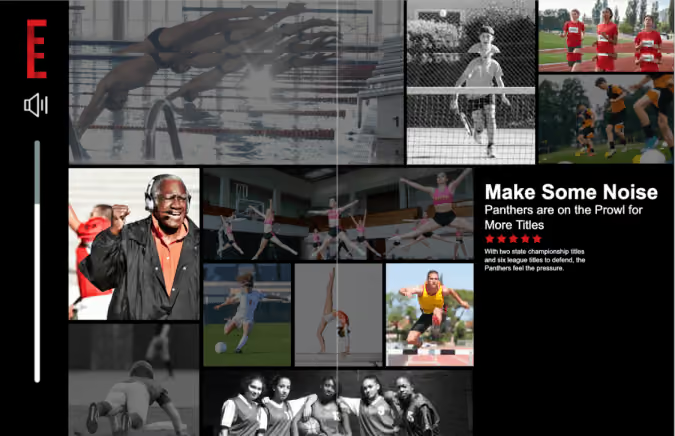
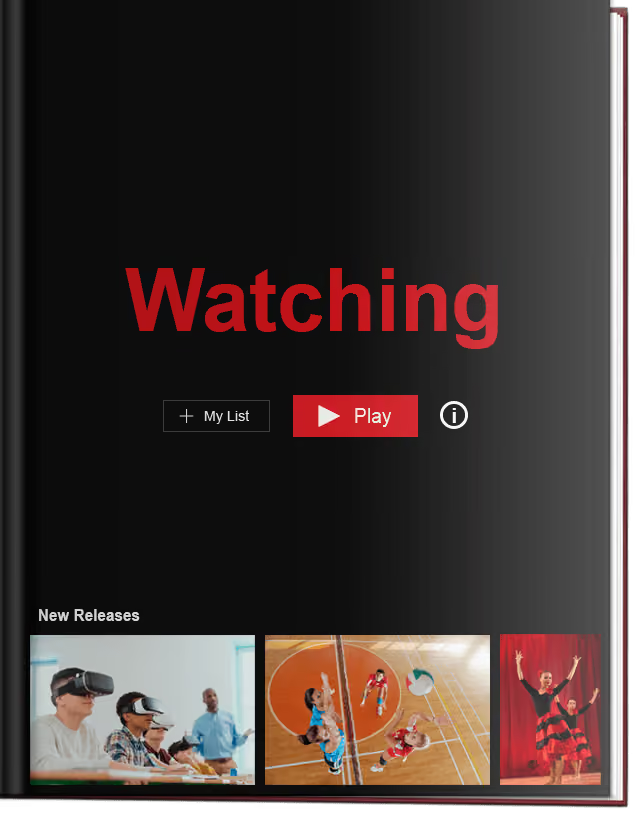
Yearbook theme #1: Watching
With 200 drag-and-drop graphics to customize this streaming media theme, your yearbook will showcase the memorable events of the school year in a format, frankly, we know too well. Press play on sports action shots, recap spirit week, make section dividers menus, and "favorite" key classroom moments.
Yearbook themes based on technology aren't timeless, and that's a good thing. Remember Clippy? He represents a moment in time, as does your yearbook.
It may be tempting to search movies and show titles for the headlines of every spread and to use our drag-and-drop templates to create three layers of menus as modules. If that seems overwhelming, keep it limited to the thematic pages: title page: table of contents, divider pages, and closing. Use the theme's graphic package to enhance, not dominate content. Like all things Treering Yearbooks, it's fully customizable.
The "Watching" yearbook theme will make your school want to rewind and relive its memories. Yes, we're still watching.
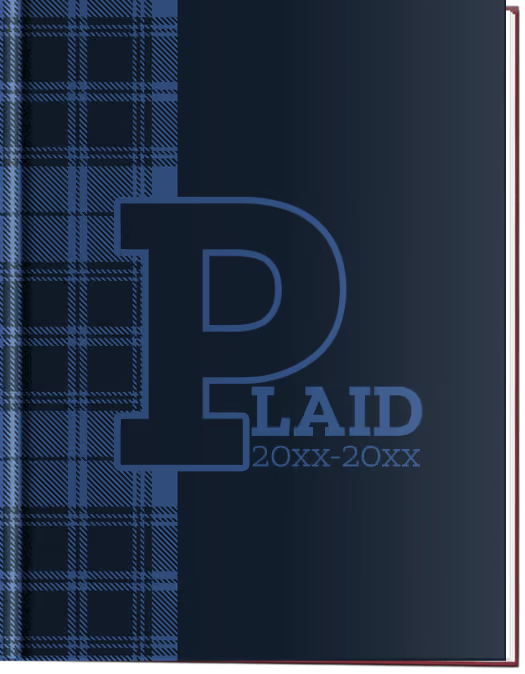
Yearbook cover idea #2: Well Plaid
Middle and high school yearbook theme ideas can get their inspiration from your campus building as well as what's trending. Private schools, schools with a Highlander or Scottie as the mascot, or even school districts in cities such as Glasgow, Aberdeen, or Lothian can play off their tartan as a theme element. Some thematic coverage ideas include:
- Uniform combinations and how students accessorize
- Where's Scottie? a Where's Waldo-esque feature with your mascot hidden in a crowd
- Punny titles such as Breaking Plaid (school records) or The Powers Plaid Be (student leadership)
- Plaid hair days and other spirit week coverage
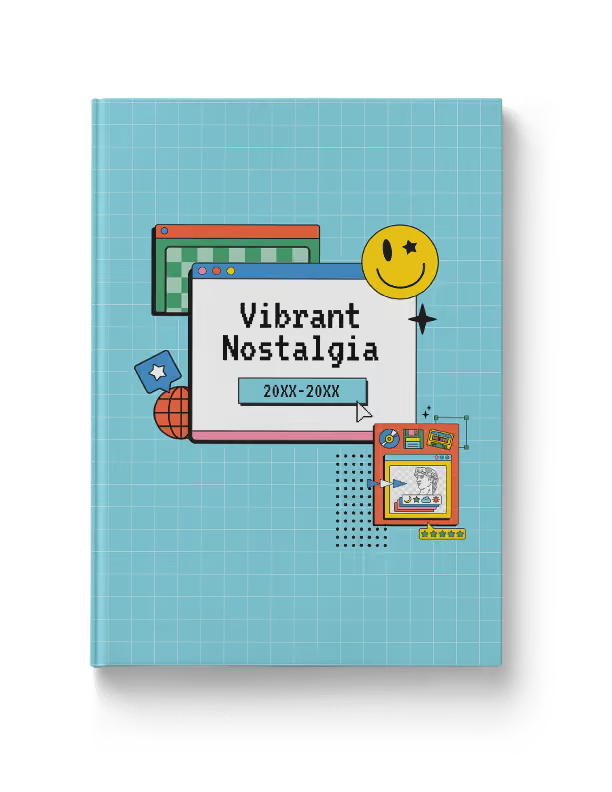
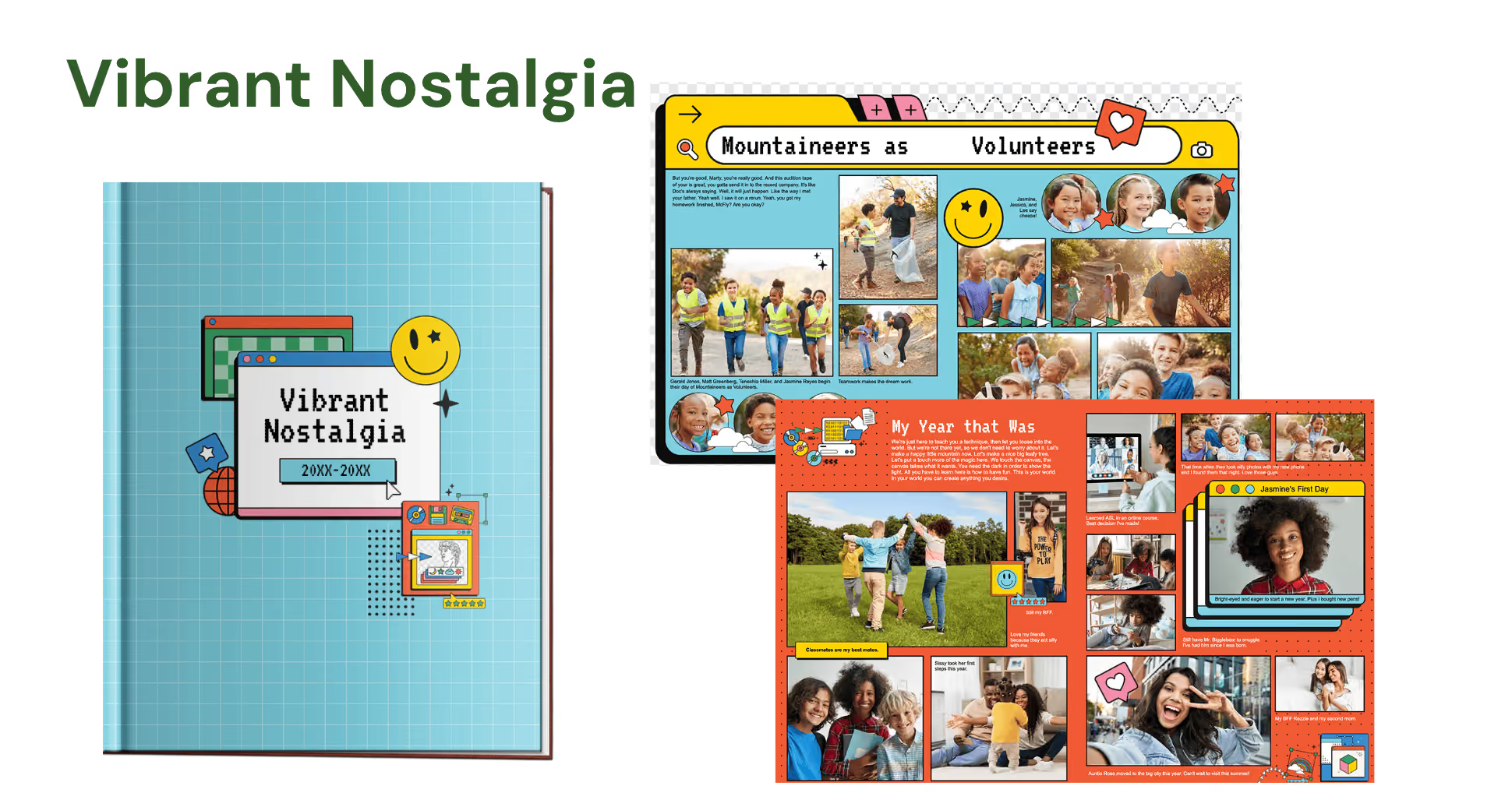
Yearbook theme #3: Vibrant Nostalgia
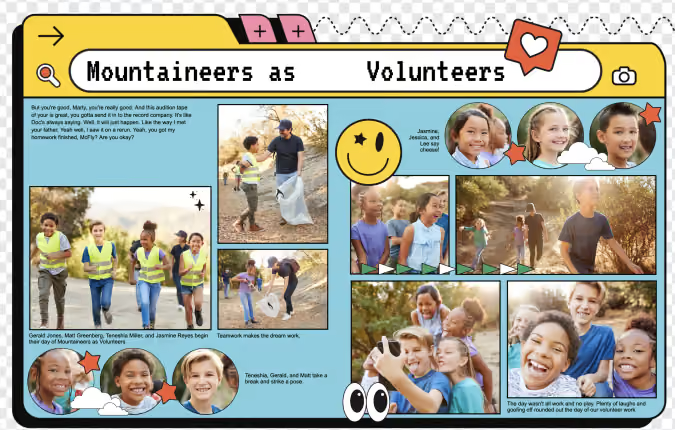
We told you last year that nostalgia was a hot trend. (We even did a 90s-themed event for advisers!) With the rise of Y2K aesthetic and the popularity of serif fonts, the Windows 95 look is popping up on packages, movie posters, and social media.
Both design geeks and fashionistas will love how we featured Pantone's Fall/Winter Color Trends within the "Vibrant Nostalgia" theme palette.
Click here to check out all 300+ themes available for free in the Treering Yearbooks design application. And if you’d like more ideas for your school's yearbook theme this year, check out these five questions to ask your yearbook team.

Your throwback yearbook theme needs this laser photo background
Like retro trends themselves, what goes into a throwback yearbook theme gets updated (can we call it updated?) every few years. Because those trends are usually rooted in fashion or pop culture, they can take a good amount of creativity to link back to your throwback yearbook theme. Right now, though, there’s one retro trend that fits the yearbook perfectly, without making any adjustments or working hard to make a creative connection: the laser photo background. Yup, you read that right. We’re talking about that 80s-style school photo backdrop emblazoned with neon lines and electric bursts, because they’re back, and they’re pretty meme-tastic. Don’t believe us? Do a quick Google search and you’ll be bombarded with some amazingly awkward glamour shots. While we don’t advocate purposely creating cringe-worthy student portraits for your yearbook, we do suggest you find a few ways to fit this retro trend into your throwback yearbook theme. Keep reading to learn where laser photo backgrounds came from, where to find them today, and how to create your own.
A brief history on the laser photo background
The laser photo background was all the rage in the 1980s, when many school portraits featured backdrops crisscrossed with bright, glowing lights. Back then it was totally stylish—and not at all ironic. The fad faded (or fizzled, if you will) and was banished to old yearbooks and family photo albums until 2007. That’s when a blogger posted this photo, titled “Me in ‘91”. It was, up to that point, the first laser photo background on the blog, which described itself as being dedicated to “the celebration of the perfect portrait.” (There is, in case you’re wondering, some sarcasm involved there.) Pretty much everybody sharing the image and basking in its cheesy glory essentially made that single portrait a meme before memes were even popular. The following year, a Tumblr blog called “We have Lasers!” debuted and—yup, you guessed it—it was dedicated entirely to school portraits with a laser photo background. As Lindsey Weber, the blog’s creator wrote in it’s “About” section: “You begged your mom to pay the extra $4. A tribute to the greatest school photo backdrop there ever was.” To say “We have Lasers!” took off would be an understatement: People submitted more than 500 portraits to be featured on the blog in less than two years, and the blog was featured on NPR, CNN, Time, and CBS News. Quickly, laser photo backgrounds went from meme to viral to mainstream. Popular sites, such as Awkward Family Photos and BuzzFeed, began featuring compilations of people posed in front of the iconic background. Even celebrities began recreating laser photo background images as spoofs (re: this picture of former 98 Degrees frontman, Nick Lachey). The Internet was, and in a lot of ways still is, in a laser-photo frenzy. So, how do you pull this trend into your throwback yearbook theme?
Where to find—and how to use—laser photo backgrounds in your throwback yearbook theme
There are two places to find laser photo backgrounds:
- Buy an actual laser photo backdrop, in the form of a poster, online at Zazzle.com.
- Use this free laser photo background, created by Emily Coxe.
The poster at Zazzle.com comes in a bunch of different sizes. Deciding which size to buy is based pretty much entirely on deciding how you’re going to use it. So, before you pull the trigger and shell out a few bucks for a bit of nostalgia, think through your use cases and make sure you order the right one for your needs. The easiest way to do that? Do a test run of your photo shoot by placing your subjects against a plain wall and marking off the various poster sizes with painter’s tape. When you frame up your shot, pay attention to which size poster markings are inside the viewfinder, and order the next size up. If the idea of planning out your photo shoots and spending cash has you feeling a little bummed (and, hey, we get it; we make creating a yearbook free for schools), you can always work a little Photoshop magic. Really, if you have some super-creative students or parent volunteers on your yearbook committee who know their way around Photoshop’s masking tool, this is the way to go. In fact, even if you don’t have someone like that on your yearbook committee, but you have someone who is willing to give new stuff a try, this is the way to go. Because you can even use PowerPoint to do this. Here’s how to add a laser background (or any background, really) to a photo in Photoshop:
- Choose your image. A picture with a plain background is easiest to work with, so—if you have control over this—have your subject stand in front of a plain wall or against the side of a building to capture some natural light.
- Mask it. In Photoshop, use the pen tool to mask the person in the image. (Learn more about masking here.) You can also use more sophisticated Photoshop techniques, depending on how precise you want the image to appear. If you’re new to Photoshop, however, we recommend sticking to the basics.
- Insert the background. Drag and drop, or copy and paste, the laser background of your choice. Size and position, save your image, and you’re good to go.
- Here’s how to add a background to a photo in PowerPoint:
- Add your image to a PowerPoint slide. Again, a picture with a plain background is easiest to work with.
- Use the “Remove Background” feature. When you upload a photo in PowerPoint, your toolbar should automatically reset to display the “Format Picture” options that are available. You’ll want to be on that section of the toolbar, so make sure you’re there. Then, under the “Adjust” settings, choose “Remove Background.” PowerPoint guides you through the process from there, and it’s super simple.
- Insert the background. Once you upload the background, you’ll want to size it appropriately and position it, like you did in Photoshop. Make sure you adjust your layers, so that the background is in the back. You can do that by finding the “Arrange” section in the “Format Picture” toolbar, and using the “Reorder” feature.
- Save your image, but be sure to save your image as a .png, .jpg, or .gif file, and not a PowerPoint file
That’s all there is to it. Not bad, right?Adding (or should we say “beaming”?) laser photo backgrounds into your throwback yearbook theme will totally put you in touch with today’s retro trends. It’ll also add a bit of irony and hipster style to your book, and we totally endorse that more than we endorse some of the other trends that are making comebacks.