.svg)

Most popular



Subscribe to our blog
Most recent
5 things to do to sell more yearbooks… in the fall!
Back to school means back in business. Selling your yearbooks should start as soon as you do! Here are five easy ideas to immediately implement to gain sales momentum at the start of the school year. Plus, we're giving you a social calendar and slew of sales flyers you can customize, then share.
1. Stick it to them
K-12 yearbook adviser Erika from California goes sticker crazy: “Our class meets 7th period, and with end times being staggered, my students run to the lobby and place a sticker on each [elementary] student as they head to the pick up lines.” The stickers have purchasing info on them.
In Georgia, adviser Dara does the same, then takes it one step further by sending a humorous follow up email:
We didn’t want you to get stuck without a yearbook, but if you accidentally ran the reminder sticker through the wash, here’re some handy tips to take care of it.
Consider designing your stickers to match the yearbook theme for a branding tie-in.
2. Plan posts
We all know the cliché: failure to plan is a plan to fail. Use a promotions calendar to diversify your posts and make sure your yearbook sales and marketing strategy match your audience.
We’ve created a free social media calendar to promote your yearbook and your program.
Bottom line: parents buy the books. They’re mostly on Facebook and Twitter, so angle your yearbook sales posts to them. Unless you’re a huge *NSYNC fan, reading buy, buy, buy is not going to get the job done alone:
- Use #throwbackThursday as a feature for campus leaders and parent volunteers to pose with an old yearbook
- Ask parents to share their advice to seniors
- Do a guess the teacher feature with senior photos
Social proof is one way you can positively encourage others to support your program by buying a yearbook.
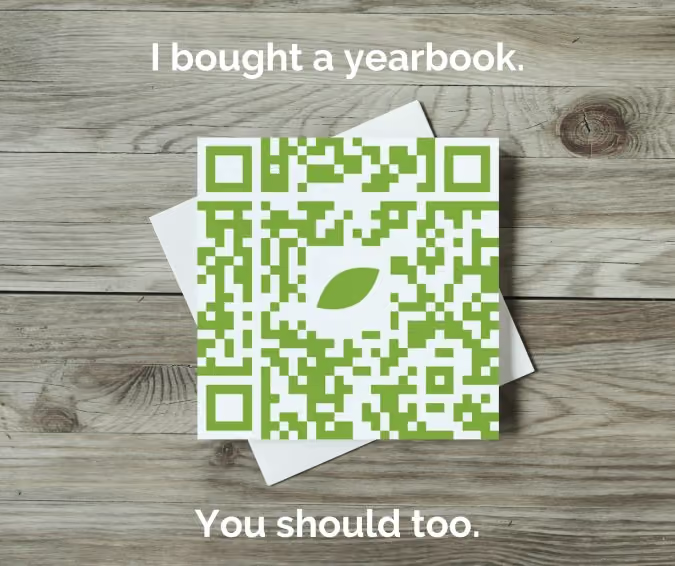
We trust our mom friends, so let’s give them a social badge to share.
We want students to want the book. Mix in student-centered messaging on Facebook and Twitter, such as reasons to buy a yearbook or highlight yearbook photos from a recent event that showcase non-buyers. Also, focus social media efforts on TikTok and Instagram to:
- Play up a trending sound or duet with a popular video
- Post a variety of messages to increase engagement
- Partner with campus influencers (ASB, PTA/PTO accounts, athletics) to hype your yearbook or upcoming event
3. Sell your program
One step beyond using social media to post links of how parents can buy yearbooks or recognition ads, is to show people the value of your yearbook program. The people who help make the book are just as important as your product.
- Show behind the scenes work: time lapse Photoshop work, someone hand drawing a layout, the yearbook committee meeting up for lattes and layouts
- Have the student body vote on a dominant image for a spread
- Reveal sneak peeks of the book
- Share your goals (e.g. 200 new followers, 60 books sold by December, 10 photos submitted) and, more importantly, how you celebrate
- Thank the yearbook heroes publicly on a #thankfulnessThursday
4. Simplify your yearbook sales processes
When someone says, “I need to buy a yearbook,” then you should be ready to sell it, not hand them a flyer. Repeat after me, “Sell the book.”
Evaluate your yearbook sales platform
Your yearbook program is a business whether you have a multi-year contract with book minimum orders or not. Therefore, one way you can serve your customers aka mom and dad is to make it easy for them to buy your product!
- How many clicks does it take to go from home to checkout?
- Do you have to scroll for days?
- When you share an ordering link, it is two miles long?
- Can you link directly to your school’s store or do families have to search?
- Are the sales reports easy to find and read?
Crowdsource efficiently
Parents want to buy your yearbook because they know their child will be in it. Make it easy to contribute:
- Add a specific, bi-weekly call-to-upload to your social calendar
- Pass out cards at games and events with your yearbook email to that mom with the camera
- Give shout outs to people who send you photos
- Use QR codes
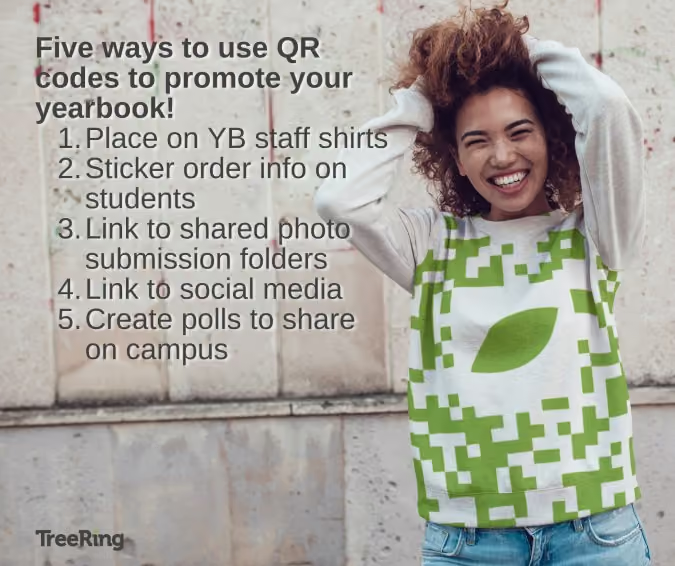
Use QR codes on all. the. things.
5. ReMEMEber the posters
Texas PTA mom Rachael said she drives past her children’s school every week. When there’s a big announcement, such as yearbook sales, her school puts a banner on the fence or a series of yard signs. Because it happens intermittently, she knows it’s valuable.
Old school paper posters can be effective (just don't be wasteful!) if the messaging is correct and the location is on point. While we love a good yearbook meme, keep it clean, positive, and fun—just like your yearbook!
QR Code is a registered trademark of DENSO WAVE INCORPORATED.
Pages to put in the yearbook
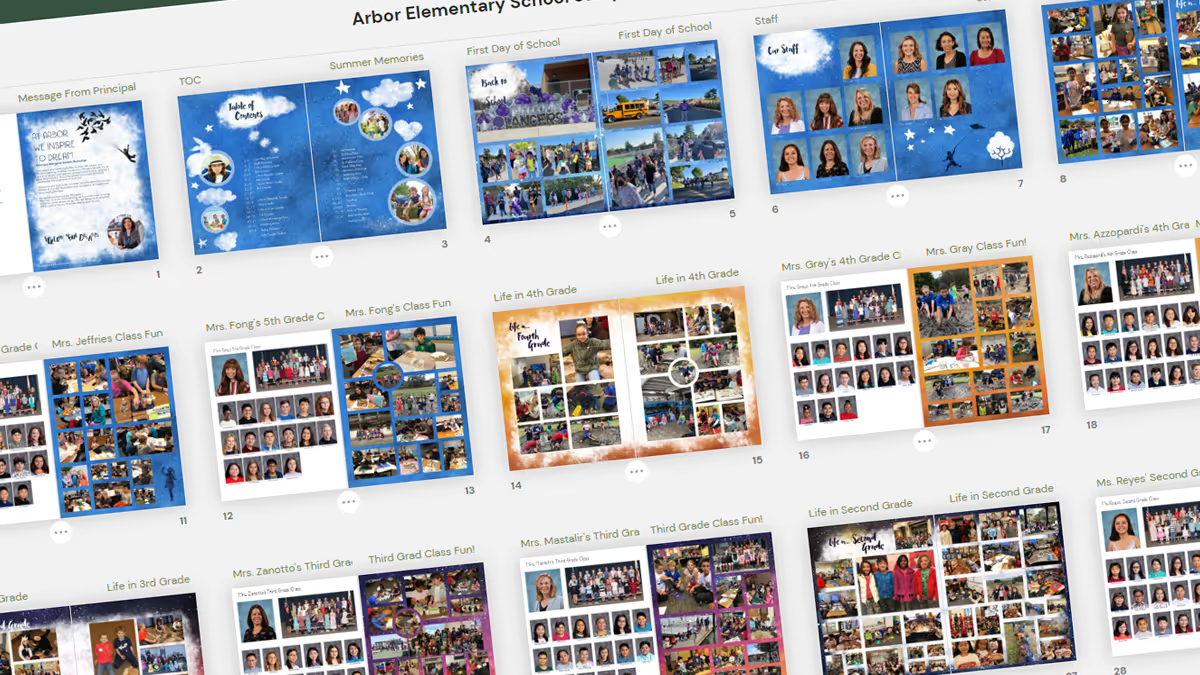
It’s go time: a blank yearbook ladder is in front of you and you need to know which pages to put in the yearbook. Do you take a chronological approach and cover events as they happen? Or should you create a sectional yearbook and handle coverage topically? Did you even know there were options beyond this is what we’ve always done? Below are samples of how other schools have done it and their rationale.
Put your yearbook pages chronologically
Sequoia high school’s yearbook uses 50 of its 148 pages to cover academics, student life, and special events on spreads. The two spreads below show what happened in the month of January and cover the literary food festival, spring musical auditions, lunchtime candids, as well as coursework from economics, Spanish, drafting, logic, yearbook, and graphic design classes. These spreads feature over 40 students and five faculty members.
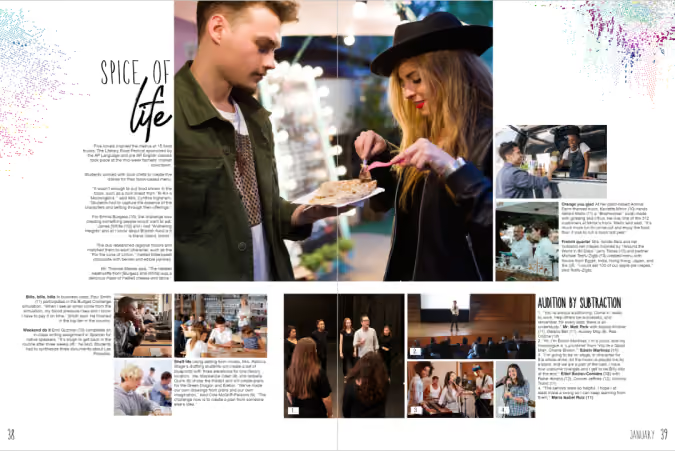
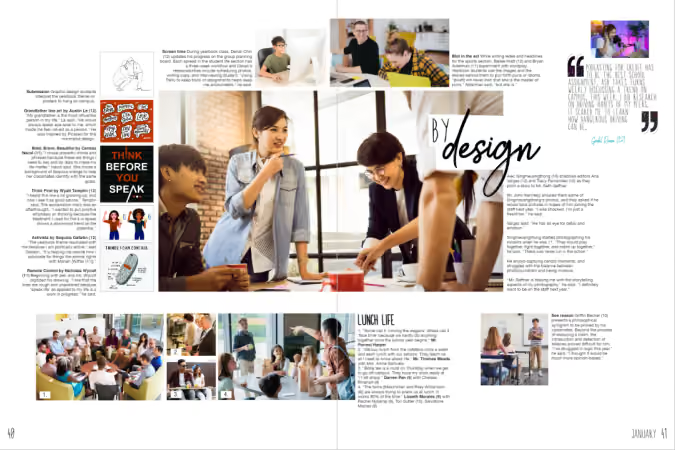
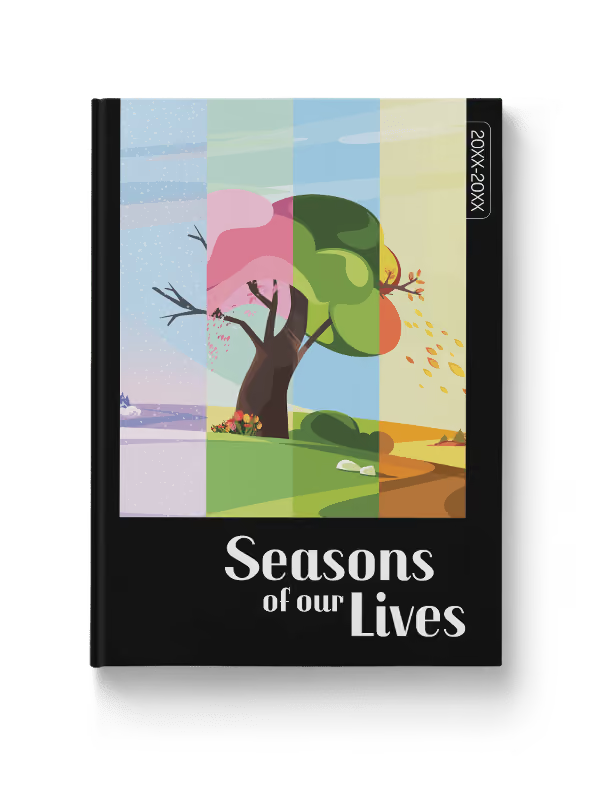
There’s no rule on how to put pages in your yearbook chronologically: we’ve seen schools organize their yearbooks monthly, quarterly, and seasonally. Treering's Seasons of Our Lives yearbook theme makes it easy to put pages chronologically in your yearbook.
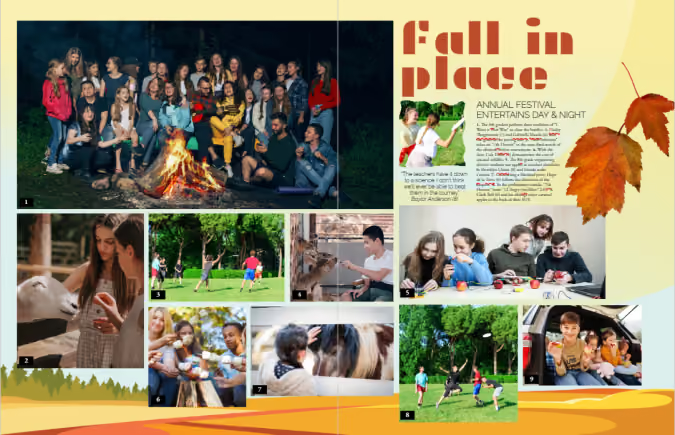
Feeling ambitious? Weekly chronological coverage can be of value to larger or K-12 schools within modules dedicated to academics, club activities and meetings, plus a sporting event of the week.
Chronological cover yearbook coverage helps keep you organized by:
- Structuring your coverage: you can’t cover an event after it’s passed
- Building in mini-deadlines: because you have a structure, you can build due dates and workflows
- Telling the story of the year as it unfolds
Use traditional yearbook sections
Tradition works for a reason. Done right, yearbooks show the complete picture (pun intended) of how students contribute to their communities. It’s a visual reminder of how each story weaves together to become a group narrative. Yearbooks are definitely worth bonding over.
By using sectional, or traditional, coverage to put together your yearbook, pages are placed in topical categories. We know to find Start with Hello in the club section and volleyball in sports.
Traditional sections to put in your yearbook include
People
Student portraits (organized by class, homeroom, or grade), staff, and personality profiles tend to dominate yearbooks. Consider breaking up coverage by adding in siblings, outside-of-school hobbies, and international students.
Student life
All the big, schoolwide moments plus the small distinctive ones (think homecoming, Read Across America, hot cocoa in Mrs. Cruz’s classroom, Dot Day, lawn chair lunches, etc.) make their home in the student life section.

Organizations
Clubs and committees that comprise a large portion of student life may warrant their own section. If most of your clubs are inactive beyond a monthly lunch, consider keeping club activities in the student life portion or feature the group photos in the reference section.
Sports
Remember, action shots have a place, as do club sports, pre-game rituals, and scoreboards.
Academics
If you’re not putting a “Life in…” page, consider grouping academics coverage by grade or subject. Ensure daily classroom activities, as well as holiday parties, are included in the coverage.
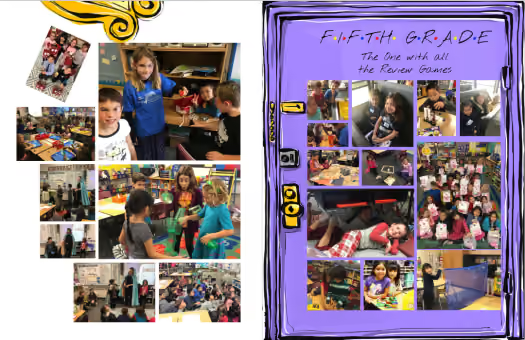
Reference
Put pages devoted to the index, group photos (club and team), and ads in the reference section of the yearbook.
If you need additional inspiration for which pages to put in your yearbook, check out these sample ladders from other schools and adapt them to fit yours.

Yearbook job descriptions
A common mistake is to hand out titles. (Think of that Oprah meme, "You are a yearbook editor, you are a yearbook editor...") Before you go crazy with inventing a structure, create job descriptions for each position. The benefit: staff members can focus on their designated areas of expertise, resulting in a more organized and high-quality yearbook production. Emphasis on the organized. We created these yearbook job descriptions to help prevent misunderstandings, reduce conflicts, and enhance communication within the yearbook team.
What jobs exist on a yearbook staff?
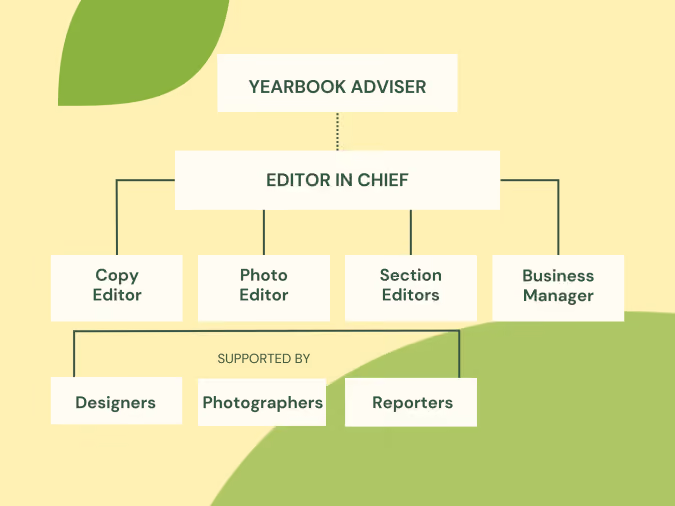
From editors to photographers and every copy-editing, photo-tagging contributor in between, yearbook staffs can be specialized or comprised of generalists. The most important things are to
- Recruit a team reflective of the community you cover
- Communicate the roles and responsibilities early and often
Editor in chief
As captain of the proverbial ship, the editor in chief (EIC) oversees the entire yearbook production process. (This is not to be confused with the yearbook adviser; more on that below.) The EIC manages the team and ensures the yearbook meets quality standards.
Daily duties include checking in with the editorial board (large staff) or coordinating with staff members to communicate yearbook progress and assigning tasks such as mini deadlines or photo assignments.
A successful EIC demonstrates leadership and talent.
Yearbook editorial board job descriptions
Your editor in chief will oversee the team that shapes the theme and coverage of the yearbook and helps train new students. This editorial board can be as large or small as your staff necessitates, and may vary from year to year.
Beyond the big picture design and team harmony goals, the day-to-day duties of editorial board members consist of:
Copy editor
Accuracy in grammar, spelling, and facts are the hallmarks of a successful copy editor. While the entire project does not rest on this one person’s shoulders, all section editors should do their due diligence to ensure their teams’ submissions are beyond the first draft phase prior to submitting.
Photo editor
Ensuring that the images meet quality standards and deadlines are met, the photo editor organizes uploaded images, ensures they are tagged accurately, and schedules photographers.
Section editors
Section Editors oversee specific sections of the yearbook, such as sports, academics, clubs, or student life. They coordinate with photographers and writers to ensure comprehensive coverage and consistency within their assigned sections. While the tasks of section editors may vary depending on the size of the yearbook team and the specific guidelines set by the yearbook advisor or school, below are some examples of team members and their section-specific duties.
Sports editor
- Obtain rosters and schedules for each team
- Coordinate team photos with the coaching staff
- Schedule photographers for practices, tournaments, and games
- Work with Booster organizations or parents to crowdsource photos
Reference/people editor
- Coordinate with the photo editor to ensure all photos are tagged
- Run index and/or flow portraits
- Create opportunities for storytelling throughout the reference or people section
Student life editor

What do yearbook editors do?
Content planning
Section editors need to plan the content for their assigned sections. This involves brainstorming ideas, scheduling events or activities to cover, and extending the yearbook theme through sidebars, body copy, and headlines.
Communication
Editors must ensure each team member knows their responsibilities and deadlines for the week. Some staffs find a weekly staff meeting where the editors detail the week’s events and assignments plus overall book progress keeps things moving.
Reviewing and editing content
It’s important to match seasoned staffers with new ones to provide useful feedback and coaching through regular checks for accuracy, clarity, and adherence to the yearbook's style and guidelines.
Meeting deadlines
The editorial board must monitor the progress of their team members and ensure that all content and materials for their section are completed on time. They also review the overall progress of the section and address any potential delays or issues that may arise.
Business manager
Working with the adviser to coordinate sales, track orders, manage budgets, and organize advertising and fundraising initiatives, the business manager helps to ensure the yearbook's financial success. (This sounds scarier than it is.)
Social media manager
Yearbook teams use a social media manager to handle the yearbook's online presence and engagement. Daily tasks include:
- Managing social media accounts
- Posting updates
- Sharing previews of the yearbook
- Interacting with the school community
Job descriptions for yearbook staff members
The majority of your students will fall into this category. These are the frontliners who cover events, write headlines, interview students, submit stories, re-write those stories, and make your team’s vision come to life. They collaborate with the editorial board to develop story ideas, learn to tell stories through photos, and fit layout schemes and page designs to content. Students will get experience with varied responsibilities. For example, having a basic understanding of photography can enhance the team's capabilities and contribute to equitable yearbook coverage.
Large staffs have the luxury of further specializing their teams.
Designers
Their specialty is arranging photos, text, and graphics to create appealing and organized page spreads that use theme elements. They are flexible and see how the part (a photo) contributes to the whole (your school’s story).
Photographers
Photographers capture high-quality images of various events, activities, and individuals throughout the school year. They aim for story-telling photographs, zoom with their feet, and show up. Oh yeah, and they tag their pics.
Reporters
Students, teachers, and staff members share their stories with your reporters who then create engaging narratives. They pre-plan open-ended interview questions, listen, and dive deep.
By establishing roles and responsibilities, your yearbook staff will work in roles suitable to their experience and interests, giving them an opportunity to experience personal growth and develop a skillset that interests them.
New 2025 yearbook themes inspired by you
In the spring, nearly 200 yearbook creators across three focus groups gave their feedback on design trends and current graphic offerings. The findings:
- Backgrounds need to be less graphic and more textured to not compete with the content
- Theme collections felt incomplete
- Elementary yearbook coordinators want a different background for each grade
- Some schools want spreads with up to 60 photos, others want bold showstopper templates to break up content
- Preferred graphic styles include line art, watercolor, and images inspired by nature
Treering’s response: yes
It was a yes of agreement, a yes of exclamatory delight. When evaluating each of the 2025-2026 yearbook themes, the design team went back to your list.
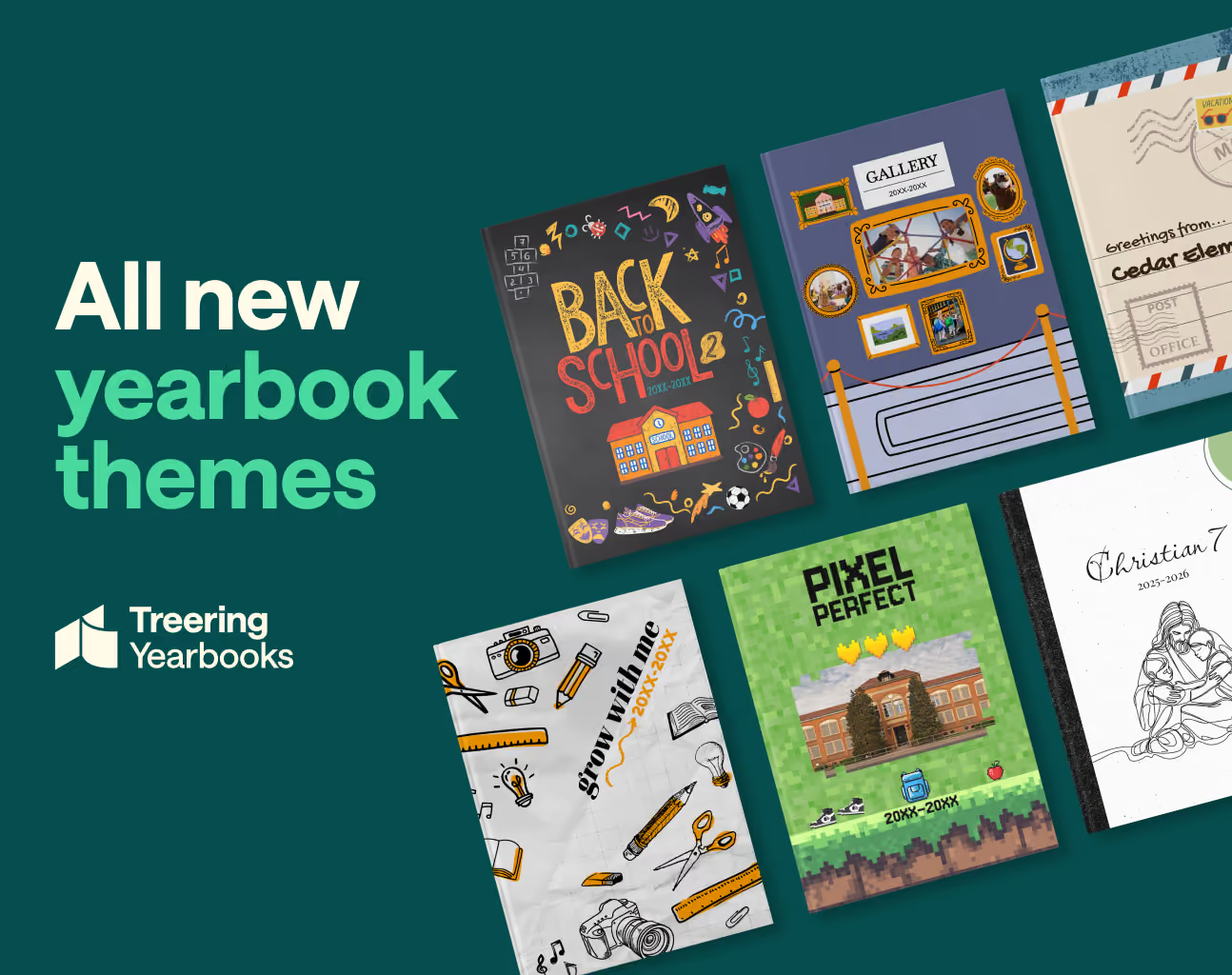
The first six new yearbook themes
Each of the new yearbook themes contains what you need to easily create a beautiful, stylized, photo-centric yearbook: backgrounds, layouts, coordinating graphics, and a style guide. Layouts range from graphic-heavy show-stoppers to photo collages with up to 60 photos. The layouts are designed with a built-in 1/4" margin and a grid system. (This way you won’t have to hit the down arrow 100 times or “eyeball” it.)
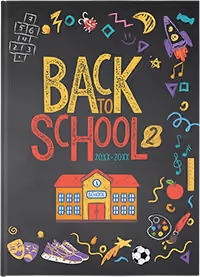
Back to School 2
Give your yearbook a sharp take on school spirit with just the right amount of whimsy. The hand-drawn chalk textures blend bright, bold hues with the nostalgic feel of a classic blackboard.
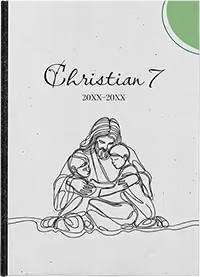
Christian7
Inspired by our third most popular theme, “Tied Together,” Christian7’s continuous line art contains graphics featuring faith-based and academic subjects.
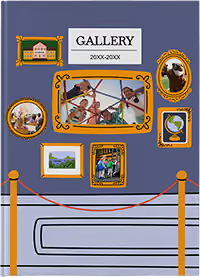
Gallery
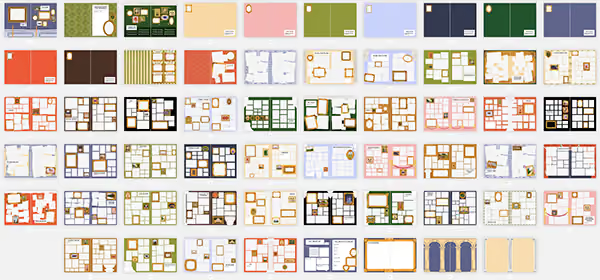
This museum-inspired yearbook theme frames every moment as a masterpiece. It turns your year into a curated experience by showcasing every activity as worthy of display.
Greetings
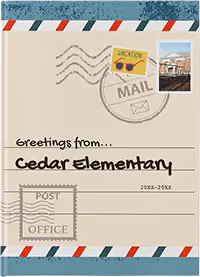
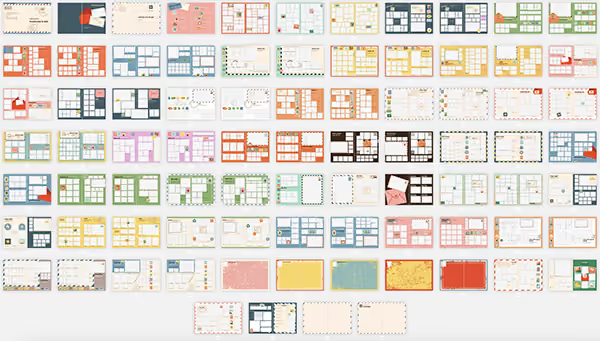
We call the school year a journey, and with this yearbook theme, it truly is. The mid-century charm and travel-themed flair celebrate school life as a collection of picture-perfect stops.

Grow with Me
Designed with K-8 and K-12 schools in mind, “Grow with Me” has double the core graphics to show a progression from kindergarten through the upper grades. It grows from playful to polished with your students: think loose lines and wide rule transitioning to tight, precise graphics and graph paper. Pops of color vary from a waxy crayon to a layered highlighter.
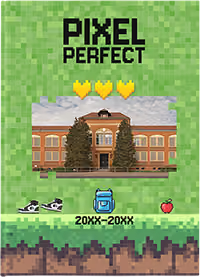
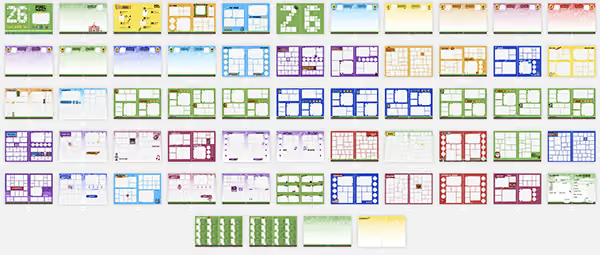
Pixel Perfect
Capture the energy of the school year with Pixel Perfect, a tech-inspired yearbook theme that is stacked with personality. It’s bold, playful, retro, and yet completely on trend.
View a slideshow of the 2025 yearbook themes.
The 100
While you love the theme development and the included graphics, you also asked for more “related” graphics to round out each theme. You wanted to illustrate the happenings on campus further. Again, the design team answered.
Introducing the 100, a curated collection of arts, academics, athletics, and event graphics from the top-searched images, illustrated with each theme’s personality.

Arts and academics: backpack, binder, books (stacked and open), bus, calculator, camera, chalkboard, chemistry flask, clipboards, clock, crayons, diploma, DNA strand, drum set, eraser, film reel, globe, glue stick, graduation cap, guitar, headphones, highlighter, laptop, lightbulb, lunchbox, magnifying glass, medal, microphone, microscope, monitor, music notes, notebook, paint palette, paintbrush, paperclip, pen, pencil, piano keys, red apple, ruler, school building, scissors, sharpener, speech bubble, stapler, test tube, theater masks, trophy, trumpet, and violin.
Athletics: badminton racket, badminton shuttlecock, baseball, baseball bat, baseball glove, basketball, bowling ball, bowling pins, boxing gloves, cheer megaphone, football, golf ball, golf club, hockey puck, hockey stick, ice skates, lacrosse stick, pom-poms, referee shirt, running shoes, sports jersey, soccer ball, softball, swim goggles, tennis ball, volleyball, water bottle, and whistle.
Events: bingo night, Christmas, color run, fall fun fest, father/daughter dance, field trip, graduation, Halloween, mother/son kickball, movie night, patriotic, read-a-thon, Red Ribbon Week, spring dance, spirit week, talent show, Thanksgiving, trunk or treat, Valentines, wax museum, and winter events.
Style guides for every new theme
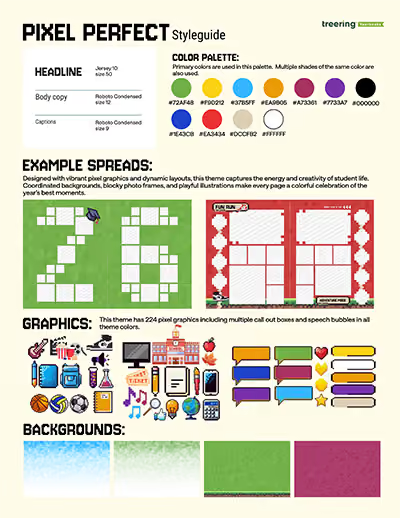
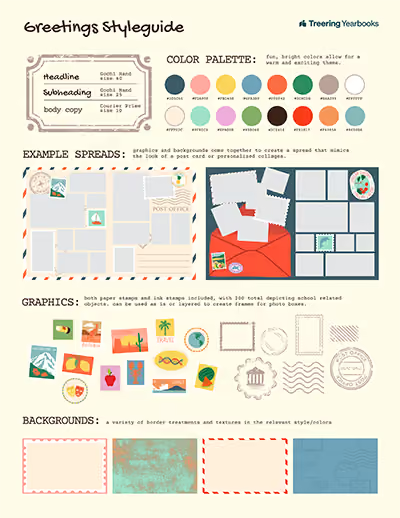
Perfect for emerging designers who use Treering themes as a launch pad to design their own layouts, these style guides contain
- Coordinating color palettes
- Headline, sub headline, and body copy font recommendations
- Ideas to make the graphics interact with photographs and text
Download the style guides for each theme here.
And if you noticed the bit about “part 1,” we hope you’re excited: there will be four more themes in September.
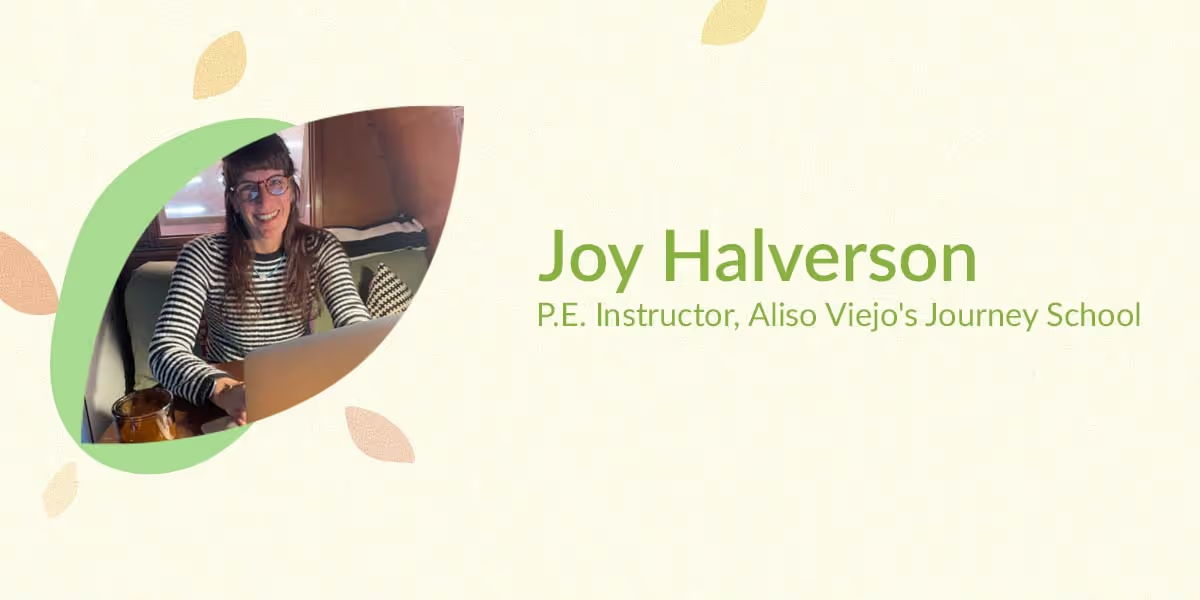
Yearbook hero Joy Halverson: keeping positive during changes
Treering Yearbook Heroes is a monthly feature focusing on yearbook adviser tips and tricks.
The understatement of the year: the pandemic has drastically changed things for many people, especially for teachers and their students. Teachers re-created their pedagogy. They worked to not only remain positive for their own mental health, but also as a example to their students. And then there were the ongoing uncertainties. One yearbook adviser modeled a semblance of normalcy through her yearbook program.
Meet Joy Halverson, a P.E. instructor at Aliso Viejo's Journey School, a public charter school for grades K-8 in Orange County, California. Joy has been teaching at Journey School for 20 years, and her kids attended there too. The school has always been a unique, art-centered school that prides itself on its students’ contributions to creating a more sustainable world. With the pandemic, though, many students did schoolwork completely remote or only came in a few times a week.
Joy was eager to find a way to capture the year in an environmentally-friendly and memorable way and did so through a customizable yearbook via Treering. Below are tips about how Joy captured this non-traditional year in Journey School’s yearbook.
How did the pandemic affect the yearbook advising process for Journey School?
With so many students working from home, there were changes that needed to be made in order to truly capture their lives this past year. I’m a creative person at heart, so I wanted to ensure that the yearbook reflected the many ways our students pivoted, showed grit, learned, and still managed to have fun.
Fortunately with Treering, I was able to continue making the yearbook from home. The book captures each student’s memories from this past year so that years from now, they’ll look back and see all that they accomplished despite the obstacles thrown our way.
What advising tips do you have for getting creative in capturing student memories in the yearbook?
For starters, I took 1,600 screenshots of each student to build out their portrait pages. Needless to say, I really perfected the art of taking screenshots! Parents also submitted events from home that were taken throughout the year, such as their kids in Halloween costumes, knitting projects, and more.
As a P.E. teacher and the owner of Circus Joy, it’s in my nature to want to find ways to keep students moving, even if it’s through a screen. During my typical in-person P.E. classes, I would often teach juggling to my students. So when transitioning to teaching juggling through virtual learning, it created some pretty unique opportunities to capture fun screenshots for the yearbook.
While it’s not always easy to learn new P.E. skills through Zoom, it’s still possible if you have the right attitude. And my students truly persevered this year.
At the end of the day, the memories the students have of this past year deserve to be documented. And I find it so fulfilling to help make this yearbook possible for them.
What do you hope students have learned from this past year and how is that reflected in the yearbook?
This yearbook will be a true reflection of the school year. So many unique moments were captured, including students wearing “we’re on mute” and “oops, you’re frozen” printed t-shirts. From the circus classes we captured on Zoom to the many fun screenshots, I know that this book will hold so much value for years to come. The K-8 students will eventually grow older and have their own families. This book, although different from any other year, will showcase all they’ve done. And that makes the yearbook making process worth it.
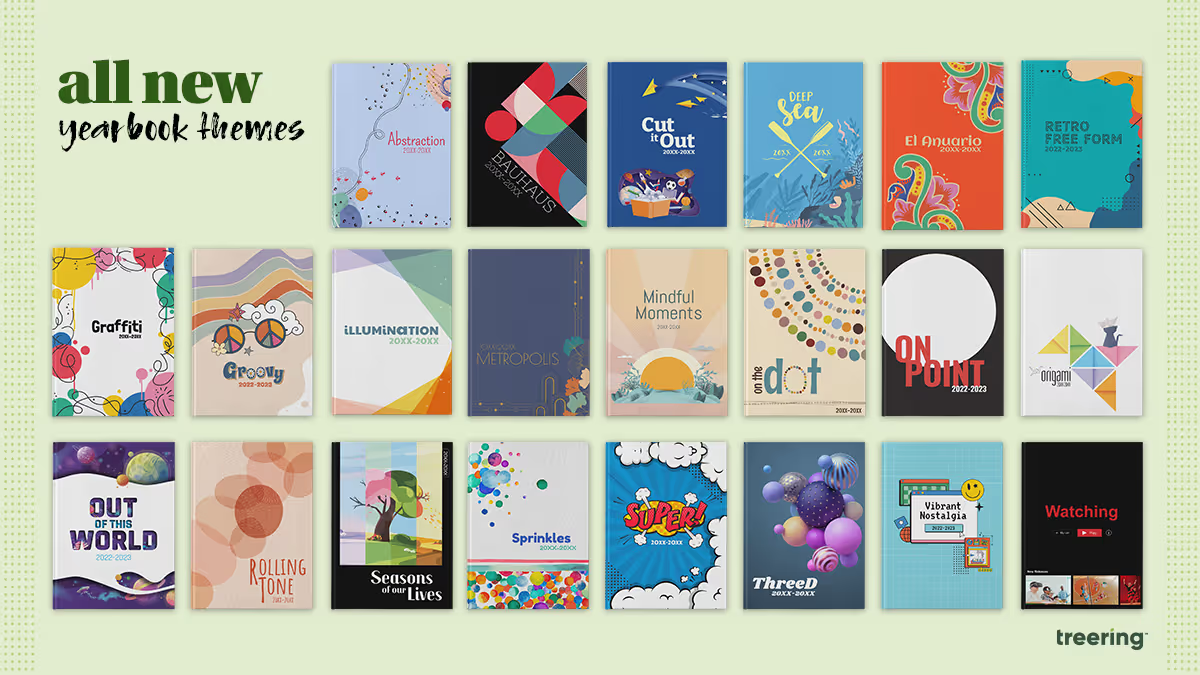
3 middle and high school yearbook theme ideas
When you have over 300 pre-designed theme ideas from which to choose, how do you pick the “right” one for your school yearbook? Good yearbook themes are the ones that make grab us at the cover and make us gush over its cool design. Great yearbook themes capture the here and now. One way to make your yearbook theme so 2023 is to apply graphic design trends from the year. Incorporating these trends as well as pop culture makes your yearbook relevant now and will make your grandkids deem it a ‘20s relic.
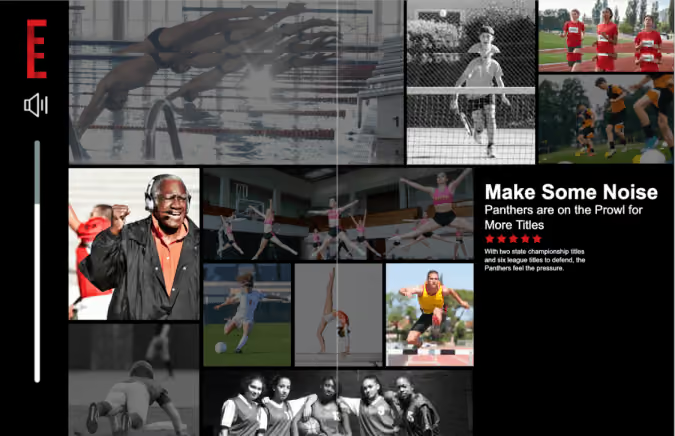
Yearbook theme #1: Watching
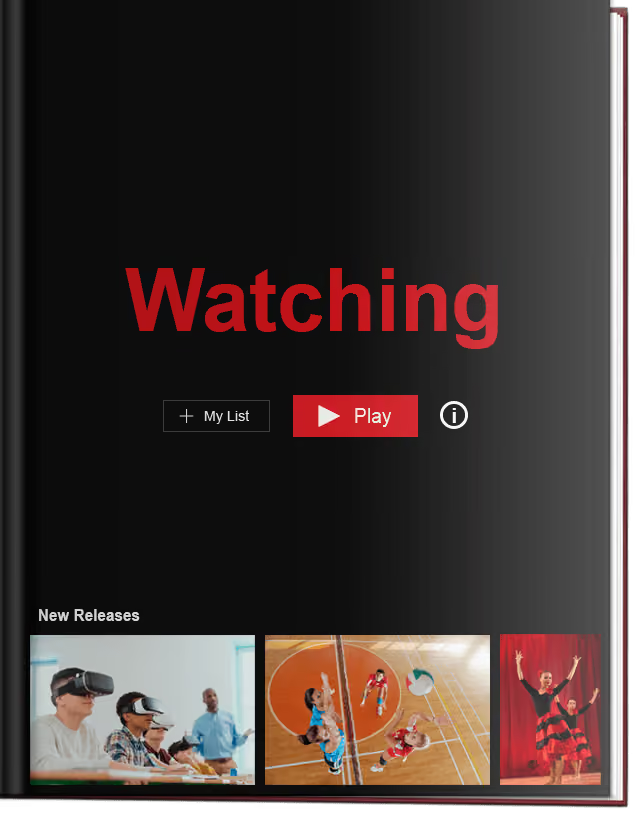
With 200 drag-and-drop graphics to customize this streaming media theme, your yearbook will showcase the memorable events of the school year in a format, frankly, we know too well. Press play on sports action shots, recap spirit week, make section dividers menus, and "favorite" key classroom moments.
Yearbook themes based on technology aren't timeless, and that's a good thing. Remember Clippy? He represents a moment in time, as does your yearbook.
It may be tempting to search movies and show titles for the headlines of every spread and to use our drag-and-drop templates to create three layers of menus as modules. If that seems overwhelming, keep it limited to the thematic pages: title page: table of contents, divider pages, and closing. Use the theme's graphic package to enhance, not dominate content. Like all things Treering Yearbooks, it's fully customizable.
The "Watching" yearbook theme will make your school want to rewind and relive its memories. Yes, we're still watching.

Yearbook cover idea #2: Well Plaid
Middle and high school yearbook theme ideas can get their inspiration from your campus building as well as what's trending. Private schools, schools with a Highlander or Scottie as the mascot, or even school districts in cities such as Glasgow, Aberdeen, or Lothian can play off their tartan as a theme element. Some thematic coverage ideas include:
- Uniform combinations and how students accessorize
- Where's Scottie? a Where's Waldo-esque feature with your mascot hidden in a crowd
- Punny titles such as Breaking Plaid (school records) or The Powers Plaid Be (student leadership)
- Plaid hair days and other spirit week coverage
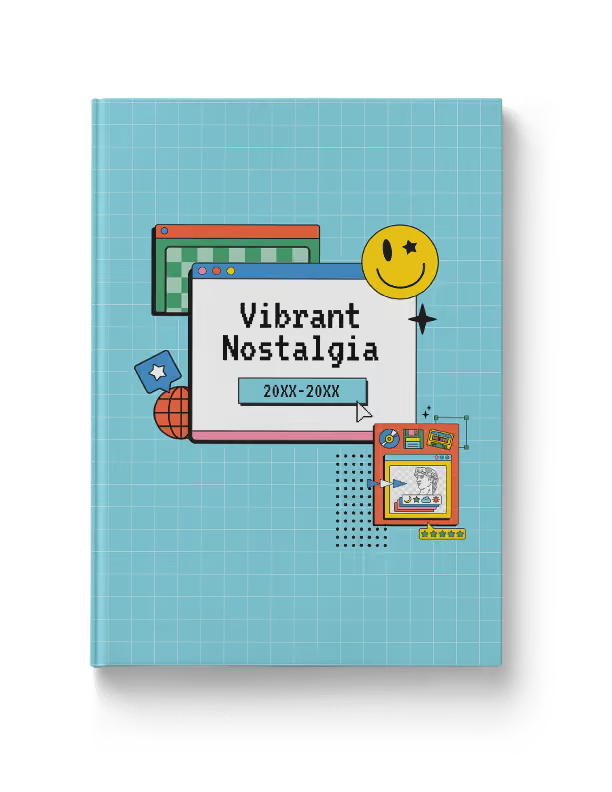
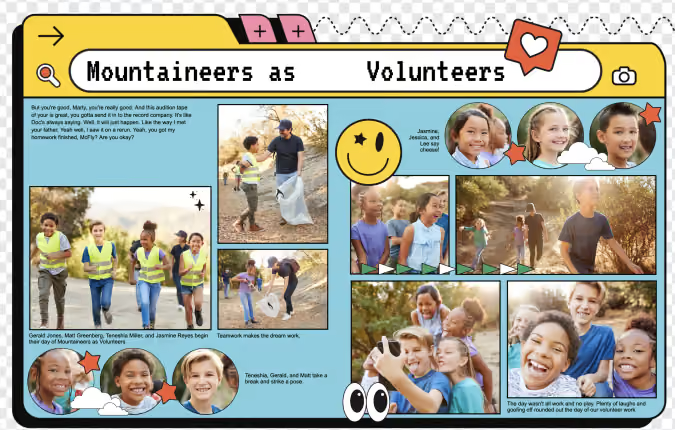
Yearbook theme #3: Vibrant Nostalgia
We told you last year that nostalgia was a hot trend. (We even did a 90s-themed event for advisers!) With the rise of Y2K aesthetic and the popularity of serif fonts, the Windows 95 look is popping up on packages, movie posters, and social media.
Both design geeks and fashionistas will love how we featured Pantone's Fall/Winter Color Trends within the "Vibrant Nostalgia" theme palette.
Click here to check out all 300+ themes available for free in the Treering Yearbooks design application. And if you’d like more ideas for your school's yearbook theme this year, check out these five questions to ask your yearbook team.

New school year, new us
We’ve got something exciting to share: Treering just got a bold new look.
After months of collaboration, exploration, and a lot of thoughtful design work, we’re thrilled to unveil a refreshed brand identity, one that better reflects who we are today and where we’re headed.
Turning the page
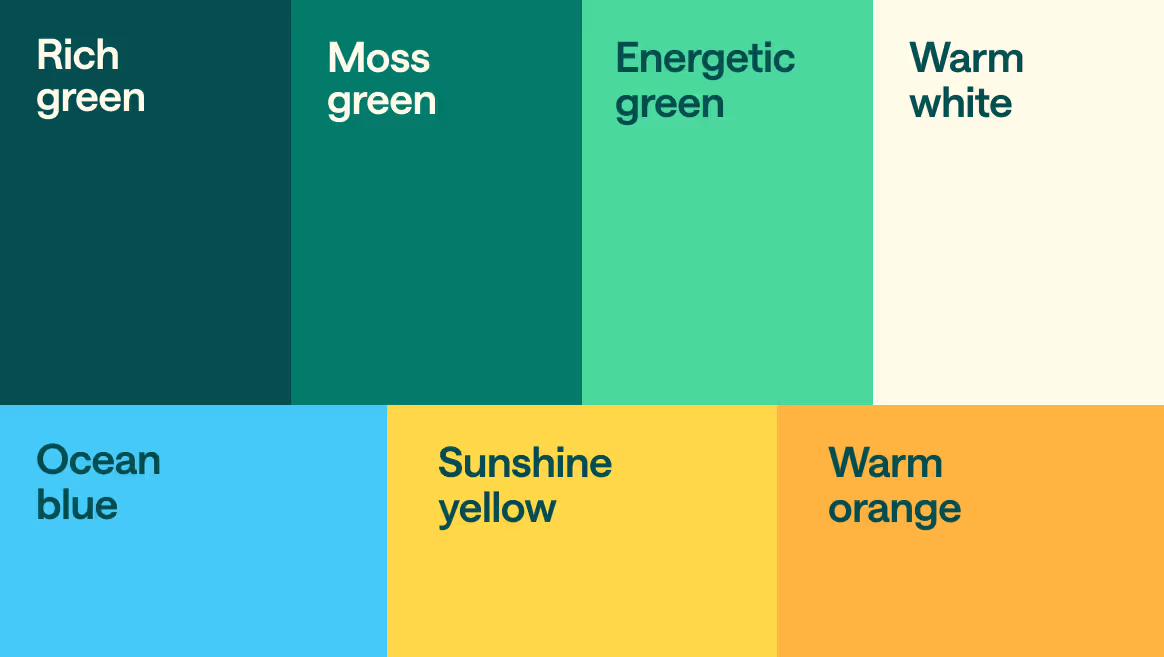
We’ve moved away from the softer, muted tones of the past and embraced a more vibrant, energetic palette that speaks to the creativity and joy at the heart of what we do.
Our new logo is a small thing that says a lot—it’s clean and modern, but it also holds meaning. The icon forms a “T” for Treering, doubles as an open book, and symbolizes our approachable, flexible platform. It’s our mission, captured in a single shape: helping people turn everyday moments into memories that last.

Why we did this
This wasn’t just about updating fonts and colors. We took a step back to reflect on who we are as a team, what makes Treering unique, and how we want to show up — for schools, parents, and now, for travel brands through Treering Memories.
After 16 years of innovating how memories are captured, shared, and preserved in the school space, we’re expanding our vision. Treering is evolving into a full Memory-as-a-Service platform, extending our technology and expertise beyond yearbooks to meet the growing demand for smart, personalized memory solutions across industries. With Treering Memories, we’re bringing the same intuitive experience, powerful AI, and just-in-time printing to the travel world by helping brands turn unforgettable trips into meaningful, lasting keepsakes.
The new visual identity balances the warmth of nostalgia with a fresh, modern sensibility. Our photography style is more candid and vibrant, our typography is clean and bold, and everything is built to work seamlessly—whether in a yearbook or in a photo memory book from a travel adventure.
What’s next
We’re heading into the school year with renewed energy, and now a look that matches it. But while our visuals have changed, what we care about hasn’t. We’re still the same team, focused on helping people capture and celebrate meaningful moments with care, creativity, and technology that makes it all easier. This year, we’re rolling out smarter tools to simplify yearbook creation, along with fresh new themes designed to give schools even more ways to personalize and elevate their books. It's all part of our ongoing commitment to making yearbooking easier, more intuitive, and more inspiring for everyone involved. We can’t wait to show you what’s next. Let’s make this school year unforgettable, together.

Maximize coverage in an inclusive yearbook
Each spring stories of yearbooking-gone-wrong inundate the media: from inappropriate senior quotes to accounts of students being left out, school yearbooks do not get positive press. Let's change that! By building an inclusive yearbook, we can build morale on campus and showcase each member of the community.
Tooting our own horn here for a sec: TreeRing is the definitive inclusive yearbook company with our custom pages . All that to say, we’re here to help.
Inclusive Language
It’s not always necessary to identify a student with a disability. The Associated Press has a list of inclusive and exclusive language and the American Psychological Association advocates for the use of the subject’s preference for identity-first language or people-first language.
Advocates agree: when we speak of a classmate and hyperbolize “all that she is doing to overcome her difficulties” or we describe him as “suffering from X” we are not honoring the individual.
Special Considerations for Inclusivity
To paraphrase the Student Press Law Center, yearbooks cannot separate or denote students as “special ed” because it is a part of their private student record. Check with your district to see if they have a specific policy.
Artwork that is Reflective of your Community
Inclusive artwork can serve two purposes: decorative pieces to enhance your yearbook theme and student creations to include more members of your student body. Let’s tackle both!
Theme Art
Does your yearbook look like your student body? As a mamá with a family built on adoption as well as biology, I’m endeared to this concept. If you are using clip art people in your yearbook, find a diverse collection.
Student Artwork
Since an inclusive yearbook theme represents students and their interests, including student art is one way to feature more students.
Art classes, at the middle and high school level, are generally included in your academics sections. These tend to be in-progress photos. Adding a gallery to show final products is a way to credit the creations campus artists make.
Cover contests spotlight campus artists on the outside of your book; some schools use the runners-up on the back or on a special spread inside the book. For your cover contest, you could ask students to use the school mascot or the yearbook theme. Another idea would be to do a contest for the title page.
Furthermore, additional student art can also be included on custom pages! Seriously, parents, we really don’t need bins of paper plate masks in the family archives.
Monitoring Coverage for an Inclusive Yearbook
Can you even ensure inclusivity if you’re not tagging?
Let’s be frank. Our job as yearbook advisers, coordinators, and chairs is to showcase our students. All. Of. Them.
Tagging photos and monitoring coverage are the easiest way to ensure you are featuring all the members of your campus community. It’s an additional step and a necessary one. Pair your #photodumpFriday with a “Tag ‘em Tuesday” to ensure you have each student in the book.
The industry standard is three times. This is easier than we think: school portrait plus
- Academics photos
- Club or team photos
- Pull quote
- Feature story
- Index letter
- Folio
- Student life feature
- Buddy pic
- Spirit Week/Halloween/Career Day/Crazy Hair dress up collage (or three)
- Field trips
If your yearbook publisher has an indexing or coverage counter feature, then you can track the number of times a student is placed in your yearbook. (For quotes only, place a tiny photo on the spread at 100% transparency to track.)
Use Your Index to Increase Coverage
Indexes are ugly. They are walls of words. They look like dictionaries. But they don’t have to!
Blended coverage can happen on every spread in your book. Here are some ways our advisers maximize the real estate at the back of their book:
- Make it truly a reference section by including club and team photos plus scoreboards
- Mix in ads with the index
- Use the letters to add additional coverage such as feature stories or personality profiles
Whichever you choose, be sure to incorporate your theme colors and fonts to ensure a cohesive look from cover to cover.

Making yearbooks more accessible with opendyslexic
Fonts can be the Marsha Brady of the yearbook world. Overshadowed by epic theme packages and color palettes, the power of typography cannot stay silent. (In fact, the correct font can be louder than your graphics.) With 44 new fonts in the Treering catalog, you can share your story with boldness or a touch of whimsy. It can be focused or zany, handwritten or high-tech.
“Typography, like other design elements, evolves over time. Keeping up with current trends ensures that your designs feel fresh, relevant, and aligned with contemporary aesthetics,” Treering’s Director of Design, Allison V. said. “Typography also strongly impacts how a message is conveyed and perceived. More importantly, we listen to our users and try to accommodate their needs and wants. We often receive requests for fonts and appreciate the input from you.”
One such request came in the form of a text.
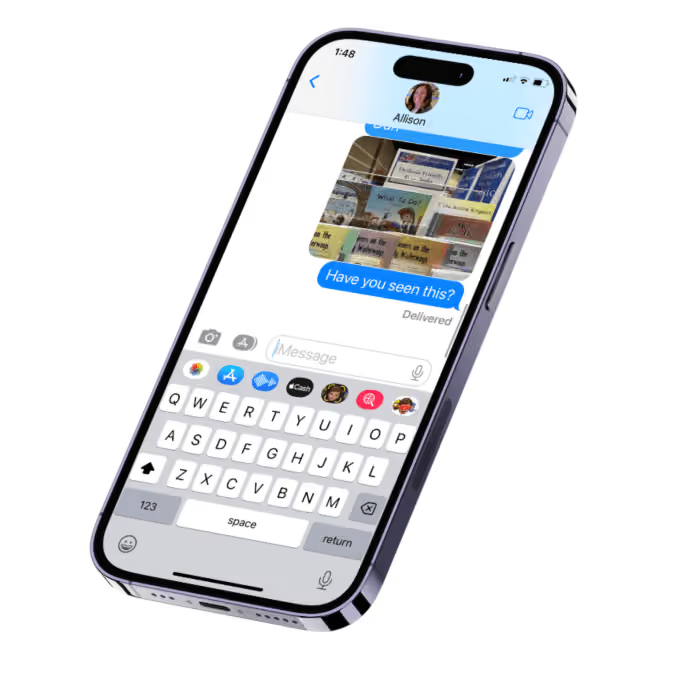
Meet OpenDyslexic
Since origin stories are a big deal in the superhero world, here is OpenDyslexic’s: app and game designer Abelardo “Abbie” Gonzalez developed the font in 2011 to help people with dyslexia improve their reading experience.
OpenDyslexic’s design addresses common challenges faced by many readers with dyslexia:
- Letter Weight: OpenDyslexic uses a slightly heavier letter weight, which helps the letters stand out more clearly on the page and reduces letter crowding. When designing for readers with dyslexia, avoid using italics or underlines because they cause letter crowding.
- Bottom Heavy: The base of the letters is slightly thicker, which provides better anchoring for letters. This can reduce the chances of them being flipped or reversed.
- Distinct Letter Shapes: The font uses distinct letter shapes to minimize letter confusion, such as avoiding mirror-image similarities between letters like "b" and "d."
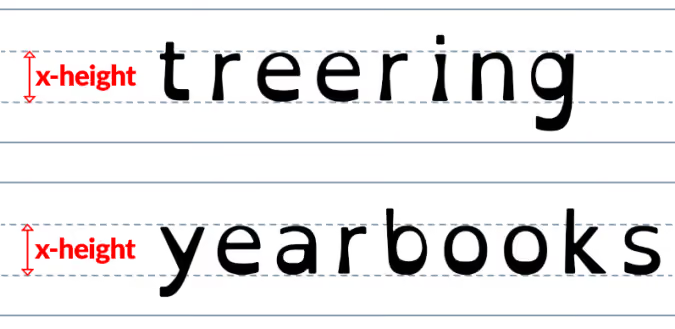
Because it’s an open-source font, it is freely available. You can even make it your web browser’s font.
How would you use OpenDyslexic in yearbook design?
The short answer: headlines and captions.
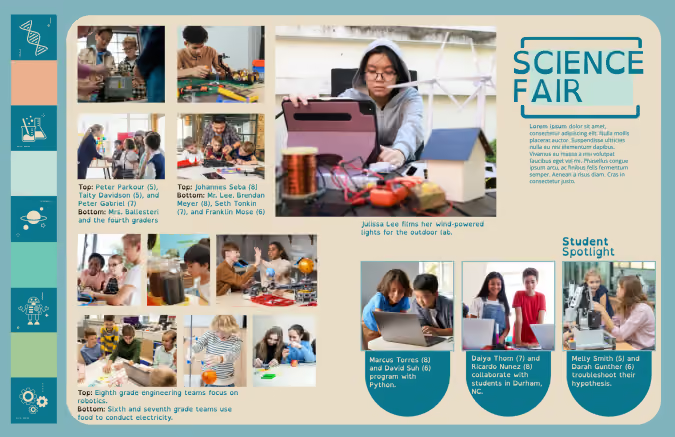
The British Dyslexia Association and the UX Movement established Dyslexia-Friendly Style Guides. Summed up, the following tips can increase the readability of your spreads:
- Modular design: use negative space to break up content into meaningful chunks
- Keep backgrounds to a single color, ideally cream or pastel peach, orange, yellow, and blue
- For text, ensure there is contrast between the background and words on your yearbook spread
- Left align text
- Use font size 12-14 pt.
As with anything, it is essential to note that while dyslexia-friendly fonts and design can be beneficial for some individuals, there is no one-size-fits-all solution for all learners. If possible, seek stakeholders' feedback during the design process to identify potential improvements.
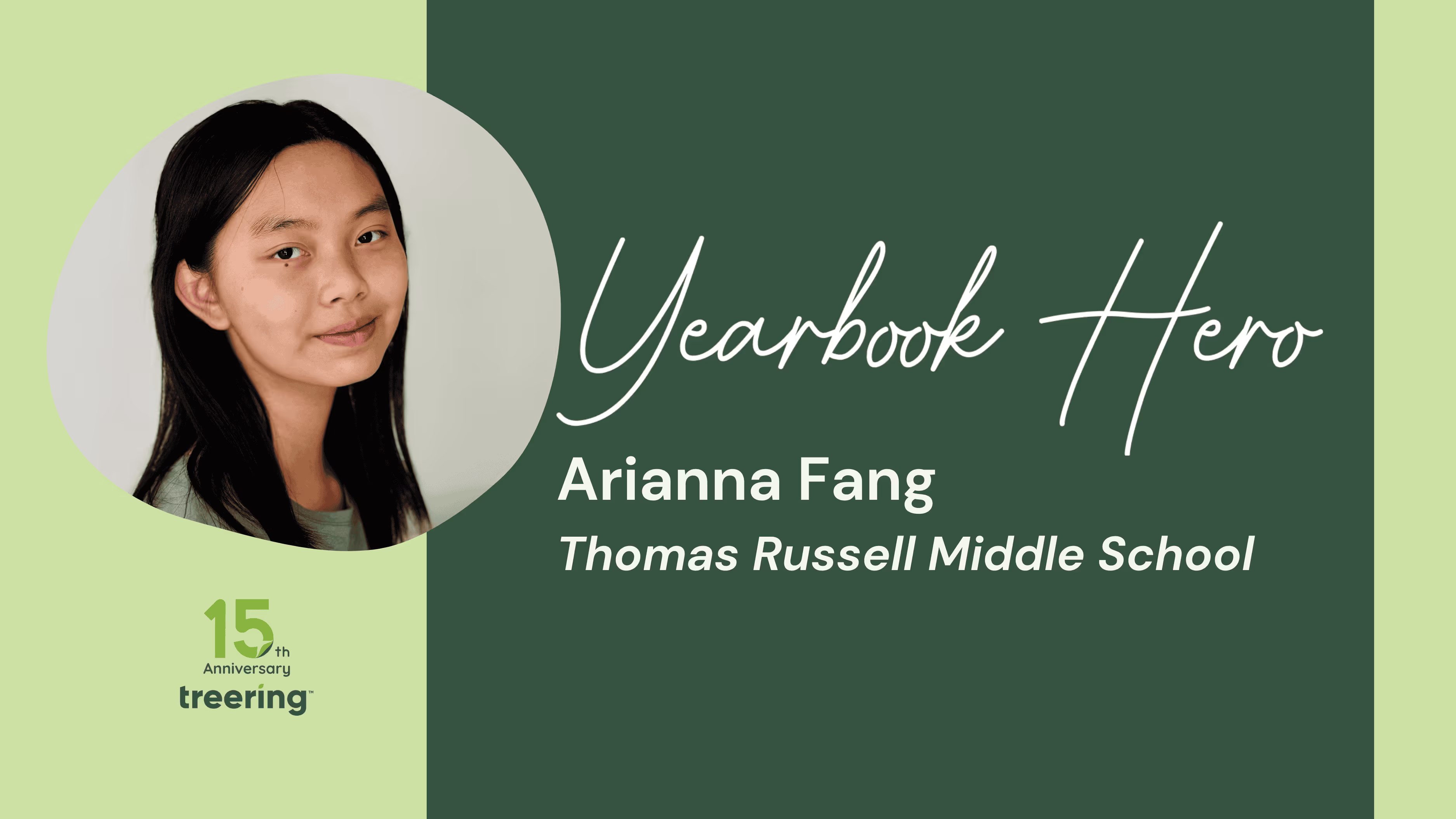
Yearbook Hero Arianna Fang
Treering Yearbook Heroes is a monthly feature focusing on yearbook tips and tricks.
As an elementary student, Yearbook Hero Arinna Fang volunteered for the yearbook team as soon as the opportunity opened. Publication design became a form of self-expression. The future English teacher served as an editor for her middle school yearbook, where she became the youngest winner in the Treering Spread Design Contest.
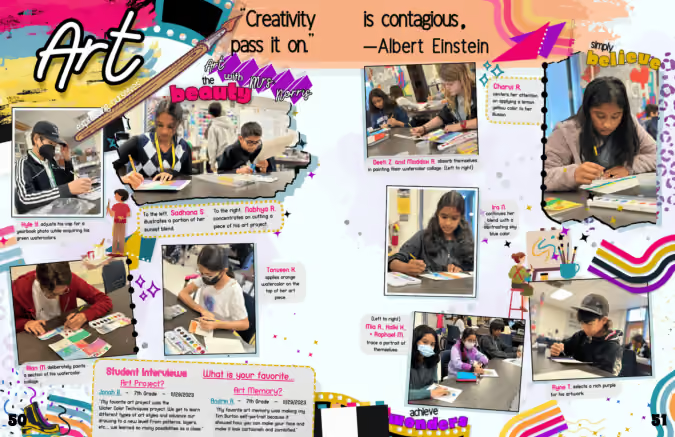
What did it mean to have your design win national recognition?
It was quite unbelievable. My teachers were really supportive, and my yearbook adviser showed the whole class.
What advice do you have for other students getting started in yearbook design?
Everything starts with a vision. For my spread, it began with the Einstein quote. I wanted the design to flow from there. If it were a math spread, I would have kept it more organized and angled.
When my classmates get stuck, I help identify the problem and fill the need. Sometimes there’s no inspiration; sometimes no flow.
Music is a help. I have playlists that I cycle through to get inspiration. I use the emotions in the music to pull into my designs.
How do you organize your yearbook team?
My adviser let us be like adults. My co-editor and I directed the design. My adviser let us be like adults, and my co-editor and I directed the design. I always think 400-something people are buying these yearbooks, and I don't want to let them down.
Regularly, we did Yearbook Updates, a slideshow with everyone’s current spread status. This helped us examine the entire book. Everyone benefited from the responses because we taught them how to speak in uplifting ways by emphasizing the positive with “This is what we want” and coaching others with “This could be improved.”
We validate each others’ voices by creating a safe place to share ideas.
How did you develop your theme visually?
We didn’t have a style guide. Everything we used came from the power of communication. When people would submit their spreads, my co-editor and I would add theme elements if warranted. This enhanced and honed the design and made it part of the overall look.
What’s the best way to get a quality quote from a middle schooler?
The biggest thing is to take a chance. I tell people to start interviewing their friends before approaching others. Ask questions about feelings. People love what they do and love to share.
Additional Middle School Yearbook Resources
(In case you don’t have a student leader like Fang...)

Your throwback yearbook theme needs this laser photo background
Like retro trends themselves, what goes into a throwback yearbook theme gets updated (can we call it updated?) every few years. Because those trends are usually rooted in fashion or pop culture, they can take a good amount of creativity to link back to your throwback yearbook theme. Right now, though, there’s one retro trend that fits the yearbook perfectly, without making any adjustments or working hard to make a creative connection: the laser photo background. Yup, you read that right. We’re talking about that 80s-style school photo backdrop emblazoned with neon lines and electric bursts, because they’re back, and they’re pretty meme-tastic. Don’t believe us? Do a quick Google search and you’ll be bombarded with some amazingly awkward glamour shots. While we don’t advocate purposely creating cringe-worthy student portraits for your yearbook, we do suggest you find a few ways to fit this retro trend into your throwback yearbook theme. Keep reading to learn where laser photo backgrounds came from, where to find them today, and how to create your own.
A brief history on the laser photo background
The laser photo background was all the rage in the 1980s, when many school portraits featured backdrops crisscrossed with bright, glowing lights. Back then it was totally stylish—and not at all ironic. The fad faded (or fizzled, if you will) and was banished to old yearbooks and family photo albums until 2007. That’s when a blogger posted this photo, titled “Me in ‘91”. It was, up to that point, the first laser photo background on the blog, which described itself as being dedicated to “the celebration of the perfect portrait.” (There is, in case you’re wondering, some sarcasm involved there.) Pretty much everybody sharing the image and basking in its cheesy glory essentially made that single portrait a meme before memes were even popular. The following year, a Tumblr blog called “We have Lasers!” debuted and—yup, you guessed it—it was dedicated entirely to school portraits with a laser photo background. As Lindsey Weber, the blog’s creator wrote in it’s “About” section: “You begged your mom to pay the extra $4. A tribute to the greatest school photo backdrop there ever was.” To say “We have Lasers!” took off would be an understatement: People submitted more than 500 portraits to be featured on the blog in less than two years, and the blog was featured on NPR, CNN, Time, and CBS News. Quickly, laser photo backgrounds went from meme to viral to mainstream. Popular sites, such as Awkward Family Photos and BuzzFeed, began featuring compilations of people posed in front of the iconic background. Even celebrities began recreating laser photo background images as spoofs (re: this picture of former 98 Degrees frontman, Nick Lachey). The Internet was, and in a lot of ways still is, in a laser-photo frenzy. So, how do you pull this trend into your throwback yearbook theme?
Where to find—and how to use—laser photo backgrounds in your throwback yearbook theme
There are two places to find laser photo backgrounds:
- Buy an actual laser photo backdrop, in the form of a poster, online at Zazzle.com.
- Use this free laser photo background, created by Emily Coxe.
The poster at Zazzle.com comes in a bunch of different sizes. Deciding which size to buy is based pretty much entirely on deciding how you’re going to use it. So, before you pull the trigger and shell out a few bucks for a bit of nostalgia, think through your use cases and make sure you order the right one for your needs. The easiest way to do that? Do a test run of your photo shoot by placing your subjects against a plain wall and marking off the various poster sizes with painter’s tape. When you frame up your shot, pay attention to which size poster markings are inside the viewfinder, and order the next size up. If the idea of planning out your photo shoots and spending cash has you feeling a little bummed (and, hey, we get it; we make creating a yearbook free for schools), you can always work a little Photoshop magic. Really, if you have some super-creative students or parent volunteers on your yearbook committee who know their way around Photoshop’s masking tool, this is the way to go. In fact, even if you don’t have someone like that on your yearbook committee, but you have someone who is willing to give new stuff a try, this is the way to go. Because you can even use PowerPoint to do this. Here’s how to add a laser background (or any background, really) to a photo in Photoshop:
- Choose your image. A picture with a plain background is easiest to work with, so—if you have control over this—have your subject stand in front of a plain wall or against the side of a building to capture some natural light.
- Mask it. In Photoshop, use the pen tool to mask the person in the image. (Learn more about masking here.) You can also use more sophisticated Photoshop techniques, depending on how precise you want the image to appear. If you’re new to Photoshop, however, we recommend sticking to the basics.
- Insert the background. Drag and drop, or copy and paste, the laser background of your choice. Size and position, save your image, and you’re good to go.
- Here’s how to add a background to a photo in PowerPoint:
- Add your image to a PowerPoint slide. Again, a picture with a plain background is easiest to work with.
- Use the “Remove Background” feature. When you upload a photo in PowerPoint, your toolbar should automatically reset to display the “Format Picture” options that are available. You’ll want to be on that section of the toolbar, so make sure you’re there. Then, under the “Adjust” settings, choose “Remove Background.” PowerPoint guides you through the process from there, and it’s super simple.
- Insert the background. Once you upload the background, you’ll want to size it appropriately and position it, like you did in Photoshop. Make sure you adjust your layers, so that the background is in the back. You can do that by finding the “Arrange” section in the “Format Picture” toolbar, and using the “Reorder” feature.
- Save your image, but be sure to save your image as a .png, .jpg, or .gif file, and not a PowerPoint file
That’s all there is to it. Not bad, right?Adding (or should we say “beaming”?) laser photo backgrounds into your throwback yearbook theme will totally put you in touch with today’s retro trends. It’ll also add a bit of irony and hipster style to your book, and we totally endorse that more than we endorse some of the other trends that are making comebacks.

75 awesome yearbook interview questions for students
The best way to fill your school’s yearbook with hilarious anecdotes, memorable quotes, and cultural relevance is to ask your students the right yearbook interview questions. Great questions can unearth great stories from seemingly the most "boring" places, give you a fresh perspective on an old, tired subject matter, and quickly highlight for you the biggest trends among your student body. But you can't do that with boring, binary questions. Yes or no answers are only compelling en mass and repurposed as visuals. They lack the idiosyncrasies and personality that make a yearbook come to life.
To get the right results, your yearbook interview questions need to be open ended. They need to force people to explain their answers. They also need to have a purpose.
Inside this post, we'll walk you through the three types of yearbook interview questions and how you can use each. Then, we'll get to the good stuff: 75 ready-made questions you can use to interview students and improve your yearbook. Right now.
Still unsure of what to ask your students? Looking for a place to get started? We’ve got you covered.
What types of yearbook interview questions really work?
There are three types of questions you should be asking in student interviews: surveys, anecdotes, fishing for quotes. SurveyThese are the lifeblood of your book. Questions can range from “what was the song of the year?” to “which member of your class would win the presidential election?”. These are fun questions, great for putting students at ease, for building trust before asking them to share personal opinions and anecdotes.
Here, you’re looking for stories. Once a student is comfortable (after you’ve asked survey questions), you’ll want to ask questions that will elicit elaborate responses chocked full of personality. The more long winded, the better (they can be culled). Asking for anecdotes won’t just give you unique insights from the student perspective: it’ll give you insight as to the events that demand more coverage from yearbook staff, too.
Distilling your school’s most important events into tweet-length bits gives your yearbook some punch. It’s likely many of them will be hilarious, not serious and that’s okay: quotes don’t have to be profound, they just need to capture moments. Who knows: maybe a student will say something that perfectly captures your school’s milieu this year. Whatever you do: avoid yes or no questions at all costs. Binary questions devalue opinions in favor of convenience; only the most gregarious students will overshare. You want your yearbook to be diverse, offering as many different personalities as it possibly can.
Yearbook Interview Questions: A Complete List
Without any context, your yearbook is just a photo album. That isn’t necessarily a bad thing. Pictures are great. They’re absolutely the first things students will look at. But aside from a few amazing images, they're not the stuff people are going to talk about. It’s the written context—the stuff people read and learn when they open the book—that really resonates.
To get that, you need yearbook interview questions that will get your students, teachers, coaches, and administrators to open up. Here are 75, separated by category, to get you started:
High School Student Life
- Do you drive to school? What was your most listened to driving song on your morning commute this year?
- Which school tradition are you most proud of?
- Would students be more productive if cell phones were banned during school hours?
- What’s your favorite school lunch?
- Should the school have (or keep) vending machines?
- Do you think an open campus is a good idea?
- What’s your most embarrassing in-school memory? What happened and did you learn anything from it?
- Which event did you most look forward to this year? Did it live up to expectations?
- You can bring any three of your classmates on a cross-country road trip in your family’s hatchback: who would you choose and why?
- If you could get rid of the bells between classes, would you? Why?
- How did you decorate your locker this year?
- How do you avoid participating in gossip? What do you do if there’s gossip about you?
Elementary school student life
- Which event at field day was the most fun?
- What was the coolest art project you did this year?
- If your school grew and maintained its own vegetable garden, what would you want to grow?
- If you could plan a field trip anywhere for next year, where would you want to go?
- How do you like to read? (physical books, Kindle, etc.)
- What’s your favorite kind of juice?
- If you and your friends could do any activity after school today, what would it be?
- What’s the best game or sport that you play in gym class? Why is it so fun?
- What’s your favorite school snack?
- If you could choose any animal for a class pet, what would it be?
Sports
- Which team’s games are the most fun to attend? Why?
- If you could have the pep band play one song at games, what would it be?
- Describe your crosstown rivalry in one (appropriate) word...
- Which sport does the school need to add next year?
- If anyone in your class would be on ESPN, who would it be?
- What was the most memorable school sporting event of the year?
- How does playing X impact your academic performance?
- What life-lesson(s) did you learn playing X?
- Will you try to play X in college?
- Would you ever consider coaching?
Clubs
- Do you think participation in extracurricular activities should be required by the school?
- If your club was given an unlimited budget to throw an event for the school, what would you plan?
- Should video games be considered a sport? Which games? Would you join a school eSports team?
- If you could create one new club for next year, what would it be?
- Who’s the best club adviser?
- Where does your club meet? Do you use any school resources other than space? How could the school provide more support for your club?
- Which plays should the school produce next year? Would you audition if it was something you liked?
Academics
- If you could choose any artistic medium and give it a dedicated course, what would it be?
- The jobs you will have one day don’t even exist yet: what kinds of skills do you think you might need to succeed?
- Least memorable United States President?
- Are there enough foreign language options? If not, what would you like to see added? Should they be required?
- What project or assignment challenged you the most as a student? Why?
- Most useful math equation or theory you learned this year?
- What was the longest paper you wrote this year? Who was it for? What was it about?
- If you could conduct any science experiment in a class, what would it be? Do you have a hypothesis ready to go?
- What was the most enjoyable book you had to read for school this year?
- Which subject do you think prepares you most for life after high school? Why?
Pop culture
- Which TV show is most talked about in the hallways?
- What would you be SO embarrassed to be seen wearing (but secretly love)?
- Which meme/gif did you use most frequently this year?
- Which movie that came out this year would you be most embarrassed to watch with your family?
- Which professional sports team were you most excited about this year?
- Which presidential candidate would you vote for?
- If you were in charge of planning a concert for the school, which three artists would you bring?
Technology
- What’s your favorite Snapchat/Instagram filter?
- Most social media savvy teacher?
- How can teachers make social media part of their curricula?
- If you could only use one emoji for the rest of high school, which would you choose? (Be sure to check these for appropriateness.)
- Do you have your own website? How did you make it? What do you use it for?
- Which piece of technology has most contributed to your academic success?
- What was the most “viral” event of the school year?
- How would you recommend the school use its technology budget? What kinds of devices or software would you like to see available next year?
- Would you be more likely to read or contribute to the school newspaper if it was digital?
- What’s your favorite podcast? Is there any way teachers could incorporate it into their classrooms?
Seniors
- If you applied, when did you start your college applications?
- What made you decide not to go to college next year?
- Describe your senior year in three words.
- If you could create one mandatory course for future seniors, what would it be?
- “I will always remember…”
- Should there be a community service components involved in graduation (X number of hours, a project, etc.)?
- Who was your favorite teacher throughout all of high school?
- If you could change one school rule, what would it be?
- Where do you see yourself in 10 years?