.svg)

Most popular




Subscribe to our blog
Most recent
Yearbook hero Ansley Cheatham gets personal
Treering Yearbook Heroes is a monthly feature focusing on yearbook adviser tips and tricks.
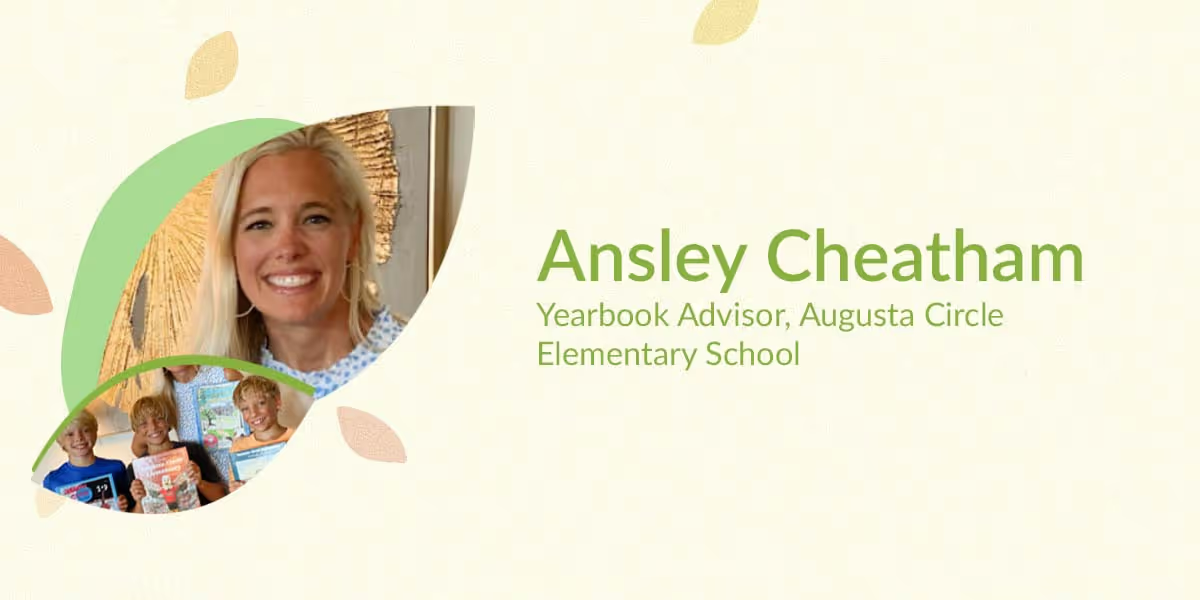
Mom of triplets and one of Treering’s sales directors, Ansley Cheatham, fell into yearbook advising at Augusta Circle Elementary School after knowing she wanted to be involved at her children’s school. But what she didn’t know is that she would also fall in love with yearbook creation.
As soon as Ansley’s three boys headed to kindergarten, she started looking for a way to become involved with the PTA and was asked to assist with the yearbook. As some of you readers may know, the yearbook adviser role can be a challenging position to fill, but Ansley was all in.
To date, Ansley has made five yearbooks for Augusta Circle, each creatively capturing the school year they represented. And while all the yearbooks hold a special place in Ansley’s and the elementary school’s heart, the 2020-21 yearbook was unique and challenging in a different way.
Learn more about Ansley’s journey creating a yearbook this past school year.
How do you think COVID-19 impacted your yearbook and yearbooks across the country?
At Augusta Circle, we were lucky to go back to school safely in October, but it looked different than any other year. I wanted to be sure to highlight that in our yearbook in a way elementary students could understand and remember in a positive way. The pictures weren’t what you were used to seeing in a yearbook, but I think that was part of its charm! In all of our group photos, our kids were wearing their masks. If the kids were alone, they didn’t have to have a mask on, so we had a lot more solo pictures as well.
The hardest part was that I couldn’t go inside the school to take pictures like usual. I had to rely on teachers and parents to submit them to me. Treering has an app that many parents used to quickly drop into my collection and most of the teachers used Google Photos. I also pulled a lot directly from Instagram into the book. The process was so easy that I will actually use the same one next year, even if I am allowed in the building!
In addition, I had my son, who is in 4th grade, write a summary of the year from a child’s perspective. Describing what was different, e-learning, wearing masks, and how the kids adapted. He also talked about things that were new to our entire culture; defining words like “social distancing” and sports teams playing with cardboard cutouts for fans. He detailed things that all the kids will want to look back on and maybe show their own kids one day!
What is one of your favorite parts of your yearbook this school year?
One of my favorite parts in our yearbook is in our fifth-grade quote section. We asked them all, “Where do you see yourself in 20 years?” The responses are so much fun to read! We had future NFL stars, doctors, interior designers and vets to name a few. It’s a great addition to our yearbook and I know the students will love to look back on it when they are older and laugh at what they wanted to be in fifth-grade!
What is something you think is fun about your yearbook that makes it different?
Every year we hold a cover contest! Kids are so creative and we get so many fabulous submissions! This is one of the ways students feel like they were involved in the yearbook process since we don’t have a yearbook club. It’s special to our school and makes each book unique and nothing like any other yearbook across the country – it speaks to us and our students.
We also sell celebration ads to parents. The parents design them on Treering’s website, drop in their own pictures and write sweet messages, quotes or something special to their child. They look so good when they all come together in the book, plus they are unique and personalized!
Yearbook hero Katie Thomas mastered the late start
Treering Yearbook Heroes is a monthly feature focusing on yearbook tips and tricks.
As a parent volunteer and part-time teacher at St. Elizabeth Ann Seton Catholic School in Elk Grove, CA, Katie Thomas took over the pre-K through 8th grade yearbook, inheriting boxes of unsold books from previous years. Her first mission: to not waste people's money or the school's.
What challenges did you face as a new yearbook adviser?
Looking for a yearbook publisher that would allow us more time to complete the book so we could include spring events was a priority from the start. I also didn't want the stress of having sales quotas. Since I made the preschool pages with our previous publisher's software, I can appreciate how easy it is to create with Treering's software. That and the three-week turnaround really sold me.
At the time, I taught three-year-olds and I would transition to leading middle schoolers in the yearbook club. We started with the Treering yearbook ladder to decide what would go in the book and planned from there. It's still a work in progress on how we finalize page assignments, and for the most part, 8th-grade students create their section, and the 6th- and 7th-grade students do sports, activities, and class pages.
You sold 65 books in one week. How did you achieve that?
Really, I'm not one for pushing sales. I tapped into these existing channels to reach parents. Our school communicates through student council announcements and email blasts. When we neared our final deadline, I ensured parents knew it was the last chance to buy it for school-wide distribution, and if they waited, they'd have to pay shipping and handling. I had a handful of them. Seventy-six percent of the school community purchased books.
Also, joining Yearbook Club webinars helped. I've learned classroom management tips such as having a job board for students between projects and how to organize photos in shared folders.
What are you doing differently this year?
We started sales early and leveraged the 10% discount. We are also involving the school in choosing the look of the book: the yearbook club narrowed the themes down to five and the entire school will vote. The school’s annual motto is “Embrace Joy” and we will tie that in with the book to make it uniquely 2022-2023.
Last year, I grabbed laptops and phones to AirDrop photos to myself to upload because grades couldn't mix due to COVID protocols. I did a lot of texting to parents. This year, we are using the built-in crowdsourcing features: the students are creating their own flyers with QR codes to shared folders. The flyers say things like, “You could be featured like these photos in this year’s yearbook. Send us your back-to-school photos.”
The other big thing is I will order my printed proof sooner and try to get everything finished earlier.
QR Code is a registered trademark of DENSO WAVE INCORPORATED
Yearbook Hero Emily Wilson’s lessons learned and achievements earned
Treering Yearbook Heroes is a monthly feature focusing on yearbook tips and tricks.
Uncertainty. That was the word of the year in 2020. Just two weeks before the school year began, Emily Wilson unexpectedly stepped into the role of yearbook advisor.
At the time, Charyl Stockwell Preparatory Academy (CSPA) was one of the few in the area offering both in-person and virtual classes. Like many, they faced challenges: masked students and staff, strict social distancing, limited outside visitors, and restricted volunteer involvement. These constraints forced a complete reevaluation of traditional yearbook creation methods.
To meet these challenges, the school switched to Treering, drawn by its intuitive software, online support, and the ability to crowdsource photography—a feature that became essential with reduced staff and student participation. Now, five years later, the school is producing its fifth yearbook using Treering.
How did you become the Yearbook Adviser?
Before becoming the yearbook advisor, my career focused primarily on teaching English, literature, and creative writing. Journalism and yearbook production were never areas where I expected to excel, but I always admired our previous advisor for the award-winning program she built. Her accolades still hang in our hallway, a constant reminder that there is always room to grow. Over the years, I’ve gained confidence as an advisor, building relationships with our student staff, and producing yearbooks we’re proud of. The experience has been transformative for both me and my students.
How has your involvement with your state’s journalism association impacted your skills and opportunities in the field?
In 2022, I was honored when the Michigan Interscholastic Press Association (MIPA) invited me to serve as a judge for their yearbook competition. It was a valuable opportunity to see what award-winning yearbooks looked like up close and personal, and it gave me insights into how our own yearbook could evolve. To my surprise, we were much closer to hitting the mark than I had anticipated. That experience gave me the courage to submit our book for critique, and we anxiously awaited feedback from MIPA.
After three long months, the results came in: we had earned a Bronze award for our 2024 yearbook, with a commendation for excellence in photography. The recognition was a testament to my students' hard work and dedication. But what stood out most to me was their reaction. Rather than getting too comfortable with their achievement, students immediately started thinking about ways to improve for next year.
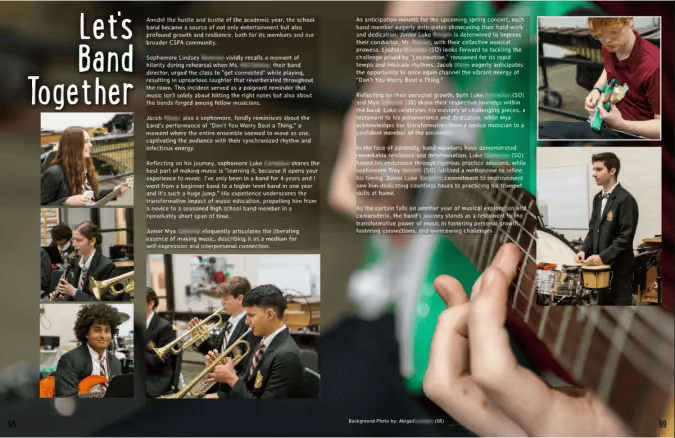
One of my editors-in-chief said, “We were only 47 points away from earning a Silver Medal,” and immediately began brainstorming ways to improve. That mindset—that focus on what we can achieve next—is what makes this journey so rewarding.
Let’s talk about that critique. How did it benefit your team?
One of the most valuable aspects of submitting our yearbook for critique is the detailed feedback we receive, which helps us grow. We are focusing on a unifying concept and improving coverage.
To be more competitive, we need to create more original graphics and artwork for the yearbook rather than relying on pre-made designs. Fortunately, Treering’s platform makes this process straightforward. For instance, last year, one of our International Baccalaureate Art students designed the cover art, which we seamlessly integrated as the background for the cover.
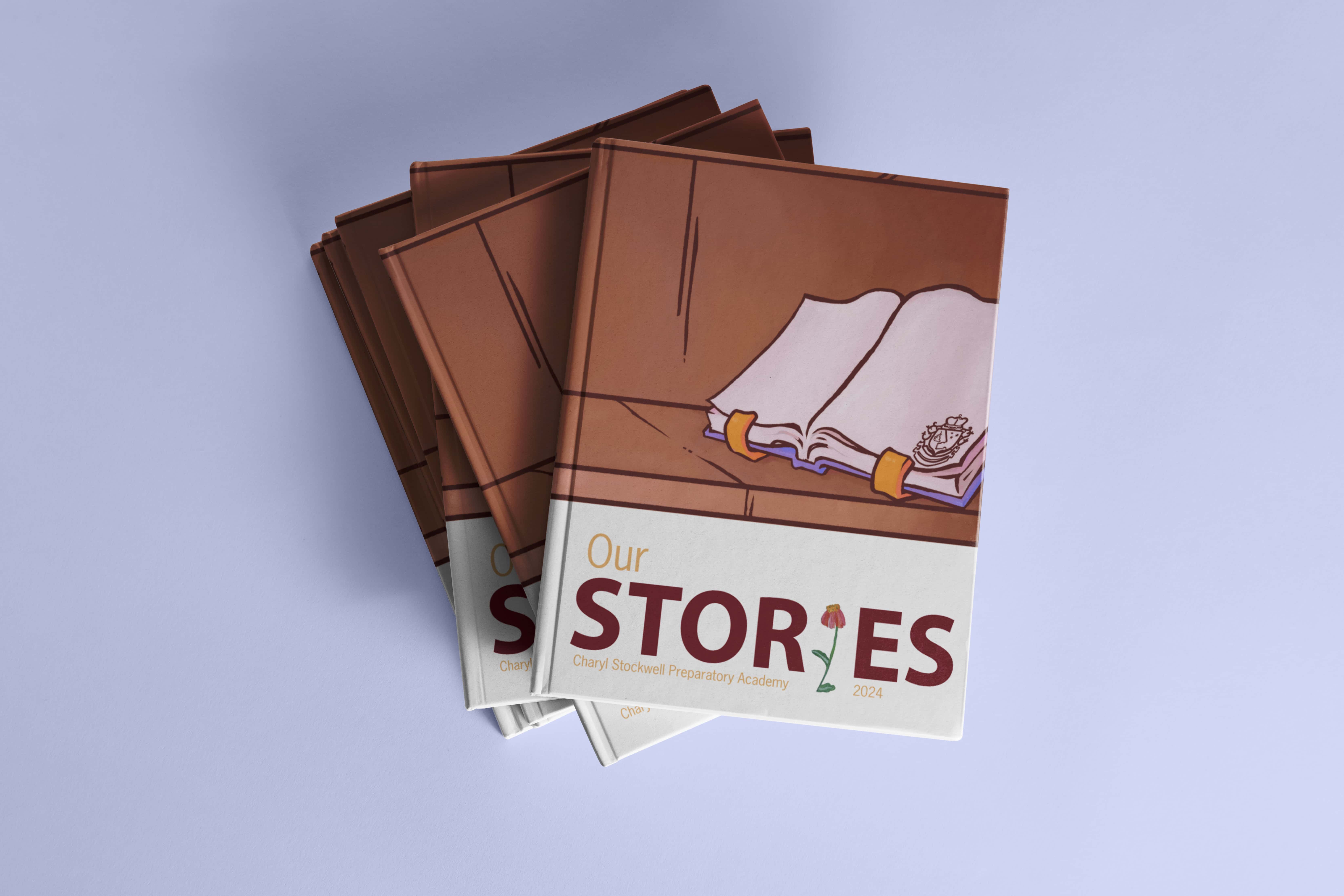
Additionally, we learned that carrying the theme throughout the book is essential—right down to the headlines and titles. Last year’s theme was “Our Stories,” but we could have done more to tie the theme together by using idioms or expressions related to storytelling across different sections of the book.
Design consistency is one of the easiest ways to make a bigger impact. MIPA suggested that we choose one unifying style for the entire book—colors, patterns, and layouts should be consistent throughout. This allows us to maintain a cohesive aesthetic while allowing for flexibility in layout design.
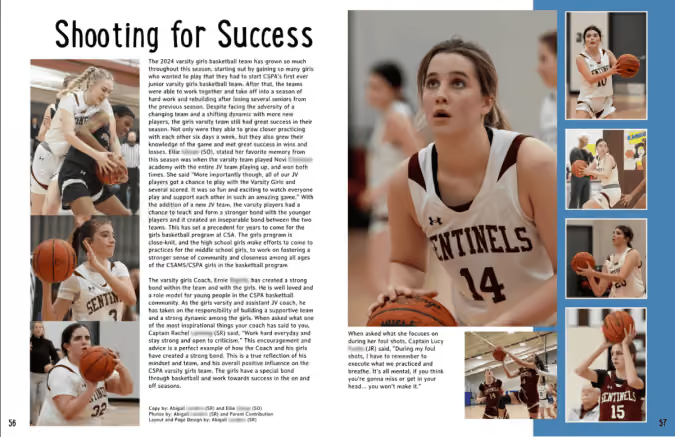
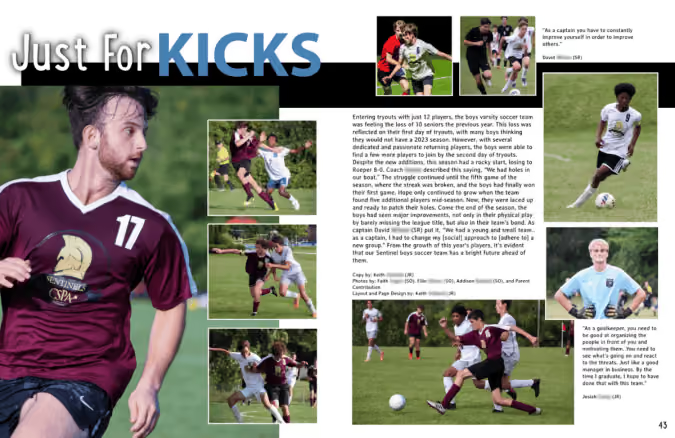
While we did a solid job covering our school’s 11 non-athletic clubs and 17 athletic teams, we need to focus more on individual stories—highlighting specific student achievements and weaving in features that reflect the times, like the cost of living. We’re also working on improving our balance of academic content; as MIPA pointed out, “Not every student is in a club or plays a sport, but every student sits in a desk in class.”
What is your area of strength?
We were thrilled to receive commendations for our photography, an area where we truly excel. Our focus on candid photos and capturing moments of excitement paid off. Moving forward, we’ll continue to refine our photography skills, paying more attention to cropping, editing, and ensuring that photo credits are included on every image.
What will be your focus this year?
Writing is where we have the most room for improvement. Every photo needs a caption, and those captions should follow journalistic writing standards—using active voice, varied sentence structures, and avoiding overly descriptive language like “is running” or “is playing.”
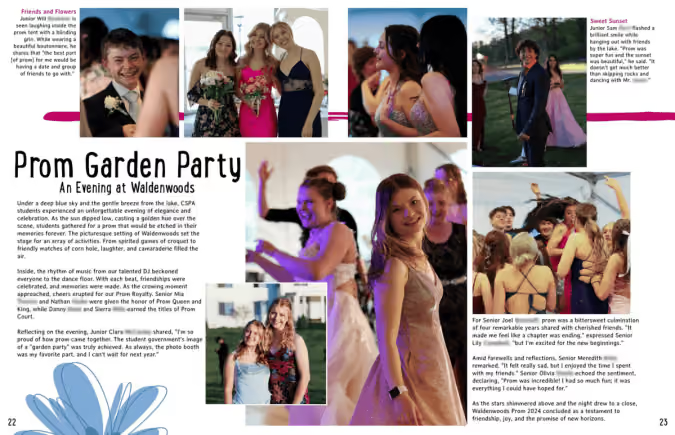
We also need to use secondary headlines to draw readers in and provide additional context. The critique also reminded me that, as an English teacher, I’ve been teaching students to write like English students, not like journalists. This is an area where I plan to invest more time, learning more about journalism standards so we can elevate our writing to meet those expectations.
What is the role of a yearbook adviser at CSPA?
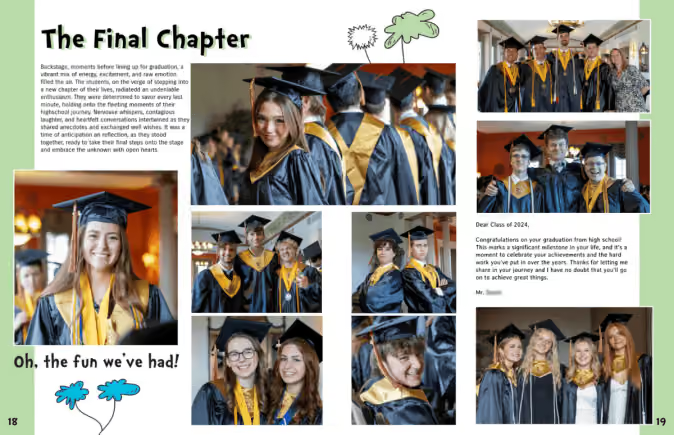
Our yearbook, “The Sentinel,” is a labor of love produced by a small but dedicated team. I advise a staff of four students. We serve a high school with approximately 320 students. Every year, we produce a 150-page yearbook that covers everything from the start of school through prom, delivering it to students during the last week of school.
Additionally, we create a 28-30 page supplemental softcover book for the senior class, which includes coverage of senior-specific events like Senior Sunrise, Senior Awards, and Graduation. This supplement also features graduation speeches and letters from teachers to the graduating class. Design-wise, it complements the theme of the main yearbook. We print the student commencement speech in this supplement.
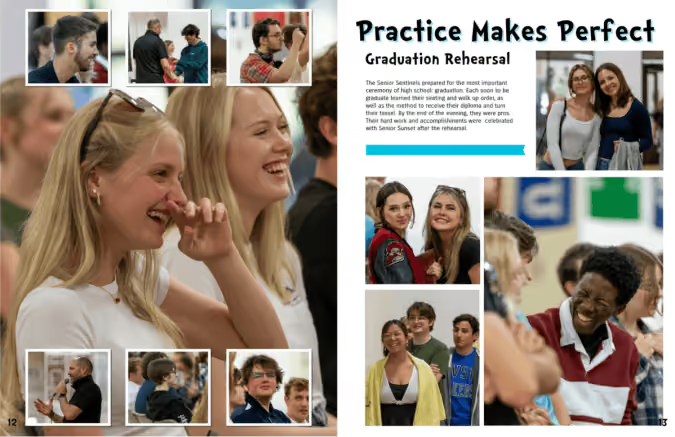
To bring our yearbook to life, we rely on a combination of Treering’s software, Canva, and Adobe Lightroom. Our resources are modest—one laptop, one large monitor, and two Rebel cameras—but we make the most of what we have. Fundraising through Treering has helped us pay for essentials like new camera lenses, a journalism camp for our editors, and lighting equipment for portrait photography. This year, our goal is to raise enough money for a new camera and upgraded lenses to continue improving the quality of our work.
What’s next for “The Sentinel?”
As we look ahead, we’re excited to continue improving. We’re going to hang our Bronze Medal plaque on the wall as a reminder of how far we’ve come, but our eyes are already set on the next challenge. We’ll keep pushing ourselves to tell more meaningful stories, refine our writing, and produce a yearbook that our school can be proud of. Ultimately, it’s not just about winning awards but about creating something our students, staff, and community will cherish for years.

Crowdsource content for a more equitable yearbook
We see it all the time on our feeds: pics or it didn't happen. The same applies to your yearbook. According to adviser Lauren Casteen, Yearbook Hero and leader of Treering's Teaching Yearbook cohort, there are four reasons to crowdsource content:
- Equity: if you want your book to look like your school, your school needs to help you build your book.
- People are already familiar with documenting and sharing their lives via social media—it’s an easy next step.
- Your yearbook staff can’t be everywhere all the time.
- Less work for you!
What should you crowdsource?
The short answer is anything: photographs, survey/poll responses, and stories. Here are some of our favorites:
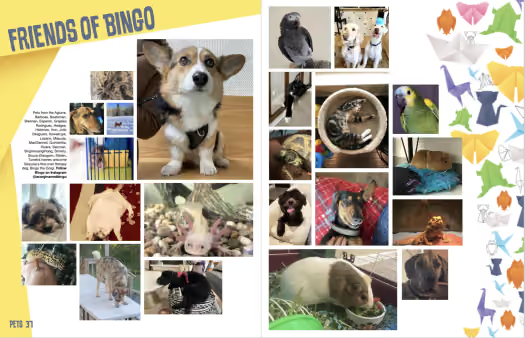
- Pet photos
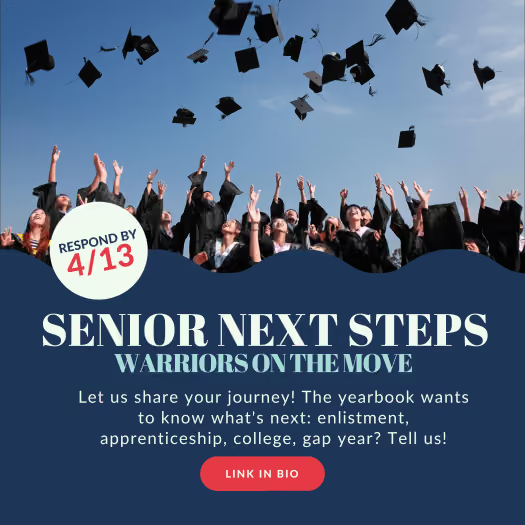
- Senior plans
- Student art
- Photos from away games and tournaments
- Classroom photos
- Field trip snaps
- Evergreen content
- Hoco/Prom-posals
Casteen puts it this way: "Everyone matters and has a story to tell. Storytelling is a way to incorporate different voices." Crowdsourcing for these stories is a start. Follow up with submissions with interviews to understand the process, history, or cause/effect of the photo.
If a tree falls in the woods...
And no one shares a pic, no one will know you're crowdsourcing. Something like that.
To start and maintain a solid crowdsourcing effort, create a plan for a series of time-specific asks. For example, if you need band photos from the regional competition, reach out to the director and boosters before the event to prep them. Then follow up the next day. Think about your own camera roll: how long does it take your weekend to be swallowed up with the screenshots and snaps you take Monday through Friday?
Assess your communication channels
What tools does your school have in place to communicate with staff and students? RenWeb may not be the cutest, but if that's how your parents receive messages from the school, stay the course. Active social media accounts are also great ways to meet specific users, especially if the robotics team has its own Facebook group or the PTG uses theirs to solicit members.
Check out this article if you need to see some more winning social posts to help you crowdsource and sell more yearbooks.
How Treering helps
Treering's crowdsourcing tools include integrations with Facebook, Instagram, and Google Drive as well as shared photo folders. Teachers, parents, and students can email photographs from their devices directly to the yearbook folders.

10 people to thank
‘Tis the season to show appreciation. A quick internet search nails myriad resources outlining how regularly expressing thanks can positively impact one's mental health and overall well-being. That’s why we created the yearbook thank you shortlist.
Below are ten people to thank who may have made a significant impact on the yearbook students' productivity:
- Custodial and maintenance team: Appreciate the custodial and maintenance team for their hard work maintaining a clean and functional school space, which creates a conducive environment for creativity and collaboration.
- Administrative staff: Extend thanks to the administrative staff for their behind-the-scenes efforts in answering all the, "Did I buy a yearbook?" calls while serving as veritable who's who for campus activites. Seriously, every campus has that one seasoned staff member who knows all the kid's names and helps you proof the yearbook, and chance are she's running point in the front office.
- Teachers: Thank teachers and instructors who opened their doors for yearbook interviews and shared photos of their classroom happenings. They're the yearbook heroes who pitch their upcoming projects and presentations as photo oppportunities, and they use the Treering App to upload great pictures from their field trips.
- School librarians and media specialists: Thank the school librarian for their assistance in research, providing valuable resources, and supporting the yearbook team in gathering information and materials, including tech tools.
- Principal and assistant principals: Express gratitude to the admin team for their leadership, support, and commitment to fostering an environment where creative projects like the yearbook can thrive. (Bonus points if the principal and/or AP also ensure the yearbook photographers get good angles for snapping action shots during fun school events.)
- Cafeteria staff: Thank the cafeteria staff for their role in keeping students well-nourished and providing energy and sustenance during busy yearbook project periods.
- Parents and guardians: Extend thanks to those who bought their book by the deadline for supporting history-in-the-making with the yearbook, that mom with the nice DSLR camera who is at all the events taking great pictures, and the parents who added 30 extra custom pages making their childrens' books double the size!
- Anyone who responded to a crowdsourcing request: Express thanks to the contributors for their valuable insights, diverse perspectives, and the depth they brought to the yeabook.
- Student body: Express thanks to the entire student body for their active participation, cooperation, and enthusiasm, making the yearbook a true representation of the collective experiences and memories of the school year. (We're talking to you, middle schooler, who thinks it's so "cringy" when your mom is on campus taking pictures for the yearbook that you won't even wave at her. You'll thank us later.)
- Yearbook publisher: Acknowledge the service, printing, and production teams for their hard work in bringing digital designs to life, ensuring your school's yearbooks are of the highest quality.
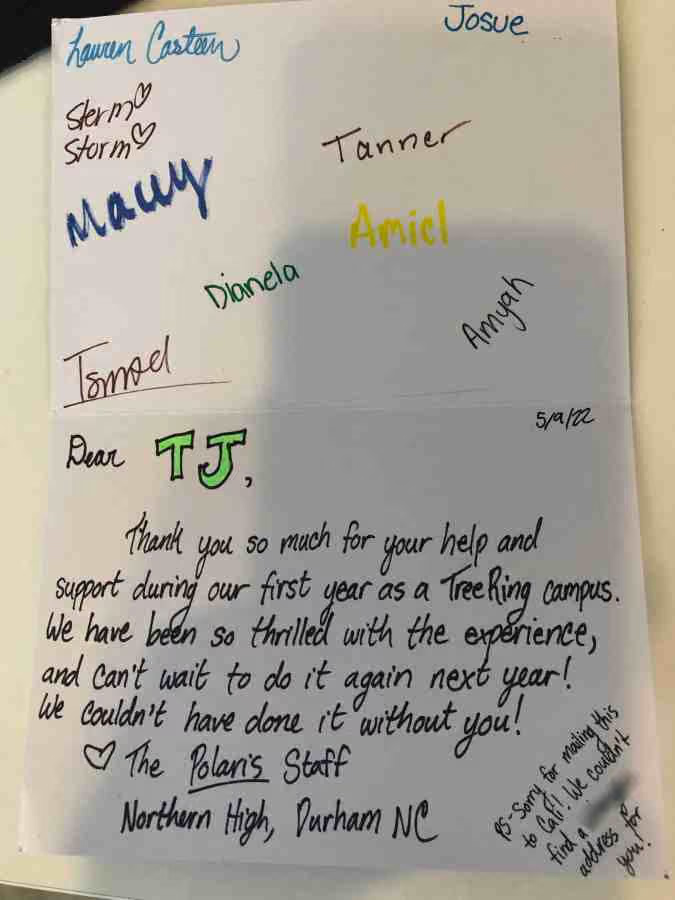
To demonstrate gratitude, your yearbook team can write a card, decorate a gratitude wall in the hallway, or sponsor a lunch or coffee hour.

Using the "five common topics" for yearbook copy
The inverted pyramid is the go-to launch point for budding journalists. (Anyone else hear a journalism teacher’s voice: “Don’t bury the lede!”) For these emerging writers, filling each level equates to squeezing the five Ws into its ranks. This could lead to repetitive or restricted writing. The “easy” fix: asking better questions.
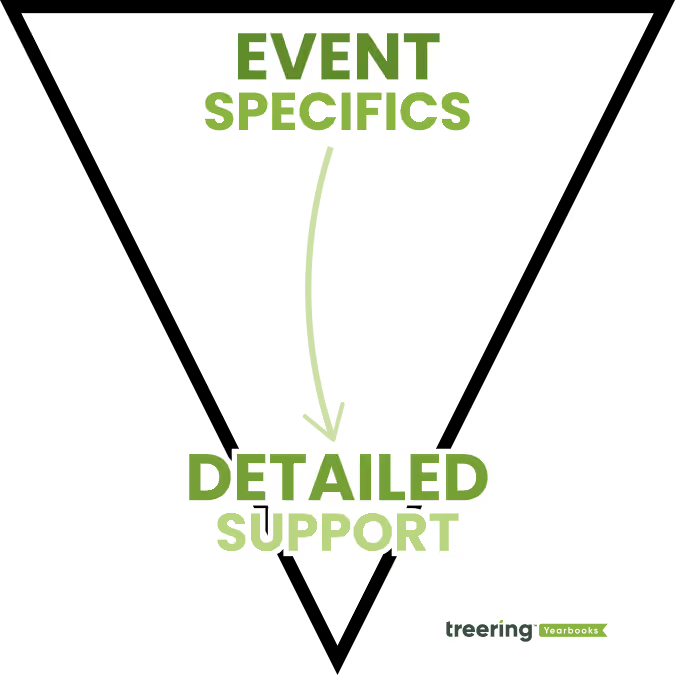
Integrating the five common topics with the inverted pyramid structure helps students create engaging yearbook copy because it models inquiry. They move beyond “What was your favorite…?” They create questions with analytical depth. They craft stories worth reading.
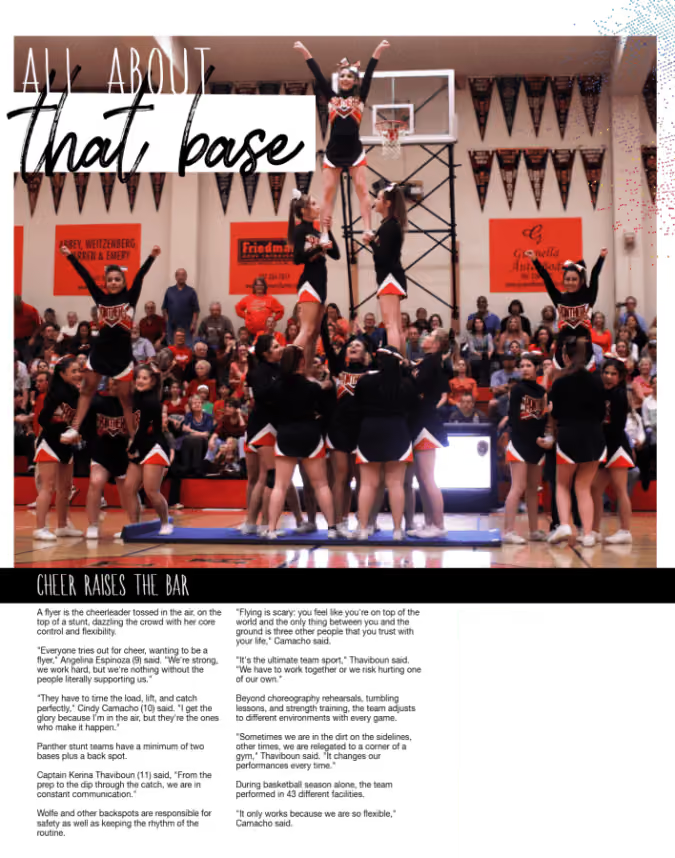
What are the five common topics?
How would the ancient Greek and Roman orators write a yearbook story? (That might as well be under “Adviser questions I’ll never ask for 1000, Alex.”) The five common topics are definition, comparison, relationship, circumstance, and testimony. The early scholars used this method of inquiry to discuss, persuade, and analyze. Developing yearbook interview questions based on the five common topics can be a structured way to gather information and insights.
Definition
The five Ws fall here: the topic of definition breaks down your subject into key components. What it is and who does it. Where it takes place. Why it’s important. When it occurs.
What is a clear definition of [the subject]?
This is extremely helpful for students when they craft copy on an unfamiliar topic. For example, most people use “bump, set, spike” somewhere on a volleyball spread. We don’t bump. We pass.
How would you characterize the key features that distinguish [the subject] from other similar concepts?
Each game, dance, movie night, and fun run is unique. So are labs, presentations, debates, and study sessions. Find out what sets this event or activity apart. By defining what it is holistically, you are also defining what it is not: just another day. (Remember, there is a reason for this story beyond an opening in your page template.)
What are the essential elements that makeup [the subject]?
Sports and arts copy can always be improved by understanding the technique. Start with your photos and ask the stakeholders to explain what they are doing step by step. Define tools, from cleat spikes to microscopes, and their use.

Back to our volleyball example: She’s aligning her feet to the setter and positioning her body so her belly button is behind the ball. Straight arms and little-to-no movement are key for her to give a high pass the setter can push to the outside hitters or run a quick hit from the middle. She starts each practice by passing 50 free balls as an offense-defense transition drill.
No bumping is involved.
Comparison
The next step is to expand upon the basics by drawing parallels or highlighting differences. Using analogies, journalism students can make complex ideas understandable. Sometimes, it helps to take the opposite approach and point out key differences.
In what ways is [the subject] similar to [another relevant entity], and how are they different?
Familiarity is comfortable. By relating new topics to known ones, you can ease your reader in.
Are there instances where lessons from [a related concept] can be applied to [the subject]?
Again, even though chemistry class repeats the gummy bear lab annually, it is not the same year after year. The same can be said about an AP class preparing their art portfolios or a Link Crew orientation.
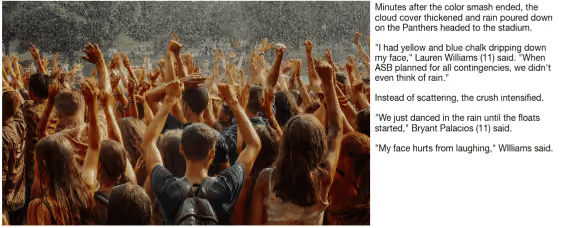
Using the topic of comparison, student reporters have a reason to cover recurring events–they are digging into the differences.
How does the comparison to [another relevant entity] enhance our understanding of [the subject]?
Keyword: enhance. Comparison is valuable if it adds value. And before you flinch at the intended redundancy, remember new writers need to evaluate their notes as part of their process. Listing related and opposing concepts will also strengthen the topic of definition.
Relationship and Circumstance (This is a Twofer)
I’m combining topics three and four. Event sequences, cause-and-effect relationships, and the outcome of the event all have a place at the proverbial table. Understanding circumstance helps in tailoring yearbook copy to be more relevant and effective because we use it to examine the context of each story. It’s the here and now. These details help readers understand why the event is significant at this moment.
What current events or trends are influencing [the subject]?
More than the water bottle du jour, the timeliness of a yearbook story gives its place in your school’s historical record. You give campus events context by relating them to the community or even the world.
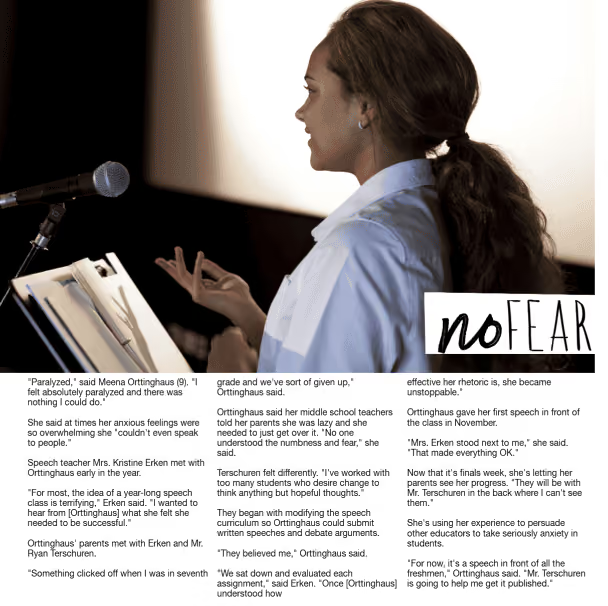
Are there specific challenges or opportunities related to [the subject] that are particularly relevant now?
In the example above, a student gave a speech. This is a daily occurrence around the globe. The author used the subject’s reported challenges and testimony (spoiler alert: that’s topic #5) to illustrate what led to the moment.
Chances are, this story wouldn’t have been printed in your mom’s yearbook. The circumstance was different.
Can you identify any cause-and-effect relationships associated with [the subject]?
Part of contextualizing your yearbook stories is adding what resulted from the story. Did the fundraiser set a new record? Athlete return for her final game of the season? AP Language class win the literary food festival? Wrap up your story.
Testimony
“Give me a quote for the yearbook.” Next to definition, testimony is the most commonly used of the five common topics. It’s the human element. Including testimonies from different sources helps balance the story, gives authority to student writing, and showcases varied perspectives.
While it’s the fifth topic, when students write, they should incorporate the questions below.
What diverse perspectives contribute to a more comprehensive understanding of [the subject]?
Scores, stats, fundraising figures, and meaningful quotes enhance credibility and give voice to yearbook copy.
How do you navigate conflicting testimony or opinions from authoritative sources regarding [the subject]?
The short answer: ask more questions. How do you find out what is true and who do you ask? (This could be more common with sporting events over bio labs.)
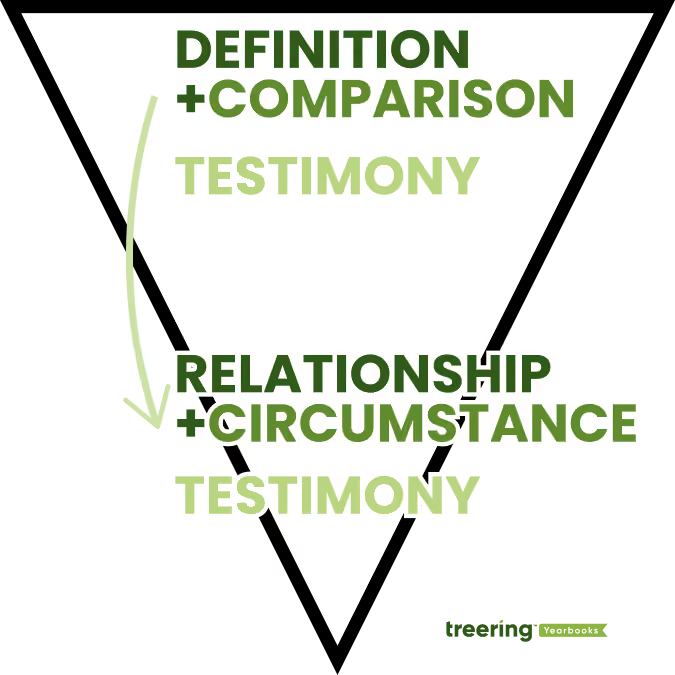
Testimony: Add relevant quotes from participants or spectators to illustrate.
Relationship and Circumstance: Explain what factors led to the event and how it impacted the school community.
Testimony: End the story by adding additional quotes or data to add depth and credibility.
Example structure for the inverted pyramid and five common topics
Let’s start with this photograph of four students on the green.
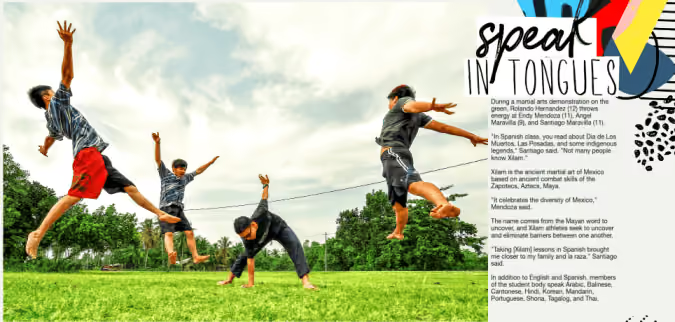
To come up with the copy, students identified:
- Names of students and their grades
- Location of photo
- What is going on
- Background on Xilam
- What aspect of Xilam is shown in the image
- Relationships between Mexican martial arts and Spanish for native speakers class
- How many languages–and which ones–are spoken on campus
This structure delivers both the essential information layered with insights. It moves beyond a listing of the 5Ws because it begins with inquiry.

12 ways your yearbook class makes students career-ready
It's no secret to seasoned advisers that yearbook class is one of the most accurate career-preparation courses available to students. The yearbook-building process meets all of the national Career-Ready Practices. We’ll go through each below with practical application ideas for yearbook classes.
1. Act as a responsible and contributing citizen and employee.
How to do it: teach project management skills by having students pre-plan their weeks.
Weekly goal-setting and check-ins maintain a culture of accountability while building executive functioning skills. First, project your ladder and page assignments. Then, reverse engineer some major milestones. From there, students can set a goal, calendar important dates, and pre-plan how they will meet their deadlines. Do this corporately so each student can see his/her contribution.
2. Apply appropriate academic and technical skills.
How to do it: equip your students with tools and training for their age, ability, and your yearbook mission.
Keep in mind, a first-year yearbie/yerd/yearbook student should have a different skill set than a third-year one! Returning staffers are excellent resources to teach skills, especially those on your editorial board.
3. Attend to personal health and financial well-being.
How to do it: schedule in the fun!
Because you corporately planned the year, you already know when the pinch points are going to be. Plan a few fun days before and after to help students relieve stress, and show them the importance of balance.
Also, be transparent about finances. Your yearbook students should know how much it costs to produce their yearbook. Likewise, they should know financial goals (book and ad sales) and celebrate their achievement.
4. Communicate clearly, effectively, and with reason.
How to do it: begin the year with a plan.
All the work you do from a syllabus to the page ladder and assignment provides the overarching structure. Bi-weekly editorial meetings and all staff meetings should include check-ins, deadline assessment, and teaching moments to provide accountability and hone these skills:
- Model how to email teachers and coaches by providing templates or examples of wording.
- Practice interviewing.
- Show, rather than tell, how to enter a class to pull a student for a quote or photo opportunity.
- Set expectations and boundaries for yourself and your team.

5. Consider the environmental, social, and economic impacts of decisions.
How to do it: create worthwhile partnerships.
These are Treering’s core values. From sustainably sourced printing materials to partnering with charities, the environmental and socio-economic impact of a yearbook transforms lives. Additionally, ethical reporting and creating an inclusive yearbook are hallmarks of positive social impact.
6. Demonstrate creativity and innovation.
How to do it: make a yearbook.
(We’re just going to leave this one here.)
7. Employ valid and reliable research strategies.
How to do it: make before, during, and after your journalistic mantra.
What we see in many yearbooks are photographs of the actual events, and we miss ASB creating poster after poster for spirit week, Mr. Watts cleaning up until 2 AM, the baseball team volunteering to haul hay bales, etc.
Ask your team:
- What preparation goes into [the event]?
- Who is involved?
- What is the impact of [the event]?
- How can we capture this?
At the interview, ask:
- What don’t people know about [the event]?
- How do you prepare for [the event]?
- How much time do you invest?
- What happened after [the event]?
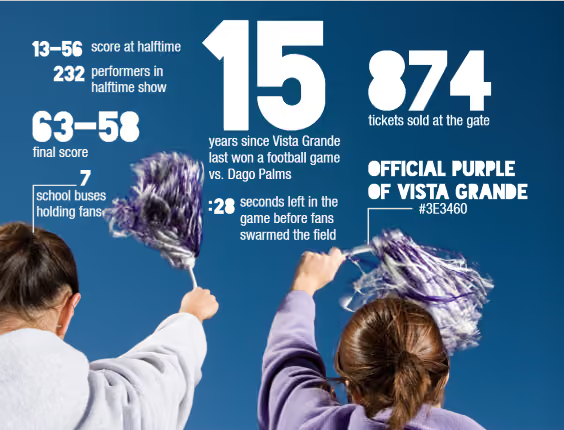
Also, coverage doesn’t have to follow the traditional photo/caption format. Create infographics and polls, show game statistics and team scoreboards, and use quotes from differing perspectives to tell the story of your year.
8. Model integrity, ethical leadership and effective management.
How to do it: the old adage It starts at the top applies here.
Module 2 of Treering’s free curriculum will help you unify your team and build trust.
9. Plan education and career path aligned to personal goals.
How to do it: toot your team’s proverbial horn.
Using the yearbook job descriptions in Treering’s curriculum guide, work with your team to create resumes, detailing their job experience in yearbook class. While many think, “I put pictures on paper,” they don’t see things like:
- Scheduled photographers for event coverage
- Experienced in copy editing, reporting, and layout design
- Promoted publication on social media, in print advertising, and at community events
- Worked within deadlines to maintain $20,000 budget
It’s our job, advisers, to show them their impact! Then show their parents. Then show your administration.
10. Use technology to enhance productivity.
How to do it: post and track your goals.
Your yearbook software plus a digital planning tool such as a Gantt Chart in Google Sheets or a Trello board will keep you on track.
11. Utilize critical thinking to make sense of problems and persevere in solving them.
How to do it: make a yearbook, part 2.
What do you do when a photographer does not show up for a game? How do you handle an event being canceled or rescheduled? What do you do when someone accidentally reformats a card prior to photos being uploaded? The yearbook creation process is all about pivoting. Build in contingencies by creating evergreen content or interactive pages that compliment your theme. (Here is a list to get you started!)
12. Work productively in teams while using cultural/global competence.
How to do it: facilitate a collaborative working environment.
In-class collaboration:
- Peer review (here are some editing tools)
- Students teach other students a skill
- Plan your distribution event
Out-of-class collaboration:
- Connect with your school photographer to receive portraits on time
- Schedule club and team photos with leaders
- Crowdsource event photos from classmates
- Interview students
- Schedule in-class photo ops of academic coverage
We also have an alignment matrix, outlining how the Treering curriculum meets both CTE standards for eight pathways and these Career Readiness Practices and makes your yearbook class the ultimate career preparation course.
Custom pages or senior ads?
In a Facebook yearbook adviser group, I ran across the question: I’m confused by Treering users saying they can customize two pages for free. Don’t you start with an entire book of blank pages? Well, yes. And parents get their own two blank pages. And advisers can add in recognition ads. And… why don’t we break things down together?
Your yearbook your way
We have hundreds of blogs on how to design a yearbook from scratch and how to use auto-layout features. Let’s focus on the two areas that are student-centric; we are equally concerned about giving schools the ability to capture their story each year, while also providing students with the tools to tell theirs.

Custom pages: personalized school yearbooks
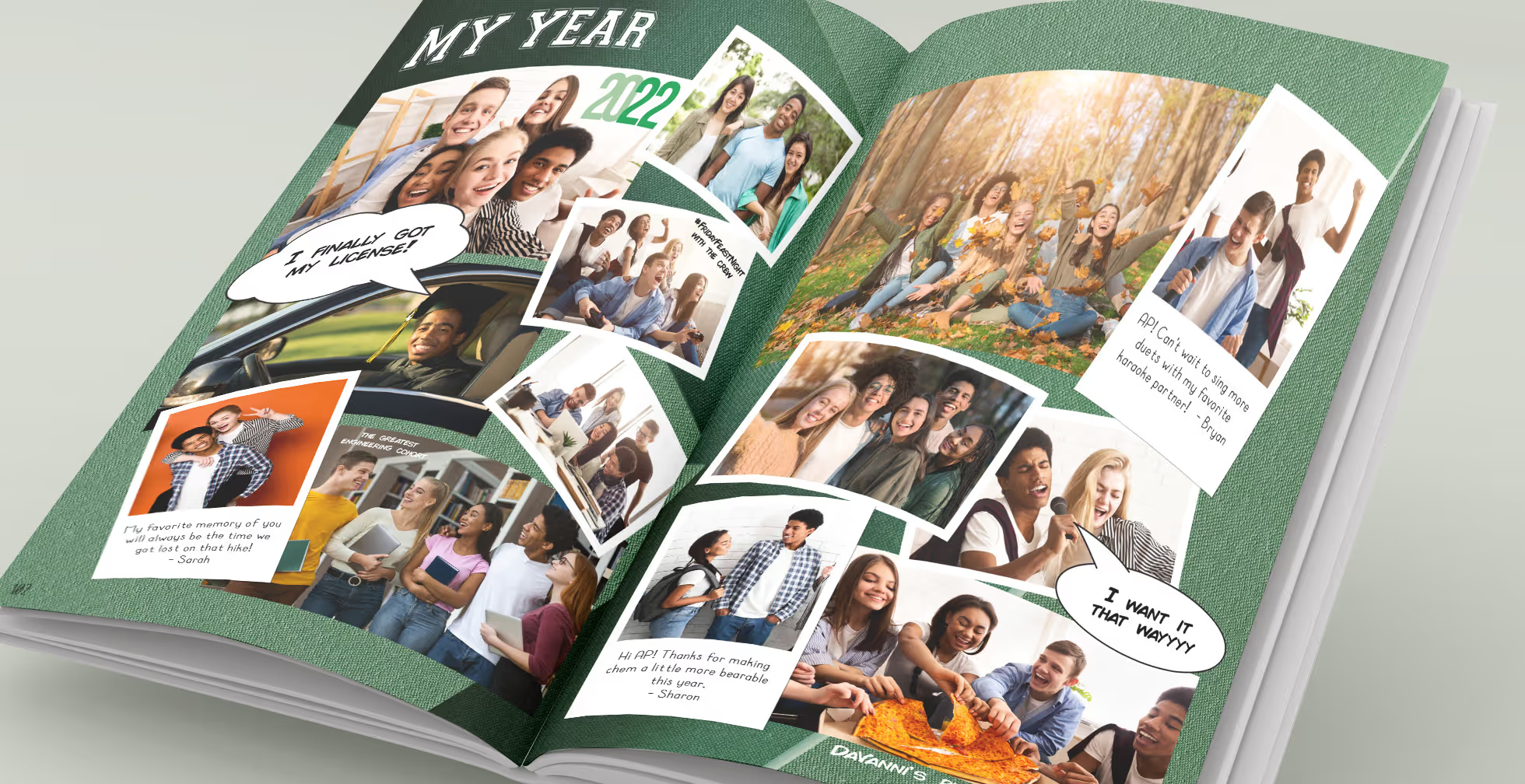
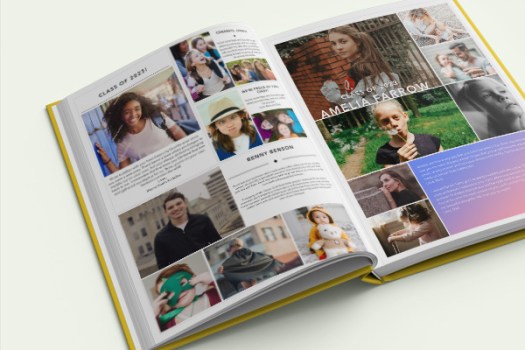
Custom pages are two free pages that are only printed in a student’s unique copy of the yearbook. This is just one way Treering aims to create a more inclusive yearbook for schools.
Treering’s personalized pages provide every student—for free—the opportunity to tell their story of the year.
“I created our custom pages to celebrate our activities, accomplishments, and accolades!”
Tawanna Edwards, 2022 Memory Maker Winner
“We take so many pictures that it’s hard to narrow them down. I usually start by choosing my favorites that give a good overview of our year, then ask my kids what information and pictures they want to include to remember for the future.”
Kirsten Megaro, 2022 Memory Maker Winner
Senior ads: parents celebrating students
When it comes to school yearbooks, whether it’s 5th grade, or senior year, promoting and graduating students deserve special recognition. That’s why schools have traditionally offered optional, for purchase senior ads in the yearbook. These ads appear in every single copy of the yearbook and they create an excellent way for parents to celebrate their graduating student and do it with the school community.
Revenue from ads can be used to upgrade yearbook equipment and fund celebrations throughout the year.
The case for offering both
You might be asking, “May I offer both?” That’s a big yes, and here’s why: proud parents will always want to share with the entire school how thrilled they are to see their student’s achievements. Traditional graduate ads in school yearbooks handle the job.
Meanwhile, thanks in no small part to all things social, students expect the ability to memorialize their very best moments, memories, and photos from throughout the year. Graduating seniors shouldn’t be the only ones. All students, from all grades deserve a home for their memories.

Yearbook spread checklists for student editing and grading
Raise your hand if you've made a mistake in the yearbook. Yup. The editing process for our small (read: five members) yearbook team transformed when we goofed up the spring sports section. Who noticed page numbers missing from the softball page? Softball players. Do you know who didn’t notice? Everyone else on campus. Regardless, that was the proverbial wake-up call this adviser needed to create a spread checklist to accompany the editing process. The flexible framework and quality assurance that came with its implementation simplified spread creation and elevated the theme elements.
List of things to include
If your goal is cohesive design and layout, include a copy of your style guide in your checklist.
Yearbook style guide ideas
- Font size and weight: heading, subheading, caption, body copy, portraits, rosters, pull quotes, group photos, folio/page numbers
- Text alignment rules
- Color palette
- Theme graphics: size, use case
- Photographs: borders, size, shape, alignment, spacing, rules on hand gestures and photobombs
- Banned words: favorite, family, this year, come together (these aren’t industry standard, rather my list of campus-specific cliches I’d rather not see again)
Pro tip: Set up photo and text styles in your yearbook editing program.
When do you need a yearbook spread checklist?
The quick answer: any time a spread is in progress.
Yearbook checklists provide a foundation, ensuring that students cover all essential elements of a spread—from images and captions to layout and design. There are no surprises. The checklist can alleviate surprises and questions such as, "What size are headlines again?"
At a minimum, spread checklists should accompany PDF proofs because we all do our best proofing after the book goes to print.
Using yearbook checklists in peer editing
The checklist becomes an educational resource in itself. It is a tool for quality control, enabling students to cross-check their work against established criteria. This fosters a culture of accountability and attention to detail.
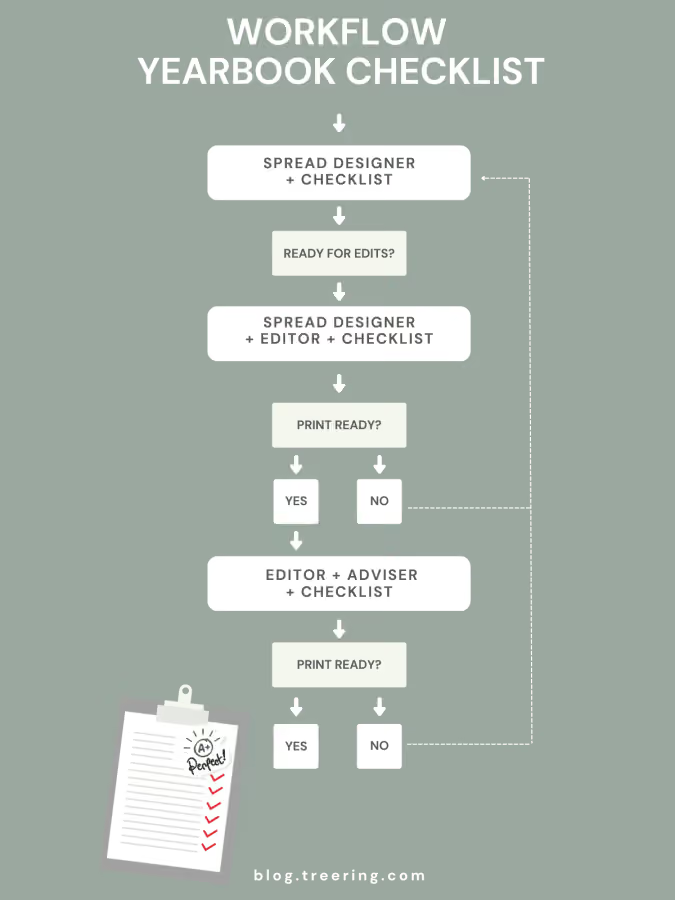
As students engage with it, they absorb design principles and begin to internalize design standards as they learn what works aesthetically. This learning opportunity extends beyond the checklist and contributes to the overall growth of emerging designers. (According to the folks at Cornell, peer editing increases student output.)
A checklist is not a rubric
In the educational realm, checklists and rubrics are like the Rocket Raccoon and Groot of assessment. Think of a checklist as your friendly to-do list; it's straightforward and lists criteria that need to be met. Using the cycle above, it’s a coaching tool that moves yearbook spread designers from blank page (scary) to complete and tells the story of the year (goal). On the flip side, rubrics break down criteria into levels, providing a nuanced understanding of performance.
In yearbook class, the spread checklist emerges as a non-negotiable tool for success. From providing structural guidance to serving as a quality control mechanism, its benefits extend to both students and advisers. For new advisers, it acts as a compass, while returning advisers find it a means to ensure consistency and embrace innovation.
Two ways to improve your yearbook photography
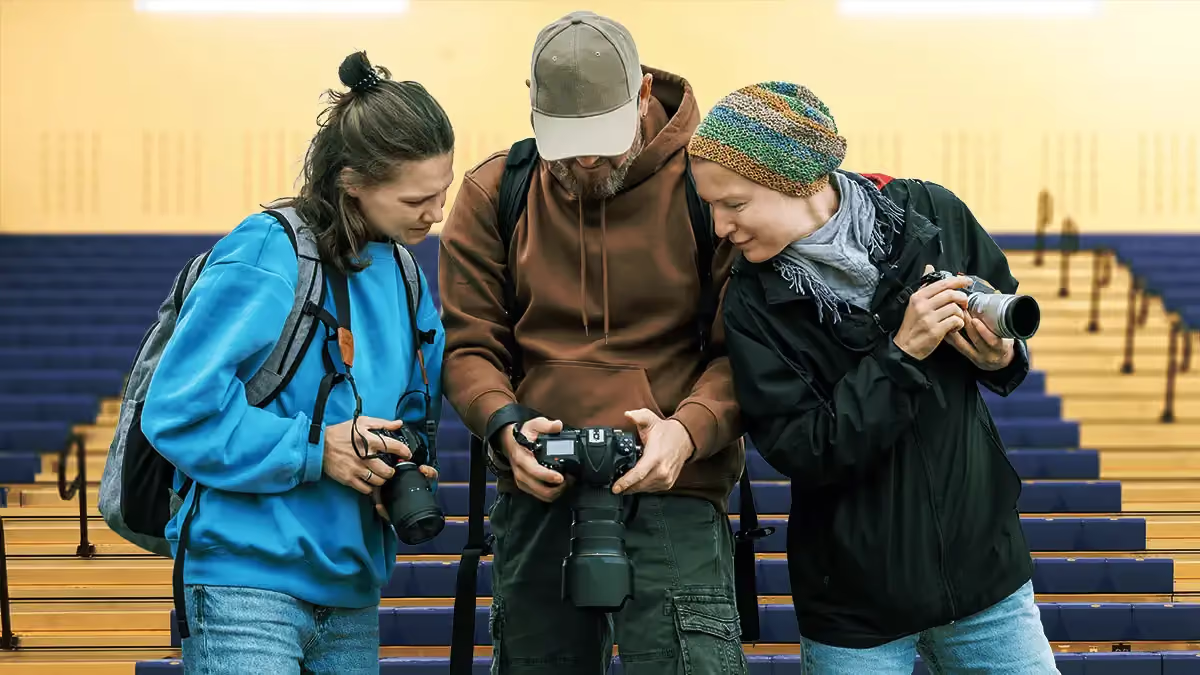
By improving the composition and lighting of your photos, you’ll be able to use any device with confidence. While drool-worthy mirrorless cameras are all the rage and DSLRs “look the part,” cellphones, tablets, and point-and-shoots can also produce great photos. The key is your perspective and awareness of the action.
Composition basics
Composition creates compelling photos. When composing a shot, think about elements like background, framing, balance, leading lines, depth of field, and viewpoint. Even at sporting events or the school musical—when you’re limited on where you can stand—take some time to go through this list in your head to intentionally get the strongest photos.
In the digital age (did you read that in my grandma voice?), just clicking away and hoping for a usable image can be a waste of time. Being intentional for five to ten moments will help you anticipate action and yield more authentic images.
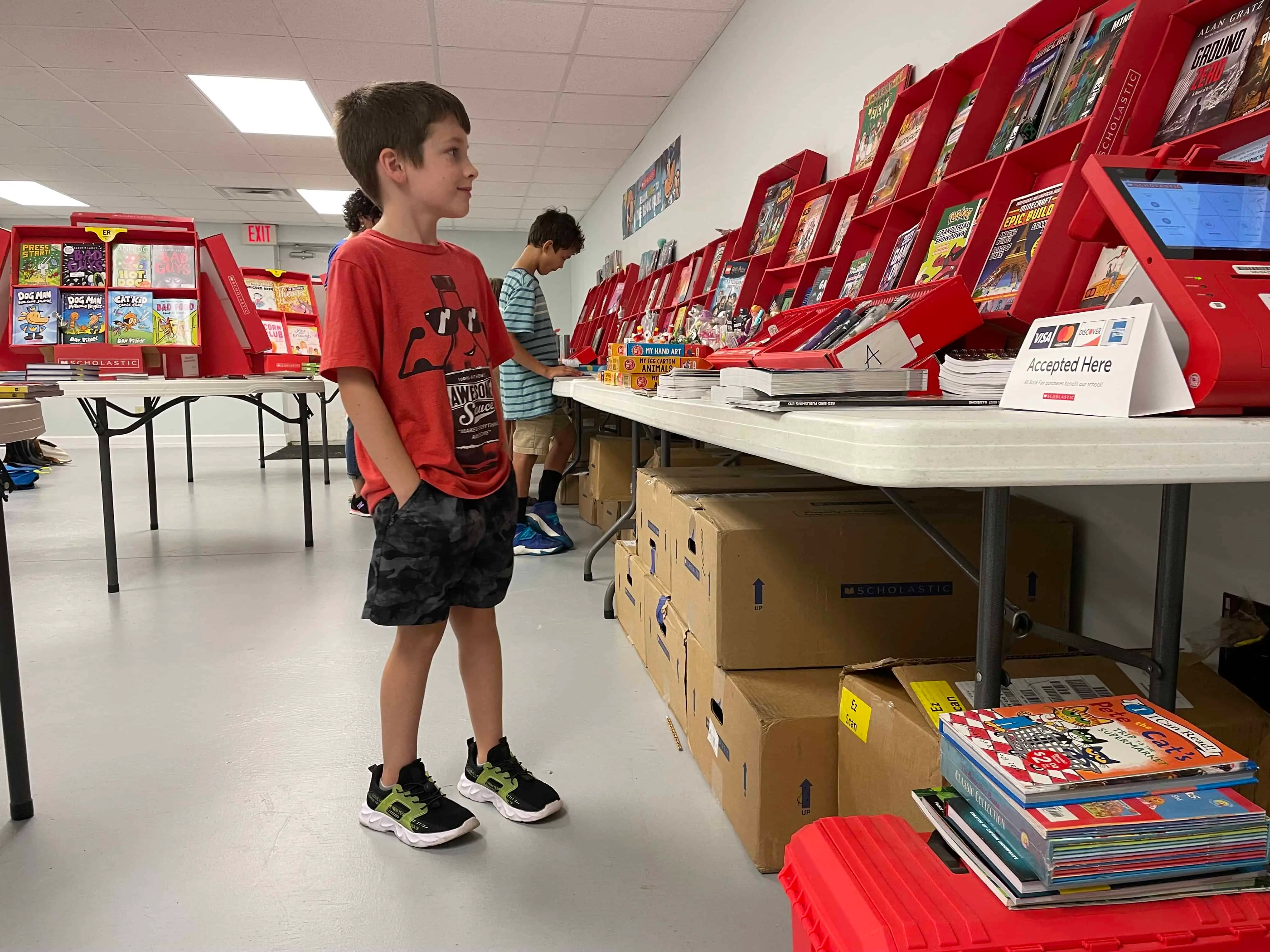
Background
If it’s not drawing the eye to your subject, you might want to get rid of it. Take time to assess what is behind your subject:
- If possible, remove distractions like garbage cans, signs, or other people
- At sporting events, stand on the opponent’s side so you get your fans’ reactions
- Position a photographer backstage or in the sound booth to capture behind-the-scenes action
Simple camera fixes such as adjusting the aperture (see “Depth of Field” below) or environmental ones (see “Leading Lines”) can help improve your photos’ backgrounds.
If it’s not drawing the eye to your subject, you might want to get rid of it. Take time to assess what is behind your subject:
Simple camera fixes such as adjusting the aperture (see “Depth of Field” below) or environmental ones (see “Leading Lines”) can help improve your photos’ backgrounds.
Framing
Your photos should focus on key interactions. For example, a tight frame on a student meeting their teacher on the first day of school captures a meaningful moment.
Alternatively, a wider frame might show the atmosphere of an event. Consider how close you want to be and what details you want in the shot.
If the event and space allow, move around to add diversity to how you frame your subjects. My yearbook adviser used to say, “Zoom with your feet.” It’s the second-best piece of photo advice I’ve received. (Lighting takes first billing for those of you playing along at home.)

Balance
While symmetry works well in group shots, you might also want asymmetry to draw the eye to a specific part of the frame. Think about how elements are weighted in the frame to achieve the mood you want.
In the example above, the laptop is what holds us captive.

Leading lines
Use natural lines—like desks, edges of buildings, or stripes on the school bus—to draw the viewer’s eye towards the subject.
Depth of field
This can be easily achieved with portrait settings on phones and cameras. Blurring the background adds drama and focuses attention on the subject. Whether you're using a DSLR or a smartphone, depth of field, or aperture, can elevate your images.
Viewpoint
Experiment with angles. Try taking shots from above, below, or behind to add variety and interest. Different perspectives help tell the story more creatively and capture aspects that a straight-on shot might miss.

These five lessons will help improve composition.
Lighting essentials
To say lighting is crucial is an understatement. In photography, too much or too little light can impact the photo’s quality. Be aware of your main light source. If you’re at an event, take a moment to assess from where the best light is coming.
Tips for indoor photography
Windows can be problematic if they are behind your subject. Unless you are aiming for a silhouette, keep them to your side.
If the lighting isn’t ideal, adjust. Sometimes, just asking students to move to a better-lit area can make a big difference. They’re usually happy to accommodate. For example, if you are photographing a dance, set up an area to take group photos with good lighting.
Using flash can also help in tricky lighting. For instance, in a situation with backlighting (like a window behind your subject), a fill flash will illuminate the subject and balance the exposure. In low-light conditions, adjusting your camera’s ISO or shutter speed with the help of a tripod can also help capture the shot without losing detail.
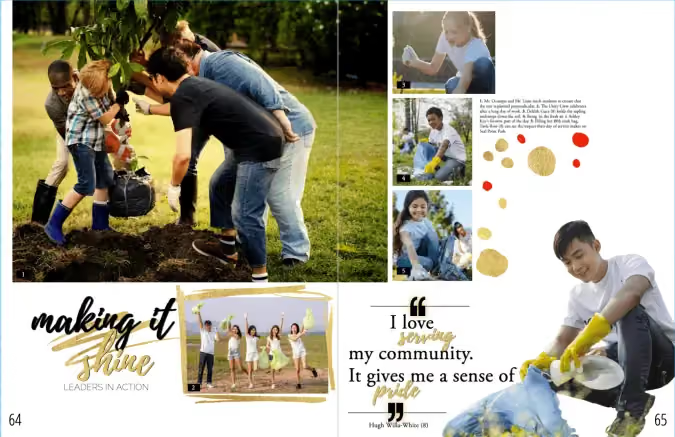
Outdoor photography considerations
Outside, natural sunlight is ideal, and just like inside, positioning is important. Move so the sun is off to the side or behind your subject to reduce harsh shadows and prevent squinting. Most professional photographers avoid outdoor photoshoots when the sun is overhead for this reason. (Basically, when the fun run is happening.)
We recommend using a tripod and angling yourself so the sun is at your subject's side.
Remember that a good photographer’s eye matters more than fancy equipment. Whether using a DSLR or a smartphone, focus on framing, lighting, and timing to compose meaningful moments.
This blog is adapted from Sandra Violette's Photography session from TRL 24 POV: I’m on the Yearbook Team. Violette, a professional photographer and PTO mom, serves on the Onboarding and Engagement Team at Treering Yearbooks.

Including a diverse set of holidays and celebrations in the yearbook
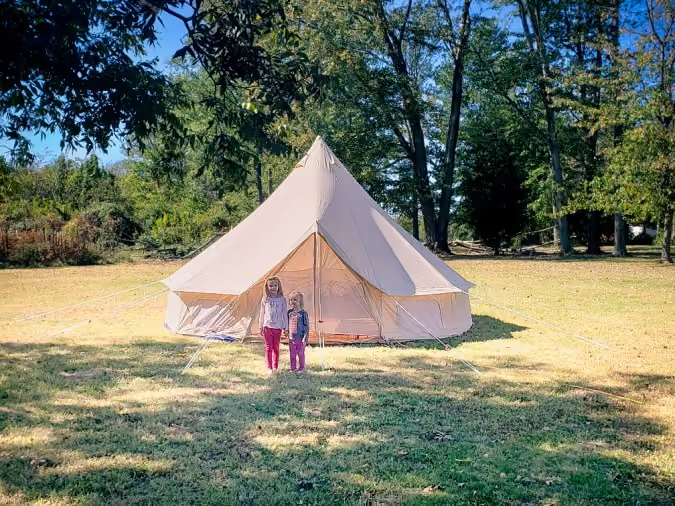
It all started with a yurt. A mom on campus posted a photo of her daughters in front of their temporary home in a field. As a part of their Sukkot observance, they lived, ate, and gave thanks in the yurt for nearly a week. After asking around, three other families on campus celebrated similarly. This sparked something in our yearbook program: who else lives a life about which we know little? (Answer: everyone!) And this became the catalyst to broadening the scope of our off-campus student life coverage. Read on for tips on inclusive coverage for diverse holidays and celebrations that reflect the individuals in your halls.
Make celebrations individualized
When we work with our students to learn from one another, we model and facilitate courageous conversations. Many of us parents grew up with the adage: politics and religion never make for polite conversation. By focusing your interviews on the individual—versus the religious or cultural practice—you will see it through his/her eyes.
That said, it is never one student’s job to be the “ambassador” for their faith or home country. That’s why we prepared this list of questions to focus on the individual’s celebration. (Just think about how even members of your extended family celebrate birthdays differently!) The narrative that will unfold is about the student or staff member rather than a book report on the celebration. Avoid comparing or contrasting.
- What does [celebration] mean to you?
- What traditions does your family have?
- What food do you eat on [celebration]? What ingredients make it special?
- How do you prepare for [celebration]?
- What music makes it special for you? Why?
Diverse coverage ideas:
Symbols spreads
Ideally, you’d have photographs of the decor that surrounds your students during the season. If that isn’t possible, use some stock images and position pull quotes of students describing how they use them.
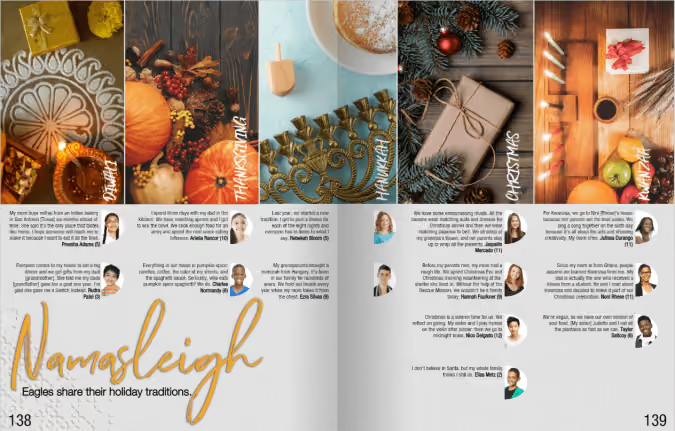
Mini-modules
Re-enactments of major events, such as Eid, that happen at a student’s place of worship can focus on the process, such as the challenges of memorizing lines or balancing rehearsals with school work. Lunar New Year festivals are another area to cover. Ask students about music, food, and decorations.
Winter or spring “specials”
Plan ahead for one of the holiday seasons by interviewing students about their celebrations using the questions above.
Spring hosts Easter, Holi, Passover, Ramadan, and Vesak. Fall and winter are the seasons for Bodhi Day, Christmas, Diwali, Kwanzaa, Hanukkah, and Thanksgiving. (Please note, these are in alphabetical order, by season, not chronological as some days change because they are on a lunar calendar, not our American solar calendar.)
Research first
There’s an iconic episode from The Office, “Diwali” that gives us a picture of what could go wrong (and oh-so-right). In typical Michael Scott fashion, he fills a meeting with inaccuracy, and his actions and lack of truth impact those around him. Moral of the story: be Dwight.

As you prepare to extend coverage to include diverse holidays and celebrations, do a brief study of the symbols and history of the event. These are great classroom opportunities to brainstorm questions and talking points. You can even give a few non-examples to help students filter.
We’ll leave you with this bonus fact: Cinco de Mayo is not Mexican Independence Day. It’s not even a national holiday in Mexico.

Selling yearbook ads? Try these tips to make your job easier
One of the easiest ways to sell more yearbook ads is to get people who are good at sales to help you. And you know who is good at sales? Booster clubs.
Though they sometimes go by other names, booster clubs are those organizations formed by school parents to raise money for sports teams, bands, and clubs. Some schools have one booster club to support the entire student body, while others have a bunch of smaller clubs to support specific teams or organizations within the school. Regardless of the organization, these clubs exist solely for the purpose of enhancing student life. And they’re mostly able to do that by raising money in a variety of ways, like creating an ad-supported program or calendar.
Sound familiar? You bet. And that’s exactly what makes a booster club a perfect partner for … err … boosting your yearbook’s ad sales.
Partnering with your booster club to up yearbook ad sales.
If you’ve got a booster club that’s out in the community—right now—selling ads for a program or calendar or other printed piece, don’t even finish this blog post (seriously). Call the head of the booster club immediately and ask that person if their sales team will double as your sales team. It’s a big favor to ask, we know, but the benefits are enormous for everybody.
Here’s how to approach it: Since you’re lacking a sales team (or are really struggling to get your sales moving), you’ll need to outline to your booster club contact why you need the help (and the ad revenue) so badly: Are you losing money on your yearbook? Are you trying to raise enough to buy a new camera?
Whatever it is, spell it out. You don’t, obviously, have much to offer in return for help. But you do have one thing: Fundraising dollars. If the money raised for you by a booster club is money you wouldn’t have otherwise gotten, it’d be totally fair to give the booster club a percentage of that money. Figure out what works for you and for the booster club, but we’d recommend something in the 10-20% range.
This type of setup means businesses are only contacted once, the booster club is making a couple extra bucks for every yearbook ad sale they make, and you’re selling ads you wouldn’t have sold otherwise.
Getting other help from your booster club
Your booster club isn’t always going to be able to double as your sales team. And that’s okay. They can still help you. Here are a few more ways:
- Provide introductions. A quick way to get potential advertisers is for a booster club president to introduce you to local business contacts who have been supportive towards your school’s extracurriculars in the past. Having that information will get you to the most receptive audience first—always a good way to start your sales season.
- Package ad sales. While both of your teams are out selling, propose asking a local business to support both programs at a discounted rate. Like having the booster club do your selling for you, this method reduces the amount of pavement-pounding you have to do and increases the reach of your sales efforts.
- Trade ad space. You know who would probably love an ad in your yearbook? The booster club. Give them one for free, if they’ll let you toss an ad in their program or calendar. It won’t boost your ad sales, but it might boost your yearbook sales.
Tracking down your school's booster club
Of course, if you’re going to work with your school’s booster club volunteers, you need to know who they are. You probably already do (these folks don’t typically hide in the woodwork), but if you don’t, you can usually find them by asking your normal list of contacts. Your principal, student government adviser, athletic director, PTA president… all of these individuals are a good bet for information. If asking around doesn’t turn up any success, do a quick Google search. Using “your school name + booster club” in the search box should do the trick.
Lasting benefits of booster club partnerships
You can gain a lot more than a one-time boost in yearbook ad sales by working with your school’s booster club. They key, though, is really becoming a team. A lot of booster clubs have a strong history of raising money and drumming up interest in your school. They know what works (and, maybe more importantly, what doesn’t). If they’re not ready to get their hands dirty with you, you can start by learning from their experiences. And that’s never a bad place to start.