.svg)

Most popular



Subscribe to our blog
Most recent

Top 10 reasons to join Treering Yearbooks
1. No contracts, no commitment
We offer a $0 financial commitment to all of our school partners. There are no minimum orders, no commitments, and never any leftover books. Parents and students can purchase a copy of their yearbook directly from Treering's sales portal. We only print what’s ordered, which means there won’t be any additional cost to your school.
2. Easy, yet powerful software
We make things easier on you so you're not always the last one in the building this spring. The headaches from building your portrait pages and designing your book are magically cured with powerful automated tools and template-based, drag-and-drop pages.

3. Affordable prices
We believe that every student should have the right to celebrate their year through the culture of the yearbook. We’re democratizing the yearbook and making it affordable for everyone by investing in technology to improve efficiencies and keep costs down.
4. Personalized pages
Ever struggle to make sure each student feels included in your yearbook? With Treering every student gets two free, uniquely printed pages, so they can fill their yearbook with personal memories. Since parents and students use our template-based software to create their own pages, there is no extra work for you, the yearbook editor. But don't worry, unless you invite them, parents and students cannot work on the yearbook itself. That's still in the hands of you and your yearbook team.
5. School fundraiser
We're helping schools regain control of their budgets: Treering gives you the ability to add a fundraiser amount to the cost of each yearbook. We also make selling recognition ads (should you want to) super easy: just set the price per size and let parents decide if they'd like to purchase. Since we only print the books that are purchased, your fundraising efforts can fund new laptops or a STEM program rather than covering the cost of leftover books.
6. Premium quality
All Treering yearbooks are gorgeously printed in both softcover and hardcover with upgrade options such as gold or silver foil and embossing. We laminate hardcover books and UV coat our softcover books to provide extra durability. Moments are over in seconds, but memories—and your Treering yearbook—will last forever.
7. Three-week turnaround
Once you've finished designing your yearbook we'll get it to you within three weeks. Period. That means you can now include (nearly) the entire year's worth of activities in the yearbook. Treering Yearbooks are printed in the USA.
8. Collaborative
Everyone’s a photographer now, right? Treering makes it easy to source photos for your yearbook from parents and students by allowing your yearbook team to create shared folders. When parents and students create their free accounts to purchase a yearbook, they can also add photos to designated folders (i.e. Fun Run). You still get to pick and choose which ones you’ll use, but you’ll have a lot more to select from.
9. Online payments
Yearbook editors tell us how much they love to design, but how little they like to collect money for yearbook sales. Treering gives your community the ability to purchase their yearbook directly online. We’ll collect the money and keep track of sales, freeing you up to do more of what you love: making a beautiful yearbook.
10. CAT has your back
Having a great business model and product is one thing, and sometimes you need a little more. A little more help to make your yearbook experience a great one. Your Community Advocate Team (CAT) will have you covered with 100's of videos and how-to articles, along with phone and email support. No more waiting for someone to come back from vacation to help you: at Treering we have a team of passionate yearbook experts to help you whenever you might want a little extra.
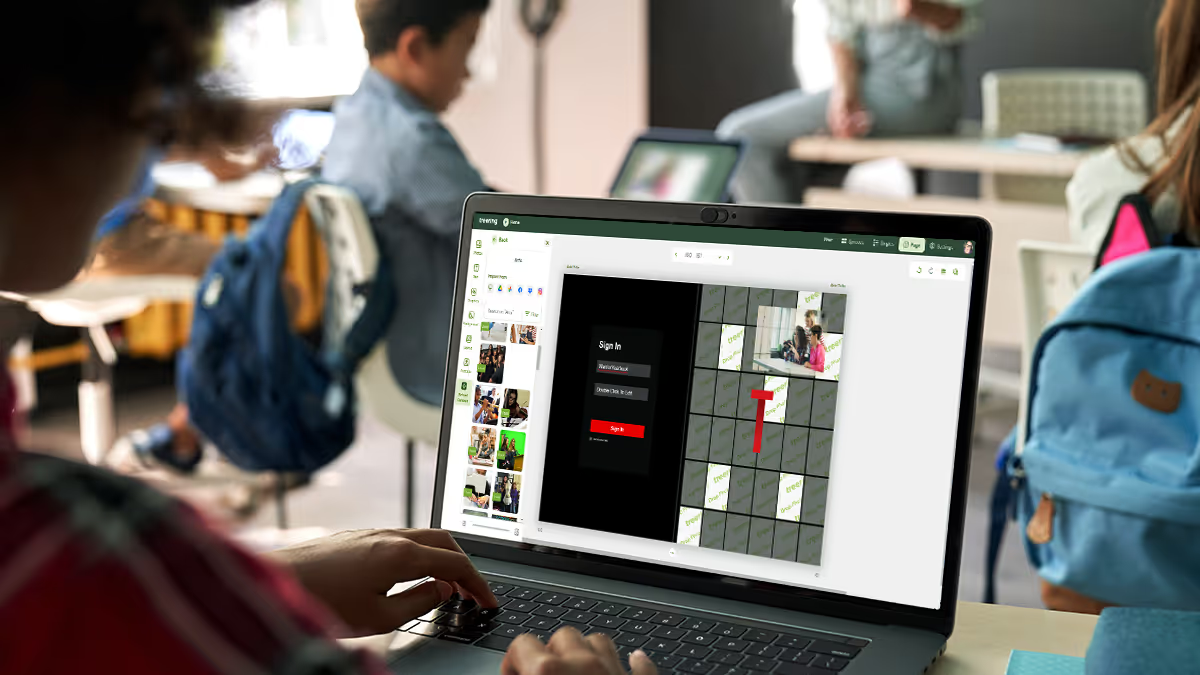
Treering's collaboration tools for your yearbook
POV is more than a social media trend, it's the call to reflect the diverse perspectives and students in our halls. So, how do you capture every student in the yearbook? Here's how we help you take control of crowdsourcing and collaboration with built-in collaboration tools.
Collaborate using shared folders
After you decide what content you need, we help you organize the year with shared folders. There's no limit to how many you make.
We love this because you can...
- Create one folder per classroom teacher
- Share email links to sports team folders for coaches and boosters
- Use #photodropFriday social posts to direct submissions to an event folder
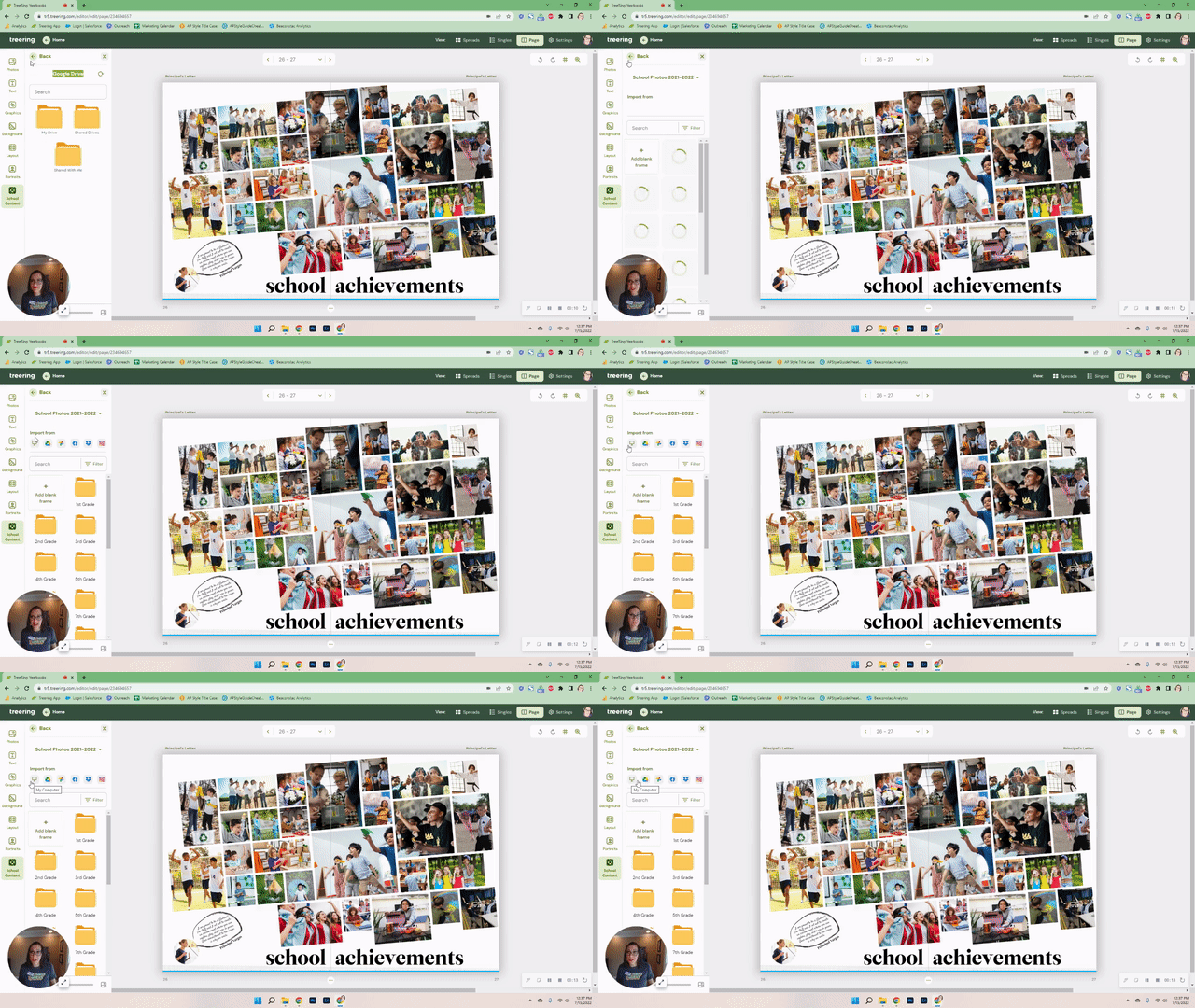
Pull photos from social media
After taking a pic of our loved ones, our first instinct is to post and share it on our social channels, not with the yearbook coordinator. Treering Yearbooks' Facebook and Instragram integrations make it easy for your yearbook to get social.
We love this because you can...
- Add your chaperone snaps to a shared field trip folder
- Build custom pages using your feed
Multiple permissions allows for collaboration
Collaboration tools are a major component of our yearbook software on the design side as well. Yearbook coordinators and advisers decide the size and access permissions for their teams on an individual basis (we know there's no one-size-fits-all here).
We love this because you can...
- Limit folder permissions for student yearbook team
- Assign a page or two to parent volunteers
- Leave notes on spread and lock completed pages
- Partner with the school photographer for the portrait spreads
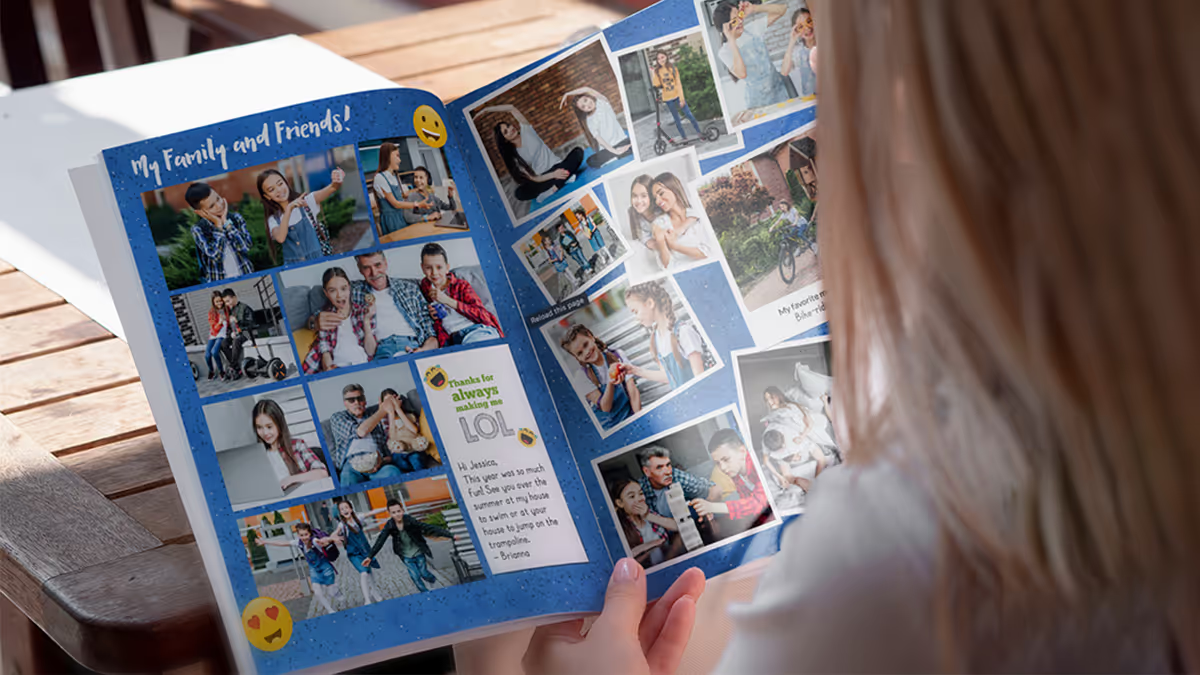
Treering's custom yearbooks
Make every student the STAR of their own yearbook.
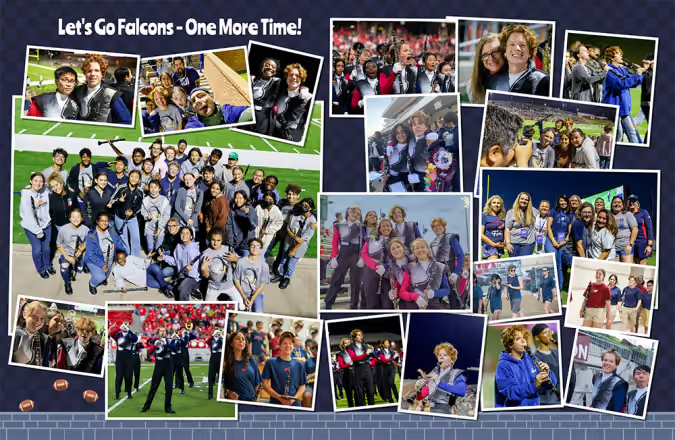
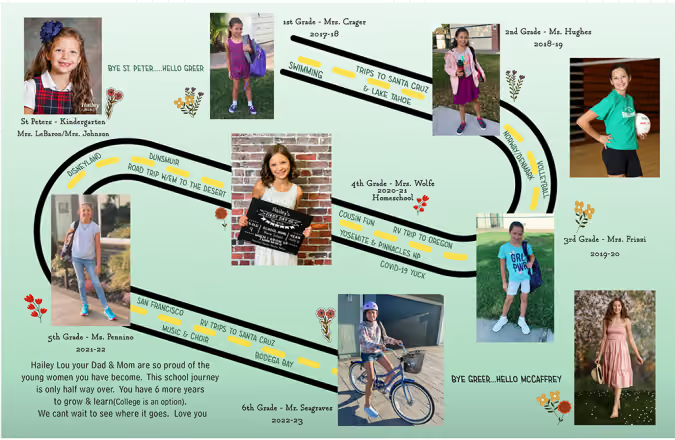
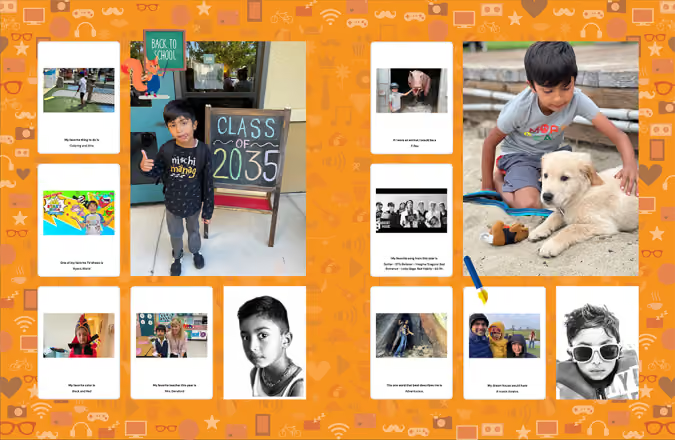
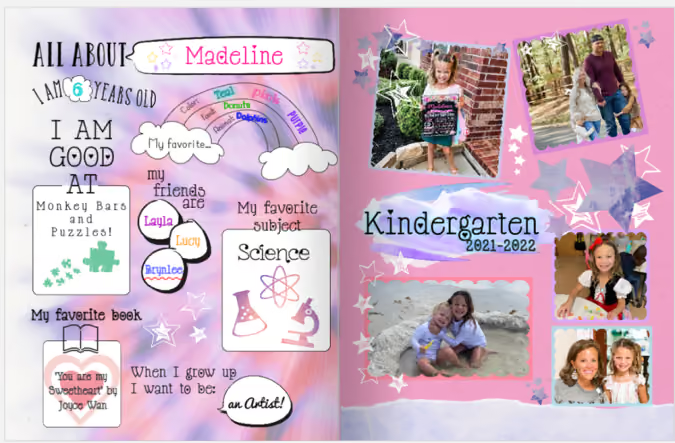
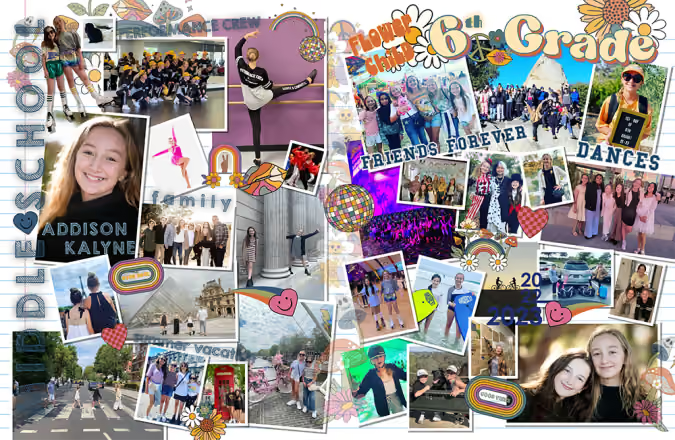
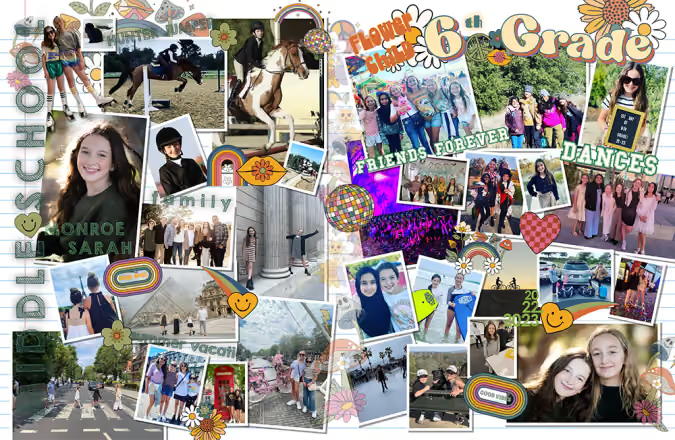
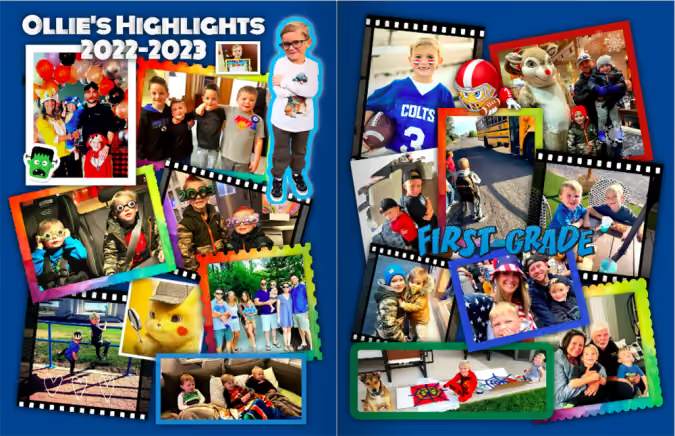
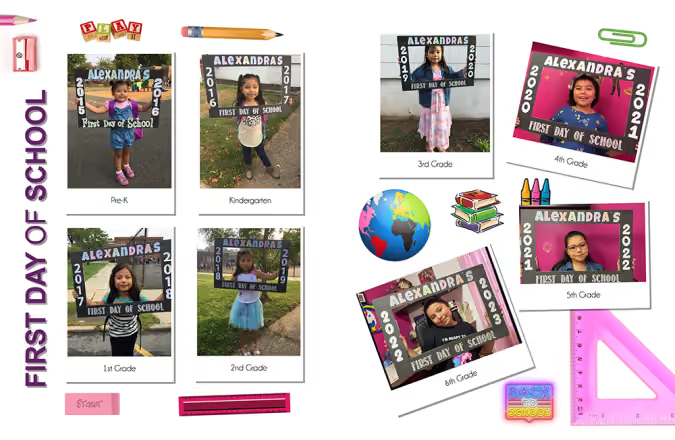
Everyone has thousands of photos at their fingertips. With Treering Yearbooks, you create a custom yearbook that your entire school will remember by giving each student custom pages filled with their own memories—like family vacations or hobbies that take place outside of school—in their individual copy of the yearbook. Now when each student opens their yearbook, they will find their memories and their photos making the yearbook personal to each student in your community, at no cost to the school.
1. Add photos from anywhere
Your school community can make their yearbooks custom by adding photos to their custom pages from your desktop or mobile device or by linking directly to Facebook, Instagram, Google Drive, Google Photos, or Dropbox.
2. Auto-create your pages
Treering inspires students to tell the story of their year by choosing from memory prompts, like favorite songs and where they traveled, so they can remember the best parts of their year in and out of school. Just drag-and-drop these memories on their custom pages.
After you've selected your memories and photos, Treering will automatically populate them to your personal copy of the yearbook. You can stop there and they will look great, or you can choose to edit further. The choice is yours.
And if the two FREE pages you get with your Treering yearbook aren't enough, add as many as you need.
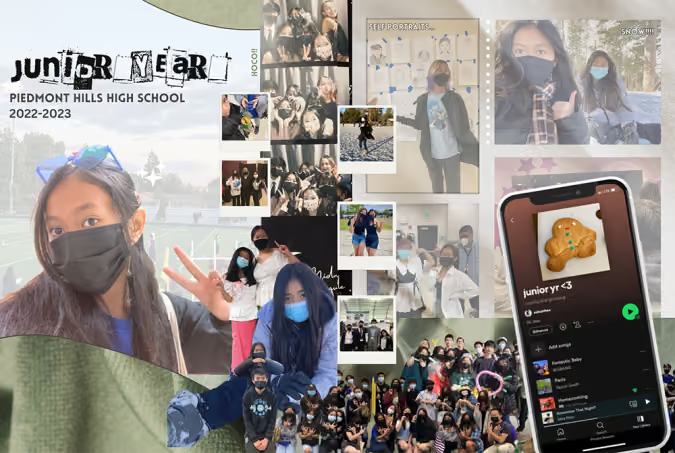

3. Remember forever
Now when each student opens their yearbook, they will find their memories and their photos in their individual copy of the book, making the yearbook custom to each student in your school community.
Need ideas? Check out the winning designs from our parent design contest!

Yearbook signing tips
On the way home in the carpool, yearbook mom Kristie overheard her daughter and three friends talking about their yearbooks staying overnight at school so their teacher could look them over and cover up things like “stinky skunk” and “Chungus.” There were hurt feelings and students who felt uncomfortable through the yearbook signing process.
Kristie said, "The kids are constantly being talked to about kindness and all that jazz, and I think much of what happened today was one kid thinking they’re hilarious and the other thinking they smell like a skunk."
Bottom line: we haven't taught our kids how to sign a yearbook.
[Old lady voice] When I was in high school, I had already combed my parents' yearbooks and learned their deep secrets. I knew the art of reserving a page in my BFF's yearbook so I could fill it with Spice Girls' lyrics, inside jokes, and the obligatory, "Thanks for always being there for me." I wasn't commenting on her posts daily and DM'ing her. Her yearbook was the one-stop shop to confess my deep admiration and devotion.
For those who weren't in my circle in the quad, a shorter message strategically squeezed between longer passages made it look as though I ran out of room. (The winning formula is below.)
How do you sign a yearbook for someone you don't really know?
- Spell names correctly
- Choose something specific to call out
- Say thank you for being you: Gen, I love your smile. Thanks for sharing it with the world.
- Sign your first and last name
How do you sign a yearbook for someone who's not your bff?
- Spell names correctly
- Find something positive to say
- Say thank you for being you: Paulo, You are confident in your abilities. Thanks for sharing your interest in horses with us.
- Sign your first and last name
Yearbook signing for the besties
Add yearbook lingo
Some things never change; we bet every 90s mom has two or three of these acronyms in her yearbook.
- BF Boyfriend
- BFF Best friend forever
- GF Girlfriend
- HAGS Have a Great Summer
- KIT Keep in Touch
- LYLAS Love you like a sister
- TTFN Ta-ta for now
Add variety
Creative yearbook signing ideas, such as adding in song lyrics or writing messages in a more artistic form, break up the passages from others.
Remember, your signature will last as long as that book. Make it count.
Treering yearbook printing: it lasts a lifetime
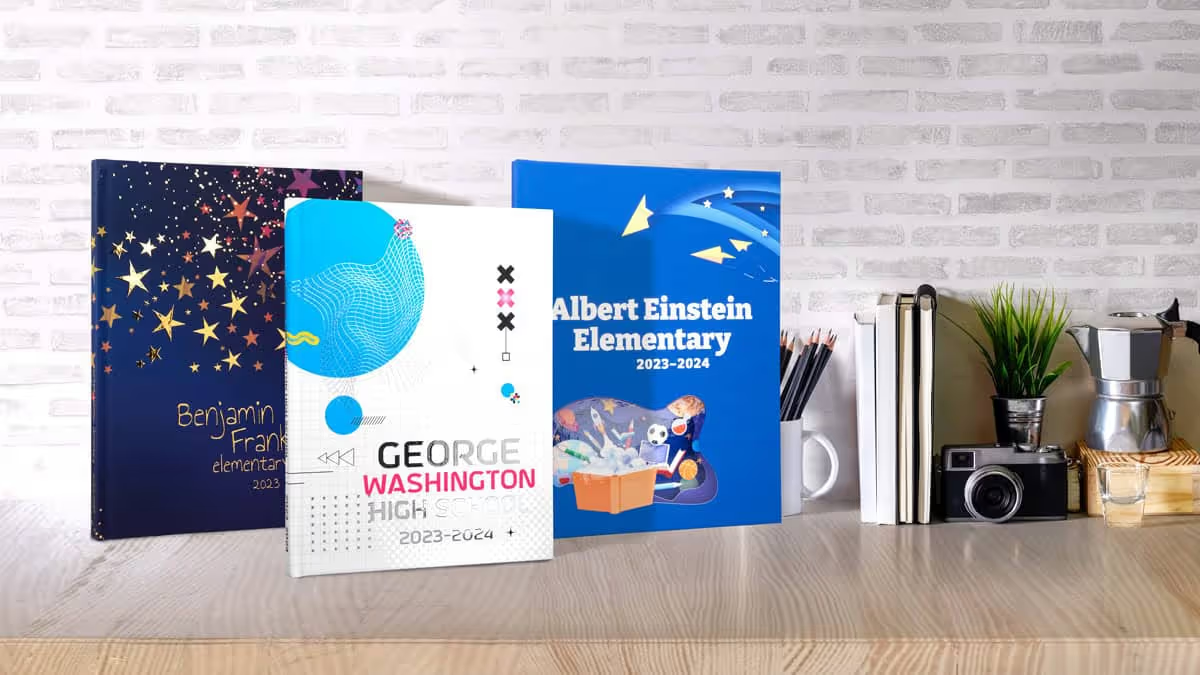
Stunning, sturdy, scuff-resistant covers
Hardcover? Check. Softcover? Yup. Soft-touch matte finish? Mais Oui! Glossy finish? For sure! Want to give your cover something a bit extra? We've got silver and gold foil to add a little more sparkle, and embossing options to add a little more lift. Whatever you and your students can dream up, we create using a superior quality laminate to protect your cover.
And they are all printed in the USA.
Completely customizable covers
Your cover can be as unique as your students. With the option of an 8.5x11 and 9x12 size book, you can have the flexibility to get your yearbook to look precisely how you want.
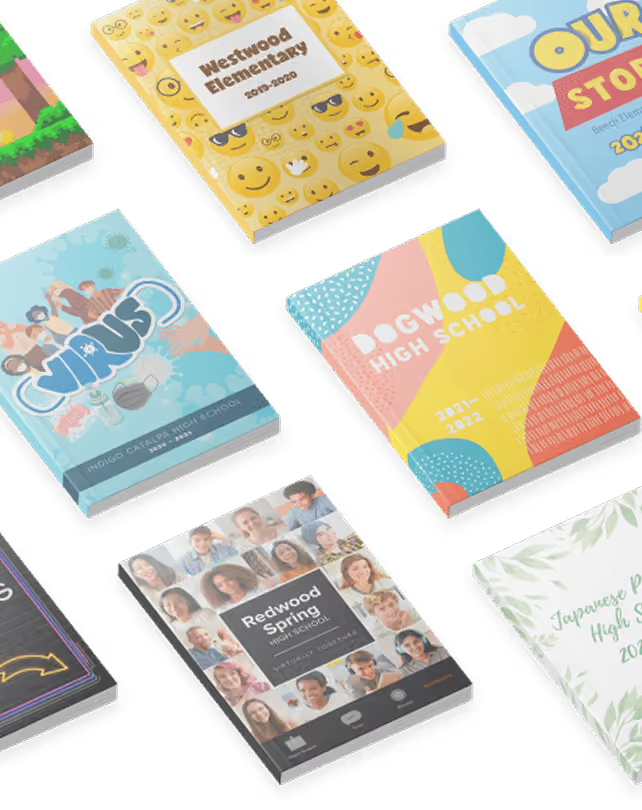
Though we have hundreds of professionally designed themes at your disposal, including our Heritage Collection, we won't limit your creativity. Hold a yearbook cover contest with your community; let your students decide what it should be. Ask your art class to come up with something representative of your year.
Sustainable memories
In today's digital age, where everything happens on screens, it's amazing how a high-quality yearbook can seem so... special. We print better than HD quality photos on our 100 lb, sustainably sourced paper stock. Because we care about both the quality and global impact of the yearbooks we create.
Bound to hold your memories together for lifetimes
All our yearbooks are bound with PUR Perfect adhesive to hold each page safely in place for a lifetime. Both hardcover and softcover books will stand the test of time. What's more, our softcover binding doesn't crack when you open it, meaning you can add your school name to the spine to make it look great on the shelf.
Moments are over in seconds, but memories—and your Treering yearbook—will last forever.

Treering's easy, yet powerful yearbook design software
Making a yearbook is a lot of work, but it can be fun too. We built our yearbook software to take away as much of the hard work as possible, so you and your yearbook staff can focus on the fun stuff. No more fighting with changes in portraits or keeping track of yearbook purchases; whether it's making your yearbook, managing your yearbook staff, or collaborating with your community, we eliminate the pain so you can focus on capturing your school's year in a beautiful yearbook.
Manage your yearbook program like a pro
Call it your very own mission control. Right from your dashboard, you can see who has purchased and who hasn't. See a running total of how much money you have raised for your school throughout the year.

Work from anywhere
For the parents in your community who are on the go, they can do everything from their mobile devices. They can add photos to your community's shared folders, design their student's custom pages, and purchase their student's yearbook while waiting in the pickup line.
Assign roles and permissions to your yearbook staff
Grant some users an all-access pass to your yearbook by making them the Chief Editor, or limit their responsibilities by making them a Staff Editor or Restricted Staff Editor. Some people on your yearbook team may only need to add photos or edit text, while others need more responsibility. The choice is yours!
Your entire yearbook staff will be able to edit only those pages you have assigned them, making it clear for the editors to understand their responsibilities and easy for you to manage in one place.
Make suggestions and share ideas on each page within the book. Get notified each time you go in to edit the book if there are new notes, comments, or questions to read.
Once a page is finished, the editors of that page can mark it complete. Now you know their progress (and the big picture). Your finished pages are safe from unintended edits.
Keep track of all your students
Treering's yearbook software will automatically build an index for your yearbook. Never again worry about making sure each student gets equal coverage in the yearbook, or trying to make the index yourself.
Never again worry if a photo has been used on a previous page. Or how many times each student is in the yearbook. With Treering you can tag students in each of your photos, and easily see which photos have and have not already been used.
Easy layout creation
Save time and easily create your yearbook with theme-driven, drag-and-drop templates. Powerful tools and an intuitive interface give you the easiest yearbook software you'll ever use.
Auto layout
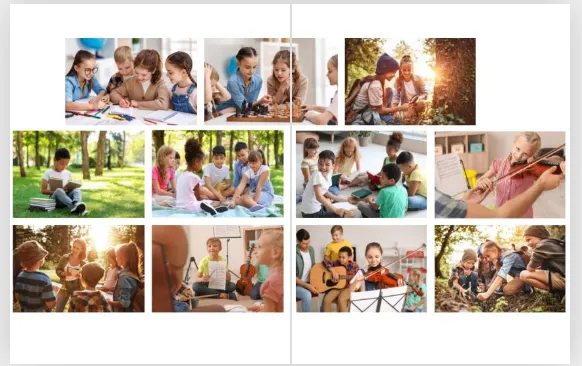
Organizing photos perfectly on a page can be tedious, but it shouldn't be. With Treering, just select the photos you want on a page and our yearbook software will automatically drop them into a beautifully designed layou

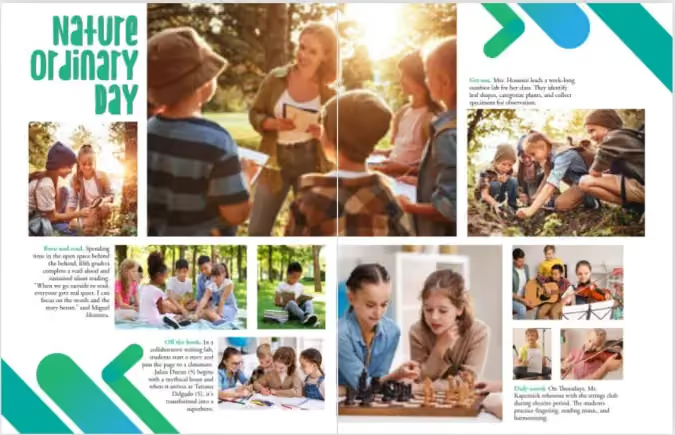
If InDesign is more your thing, no problem, you can upload all the designs you'd like.
Portrait auto flow
Point, click, grab some coffee. Yearbook portrait pages are no longer painful. Automatically arrange yearbook portraits. Customize the page layout. Make changes easily. Boom. Between 40-60% of your book is complete, and if you want to add more content to your portrait pages, you can.
Perfectly aligned photos in a snap
It is nearly impossible to manually ensure each photo is centered and aligned on a page perfectly. We've made it possible by adding gridlines that don't get printed, but make book-building a breeze. If you'd like to make it even easier, you can have all your photos snap to the grid. Oh snap! With this kind of precision, you'll feel confident knowing your book will look perfect.
E-commerce
Raise Money with recognition ads
Set your price per size, and let our yearbook software do the rest. When parents log in to buy the book, they will be given the opportunity to purchase one or donate one. Parents get to celebrate their children, and you get to provide your school some extra money to cover the cost of new cameras, field trips, or whatever you might need.
Online marketing and photo-sourcing
School community involvement in the yearbook is crucial, whether that's making them aware of how to buy the book, help contribute photos, or participate in the annual yearbook signing party, you need your community to be involved. We've got you covered from yearbook sales and online purchases to digital signature capabilities.
Crowdsource yearbook photos
Get more photos for your yearbook by sourcing them from your parents, students, and teachers. With Treering's yearbook software you can create shared photo folders to which your entire community can add photos.
Build your own shared folders for your yearbook staff to use for everything from retakes and doubles to sports and clubs. You can also create a private spot for just you and your yearbook editors rather than the entire community.
Upload photos from anywhere
We understand that all communities store school photos in different places, so we've made sure that our yearbook software will easily allow you to upload from anywhere. Facebook, Instagram? Yup. Google Drive, Google Photos? Got it. Or if you've got photos on your mobile phone or desktop, we can upload them from there too, whatever is best for you.
Yearbook sales made simple
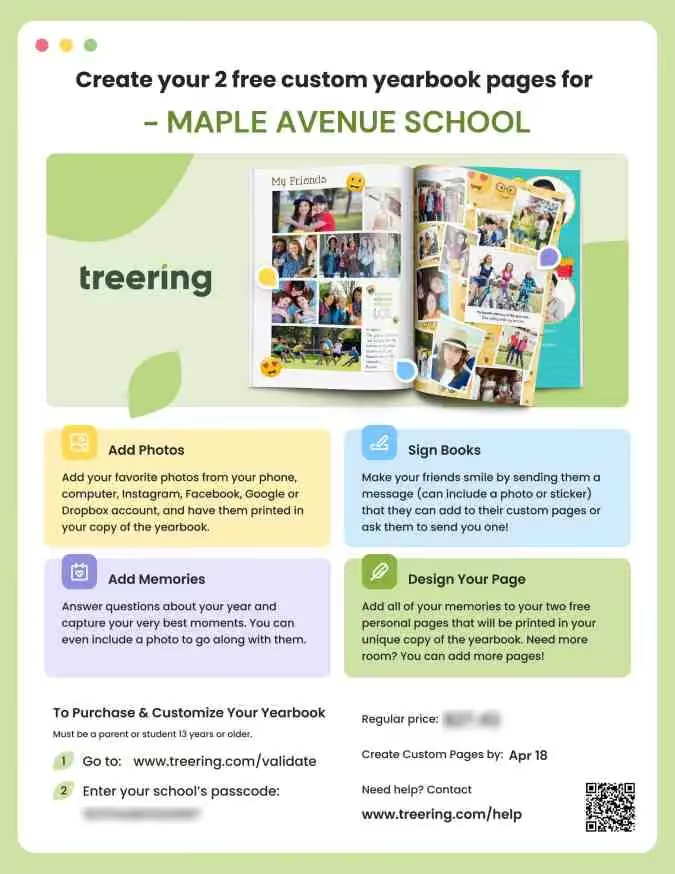
Treering doesn't make your school commit to minimum orders meaning no financial pressure, but it's still something you'll want to do, so we wanted to make it easy. You can add links to your community's Facebook page. You can send emails directly to just those parents who haven't yet purchased. On top of all this, we have a bunch of professionally designed flyers for you to use. If you'd like to have some printed, no problem, we'll do that for free, cause fees just aren't our thing.
Keep your yearbook community accurate
Sometimes students change schools, or a parent accidentally creates two accounts. Our yearbook software helps you keep your community organized. You can quickly merge or separate student accounts, and add or remove students throughout the year as things change.
Even more to love
E-signatures
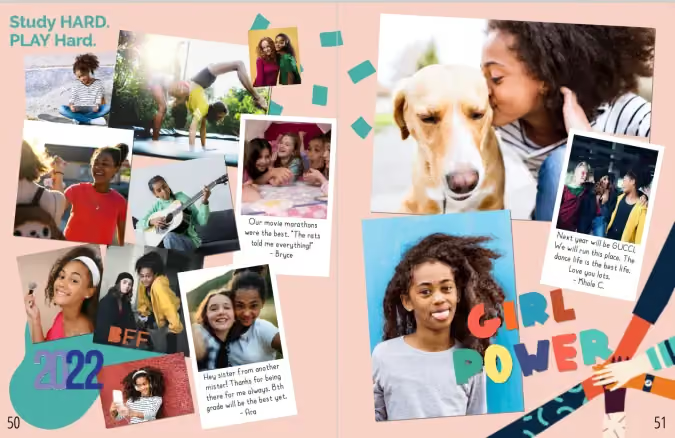
Technology has changed the way students socialize. With Treering's software, students can e-sign their friends' yearbooks with photos and stickers which can be printed on their free custom pages just in their yearbook.
Ensure consistent design throughout the yearbook
Set the theme, photo styles, text styles, and more in one place for your entire yearbook. Define all of it, none of it, or just some of it—whatever fits your yearbook style.
Favorites
With so many professionally designed templates, it could be easy to forget where you and your yearbook staffs' favorite ones are. Simply click the stars on the ones you like and they will all be in one spot moving forward.
Yearbook debriefing: a summer reflection
Now that your yearbook is a wrap and there’s nothing but sunshine ahead, it’s nice to take some time to reflect on your achievement. You may not want to spend all summer analyzing your yearbook (and who does?), but here are some quick "yearbook debriefing" tasks to help set yourself up for the new school year:
Bask in your success.
You did it! We hope you feel accomplished, proud, and gratified. First and foremost, this is the perfect time to round up your team to celebrate a job well done. Whether it’s a picnic in the park, a backyard super soaker battle, a trip to a local amusement park, or a pizza party at the pool, gathering everyone together is a great way to close this chapter (pun intended!).
A shared celebration is a morale boost, a “thank you,” and a fantastic way to show everyone how fun yearbooking is as you ride that wave of camaraderie into the upcoming year.
Solicit and evaluate feedback.
Whether utilizing an informal compilation of comments or a more formal survey or meeting, it’s helpful to evaluate the yearbook from the experience of your school community. This process can include everything from design and content to distribution and will be invaluable during your yearbook debriefing.
While we all would prefer kudos to criticism (here are some tips for dealing with complaints), your audience's honest feedback is crucial to improving and enhancing your yearbook program. Additionally, considering suggestions and allowing people to feel heard goes a long way toward creating a solid yearbook culture.
Analyze growth opportunities.
When doing your yearbook debriefing, looking for ways to refine your process is essential. Did you and your team encounter any challenges building or marketing your book? Can you enhance your collaboration process? Is there room for improvement in your workflow or organization? If your timeline proved challenging, have you considered a company that allows you to control your deadline?
Lay the fall foundation.
Remember to take a few minutes to set yourself up for fall success by verifying details with your publisher (e.g., logging in to confirm your account for next school year). And if you would like to spend some time planning for your next yearbook over the summer, here are three steps to kick off another fantastic year of capturing your school’s spirit. Here’s hoping you can do all your prep work poolside!

4 ways to simplify yearbook creation
At a recent PTO event, we handed out eye masks that said, "No more yearbook headaches." Yes, it was the hottest piece of swag there, and more than that, it was a promise: Treering exists to simplify the yearbook process by leveraging technology.

1. Use templates
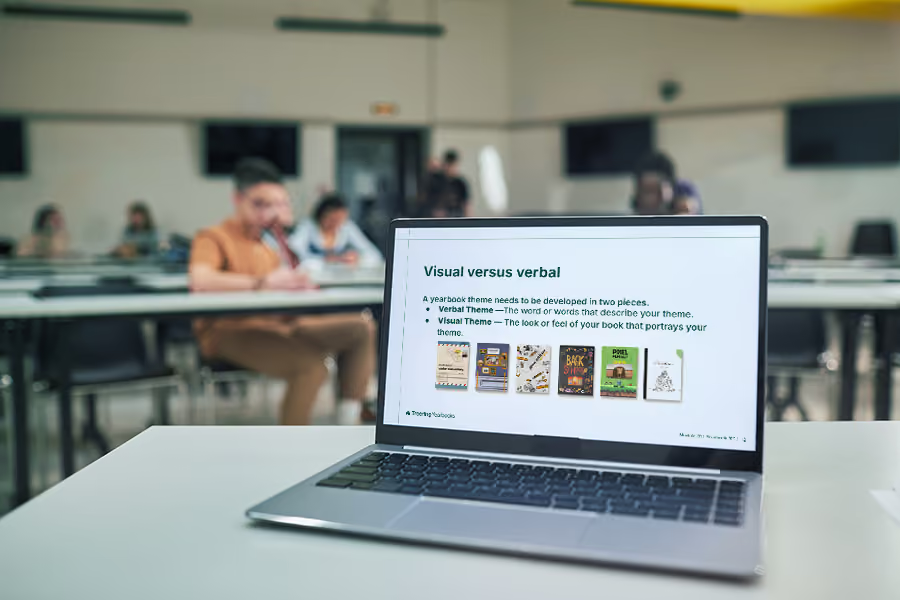
Templates are drag-and-drop designs for yearbooks. Generally, they have frames for photos and may contain text boxes and other design elements. Yearbook staff, often parents and students with varying degrees of design experience, can quickly learn to use templates. Not only does this speed up the yearbook creation process, it also keeps the books looking unified.
Theme packages contain coordinating fonts, art, and page layouts. You can easily build a book using page templates for sports, events, and classroom activities.
Select a theme for a whole book look. Templates can often be matched to school themes, colors, and mascots with a few clicks, ensuring the yearbook reflects the school’s identity without extensive custom design work.
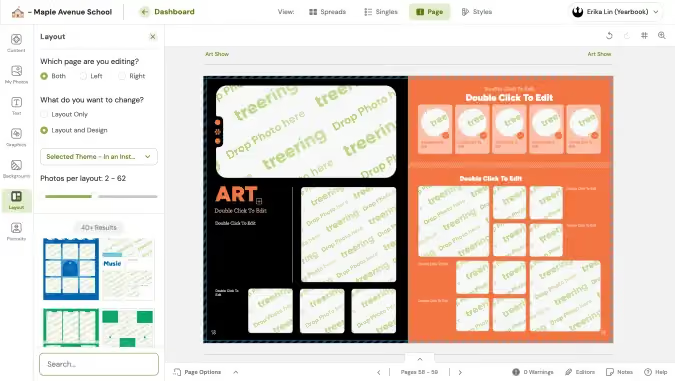
Eliminate decisions on bleed, spacing, and typography with professional designs built into your yearbook software. With these design elements already decided, the yearbook team can focus on gathering content.
2. Shared photo folders
Crowdsourcing allows individuals to submit photos from events, activities, and everyday school life. It’s the POV for which we all clamor on social media. When students and staff contribute their photos, they also feel a sense of ownership and pride in the yearbook, making them more likely to purchase the yearbook.
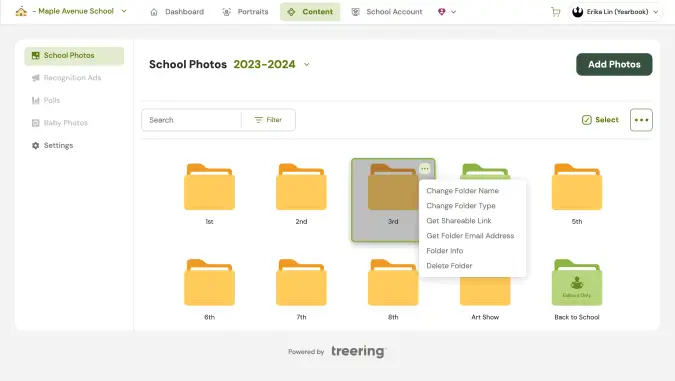
By opening up submissions to the greater school community, you also create a broader representation in the yearbook. Allow continuous contributions throughout the year to keep the yearbook team updated with recent events and activities. For best results, do a timely, specific ask to fill your shared folders. If the field trip is Friday in September, get the word out before October.

3. Choose digital
Digital printing helps streamline yearbook production. With a fast turnaround, it grants more time for design. Additionally, print-on-demand offers the flexibility to accommodate last-minute orders. (We busy parents thank you!)
Print-on-demand also simplifies things by eliminating inventory management. No extra books means no summer flash sales or hitting up the alumni association years later. This method is cost-efficient for smaller schools as well. No minimums mean no set-up charges.
The best part: digital printing makes it easier to create one-of-a-kind yearbooks with custom pages.
4. Offer personalization
With Treering Yearbooks, parents can add two pages full of their memories—like vacations, milestones, or hobbies—to their child’s copy of the yearbook. When students look through their yearbooks, they will find their memories and their photos alongside traditional yearbook pages. Each copy is unique.
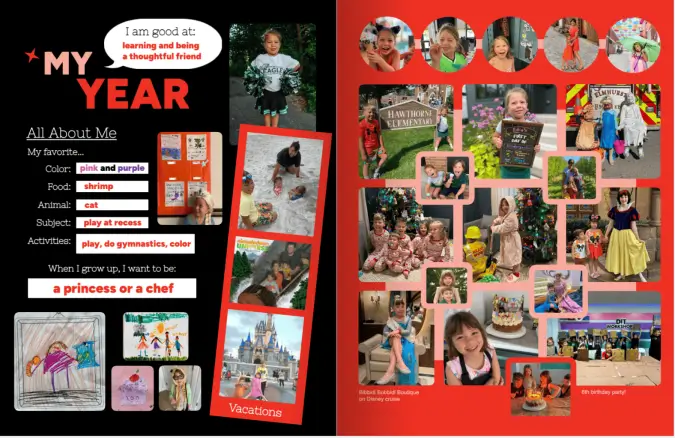
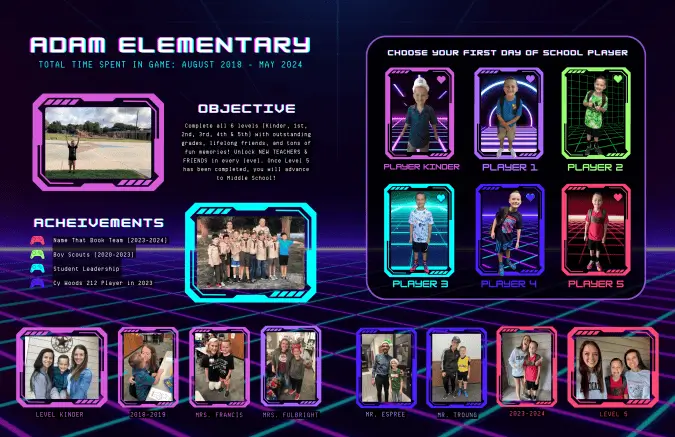
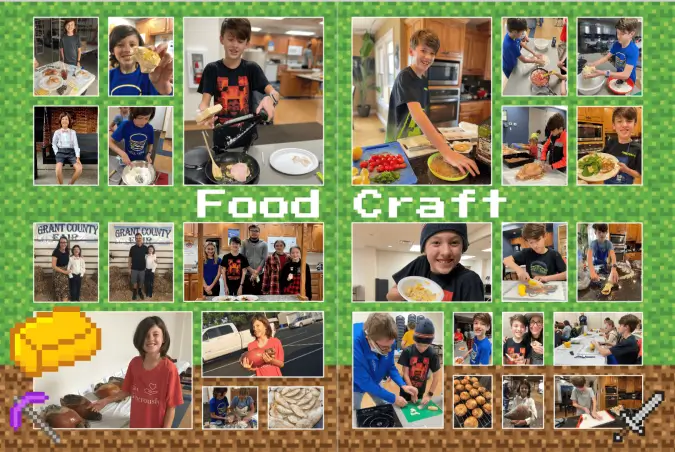


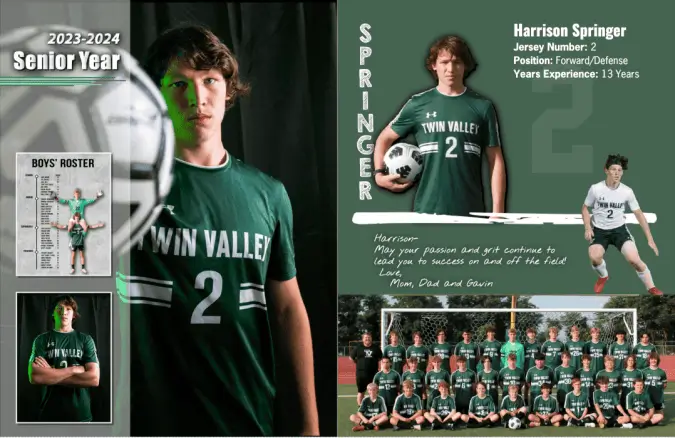
Parents can add those personal touches using integrated online design options for recognition ads and custom pages. (That’s one less thing for the yearbook adviser to do!)
Like crowdsourcing, customization creates coverage. It celebrates each child’s involvement in school and out.
Templates, crowdsourcing, digital printing, and personalization relieve many of the challenges associated with traditional yearbook production. These innovations reduce costs and save time. The result: a high-quality, personalized, and inclusive yearbook that accurately captures your school’s experience.

8 things to include in your yearbook
Scroll through your yearbook ladder and try not to panic at page after page of emptiness. To help with planning, we compiled this list with the understanding that you would have the meat and potatoes of a yearbook:
New at this? Pick one or two to include in this year’s yearbook. As your tenure as an adviser grows, so can your repertoire of things to include.
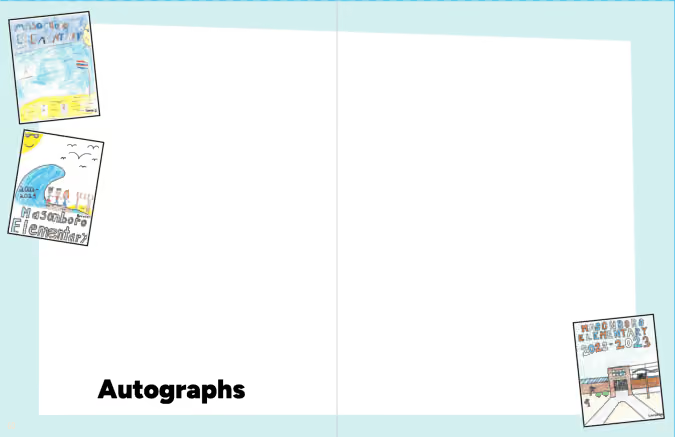
1. Autograph space
This is why we throw yearbook distribution parties. It’s why we wait until the last vote is counted in the ASB election and last ribbon is awarded at field day. Three weeks after clicking “I’m Ready to Print,” boxes of books magically show up.
Autograph pages are easy to include in your yearbook: you use a pre-made template or design your own. It doesn’t have to be fancy.
2. Table of contents
This is the most underrated spread in the book, a table of contents is the must-have launch pad for the reference book that is your school annual. It’s also something that can take a few clicks to create, if you’re using a Treering theme.
3. Collage layouts
Many times, we see upwards of 60 photos slapped on a spread with no layout structure. The number of students covered is overshadowed by a chaotic layout.
PSA: Just because Treering offers layouts with up to 65 photos, doesn’t mean you should use them. Every student should be recognizable. Aim for their faces to be the size of a dime.
4. Superlatives
Superlatives—is Greg Heffley the only one who calls them “class favorites?”—are yearbook awards based on student surveys. These “Most Likely to…” awards highlight standouts.
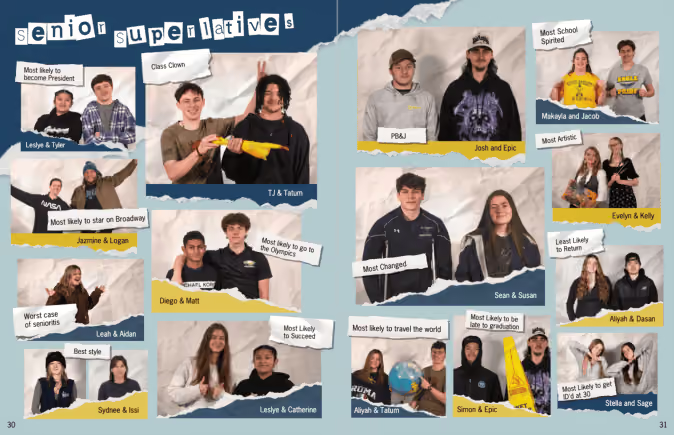
Check out our list of 100 superlatives focused on creativity, character, and community contributions.
5. Year-in-review spread
Unless your yearbook is chronological, including a year-in-review spread is a way to increase storytelling. It gives a holistic overview of the year, both in and out of school.
School-level
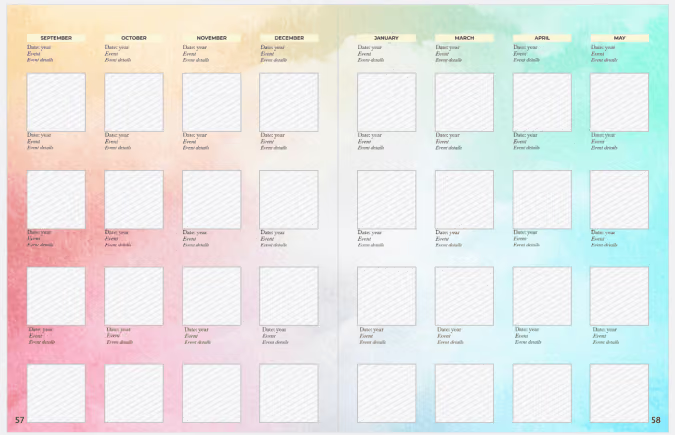
A designated school year-in-review spread can feature images from events throughout the year, giving an overview of the activities and achievements across campus. Many yearbook creators love to use them for photos that may not have “fit” anywhere else or as a way to cover different students from saturated events pages.
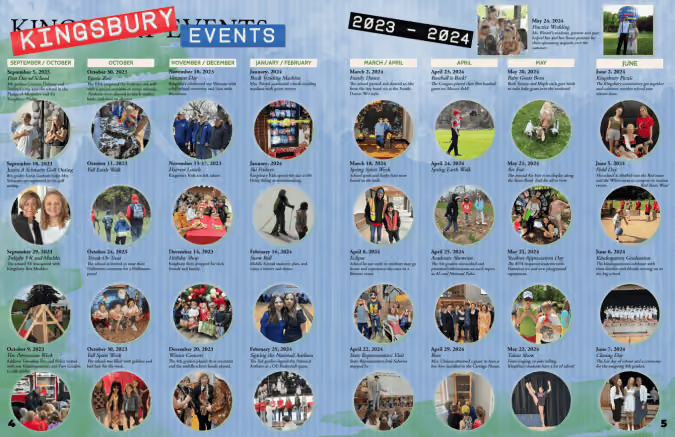
We adapted it. Search "calendar" under "all page templates" to include this in your yearbook.
World-level
Some schools include what happens beyond school walls on a year-in-review spread. To do this quickly, use Treering’s pre-designed one.
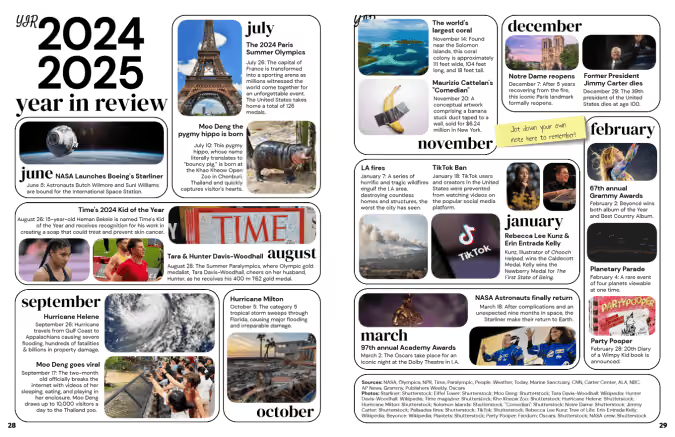
Yearbook classes and clubs that want to create their own should
Keep in mind: if your year-in-review pages include celebrities, logos, photos someone on your staff did not capture, even in educational yearbooks, you may run the risk of copyright. The Student Press Law Center has a digestible guide on fair use for student media.
6. Storytelling photos
Both classroom moments and hallway hangouts show student life on campus. It’s important to include candids, academic photos, and even lunchtime snaps to balance posed portraits.
7. Content on portrait pages
Another way to break up posed portraits is to include content on portrait pages.
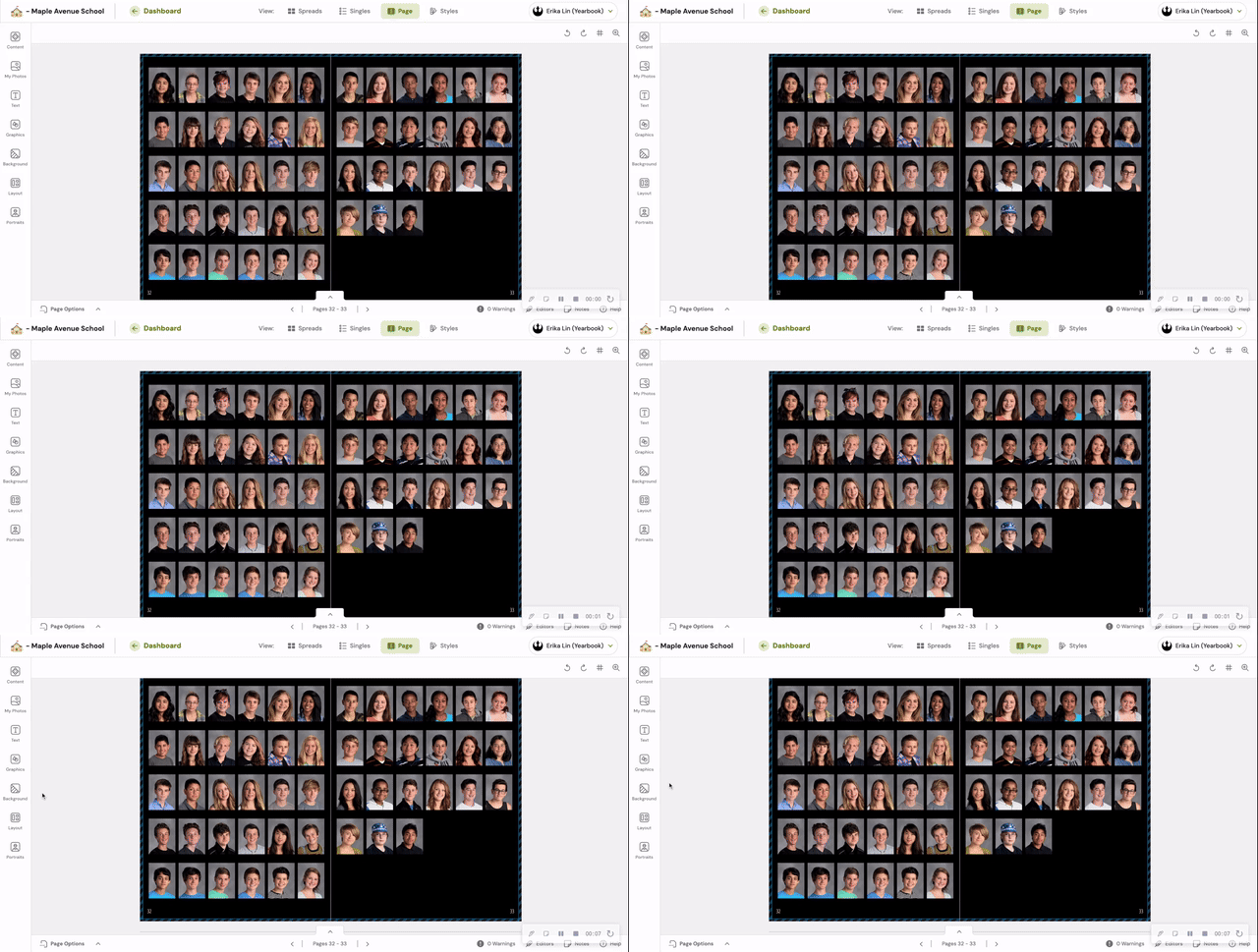
Shrinking your portraits to free up space for storytelling photos or even feature coverage, deepens your coverage and adds value to class pages.
8. Stories and captions
This is last on the list, not least on the list. Regulars to the blog have seen this charge before: If there is no writing in your yearbook, add captions.
Master them. Then, include expanded captions. Then, body copy.
No matter your team size, you can include extras in the yearbook that elevate it beyond a photo album and make the difference between a book that gets browsed and one that’s cherished.

Artificial intelligence (ai): assuring safe memories
As Artificial Intelligence (AI) inspires nearly all facets of daily life, today’s news focuses heavily on buzzy AI tech like the ubiquitous ChatGPT. From improving the travel, automotive, and healthcare industries to monitoring coral reefs, the benefits of AI seem limitless. (You can even ask for curated movie recommendations!) The yearbook world, of course, is no exception.
Treering’s in-house engineers constantly strive for ways to improve and innovate the yearbook experience for everyone involved, and our AI-driven content review process is doing just that. Here are some ways employing this exclusive technology has helped protect cherished memories for the past several years and counting:
Streamlining the review process
One yearbook challenge editors are all-too-familiar with is ensuring that inappropriate content doesn’t make its way onto pages (or worse, the news).
To solve this, Treering implements our automated AI review pipeline before going to print. This process efficiently moderates a book’s content across a network of computers that wield industry-leading and constantly evolving computer vision.
Free time for editors
Treering’s AI can swiftly and accurately analyze vast volumes of data (1,430,921 pages year to date, in fact!), flagging them as necessary for review and follow-up. This process allows teams to focus more time and attention on tasks that can’t be automated, like matching students with a stellar list of yearbook superlatives.
Offering the best of both worlds
Of course, the human component remains a vital part of the yearbook review. (Treering loves a good collaboration!) In addition to utilizing AI, we employ staff dedicated to this process.
When teams combine Treering’s content review procedure with other proofing tools, such as our free printed proof, schools can relax, knowing they’ll immortalize the best possible yearbook version.
The applications of artificial intelligence are plenty, and Treering is proud to pioneer its use to proactively benefit schools by making it easier and safer for students and families to capture life’s memories.

How to bid a yearbook
School finances are tough. Compound that with murky yearbook invoices, and you’re left repeating, “I don’t know,” when meeting with the school finance clerk. Between boxes of “extra” yearbooks that will sit in a storage closet instead of a student’s shelf and a final invoice amount that differs from the initial bid, it’s a pain.

Many yearbook creators tolerate vague yearbook pricing because the thought of going publisher shopping is a worse evil. It’s not until we hit our breaking point with one of these:
Yes, it’s a memory book, and it gives all the feels. One of those feels shouldn’t be a burden.
Understanding itemized bids
Shipping, art fees, camp costs, and proof charges may appear as line items on a final invoice. They don’t always appear on yearbook pricing proposals. That’s why you must be proactive when soliciting different yearbook publishers for a bid.
Pro tip: include your current publisher in the bidding process.
The timeline: when to look for a new yearbook publisher
It will take about a month or two to complete the bidding process. Beginning is simple: define your needs and non-negotiables to share with each publisher:
Allow two to three weeks to evaluate the bids, ask clarifying questions, and get everything in writing. Align this with your school’s budget process for best results.
The bid: what to expect when you’re expecting
The scope of your bidding process differs if you are shopping for a single school vs. a district. (More on district bids below.)
Schools should consider specs, staff needs, and budget when soliciting bids. Your bid should include
Add it all up and divide by your contracted minimum for the per-book price. Oftentimes, these costs of doing business increase your core book price by $2-12 each. And if yearbook math wasn’t your college minor, there is another way.
The Treering difference
When yearbook creators receive a bid from Treering Yearbooks, it includes a per-book price with no minimum order. The core book price is based on cover finish and page count. It includes:
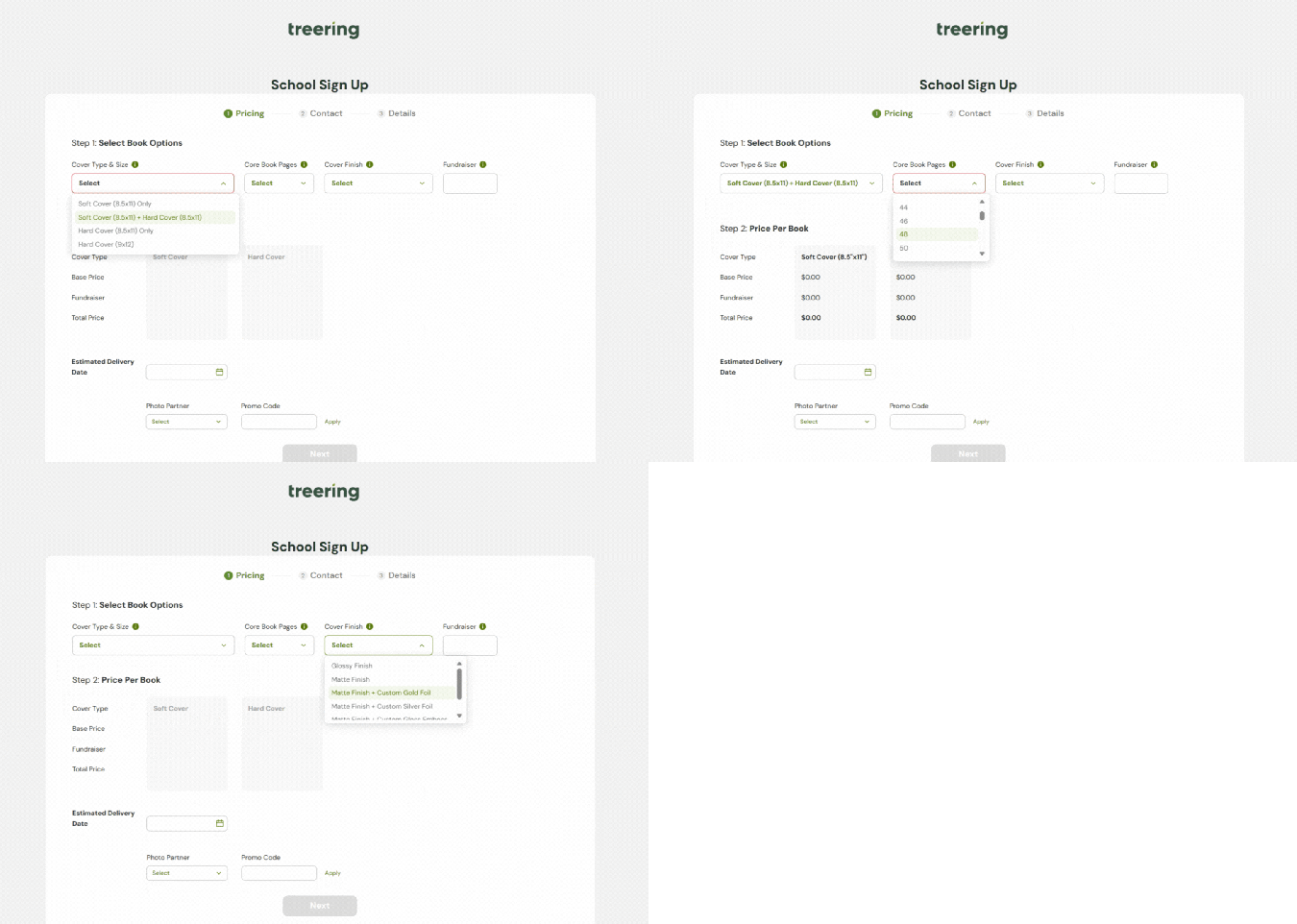
That’s it.
How to evaluate yearbook bids
It’s safe to say most yearbook companies will look fab on paper (or spreadsheet). Resist the temptation to choose on price alone. By personalizing the process, you position your yearbook team as the leader. Your publisher should work for your program.
1. Talk to other users. Each company should provide you with three users from a similar situation. Consider size, quantity of yearbooks ordered, and staff structure. Not only will you hear individual experiences, but the synergy of the reference will show whether or not the publisher understands your situation.
2. Do a trial of the software. Spend an hour playing with any proprietary software tools. Are you able to create a sample page? Do you know how to find self-service help?
3. Define your publisher support team: who helps with technical questions, how you find design inspiration, and who is training your team. If you have an individual servicing your account, define the role your rep will play and how you expect the rep to support your yearbook creation process, including expected response time.
Finding the right fit for your campus will take time. Trust us: it will be worth it when you have your Cinderella moment.
Navigating an RFP
Those who represent a larger group have purchasing and negotiating power. Learn the requirements in your district or state before you solicit bids. You may not even need to bid because your school may have more flexibility than you thought. Or, if there is a purchasing cooperative in your region, your school may be able to piggyback on a neighboring contract.
If you are managing a bid for multiple schools, create an itemized list for each site's individual needs. For example, a high school may want a hardcover 9x12 book, and an elementary school may want to offer hardcover and softcover 8x10s.
Treering works with each district’s process, whether it’s co-ops, POs, invoicing, or vendor approvals. Each RFP is customized to the needs of the schools within the district. (We’ll leave the templates for easy yearbooking design.)
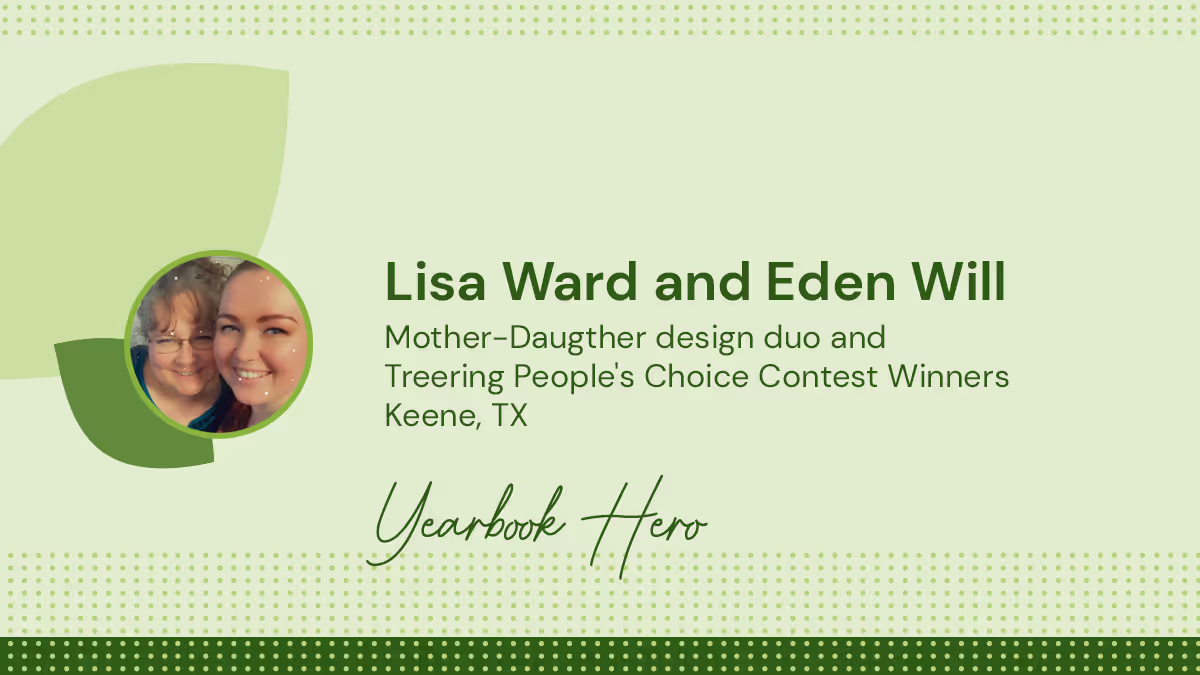
Yearbook Heroes Lisa and Eden remind us what matters most
Treering Yearbook Heroes is a monthly feature focusing on yearbook tips and tricks.
As a staff member at Sycamore Academy, an online school, Yearbook Hero Lisa Ward had yearbook experience. She’s a self-proclaimed pro at the literal cut-and-paste, handcrafted memory books. As a first-year Treering user, she was excited to see students come together virtually to craft and sign each other’s books. With her daughter, Eden, she spent hours looking through templates and art in the Treering library to spark an idea for her own custom pages. The end result was the winning combination of mother-daughter talent, as Eden Will (“She’s the artist,” said Lisa) stepped in to help her mom create an entry for the People's Choice Custom Pages Design Contest.
Traditionally, custom pages put an additional spotlight on one child. Tell me about putting the spotlight on your support system.
Eden: Mom asked for help.
Lisa: Eden drew out the layout.
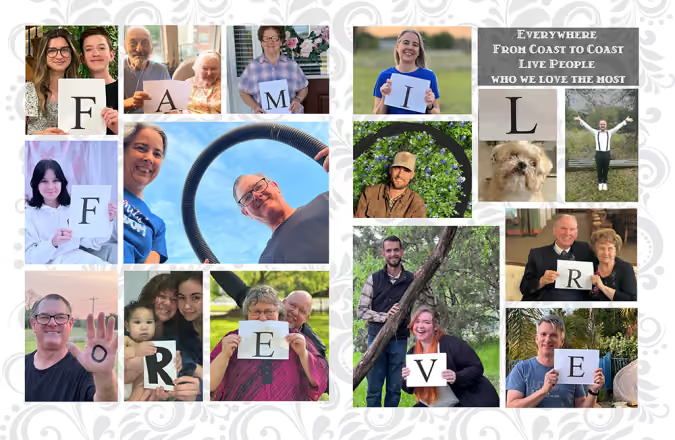
Eden: It was a snapshot of the family for the year since we don’t have albums. My cousin just had a baby and now we have a record of this moment in our lives. We have family from CA, to MI, NC, different parts of TX, and OK. After it was finished, we ended up editing it for the participants to include their families so they had their own version. They’ll print for their families.
Why do you think the message of “Family Forever” resonated with hundreds of people on social media?
Eden: That was pretty awesome. The resonating thing is that we reached out to family we don’t always get to see. And they were all interested in being a part of this. It is so hard to get everyone together. The last time I saw everyone together was at my wedding. It was cool to collaborate virtually and make something that will last. Other people found that touching. We live in such a spread-out world.
Lisa: You get the occasional family settled in one place. Technology brings us together.
Eden: We participated in it, even though we weren’t physically together. It’s like we worked together to be together.
What value do custom pages give you?
Lisa: It’s especially helpful for our school. As an online school, we try to get pictures of people during spirit week wearing hats or different colors. We don’t have pictures of kids interacting because we are online. The custom pages help each parent take each and make it their own.
Eden: Even though she’s not a parent of a student, she was able to make it a memorable for this moment in time to make it personal for her.