.svg)

Coverage tips
Looking for inspiration, design tricks, how to make a great cover, promoting your yearbook and engaging your community?
Most recent

Fall crowdsourcing ideas for student & classroom photos
Starting and finishing strong isn't just for marathons (although advising yearbook sure feels like one at times). The fall months are ideal for beginning the momentum for your yearbook program. From building your team to selecting a yearbook theme, the fall is an ideal time to begin working alongside your school community. Fall in love with these tips to crowdsource more yearbook photos during September, October, and November.
Fall celebration photos to crowdsource
Use the fun “National Holidays” to create dress up days, activities, or even sidebar coverage for your yearbook. Libraries and DEAR Time can be the focus on September 6, Read a Book Day. Photographs of students with their stuffed friends on September 9’s National Teddy Bear Day make for a cuddly sidebar that pairs well within a classroom PJ Day. And let’s face it, nothing says volunteer and teacher appreciation like National Coffee Day on September 19!
Some other fall holidays to use when sourcing photos include:
- World Smile Day on the first Friday in October
- National Coaches’ Day on October 6
- National Reptile Awareness Day on October 21
- National Sandwich Day on November 3
- National STEAM Day on November 8
- National Education Week during the week before Thanksgiving
STEAM Day on November 8 is an opportunity to show students collaborating and also gather the whole picture (pun intended) of a project from ideation to completion!


Source POV photos
Social media continues to be a steady stream of photographs and posts from the perspectives of parents, staff, and students on your campus. Commenting, “May we use this in the yearbook?” is a way to build excitement for the book and encourage a student whose photo is truly worth sharing beyond their social feed. Some Treering schools promote a hashtag that equates reprinting permission and also makes it easy to search for images.
Using photographs sourced from parents, staff, and students adds a layer of authenticity to your yearbook because it involves new perspectives. Consider crowdsourcing photos from
- Fans at athletic events
- The cast and crew of the musical
- Art students and their in-progress works
- Two students snapping the same event, from different angles
- A period of time, such as the prep hours before the Homecoming dance
As always, a call to contribute to the yearbook is also a call to purchase a yearbook. Use these fall events as opportunities to sell yearbooks as well.

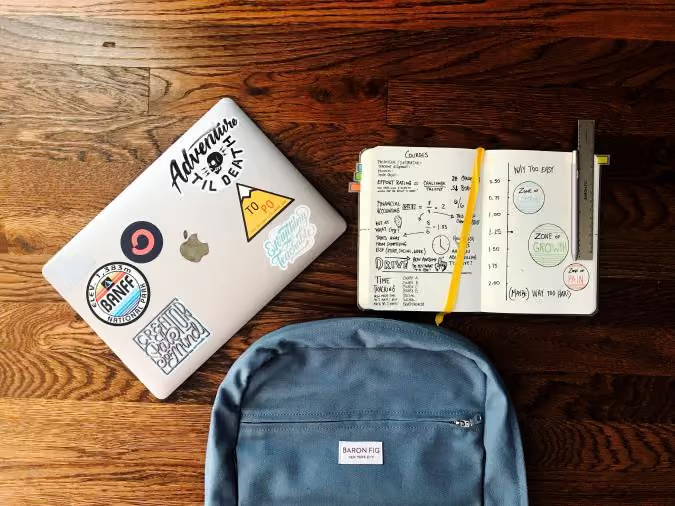
Partner with classroom teachers to source yearbook photos
There are those record-keeping, awareness-raising, champions of academia on campus who photograph student activities. Those are the teachers with whom to connect. (For every teacher-storyteller on your campus, there will be one overwhelmed with the idea of one more thing to do. Know your audience.)
Classroom photos don't always have to be posed group shots of students. Classroom photographs can also include workspace photographs. Flat lays of student and teacher desks or open backpacks offer insight into personality, workstyle patterns, and any quirks. This is also a way to feature those camera-shy campus personalities.
Some teachers choose to incorporate photography in their lessons. You may use the results as a way to showcase student art and cover classroom happenings.

How do I get sports pics?
How do I get sports pics?
Away games in different countries or states. Middle school or underclassmen who cannot drive to away games. “Official” team photographers who do not play nice in the sandbox share snaps. Schedule changes… and no one tells the yearbook staff. Matches sometimes begin while school is in session. You cannot be everywhere. If any of these are why your sports coverage isn’t your ideal, try crowdsourcing sports photos.
We have some actionable advice on how to get sports pics and the email copy a Treering adviser uses each season to successfully obtain photos from coaches.
Crowdsourcing increases equity
Diverse perspectives improve storytelling.
Confession: the idea of non-journalism students having photos in the book was “cringe” to me initially. A junior named Victoria challenged me when we adopted a storybook theme. She wanted to add six Instagram photos to each spread to show all the stories on campus. We created a submission hashtag. From an opossum who raided the football team’s bags before a two-hour commute to the dance company’s trip being rained out at Disneyland, the yearbook team acquired stories that normally wouldn’t be in the book.
Fast forward a few years, and a friend drops this truth: “If you want your book to look like your school, your school needs to help you build your book.”
Set up a submission system
If necessary, provide a checklist for photo submissions, including preferred formats, resolution requirements, and what types of moments to capture. Most newer cell phones—aka the ones everyone but my kid has—take good enough photos for including in your yearbook. Communicate your asks using social media, newsletters, and direct communication to inform the school community about how and where to submit photos.
[Image: shared photo folders with dropdown menu]
Caption: Editors can create shared photo folders so teachers, parents, and students can email photographs from their devices directly to the yearbook folders.
What does your school use to share files and folders? Tap into that existing system with Treering’s crowdsourcing tools. In addition to shared folders, Treering also has DropBox, Facebook, Instagram, and Google Drive integrations.
Before each sport season:
Connect with the athletic director to outline your plan. Ask for schedules, rosters, and coaches’ contact information. If you do a picture day for all the teams (I highly recommend it), use this time to coordinate dates and times.
Introduce yourself to the coaches individually. Make sure they each know any deadlines you have or scheduled team photo dates. Give them direct access to submit photographs for the yearbook. If relevant, introduce the students who will cover that team.
Reach out to parents. Parents want to know if their child will be in the yearbook. Give parents the info to submit photos and give them a few ideas of what you want. Chances are there is a parent in the stands with a DSLR snapping away.
During each sport season
Communicate Often. Please do not wait until the end of a season to send a “We have no photos of the X team” message. If you have no coverage two weeks into the season, it’s time to b-e-a-g-g-r-e-s-s-i-v-e!
- Have your photographers pass out info to parents with cameras at the game (Bonus: if your photogs are present, you will have coverage. Phew!)
- Resend links to shared photo folders the night of a game to parents
- Try the email strategy below
The email to coaches
Yearbook adviser Kristie M. communicates regularly to the boosters and team parents to get the photos she needs. At the beginning of the season, she sends info on shared folders to each.
She also works with the athletic director at her school to connect with team parents. The AD sends the email below mid-season to the parents of players.
[Image: mock up]
Four reasons it works
With the right amount of positive peer pressure, Kristie creates FOMO while giving parents a pathway to participate. It ticks all the marketing boxes.
- It’s an easy ask: there’s only one “deliverable,” a team photo.
- It’s a timely ask: all the basketball teams have weekend games and students will be in uniform.
- It’s a specific ask: Kristie identifies which teams are missing and provides a link for parents to submit photos.
- It’s a targeted ask: only basketball parents received this email.
To read Kristie’s full email and adapt it to your school community, click here.
It’s more than sports
Groups such as the marching band, poms, cheer team, and spirit squad, among others, are also at these sporting events. (Heck, sometimes the band is bigger than the team!) Include them in your sports coverage by doing a Friday night timeline that begins with ASB and the facilities team setting up and ends with post-game traditions. Create opportunities for parents, sponsors, directors, and group members to contribute the same way you did for sports teams. Incorporate a way for fans to add crowd photos.
Again, multiple perspectives improve our storytelling.

Classroom photo tips
Confession: academics photos used to be my least favorite. There is so much glory in snapping an action shot from a soccer game—those are the photos that bring the likes and shares. Well, what if we approached classroom photos the same way? Using the tips below, your classroom photos can be just as exciting.
Tip #1: Focus on the reaction
Miley was right: it's the climb. When we showcase the day-to-day, it provides meaning. A-ha moments, in-process projects, and brainstorming sessions are just as important as the end results. Have your camera ready for laughter during a monologue or the face of concentration during a science lab.
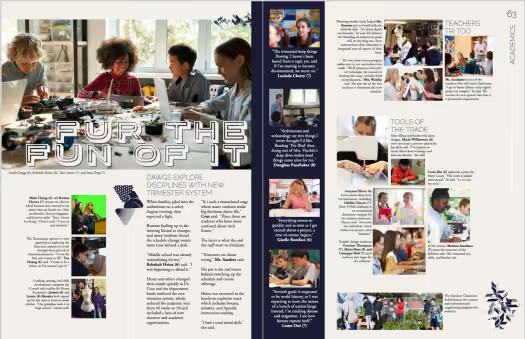
Tip #2: angles aren’t just for geometry
Of the problems with "work" photos is students' faces tend to be pointed at the desk. My yearbook adviser used to say, "Zoom with your feet." Here are some quick ways to do just that.

Use your environment
Desks provide epic leading lines and a captive crowd adds depth and excitement. Above, the combination of depth of field and a crouched position shows the rapport of classroom teachers during an in-service. Use the crowd the next time you are photographing classroom presentations, calendar time, and open house.


Up, up, up, and away
The birds-eye angle (right) shows the same students and adds the intensity of their work by showing copious notes and study materials. The angle works well for groups studying together as well as individual students drawing or reading.
Tip #3: make a list and check it twice
Because you can’t be everywhere, enlisting the help of your teacher comrades is one way to increase both content and coverage. Share this list of ideas with faculty and staff to give them ideas (or else, you’ll be drowning in group shots).
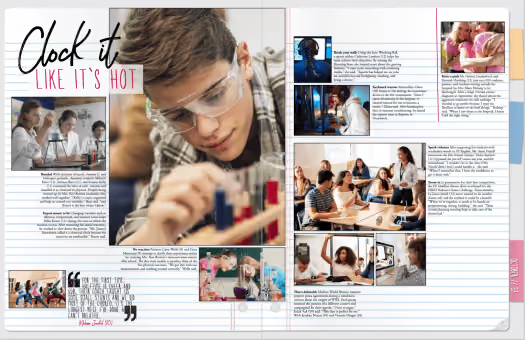
Just like the yearbook represents the entire school community, the academics section highlights the bulk of a student's in-school day. It shows the distinctives of each department. It showcases students’ work. It covers the diverse learners on campus. You can divide coverage by
- Grade
- Subject
- Quarter
Special considerations for including exceptional learners
To paraphrase the Student Press Law Center, yearbooks cannot separate or denote students as members of special education programs because it is a part of their private student record. Always check with your district to see if they have a specific policy.
So, grab your yearbook team and get in the classroom to apply these photo tips. Your academics section will thank you.
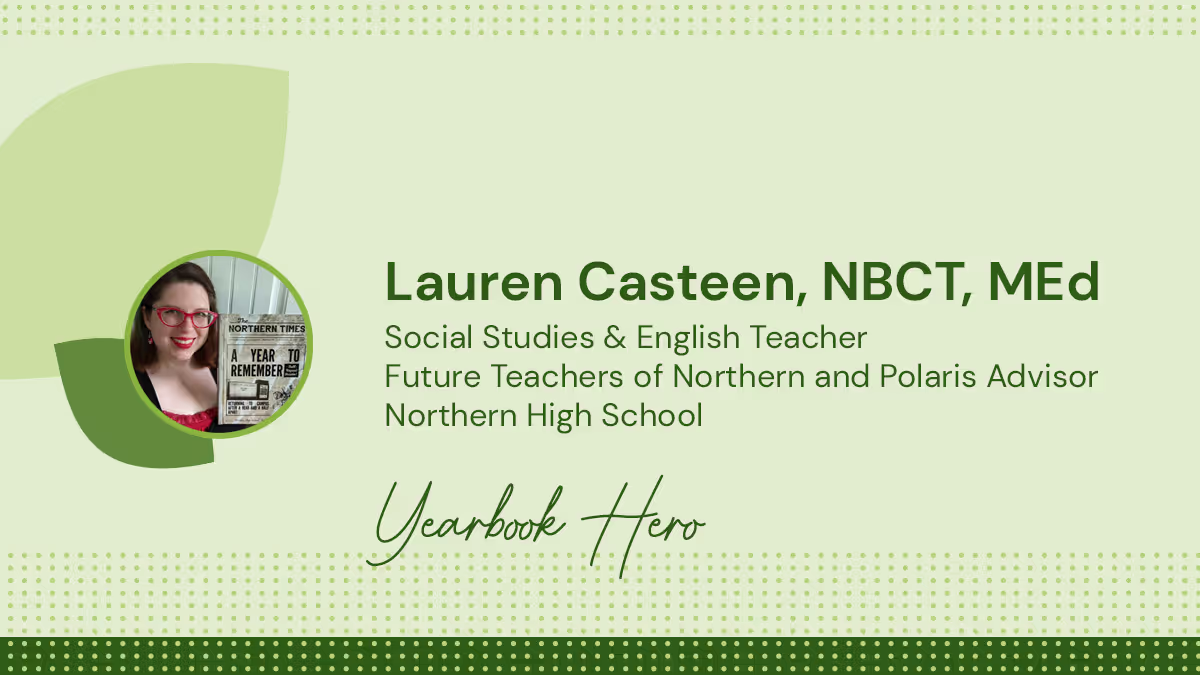
Yearbook hero Lauren Casteen focuses on equity
Treering Yearbook Heroes is a monthly feature focusing on yearbook tips and tricks.
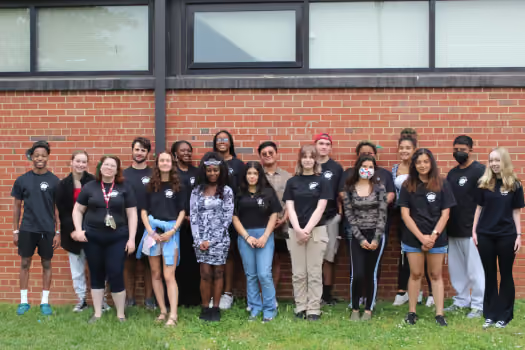
Yearbook Hero Lauren Casteen decided in kindergarten if she were a teacher, she could go to school every day. Her passion for diversity, equity, and inclusion transformed her approach to teaching yearbook class: instead of recruiting the top 20 students to create a book about their friends, she built a team that reflects the students whose stories they tell. In 2022, Lauren earned an M.Ed. in Urban Education with a certificate in Anti-Racism. Her pedagogical approach is to lead the yearbook class as a public history course where the goal is to accurately and thoughtfully record the history of Northern High School.
Why should someone buy a yearbook in 2022?
As a historian, I like knowing that there is an artifact. Our yearbook students are telling future generations, “We were here!” It is something future scholars will study. Furthermore, our yearbook students have written and published something. It matters.
So much of our memory-keeping has become digital. I have 500 pictures on my Instagram, but it doesn’t compare to having something to physically go through. Digital doesn’t create a reverence for your memories.
How do you address issues of equity with the yearbook?
When I inherited the yearbook program, it required a written application with teacher references. It limited the type of students who could apply. Now, any student can sign up regardless of grade or ability level. I run a discipline report prior to scheduling anyone in my class and have one-off conversations with students [e.g. history of truancy] as needed.
With yearbook, there are many places where different kinds of students can be successful, and I want a committed staff that is representative of the student body. We are a majority non-white, Title 1, semi-urban school. Students of all educational abilities and language backgrounds roam the halls. The yearbook class should reflect that.
And you sold out three times.
Yes! I had to do a second order and had to open up sales to with the ship-to-home option.
What made the Knights want the yearbook?
The yearbook staff evaluated last year’s yearbook: we found out it covered mainly the juniors and seniors. It was also very white, when the school is very diverse. We resolved to make it look like our school.
As a school that is committed to equity, we can’t do that if we don’t know who is in the book. Since the yearbook is a historical document in the most faithful way possible, our team tagged and tracked coverage. And since my staff cannot be everywhere all the time, it is important for other people to send us things.
How did you crowdsource content?
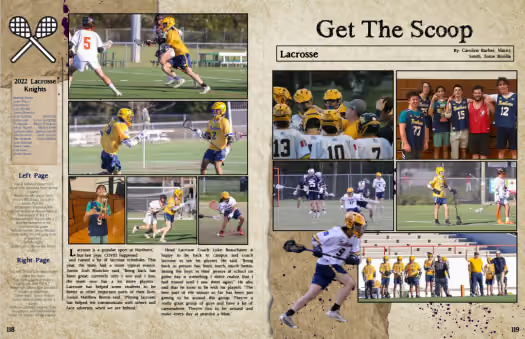
I started with the teachers. I recorded a tutorial and emailed it, asking them to send us photos for the yearbook. The chorus and outdoor ed faculty were early adopters. I even taught the lacrosse team how to share photos via the app when they were headed to Wilmington for a game.
On our yearbook Instagram, we post sneak peeks. Someone commented that the outdoor ed page looked good. We responded, giving credit to the teacher. This created a buzz and now some teachers have a student classroom photographer to put ownership and responsibility on the kids. It also makes them want to join the yearbook staff.
Students like that the app talks to their Instagram; teachers like that it connects to their Drive.
What does the fall look like for the team at Northern?
I have 70 students signed up for the yearbook class for the 2022-23 school year. We are excited about this year’s book, as it will be the last book we’ll produce in our current building—we’re moving to a new home next year!
Pages to put in the yearbook
It’s go time: a blank yearbook ladder is in front of you and you need to know which pages to put in the yearbook. Do you take a chronological approach and cover events as they happen? Or should you create a sectional yearbook and handle coverage topically? Did you even know there were options beyond this is what we’ve always done? Below are samples of how other schools have done it and their rationale.
Put your yearbook pages chronologically
Sequoia high school’s yearbook uses 50 of its 148 pages to cover academics, student life, and special events on spreads. The two spreads below show what happened in the month of January and cover the literary food festival, spring musical auditions, lunchtime candids, as well as coursework from economics, Spanish, drafting, logic, yearbook, and graphic design classes. These spreads feature over 40 students and five faculty members.
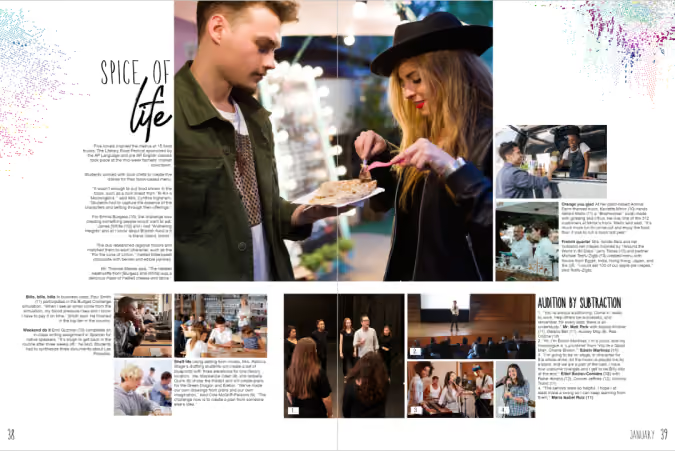
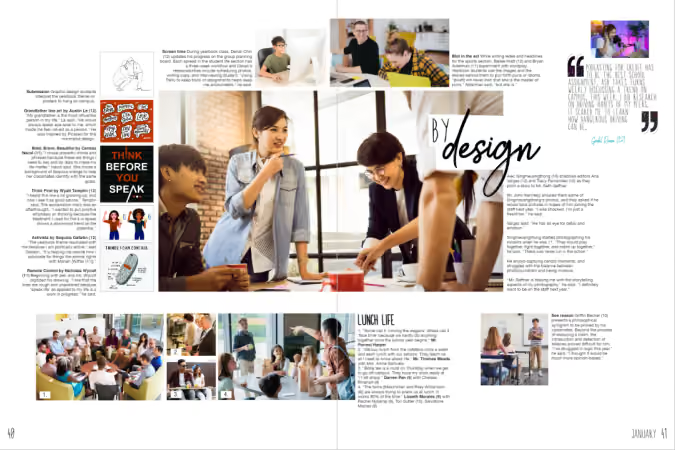
There’s no rule on how to put pages in your yearbook chronologically: we’ve seen schools organize their yearbooks monthly, quarterly, and seasonally. Treering's Seasons of Our Lives yearbook theme makes it easy to put pages chronologically in your yearbook.

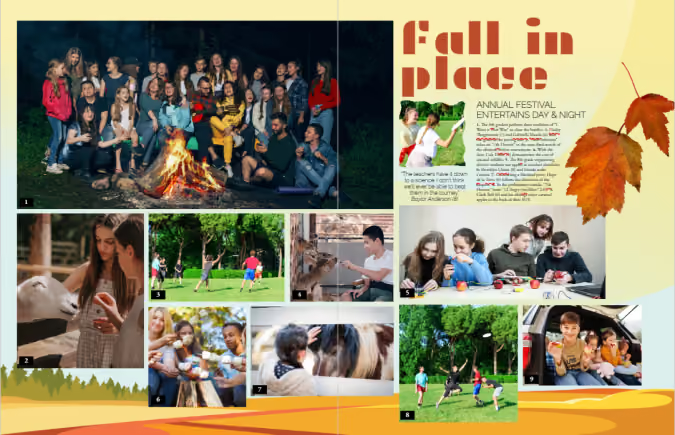
Feeling ambitious? Weekly chronological coverage can be of value to larger or K-12 schools within modules dedicated to academics, club activities and meetings, plus a sporting event of the week.
Chronological cover yearbook coverage helps keep you organized by:
- Structuring your coverage: you can’t cover an event after it’s passed
- Building in mini-deadlines: because you have a structure, you can build due dates and workflows
- Telling the story of the year as it unfolds
Use traditional yearbook sections
Tradition works for a reason. Done right, yearbooks show the complete picture (pun intended) of how students contribute to their communities. It’s a visual reminder of how each story weaves together to become a group narrative. Yearbooks are definitely worth bonding over.
By using sectional, or traditional, coverage to put together your yearbook, pages are placed in topical categories. We know to find Start with Hello in the club section and volleyball in sports.
Traditional sections to put in your yearbook include
People
Student portraits (organized by class, homeroom, or grade), staff, and personality profiles tend to dominate yearbooks. Consider breaking up coverage by adding in siblings, outside-of-school hobbies, and international students.
Student life
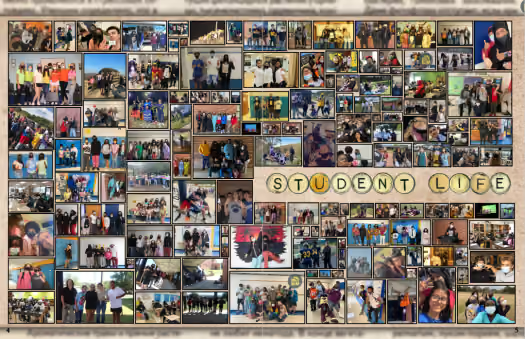
All the big, schoolwide moments plus the small distinctive ones (think homecoming, Read Across America, hot cocoa in Mrs. Cruz’s classroom, Dot Day, lawn chair lunches, etc.) make their home in the student life section.

Organizations
Clubs and committees that comprise a large portion of student life may warrant their own section. If most of your clubs are inactive beyond a monthly lunch, consider keeping club activities in the student life portion or feature the group photos in the reference section.
Sports
Remember, action shots have a place, as do club sports, pre-game rituals, and scoreboards.
Academics
If you’re not putting a “Life in…” page, consider grouping academics coverage by grade or subject. Ensure daily classroom activities, as well as holiday parties, are included in the coverage.
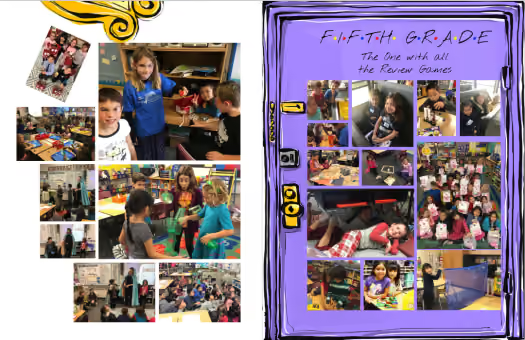
Reference
Put pages devoted to the index, group photos (club and team), and ads in the reference section of the yearbook.
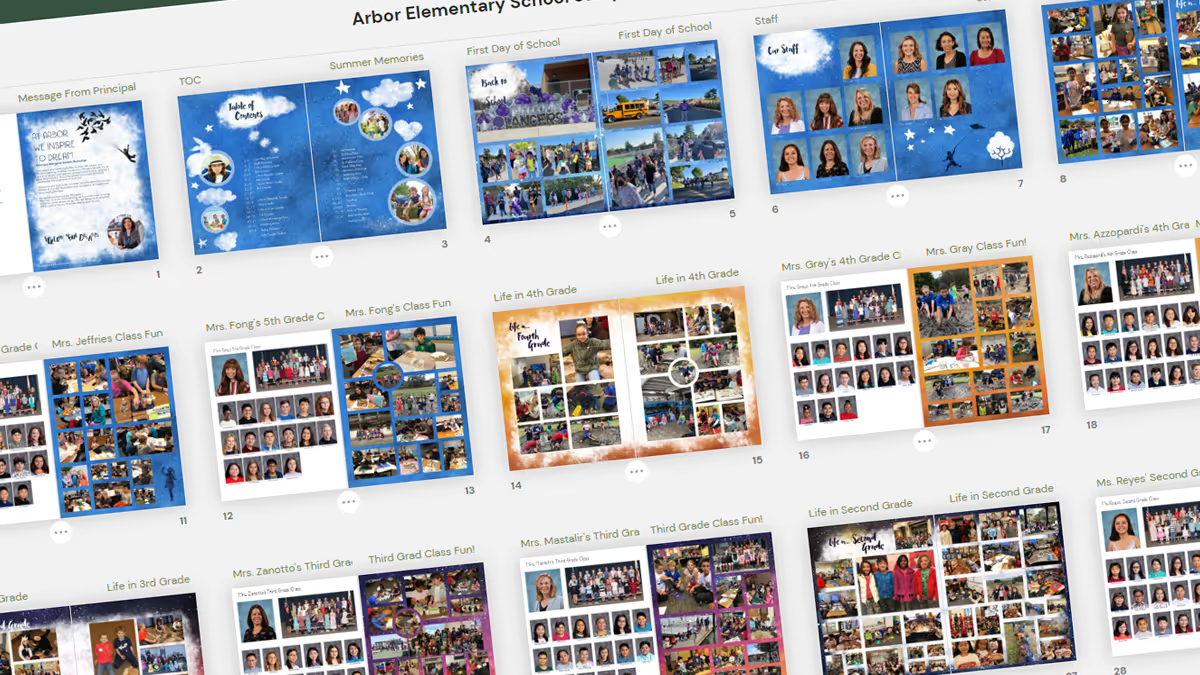
If you need additional inspiration for which pages to put in your yearbook, check out these sample ladders from other schools and adapt them to fit yours.

Maximize coverage in an inclusive yearbook
Each spring stories of yearbooking-gone-wrong inundate the media: from inappropriate senior quotes to accounts of students being left out, school yearbooks do not get positive press. Let's change that! By building an inclusive yearbook, we can build morale on campus and showcase each member of the community.
Tooting our own horn here for a sec: TreeRing is the definitive inclusive yearbook company with our custom pages . All that to say, we’re here to help.
Inclusive Language
It’s not always necessary to identify a student with a disability. The Associated Press has a list of inclusive and exclusive language and the American Psychological Association advocates for the use of the subject’s preference for identity-first language or people-first language.
Advocates agree: when we speak of a classmate and hyperbolize “all that she is doing to overcome her difficulties” or we describe him as “suffering from X” we are not honoring the individual.
Special Considerations for Inclusivity
To paraphrase the Student Press Law Center, yearbooks cannot separate or denote students as “special ed” because it is a part of their private student record. Check with your district to see if they have a specific policy.
Artwork that is Reflective of your Community
Inclusive artwork can serve two purposes: decorative pieces to enhance your yearbook theme and student creations to include more members of your student body. Let’s tackle both!
Theme Art
Does your yearbook look like your student body? As a mamá with a family built on adoption as well as biology, I’m endeared to this concept. If you are using clip art people in your yearbook, find a diverse collection.
Student Artwork
Since an inclusive yearbook theme represents students and their interests, including student art is one way to feature more students.
Art classes, at the middle and high school level, are generally included in your academics sections. These tend to be in-progress photos. Adding a gallery to show final products is a way to credit the creations campus artists make.
Cover contests spotlight campus artists on the outside of your book; some schools use the runners-up on the back or on a special spread inside the book. For your cover contest, you could ask students to use the school mascot or the yearbook theme. Another idea would be to do a contest for the title page.
Furthermore, additional student art can also be included on custom pages! Seriously, parents, we really don’t need bins of paper plate masks in the family archives.
Monitoring Coverage for an Inclusive Yearbook
Can you even ensure inclusivity if you’re not tagging?
Let’s be frank. Our job as yearbook advisers, coordinators, and chairs is to showcase our students. All. Of. Them.
Tagging photos and monitoring coverage are the easiest way to ensure you are featuring all the members of your campus community. It’s an additional step and a necessary one. Pair your #photodumpFriday with a “Tag ‘em Tuesday” to ensure you have each student in the book.
The industry standard is three times. This is easier than we think: school portrait plus
- Academics photos
- Club or team photos
- Pull quote
- Feature story
- Index letter
- Folio
- Student life feature
- Buddy pic
- Spirit Week/Halloween/Career Day/Crazy Hair dress up collage (or three)
- Field trips
If your yearbook publisher has an indexing or coverage counter feature, then you can track the number of times a student is placed in your yearbook. (For quotes only, place a tiny photo on the spread at 100% transparency to track.)
Use Your Index to Increase Coverage
Indexes are ugly. They are walls of words. They look like dictionaries. But they don’t have to!
Blended coverage can happen on every spread in your book. Here are some ways our advisers maximize the real estate at the back of their book:
- Make it truly a reference section by including club and team photos plus scoreboards
- Mix in ads with the index
- Use the letters to add additional coverage such as feature stories or personality profiles
Whichever you choose, be sure to incorporate your theme colors and fonts to ensure a cohesive look from cover to cover.

Your throwback yearbook theme needs this laser photo background
Like retro trends themselves, what goes into a throwback yearbook theme gets updated (can we call it updated?) every few years. Because those trends are usually rooted in fashion or pop culture, they can take a good amount of creativity to link back to your throwback yearbook theme. Right now, though, there’s one retro trend that fits the yearbook perfectly, without making any adjustments or working hard to make a creative connection: the laser photo background. Yup, you read that right. We’re talking about that 80s-style school photo backdrop emblazoned with neon lines and electric bursts, because they’re back, and they’re pretty meme-tastic. Don’t believe us? Do a quick Google search and you’ll be bombarded with some amazingly awkward glamour shots. While we don’t advocate purposely creating cringe-worthy student portraits for your yearbook, we do suggest you find a few ways to fit this retro trend into your throwback yearbook theme. Keep reading to learn where laser photo backgrounds came from, where to find them today, and how to create your own.
A brief history on the laser photo background
The laser photo background was all the rage in the 1980s, when many school portraits featured backdrops crisscrossed with bright, glowing lights. Back then it was totally stylish—and not at all ironic. The fad faded (or fizzled, if you will) and was banished to old yearbooks and family photo albums until 2007. That’s when a blogger posted this photo, titled “Me in ‘91”. It was, up to that point, the first laser photo background on the blog, which described itself as being dedicated to “the celebration of the perfect portrait.” (There is, in case you’re wondering, some sarcasm involved there.) Pretty much everybody sharing the image and basking in its cheesy glory essentially made that single portrait a meme before memes were even popular. The following year, a Tumblr blog called “We have Lasers!” debuted and—yup, you guessed it—it was dedicated entirely to school portraits with a laser photo background. As Lindsey Weber, the blog’s creator wrote in it’s “About” section: “You begged your mom to pay the extra $4. A tribute to the greatest school photo backdrop there ever was.” To say “We have Lasers!” took off would be an understatement: People submitted more than 500 portraits to be featured on the blog in less than two years, and the blog was featured on NPR, CNN, Time, and CBS News. Quickly, laser photo backgrounds went from meme to viral to mainstream. Popular sites, such as Awkward Family Photos and BuzzFeed, began featuring compilations of people posed in front of the iconic background. Even celebrities began recreating laser photo background images as spoofs (re: this picture of former 98 Degrees frontman, Nick Lachey). The Internet was, and in a lot of ways still is, in a laser-photo frenzy. So, how do you pull this trend into your throwback yearbook theme?
Where to find—and how to use—laser photo backgrounds in your throwback yearbook theme
There are two places to find laser photo backgrounds:
- Buy an actual laser photo backdrop, in the form of a poster, online at Zazzle.com.
- Use this free laser photo background, created by Emily Coxe.
The poster at Zazzle.com comes in a bunch of different sizes. Deciding which size to buy is based pretty much entirely on deciding how you’re going to use it. So, before you pull the trigger and shell out a few bucks for a bit of nostalgia, think through your use cases and make sure you order the right one for your needs. The easiest way to do that? Do a test run of your photo shoot by placing your subjects against a plain wall and marking off the various poster sizes with painter’s tape. When you frame up your shot, pay attention to which size poster markings are inside the viewfinder, and order the next size up. If the idea of planning out your photo shoots and spending cash has you feeling a little bummed (and, hey, we get it; we make creating a yearbook free for schools), you can always work a little Photoshop magic. Really, if you have some super-creative students or parent volunteers on your yearbook committee who know their way around Photoshop’s masking tool, this is the way to go. In fact, even if you don’t have someone like that on your yearbook committee, but you have someone who is willing to give new stuff a try, this is the way to go. Because you can even use PowerPoint to do this. Here’s how to add a laser background (or any background, really) to a photo in Photoshop:
- Choose your image. A picture with a plain background is easiest to work with, so—if you have control over this—have your subject stand in front of a plain wall or against the side of a building to capture some natural light.
- Mask it. In Photoshop, use the pen tool to mask the person in the image. (Learn more about masking here.) You can also use more sophisticated Photoshop techniques, depending on how precise you want the image to appear. If you’re new to Photoshop, however, we recommend sticking to the basics.
- Insert the background. Drag and drop, or copy and paste, the laser background of your choice. Size and position, save your image, and you’re good to go.
- Here’s how to add a background to a photo in PowerPoint:
- Add your image to a PowerPoint slide. Again, a picture with a plain background is easiest to work with.
- Use the “Remove Background” feature. When you upload a photo in PowerPoint, your toolbar should automatically reset to display the “Format Picture” options that are available. You’ll want to be on that section of the toolbar, so make sure you’re there. Then, under the “Adjust” settings, choose “Remove Background.” PowerPoint guides you through the process from there, and it’s super simple.
- Insert the background. Once you upload the background, you’ll want to size it appropriately and position it, like you did in Photoshop. Make sure you adjust your layers, so that the background is in the back. You can do that by finding the “Arrange” section in the “Format Picture” toolbar, and using the “Reorder” feature.
- Save your image, but be sure to save your image as a .png, .jpg, or .gif file, and not a PowerPoint file
That’s all there is to it. Not bad, right?Adding (or should we say “beaming”?) laser photo backgrounds into your throwback yearbook theme will totally put you in touch with today’s retro trends. It’ll also add a bit of irony and hipster style to your book, and we totally endorse that more than we endorse some of the other trends that are making comebacks.

How to create a personalized homeschool yearbook
Yearbooks are for every student, not just those who attend brick-and-mortar schools. In fact, parent-led home-based education may currently be the fastest-growing form of education in the United States. That makes for a lot of memories to capture!
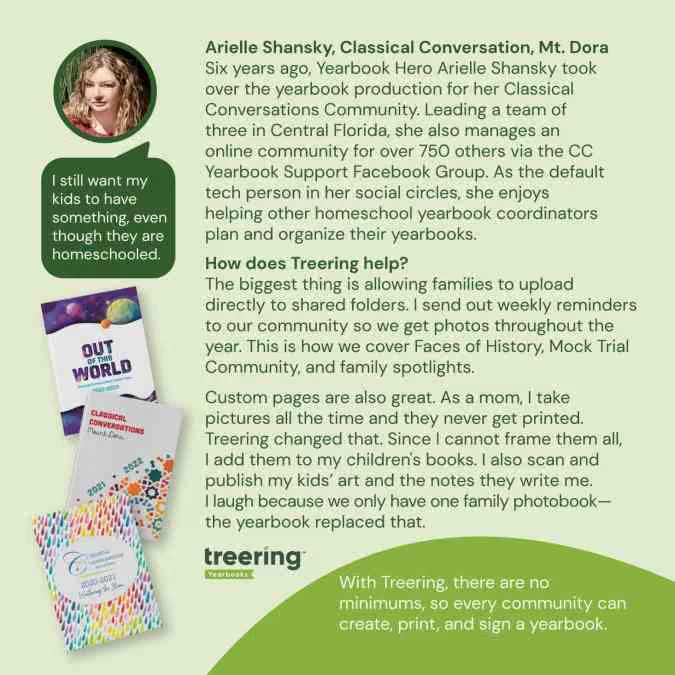
With the unparalleled flexibility of Treering Yearbooks, it’s never been easier for homeschool families and organizations to effortlessly create a personalized yearbook for each student, capturing the essence of their unique educational journey. We remove the guesswork and simplify the yearbook process for everyone involved. Here are a few yearbook perks that Treering offers to homeschools:
1. No hidden fees, no surprises. Our per-book price is all-inclusive, covering everything from easy-to-use software to friendly support and custom covers featuring your child’s artwork or family photo.
2. No minimum order requirements. Whether you only need one book or many, Treering can accommodate your needs. We’ll even provide a code so grandparents can purchase, too.
3. No contracts. You're never locked into working with us. We believe in our service, but you can walk away anytime (although we're confident you won't want to!).
4. No deadlines. Not working on a traditional timeline? Same here. Treering empowers editors with the flexibility to control and change their print-ready date at any time without incurring fees. Our three-week turnaround means you’ll receive your masterpiece in no time.
5. No set page count. Treering allows for creating a yearbook with as few as 20 pages. You can even adjust your page count as the school year - or a fun last-minute field trip - dictates.
6. Free custom pages: If you create a book for multiple students or just one, each can become a personalized keepsake. Capture milestones, family vacations, extracurricular activities, art projects, and more inside each student's unique copy.
Discover the Ease of Treering’s Software for Homeschoolers
While all of the above advantages benefit homeschool communities, Treering’s easy-to-use software is one of our most important - and most loved - features. Our intuitive, drag-and-drop yearbook builder makes it easy to craft a beautiful yearbook. Choose from hundreds of professionally-curated themes, or unleash your creativity and design your own.

How many pages do I need in the yearbook?
You’re planning for the school year: you chose a publishing partner, the yearbook team and curriculum are set, and the clock is ticking to the first day of school, better known as the first day of coverage. Are you feeling overwhelmed yet? (We hope not!) Determining your yearbook's page count is a quick win and a way to get the year(book) organized. Your school’s enrollment and your yearbook ladder are two ways most schools get set up. We’ll discuss the merits of both.
Use your enrollment to determine page count
Math lesson: there are 380 students on campus and you want to ensure three-times coverage. With an average of 12 photos on each spread (that’s two facing pages for those of you playing along at home), you’ll need about one spread for every 16-24 students. That breaks down to:
- 50 students or fewer: 32 pages
- 50-300 students: 40 pages
- 300-500 students: 64 pages
- 500-800 students: 72 pages
- 800-1000 students: 80 pages
- 1000+ students: 100-400 pages
While it’s nice to have a range, that’s a fairly impersonal method of guestimating your page count. It neglects the nuances, personality, and culture of your school. Let’s look at a second option for determining how many pages you need.
Why a yearbook ladder is win-win-win
A yearbook ladder is a chart that represents the pages in a yearbook. To build it, grab the last few years’ yearbooks, the latest school calendar, and your team.
- Brainstorm the non-negotiable events, sections (people, arts, sports), and yearbook traditions
- Brainstorm features, specials, and theme-related content
- Decide if you will organize the book chronologically, topically, or a blend of both
- Allocate spreads
We love doing this digitally because it can be fluid. If your page count is looking overwhelming because of time or budget, combine some topics. If it is underwhelming, return to number two: what additional, meaningful content will you add to your yearbook?
Remember, if you’re working with Treering, your page count is flexible; increase or decrease it at any time.
Collage page ideas
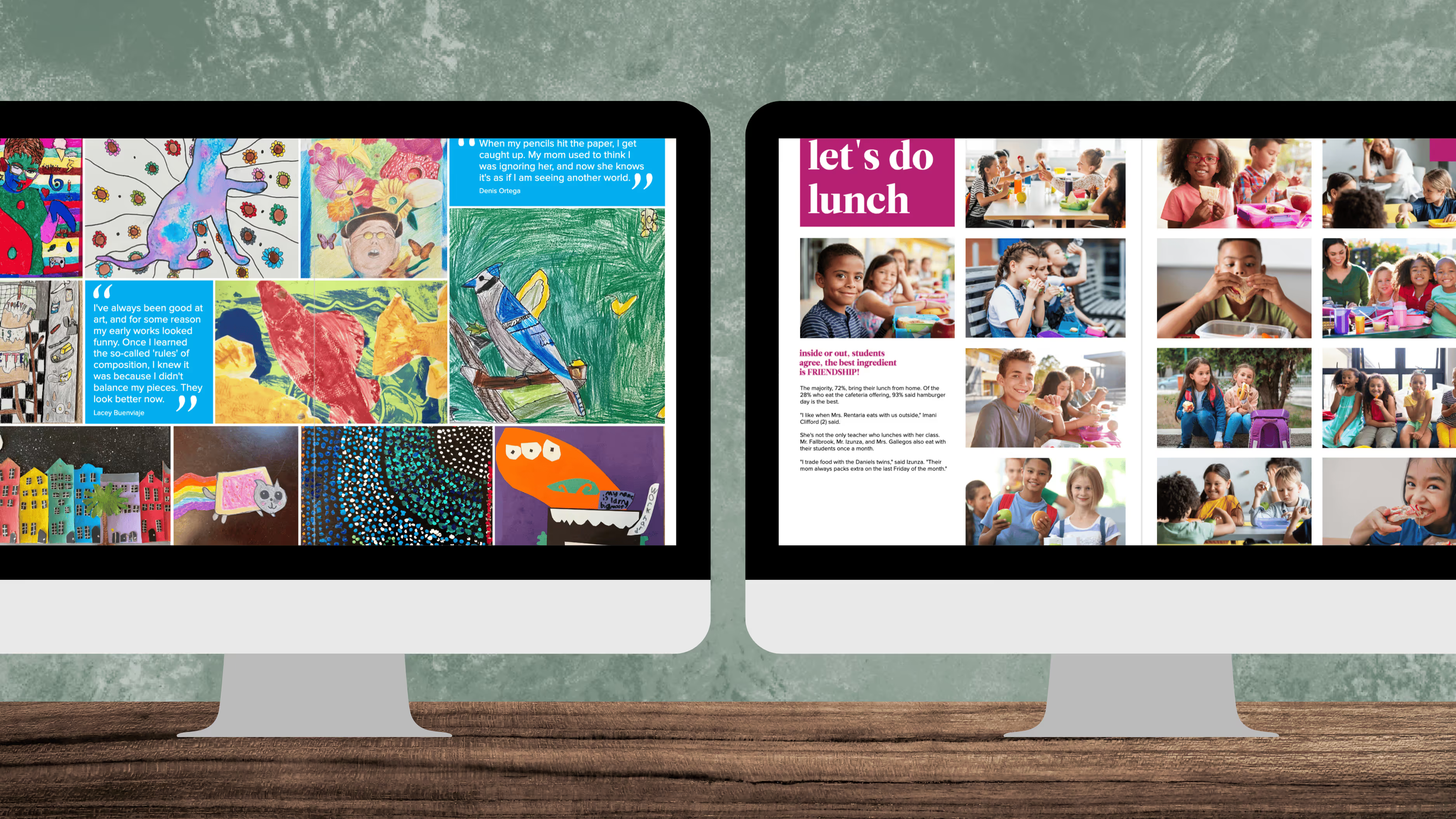
Photo collages get a bad rap. Poorly designed spreads without uniform spacing or an overarching theme are little more than a photo dump. (I actually think that’s how my MIL would describe what I do as a yearbook mom. “She just puts pictures on pages.”) Executed well, they become standout spreads.
How many photos should i put in a collage?
Answering a question with a question: is it even a collage if it has fewer than 15 photos? Too few can make the page look sparse, while too many can make it cluttered and overwhelming.
A good range for a collage spread is roughly 20-30 photos. While you can find layouts with up to 65 photo boxes among Treering’s 1000s of pre-designed templates, more photos mean smaller photos. Smaller photos make it difficult to discern who is in the picture.
That’s the point of a collage: to increase coverage of events and individuals.

Two must-have collage pages
When our team looks at yearbooks, the standout books have collage pages for each class or grade and the major school events. While collage pages are a great way to include many photos, too many can become monotonous. Aim to limit collage pages to around 10-15% of the total page count of the yearbook. This keeps the content varied and engaging.
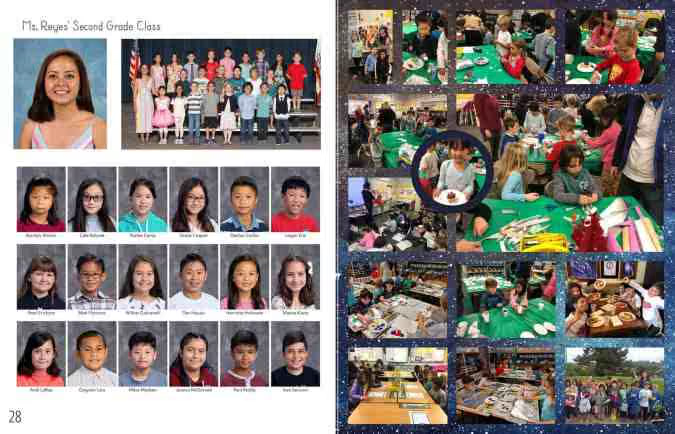
Class collages
Pairing class photos with a collage of candids gives each class a spread of their own. It shows how each class is different. This is also an easy way to ensure each student is in the book more than once: their “official” photo and a fun photo.
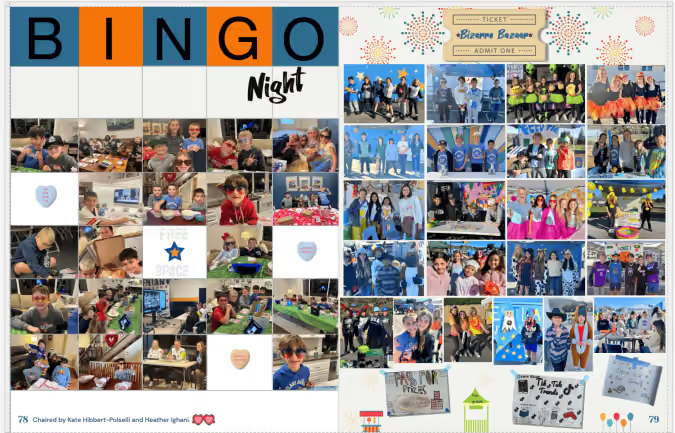
School event pages
A collage page makes it easy to cover all-school events such as the jogathon or an awards ceremony, where you end up with 100s of photographs. Other ideas include:
- Fan sections at home games
- Movie night
- Father-daughter dance
- Homecoming and spirit week
- Game faces for student-athletes
- Vacations (summer, ski week, etc.)
- Field day
- Spring musical (include rehearsal photos!)
Should I include captions on a collage page?
Captions provide context for the photo. At a minimum, you should include ident captions. Below or beside the photos, add the students’ names and grades [e.g. Soren Ham (1) and Evangeline Romero (1)].
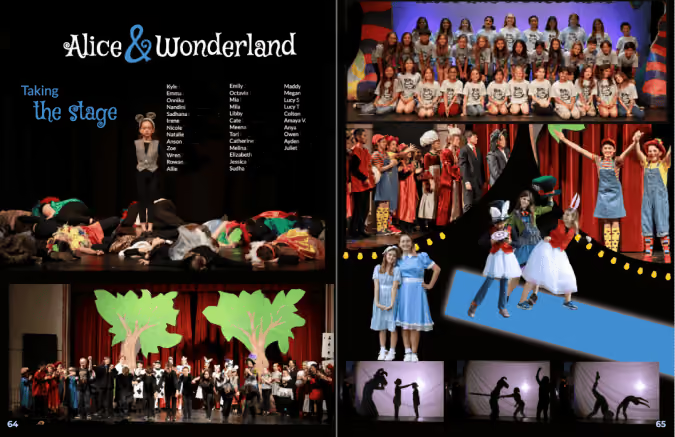
Middle and high school staffs should aim to add body copy in the form of a story to unite the spread.
Including collage pages in your yearbook is a popular way to add more photos and showcase the story of your school year.

5 graduation photo and caption ideas
It's that time when end-of-the-year events on campus dominate our social calendars and social feeds. Whether you're doing a quick post-ceremony graduation photoshoot with friends or snapping last-minute custom page poses for the yearbook, here are five graduation photo ideas plus some fun Instagram captions to use. I met up with my neighbor, Avery who is a high school senior, varsity athlete, super babysitter, and future marketing professional for these video tutorials and inspirational photos.
Remember, the best photos are the ones that align with your personality.
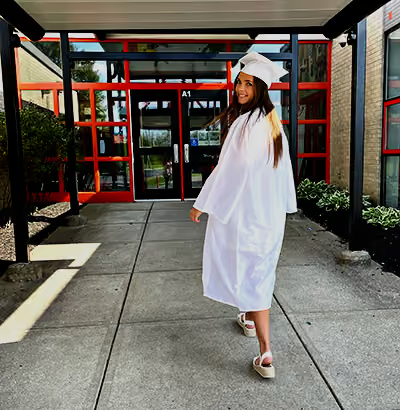
Pose 1: looking forward to looking back
A simple graduation pose you can do pre-ceremony is the over-the-should smile. Set a "mark" for your subject to do the look so you can focus there. The concrete in front of the school helped us time the shots. Unless you use a telephoto lens on a proper camera, ensure your background is more interesting than that parking lot.
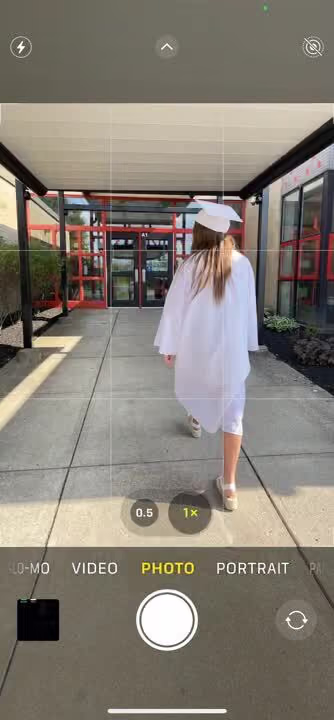
In the video above, notice the multiple flashes. This means the cell phone is on "burst" or "multi-shot mode" which gives you more options with which to work.
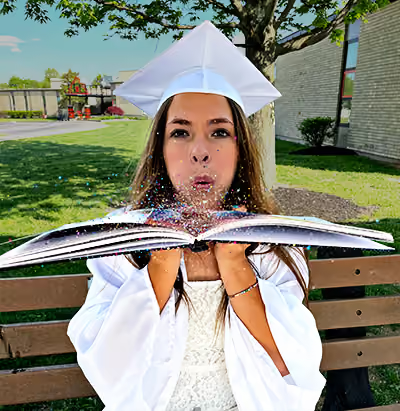
Pose 2: all that glitters
Your first day of grade school probably involved some glitter, so why not celebrate the final day of grade school with it?
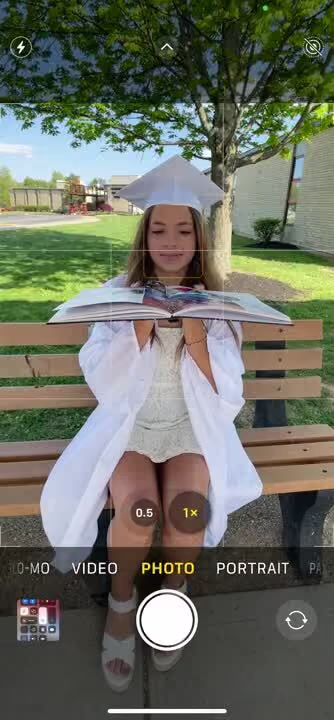
During the shoot, Avery and I found coarse glitter has more movement and picks up better with a cell phone. (It still wasn't fun to clean up.)
Pose 3: portrait perfection
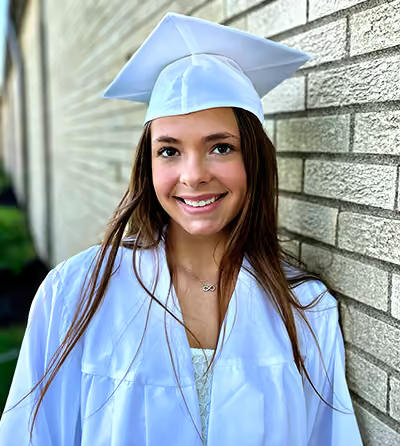
Portrait mode on a cell phone improved our Insta-presence by adding depth to photos.
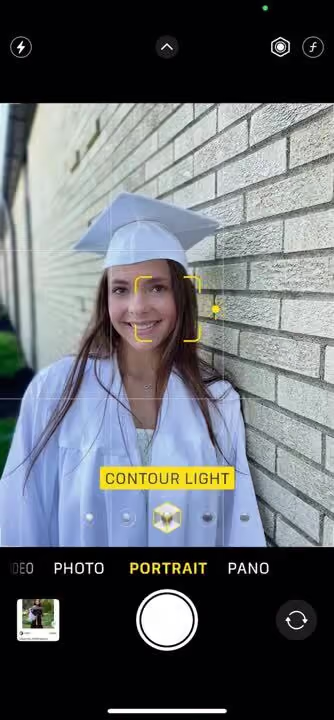
To get the most from portrait mode, add space between your subject and the background. I had Avery lean against the wall in a relaxed standing pose. at an angle. The angle allowed for the mortar lines (leading lines in photography) to draw the viewer's eye to her face.
Pose 4: MVPose
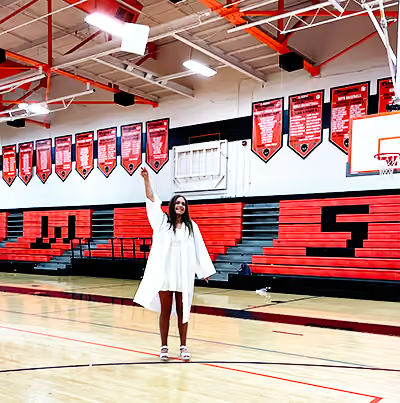
The cap toss is the image most of us think of when we picture graduation. Using burst mode, snap several photos of your senior doing his/her own version.
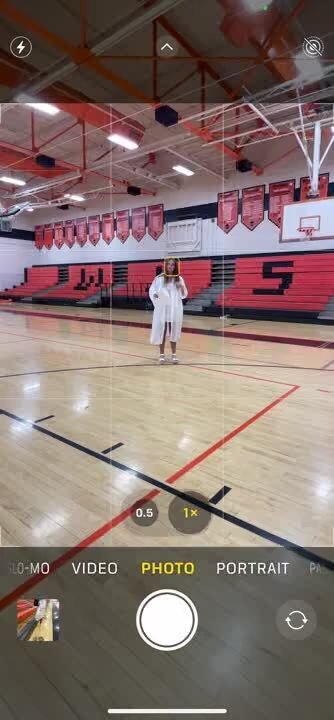
Because yellowish-green gym lighting is notoriously tricky, you'll want to use your in-camera photo editor to reduce the warmth and add a slight coolness to the tint. This pose also works well on the football field because there is plenty of overhead clearance.

Pose 5: cap it off
Remember our discussion of depth of field and portrait mode? Another application is for the cap. Many students decorate theirs, so make it the focal point of an image.
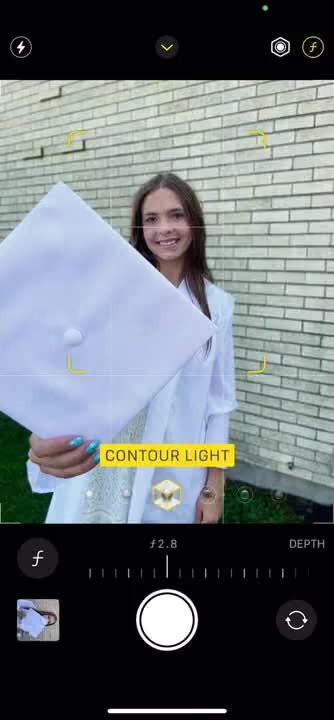
In the video, you can see how raising the phone just a bit flattered Avery more. My yearbook adviser always said, "Zoom with your feet," and it's stuck with me decades later.
Tips to capture a great graduation photo
Because authenticity goes a long way, here are a few ways to make the poses below your own.
- Try to avoid stiff or unnatural poses. Instead, move around and experiment with different angles until you find a pose that feels comfortable and looks good.
- The background of your photo can add interest and depth to your pose. Look for interesting locales that complement your outfit and pose. Off-campus, visit community murals, local landmarks, and parks as your graduation photo spot.
- Props can add visual interest and help tell a story in your photo. Consider using props like sports equipment, a yearbook, confetti, or a graduation cap.
- Experiment with different angles to find the one that flatters you the most. Try shooting from above, below, or at eye level.
- You can sit, stand, jump, walk, or even lie down for your senior photo.
If you're saying cheers to the end of an era and the start of a new one, may your memories be filled with joy.

List of yearbook superlatives ideas for seniors & other students
When it comes to crafting memorable yearbooks, superlatives are a staple. These awards allow students to celebrate their peers in fun and lighthearted ways while preserving memories of who they were during the school year. However, the classic titles like Teacher's Pet, Most Likely to Succeed, and Class Clown—while timeless—can feel a bit overdone. That’s why we’ve curated a fresh list of over 100 yearbook superlatives that go beyond the clichés and embrace today's students' diversity, creativity, and individuality.
Senior Superlative Ideas for Any High School Yearbook
The best yearbook superlatives celebrate individuality and avoid focusing solely on physical attributes. By shifting the focus to creativity, character, and accomplishments, your yearbook can reflect the dynamic personalities of your class while creating moments of joy for everyone who flips through its pages.
And they are no longer just for your senior section. We're also seeing superlatives for elementary and middle school students plus teachers.
Superlatives For the Pop Culture Fanatics
- Future viral sensation
- Most likely to be verified on social media
- Most likely to get a deal on Shark Tank
- Next big TikTok trendsetter
- Future Marvel hero
- Most likely to direct an Oscar-winning film
- Most likely to write a best-selling YA novel
- Next reality TV star
- Most likely to produce a Grammy-winning album
- Most likely to host a podcast
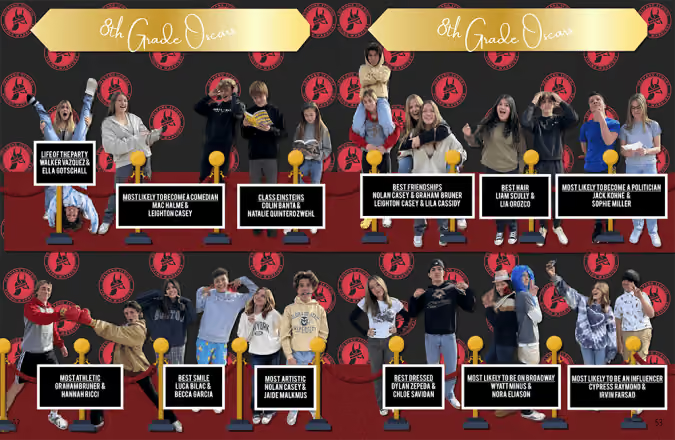
Standouts for World-Changers
- Future Nobel Prize winner
- Most likely to start a nonprofit
- Best candidate for the CIA
- Most likely to be a UN ambassador
- Most likely to create a greener future
- Most likely to invent the next big thing
- Most likely to solve world hunger
- Most likely to lead a humanitarian mission
- Most likely to make space travel affordable
- Most likely to change the world through art
- Most likely to reform the education system
The Standouts in Personality
- Most likely to brighten your day
- Best advice giver
- Most likely to laugh at their own jokes
- Best at making new friends
- Most likely to win at trivia night
- Most likely to remember your birthday
- Most likely to cheer you up with a meme
- Most likely to have a cool hobby you didn't know about
- Most likely to be a secret genius
- Most likely to travel the karaoke circuit
Tech & Innovation Superlatives
- Most likely to work at a tech giant
- Future app creator
- Most likely to go viral on GitHub
- Most likely to build the next social media platform
- Most likely to win a robotics competition
- Most likely to design a sustainable city
- Future AI specialist
- Most likely to lead a virtual reality revolution
- Future cybersecurity expert
- Most likely to write the code that changes the world
- Most likely to build a flying car
Creative Superlatives
- Most likely to design a fashion line
- Future Disney Imagineer
- Most likely to illustrate a graphic novel
- Most likely to be a professional photographer
- Most likely to write/produce/star in a Broadway musical
- Future art gallery curator
- Most likely to star in a viral dance challenge
- Most likely to edit an award-winning film
- Most likely to open a boutique
- Most likely to host a DIY show
School-Spirit Leaders
- Most likely to plan the best reunion
- Most school spirited
- Most likely to remember every school tradition
- Most likely to stay involved as an alum
- Most likely to be voted into the Hall of Fame
- Most likely to name their pet after the mascot
- Most likely to preserve all their yearbooks
- Most likely to organize the class group chat
- Most likely to wear school colors forever
- Most likely to volunteer at every school event
- Most likely to return as a teacher
Celebrate Explorers and Adventurers
- Most likely to backpack around the world
- Most likely to climb Mount Everest
- Most likely to be on a national geographic cover
- Most likely to travel in a tiny home
- Most likely to road trip across America
- Most likely to work on an antarctic research base
- Most likely to be a wilderness survival expert
- Most likely to discover a new species
- Future travel blogger
- Most likely to live on a sailboat
Humanitarian Superlatives
- Most likely to be a first responder
- Most likely to work in public health
- Most likely to foster rescued animals
- Most likely to start a free library
- Most likely to volunteer internationally
- Most likely to champion mental health awareness
- Future advocate for marginalized communities
- Most likely to win a humanitarian award
- Most likely to organize a food drive
- Most likely to host fundraising galas
Superlatives that Celebrate Unique Skills
- Most likely to master a new language
- Most likely to memorize the entire dictionary
- Best at solving a Rubik’s cube
- Most likely to train a pet for tv
- Most likely to start an e-sports team
- Most likely to be a Guinness world record holder
- Most likely to excel at any board game
- Most likely to master culinary arts
- Most likely to be a pro dungeon master
- Best at remembering random facts
Community Superlatives
- Best neighborhood organizer
- Most likely to run for local office
- Most likely to open a community center
- Most likely to start a neighborhood tradition
- Most likely to build a successful co-op
- Most likely to run a food truck everyone loves
- Most likely to revitalize a downtown area
- Most likely to be a local celebrity
- Most likely to mentor future generations
- Most likely to make everyone feel included
Athletic Superlatives
- Most likely to be in the Olympics
- Most likely to compete in the X-games
- Most likely to coach a championship team
- Best teammate
- Most likely to design athleisure wear
- Most likely to become a fitness instructor
- Most likely to run a marathon on every continent
- Most likely to be a sports journalist
- Most likely to win a Superbowl/Stanley Cup/World Series/MLS Cup/NBA Championship
- Most likely to build an inclusive sports league
- Most likely to train the next MVP
- Most likely to win a Heisman
How to Choose the Right Superlatives for Your School
When brainstorming yearbook superlatives, consider your school’s culture and student body. What resonates with your classmates? Are they passionate about social causes, obsessed with pop culture, or deeply involved in athletics?
Here are four tips to guide your process:
- Survey students: Your yearbook team should come up with the categories and the student body should nominate the winners.
- Focus on positivity: Avoid potentially negative or divisive categories.
- Stay relevant: If you arent using your theme to determine which superlatives to offer, incorporate trends in technology, media, and culture to keep your list fresh.
- Celebrate achievements: Recognize contributions across academics, arts, athletics, and community involvement.