.svg)


August 4, 2025
2
Min Read Time
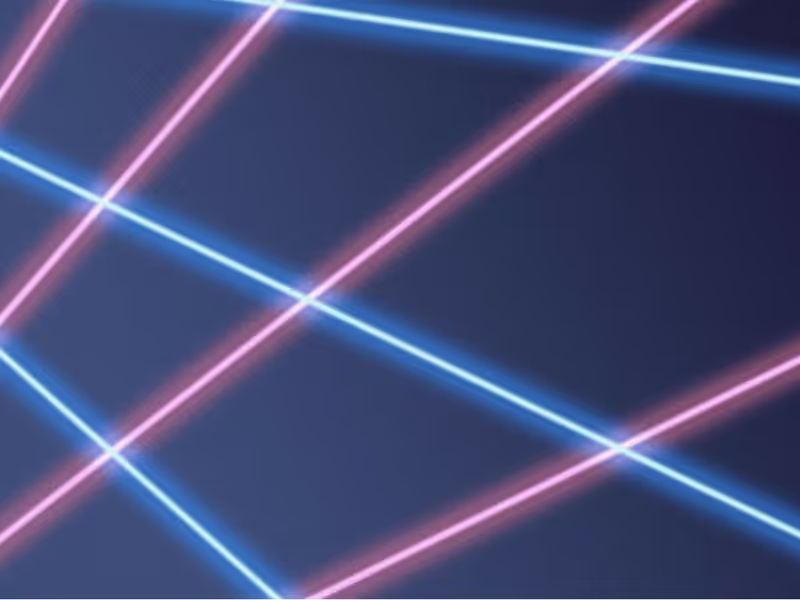
Like retro trends themselves, what goes into a throwback yearbook theme gets updated (can we call it updated?) every few years. Because those trends are usually rooted in fashion or pop culture, they can take a good amount of creativity to link back to your throwback yearbook theme. Right now, though, there’s one retro trend that fits the yearbook perfectly, without making any adjustments or working hard to make a creative connection: the laser photo background. Yup, you read that right. We’re talking about that 80s-style school photo backdrop emblazoned with neon lines and electric bursts, because they’re back, and they’re pretty meme-tastic. Don’t believe us? Do a quick Google search and you’ll be bombarded with some amazingly awkward glamour shots. While we don’t advocate purposely creating cringe-worthy student portraits for your yearbook, we do suggest you find a few ways to fit this retro trend into your throwback yearbook theme. Keep reading to learn where laser photo backgrounds came from, where to find them today, and how to create your own.
The laser photo background was all the rage in the 1980s, when many school portraits featured backdrops crisscrossed with bright, glowing lights. Back then it was totally stylish—and not at all ironic. The fad faded (or fizzled, if you will) and was banished to old yearbooks and family photo albums until 2007. That’s when a blogger posted this photo, titled “Me in ‘91”. It was, up to that point, the first laser photo background on the blog, which described itself as being dedicated to “the celebration of the perfect portrait.” (There is, in case you’re wondering, some sarcasm involved there.) Pretty much everybody sharing the image and basking in its cheesy glory essentially made that single portrait a meme before memes were even popular. The following year, a Tumblr blog called “We have Lasers!” debuted and—yup, you guessed it—it was dedicated entirely to school portraits with a laser photo background. As Lindsey Weber, the blog’s creator wrote in it’s “About” section: “You begged your mom to pay the extra $4. A tribute to the greatest school photo backdrop there ever was.” To say “We have Lasers!” took off would be an understatement: People submitted more than 500 portraits to be featured on the blog in less than two years, and the blog was featured on NPR, CNN, Time, and CBS News. Quickly, laser photo backgrounds went from meme to viral to mainstream. Popular sites, such as Awkward Family Photos and BuzzFeed, began featuring compilations of people posed in front of the iconic background. Even celebrities began recreating laser photo background images as spoofs (re: this picture of former 98 Degrees frontman, Nick Lachey). The Internet was, and in a lot of ways still is, in a laser-photo frenzy. So, how do you pull this trend into your throwback yearbook theme?
There are two places to find laser photo backgrounds:
The poster at Zazzle.com comes in a bunch of different sizes. Deciding which size to buy is based pretty much entirely on deciding how you’re going to use it. So, before you pull the trigger and shell out a few bucks for a bit of nostalgia, think through your use cases and make sure you order the right one for your needs. The easiest way to do that? Do a test run of your photo shoot by placing your subjects against a plain wall and marking off the various poster sizes with painter’s tape. When you frame up your shot, pay attention to which size poster markings are inside the viewfinder, and order the next size up. If the idea of planning out your photo shoots and spending cash has you feeling a little bummed (and, hey, we get it; we make creating a yearbook free for schools), you can always work a little Photoshop magic. Really, if you have some super-creative students or parent volunteers on your yearbook committee who know their way around Photoshop’s masking tool, this is the way to go. In fact, even if you don’t have someone like that on your yearbook committee, but you have someone who is willing to give new stuff a try, this is the way to go. Because you can even use PowerPoint to do this. Here’s how to add a laser background (or any background, really) to a photo in Photoshop:
That’s all there is to it. Not bad, right?Adding (or should we say “beaming”?) laser photo backgrounds into your throwback yearbook theme will totally put you in touch with today’s retro trends. It’ll also add a bit of irony and hipster style to your book, and we totally endorse that more than we endorse some of the other trends that are making comebacks.